
A production line can look stable for months, then suddenly experience link flaps, slow diagnostics, or dropped IO updates after a switch refresh. This article helps automation engineers and network technicians choose and deploy PROFINET SFP fiber transceivers for industrial Ethernet runs where uptime and deterministic behavior matter. You will get practical selection criteria, a specs comparison table, and field troubleshooting patterns you can apply during commissioning.
How PROFINET SFP fits factory fiber networks
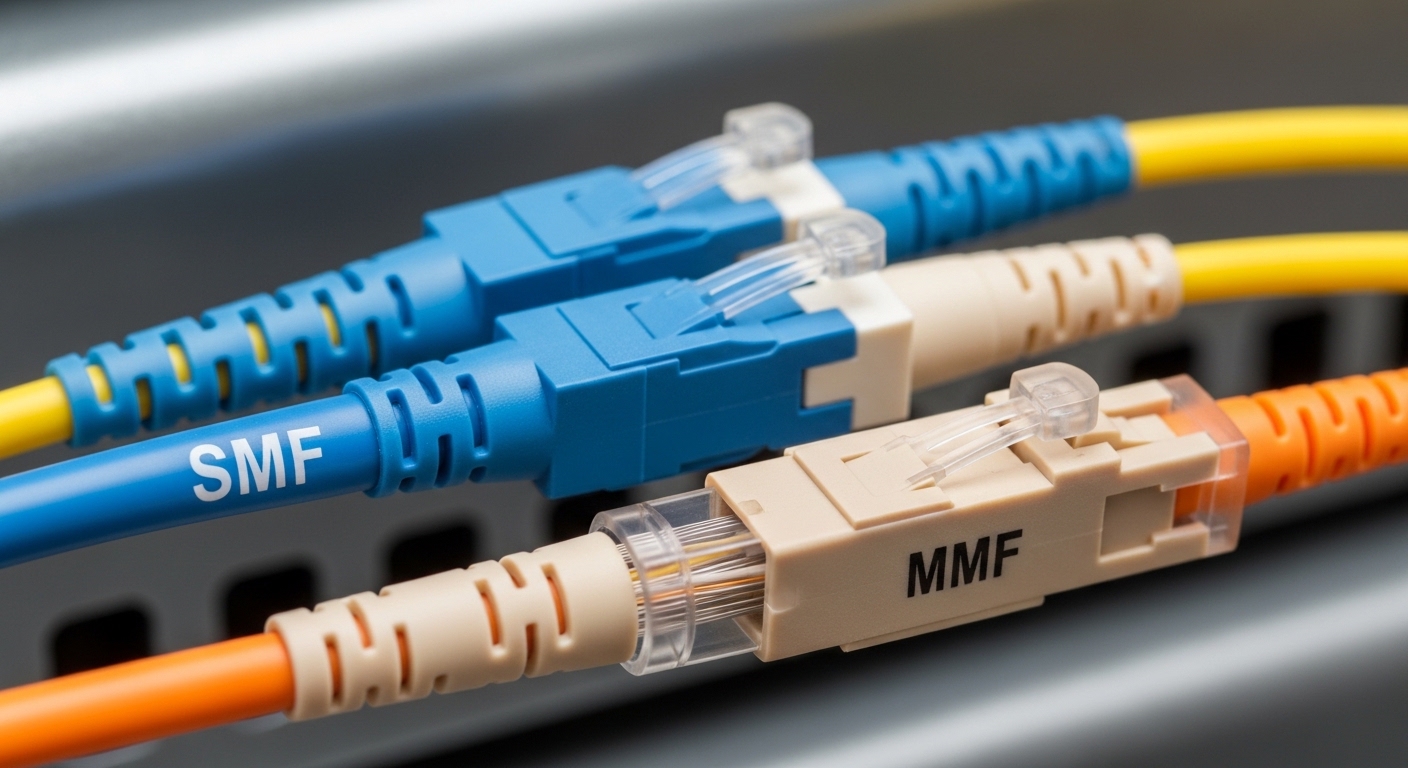
In PROFINET deployments, the transport layer is standard Ethernet, but the operational expectations are industrial: fast fault detection, predictable link behavior, and clean diagnostics. A PROFINET SFP is typically an SFP optical transceiver that plugs into an industrial switch or media converter and carries Ethernet frames over fiber to avoid EMI and extend distance. Most factory designs rely on IEEE 802.3 physical-layer behavior (link training, signal quality, and autonegotiation rules) while controllers and switches handle higher-layer PROFINET timing.
On the physical side, you generally choose between single-mode (longer reach) and multi-mode (shorter reach, often lower cost). The module must match the switch port expectations (SFP electrical interface), optical parameters (wavelength and reach), and operational environment (temperature, vibration, and power budget). Many engineers also require DOM (Digital Optical Monitoring) so the switch can track Tx/Rx power and raise alerts before a link becomes unreliable.
From a strategy and ROI perspective, the goal is to reduce unplanned downtime and reduce “mean time to recovery” during incidents. That means selecting transceivers with consistent optical performance, validating compatibility with your specific switch models, and standardizing part numbers across plants to simplify spares management.
Key specifications that determine reach and link stability
Before comparing brands, lock the transmission profile: data rate, fiber type, wavelength, and reach class. For PROFINET, you usually run 100 Mbps or 1 Gbps Ethernet in the field, though higher-speed uplinks are common in the same plant. Therefore, the same factory may use multiple SFP families, but the selection process for each link remains the same: ensure optical budget fits the span and connector losses, and ensure the module operates within the temperature rating required by the cabinet.
Typical module families used with industrial switches
Many factories standardize on 1000BASE-SX (multi-mode) or 1000BASE-LX/LH (single-mode) optics, and sometimes 10GBASE-SR/SR-variants for uplinks. On the shop floor, the practical choice is often single-mode when distances exceed typical multi-mode limits or when you want better long-term stability across aging fiber. On the other hand, multi-mode can be cost-effective when spans are short and you standardize patch panels and connector quality.
| Spec | 1000BASE-SX (Example) | 1000BASE-LX/LH (Example) | 10GBASE-SR (Example) |
|---|---|---|---|
| Data rate | 1.25 Gbps line rate (1G) | 1.25 Gbps line rate (1G) | ~10.3125 Gbps line rate (10G) |
| Wavelength | ~850 nm | ~1310 nm | ~850 nm |
| Target fiber type | OM3/OM4 multi-mode | Single-mode OS2 (and some LH variants) | OM3/OM4 multi-mode |
| Typical reach class | Up to 300 m (OM3) / 400 m (OM4) | Up to 10 km (OS2) | Up to 300 m (OM3) / 400 m (OM4) |
| Connector options | LC (common) | LC (common) | LC (common) |
| DOM support | Often available; verify per model | Often available; verify per model | Often available; verify per model |
| Operating temperature | Commercial or industrial; verify (often -40 to 85 C) | Commercial or industrial; verify | Commercial or industrial; verify |
| Power class | Low power; check transceiver datasheet | Low power; check transceiver datasheet | Higher than 1G; check switch budget |
To ground the discussion in real parts, many engineers compare vendor datasheets for modules such as Cisco SFP-10G-SR (10GBASE-SR) or Finisar FTLX8571D3BCL (10GBASE-SR class) and third-party options like FS.com SFP-10GSR-85 (commonly used for SR reach planning). For PROFINET field links specifically, your 1G or 100 Mbps fiber transceivers will matter most, but the same compatibility risks apply across all SFP speed families.
Compatibility and commissioning steps for PROFINET SFP
Industrial switches often enforce strict SFP behavior: the port may require vendor-certified optics, certain DOM formats, or specific control-plane expectations for link diagnostics. Even though the electrical interface is standardized at a high level, real-world interoperability can fail due to firmware parsing differences, DOM threshold reporting, or transceiver vendor implementation choices.
Start with an inventory: identify the exact switch model and firmware version, the port speed mode, and whether the port is configured for autonegotiation or fixed settings. Then validate that the transceiver supports the needed features: DOM, digital diagnostics thresholds, and the correct fiber type and wavelength. Finally, plan commissioning so you can isolate faults quickly: label both ends, document patch panel paths, and capture link stats immediately after insertion.
Decision checklist used in field selection
- Distance and fiber type: confirm OS2 single-mode vs OM3/OM4 multi-mode, then include patch cords and connector losses in the optical budget.
- Data rate match: ensure the switch port supports the transceiver’s speed (1G vs 10G) and that any speed/duplex configuration aligns with expected behavior.
- Switch compatibility: check the switch vendor optics compatibility list, and validate with the same firmware release used on production.
- DOM support requirements: if your operations team uses optical power alarms, confirm DOM is supported and thresholds are meaningful in your monitoring system.
- Operating temperature: verify the module is rated for the cabinet and ambient conditions; industrial variants typically support wider ranges than commercial parts.
- Vendor lock-in risk: weigh OEM pricing vs third-party availability, but require a compatibility test to prevent silent diagnostics gaps.
- Spare strategy: standardize part numbers across lines and sites so you can keep fewer spares and reduce swap-time variability.
Pro Tip: In many factory rollouts, the biggest “mystery” link issues come not from the transceiver itself but from connector contamination and patch cord loss. Before blaming optics, clean LC ends, re-seat the connector, and re-check DOM receive power; a marginal Rx level often manifests as intermittent PROFINET communication symptoms rather than a full link down.
Common pitfalls and troubleshooting patterns
Even experienced teams run into recurring failure modes when deploying PROFINET SFP fiber optics. The key is to treat optics like an engineered subsystem: validate link parameters, monitor optical power, and standardize handling procedures for connectors and patch cords.
Pitfall 1: DOM mismatch or missing diagnostics
Root cause: A third-party or non-matching DOM implementation can cause the switch to show “unsupported transceiver” or to omit meaningful optical thresholds. In some monitoring stacks, missing DOM metrics delays escalation and increases downtime duration.
Solution: Confirm DOM support on the exact module model and validate how your switch firmware reports it. If your operations process depends on DOM alarms, test in a staging rack and confirm the monitoring dashboard receives Rx power and error counters.
Pitfall 2: Optical budget failure hidden by short cable tests
Root cause: A link may pass initial testing with short patch cords but fail after installation when real spans include additional couplers, patch panel transitions, or aged connectors. Multi-mode links are especially sensitive to patch cord quality and modal bandwidth assumptions.
Solution: Calculate an optical budget that includes typical connector insertion loss and safety margin, then verify with OTDR or at least measured link attenuation. For multi-mode, ensure OM3/OM4 fiber and patch cords match the intended reach profile.
Pitfall 3: Fiber type and wavelength confusion during spares swaps
Root cause: Teams sometimes store spares without clear labeling, then swap an SR module into a link intended for LX, or mix OS2 and OM fiber. The result can be intermittent link, elevated errors, or immediate link failure depending on the mismatch.
Solution: Use a labeling scheme that includes data rate, wavelength, and fiber type on both the module and the patch panel port. During swaps, verify the wavelength expectation and the connector end-face cleanliness before insertion.
Pitfall 4: Temperature and airflow underestimations in cabinets
Root cause: Industrial cabinets can exceed expected ambient temperatures, especially near power supplies. A module rated for commercial temperature may degrade sooner, causing drift in optical power and increased BER over time.
Solution: Confirm module temperature rating against the cabinet’s measured worst-case ambient. Improve airflow or select industrial-grade optics with a wider operating range.
Cost and ROI: OEM vs third-party optics in industrial uptime
Transceiver pricing varies widely by speed, reach, and temperature grade. In many markets, OEM optics can cost roughly 1.5x to 3x the price of comparable third-party modules, but the real ROI question is not purchase price alone; it is failure rate, compatibility friction, and replacement speed. A single unplanned outage in a high-throughput line can dwarf the price difference between OEM and third-party optics within one incident.
For TCO, include: installation labor, downtime cost, spares holding cost, and the operational overhead of validating compatibility at each site. Third-party optics can be cost-effective when you standardize a tested part number and keep a documented compatibility matrix. However, if your team relies on DOM-based monitoring and firmware-specific diagnostics, you may find that OEM optics reduce “unknown unknowns” during incident response.
As a practical rule: treat optics as a reliability asset. If your commissioning process is mature (cleaning, budget validation, DOM verification, and switch compatibility testing), the cost savings from third-party modules can be meaningful. If your process is still evolving, prioritize fewer, standardized optics SKUs to reduce operational risk.
FAQ about PROFINET SFP fiber transceivers
What speed should my PROFINET SFP support for typical field wiring?
Most PROFINET field segments run on 100 Mbps or 1 Gbps, depending on device mix and network design. Your switch port configuration and controller requirements determine the speed; confirm the port supports the transceiver’s data rate before deploying.
How do I verify DOM support for PROFINET monitoring?
Check the transceiver datasheet for digital optical monitoring and then confirm how your specific switch firmware exposes DOM fields. During staging, verify Rx power and optical alarms appear in your monitoring system; do not assume DOM works across vendors.
Can I use third-party PROFINET SFP modules with industrial switches?
Often yes, but compatibility is not guaranteed. Validate against the switch vendor’s optics guidance and test with the exact firmware version used in production to avoid unsupported-transceiver warnings or missing diagnostics.
What fiber type is usually best: multi-mode or single-mode?
Choose based on reach, cost, and operational stability. Multi-mode (SX/SR) can be economical for shorter runs, while single-mode (LX/LH) typically supports longer distances and can be more forgiving over extended spans.
Why does PROFINET communication degrade before the link fully drops?
Marginal optical power, connector contamination, or excessive attenuation can increase bit errors and cause rising frame errors. Many switches will not immediately show a full link down, but PROFINET traffic can suffer due to retransmissions and timing impact.
What is the fastest way to troubleshoot a suspected bad PROFINET SFP?
Swap with a known-good transceiver of the same type, verify connector cleanliness at both ends, and check DOM receive power and error counters. If the issue follows the transceiver, replace it; if it follows the patch path, focus on fiber, connectors, and budget.
If you want fewer commissioning surprises, standardize your PROFINET SFP selection around validated reach classes, DOM behavior, and switch compatibility, then enforce connector handling discipline. Next, review your network segmentation and uplink design using PROFINET fiber network planning to ensure the optical layer and topology work together.
Author bio: I have deployed industrial Ethernet fiber links in multi-line factories, validating SFP optical budgets with DOM metrics and field-tested connector handling procedures. I write from an operator’s perspective, focusing on measurable uptime outcomes, compatibility verification, and ROI-driven standardization.
