
When a 5G event site goes live, network performance can fail at the worst time: during peak uplink demand, Wi-Fi offload bursts, or backhaul congestion. This article shows how to use optical infrastructure to deliver performance enhancement for event connectivity, helping network engineers, field operations teams, and venue IT leaders plan, deploy, and validate fiber and transceiver choices. You will get an implementation-style checklist, a realistic use case, and troubleshooting rooted in IEEE-aligned Ethernet optics practice.
Prerequisites: what you need before deploying optical links
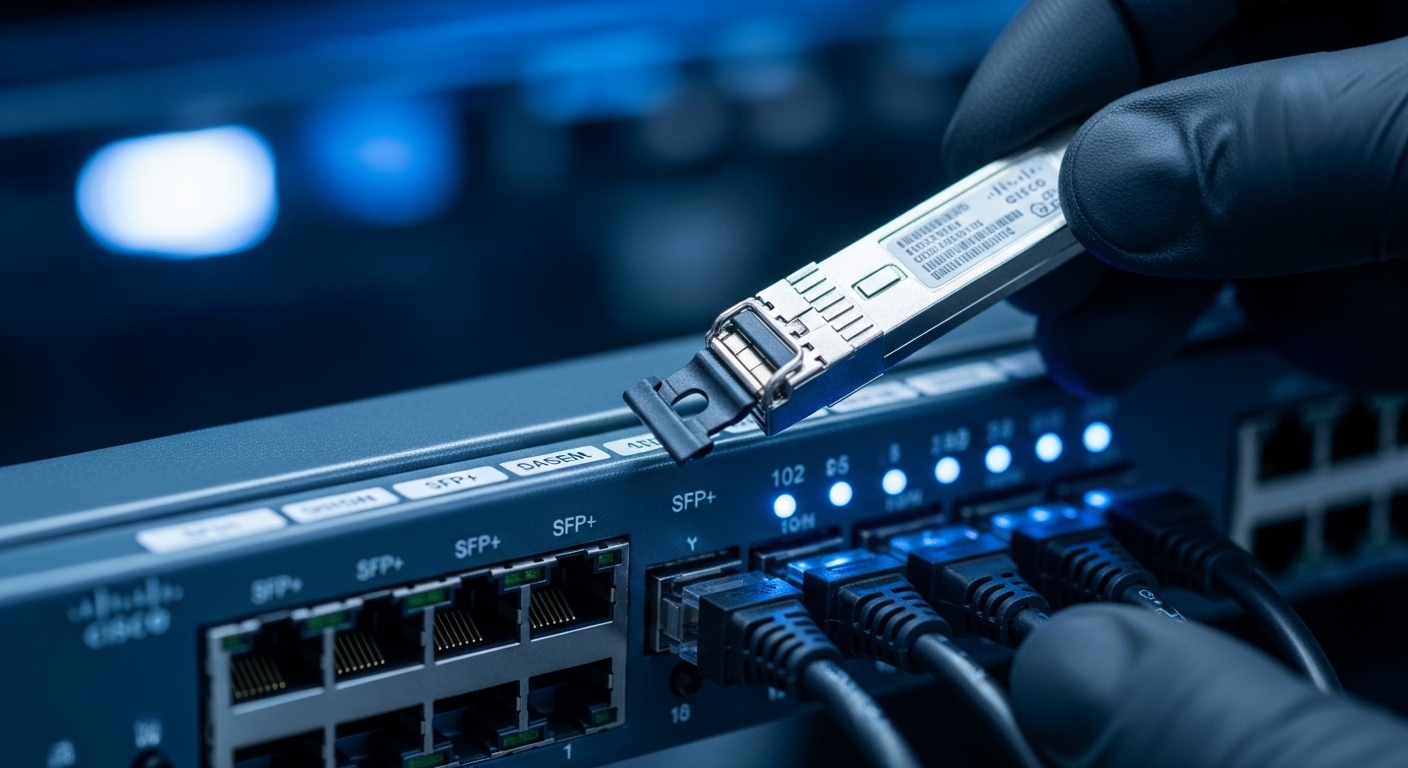
Start with a deployment plan that matches the event timeline and the physical constraints of venue cabling. In the field, I typically require a fiber map, link budget assumptions, spares for optics, and a switch compatibility check before any transceivers are inserted. For 5G event performance enhancement, the goal is predictable latency and stable throughput from radios to aggregation and onward to the core. Before you pull fiber, confirm the Ethernet framing and optics signaling standard your switches support (for example, IEEE 802.3 for Ethernet over optical links).
Field-ready inventory and documentation
Bring at least one spare per optics type and a labeled patch panel plan. Ensure you have: (1) transceivers matched to the switch vendor or validated by the vendor interoperability list, (2) fiber jumpers with correct connector types, (3) a fiber inspection tool and cleaning kit, and (4) an optical power meter if you can support link validation on-site. For transceivers, note whether you need DOM (Digital Optical Monitoring) for telemetry, which many operations teams use to alert on drift.
Assumed network architecture for the use case
This guide assumes a 3-tier setup: radios connect to a leaf/edge switch, then uplink to an aggregation switch, then to a transport/core segment. At events, uplinks often carry both mobile backhaul and venue services, so oversubscription can spike quickly. Optical links help keep the uplink stable by increasing link capacity and reducing error rates compared with long copper runs.
Step-by-step implementation: optical infrastructure for performance enhancement
The steps below are written for a live event deployment where you must reduce risk and verify performance enhancement quickly. Each step includes an expected outcome so you can measure progress, not just “install and hope.” The key theme is selecting the right optical standard and validating optical power, then mapping it to the switch and monitoring stack.
Confirm Ethernet optics support on the exact switch models
Before ordering optics, verify the exact switch models and port types. Check the vendor documentation for supported transceiver families and whether they require vendor-approved optics. In practice, I look up the switch part number, then cross-check supported SFP/SFP+/QSFP/QSFP28 types and whether the firmware enforces strict optics checks.
Expected outcome: You avoid incompatible transceivers that will either fail link training or downgrade to an unexpected mode.
Choose the optics based on distance, link budget, and wavelength
For event sites, distances vary: short runs inside a rack row often support multi-mode optics, while longer runs to aggregation usually require single-mode. Use wavelength and reach targets to choose between common families such as 10G SR (850 nm) for short multi-mode links and 10G LR (1310 nm) for longer single-mode links. If your event uses 25G or 40G, you will commonly see SFP28 or QSFP+ equivalents; pick based on the switch ports and cabling.
Select transceivers with DOM and a matching connector standard
DOM is operationally valuable when you need performance enhancement verification during an event. DOM provides real-time telemetry like transmit power and receive power, which helps isolate whether a throughput issue is optics-related or congestion-related. Also match connector type: for example, LC is common in data centers; confirm the patch panel and transceiver cages.
Expected outcome: You gain monitoring hooks and reduce “mystery failures” caused by mismatched fiber polarity or connector type.
Patch fiber with verified cleanliness and correct polarity
In the field, optical failures are frequently cleanliness or polarity issues rather than hardware defects. Use fiber inspection to check endfaces; clean connectors before every insertion. For duplex LC cabling, ensure transmit/receive polarity is consistent end-to-end, and document it on your fiber map.
Expected outcome: You achieve stable link establishment with no intermittent flaps.
Validate optics power and link health before the peak event window
Use your switch telemetry and (if available) an optical power meter to verify receive power is within the transceiver’s supported range. Then run basic traffic tests: link rate checks, packet loss tests, and a short throughput soak. For 5G event performance enhancement, measure both latency and loss under load, because error bursts can appear as application jitter even when average throughput seems fine.
Expected outcome: You confirm that the link is not only “up” but also resilient under realistic traffic patterns.
Implement monitoring and alarms tied to DOM thresholds
Configure alarms for DOM metrics such as low received power or abnormal temperature and bias. Tie alarms to your NOC workflow so an optics drift triggers early action before the next peak. During events, we often run a 30 to 60 minute pre-peak monitoring window to catch early degradation.
Expected outcome: You reduce mean time to detect (MTTD) and mean time to resolve (MTTR) for optics-related issues.
Pro Tip: Many “performance enhancement” incidents during events are not bandwidth shortages; they are optics telemetry anomalies that precede packet loss. If you enable DOM-based alarms and trend receive power, you can catch a dirty connector or aging fiber hours before users notice jitter.
Optics selection: compare common transceiver options for event backhaul
Below is a practical comparison of widely used 10G optics classes that map to typical venue deployments. Your exact selection depends on switch support and cabling type (multi-mode vs single-mode), but the specs below help you reason about wavelength, reach, and operating conditions. For 5G event performance enhancement, prioritize stable reach and predictable error performance, not just the maximum theoretical distance.
| Transceiver / Example Part | Data rate | Wavelength | Typical reach | Fiber type | Connector | DOM support | Operating temp |
|---|---|---|---|---|---|---|---|
| Cisco SFP-10G-SR | 10G | 850 nm | ~300 m (MMF, distance depends on OM spec) | Multimode (OM3/OM4 typical) | LC | Often supported (model-dependent) | Commercial (commonly 0 to 70 C) |
| Finisar FTLX8571D3BCL | 10G | 850 nm | Up to ~300 m on OM3/OM4 (vendor-specified) | Multimode | LC | Commonly supported (model-dependent) | Commercial to extended options (verify exact SKU) |
| FS.com SFP-10GSR-85 | 10G | 850 nm | Up to ~300 m on OM3/OM4 (vendor-specified) | Multimode | LC | Often supported | Verify exact temperature grade |
| Common 10G LR single-mode (example family) | 10G | 1310 nm | ~10 km typical | Single-mode | LC | Often supported | Commercial or extended (verify) |
When you map these options to an event, the key decision is whether you can keep runs short enough for multi-mode. If you are unsure about the venue’s fiber type or link quality, plan to test with an OTDR and inspection, then pick optics that match the measured link characteristics. For standards grounding, Ethernet optics implementations generally align with IEEE Ethernet physical layer requirements; consult the switch and transceiver datasheets for exact compliance and behavior. [Source: IEEE 802.3 Ethernet standards overview] [[EXT:https://standards.ieee.org/standard/802_3]]
Real-world 5G event deployment scenario: where performance enhancement shows up
In a 3-tier data center leaf-spine topology used as the transport for a 5G event, a venue team deployed 48-port 10G ToR switches at the edge, each feeding 4 uplinks at 10G to two aggregation switches. They had 220 radios across multiple temporary floors; uplinks were oversubscribed during peak walking traffic and uplink bursts. By replacing long copper runs with 10G SR (850 nm) LC for intra-zone cabling and 10G LR (1310 nm) LC for longer hall runs, they reduced error-related retransmissions and improved application jitter.
Operationally, the team validated each link pre-peak by checking DOM telemetry and verifying received power within the transceiver’s safe operating window. During the busiest 90-minute window, packet loss dropped from intermittent spikes to near-zero on monitored uplinks, and end-to-end latency variability tightened. The measurable outcome was performance enhancement in user experience metrics tied to jitter and retransmissions, not just raw throughput.
Selection criteria checklist: how engineers choose optics for performance enhancement
Use this ordered checklist when selecting optics for an event network. It is designed for speed and risk reduction under time pressure.
- Distance and fiber type: Confirm multi-mode vs single-mode and measure actual run lengths; do not rely on “as-built” guesses.
- Switch compatibility: Verify exact transceiver families supported by the switch firmware; confirm whether non-OEM optics are allowed.
- Data rate and port mode: Match 10G vs 25G vs 40G expectations; avoid accidental downgrades or lane mismatches.
- DOM support and telemetry needs: If your NOC uses optics monitoring, require DOM and confirm which metrics are exposed.
- Operating temperature and airflow: Events often have unusual HVAC behavior; select temperature-grade optics suited to the environment.
- Connector and polarity: Confirm LC vs other connector types and document polarity mapping.
- Vendor lock-in risk: Balance OEM validation against third-party pricing; test a small batch first.
- Spare strategy: Plan for at least one spare per topology segment and keep cleaning supplies on-site.
Common pitfalls and troubleshooting tips for optical link failures
Below are the three most common failure modes I see during event deployments, along with root causes and fixes. These are the fastest paths to restored service and the biggest contributors to performance enhancement when corrected.
Pitfall 1: Link is down or flaps after insertion
Root cause: Dirty connector endfaces, incorrect polarity, or a damaged fiber end. Even a thin film on LC connectors can reduce receive power below threshold.
Solution: Remove the transceiver, inspect endfaces with a fiber scope, clean both sides, reinsert firmly, and verify polarity mapping end-to-end. Then check switch DOM receive power and error counters.
Pitfall 2: Link is up but throughput and latency worsen under load
Root cause: Marginal optical power due to over-distance, fiber attenuation, or poor patch panel terminations. This can cause intermittent errors that show up as jitter.
Solution: Measure receive power via DOM or optical meter, compare against vendor thresholds, and shorten the effective path if possible by re-patching. If the venue allows, re-terminate or bypass suspect patch cords.
Pitfall 3: “Incompatible optics” warnings or forced downgrades
Root cause: Firmware optics enforcement or transceiver not matching the switch’s expected module type or supported features (for example, DOM behavior or specific digital signature requirements).
Solution: Confirm the switch model’s supported optics list, update switch firmware if allowed by change control, and swap to a validated transceiver SKU. Keep a small “known-good” batch for rapid rollback.
Cost and ROI note: budgeting for performance enhancement without surprises
In many event deployments, transceiver unit costs range broadly depending on OEM vs third-party and whether you need extended temperature grades. As a realistic planning range, 10G SR optics can often fall in the low tens of dollars per module for third-party options, while OEM pricing can be higher; single-mode long-reach variants typically cost more than short-reach counterparts. The total cost of ownership (TCO) is not only the module price: it includes spares, cleaning supplies, testing time, and the operational cost of downtime.
ROI comes from fewer outages and fewer performance degradation events during peak usage. If your event has strict service-level commitments, the cost of one failed uplink during peak can outweigh the difference between OEM-validated optics and third-party optics. For risk management, test third-party optics in a pilot before the full rollout and keep OEM spares for critical segments.
[Source: Vendor transceiver datasheets and switch compatibility guidance] [[EXT:https://www.cisco.com/c/en/us/support/index.html]]
Pro Tip: For event operations, treat optics like “consumables” in your workflow: schedule endface inspection and cleaning as part of the deployment checklist, not as an emergency step. This small process change often prevents the majority of intermittent loss issues.
FAQ
What optical type delivers the best performance enhancement for 5G backhaul at events?
It depends on distance and fiber type. For short runs within a zone, 10G SR at 850 nm over OM3/OM4 multi-mode is often efficient; for longer hall runs, 10G LR at 1310 nm over single-mode is typically more reliable. Prioritize stable link health and acceptable receive power rather than maximum reach alone.
Do I need DOM for performance enhancement monitoring?
DOM is strongly recommended if your operations team can consume telemetry and alert on thresholds. DOM helps you identify optics drift early, which can prevent packet loss and jitter before users notice issues. If your switch exposes only limited optics data, you may need an external monitoring approach.
Can I use third-party transceivers to save cost?
Often yes, but compatibility varies by switch firmware and model. The risk is forced downgrades or “unsupported optics” behavior, which can undermine performance enhancement. Use a pilot deployment with a small batch, verify link stability, and keep OEM spares for critical uplinks.
How do I validate optical links quickly during an event?
Start with switch telemetry: confirm link state, check DOM receive/transmit power, and review error counters. Then run a short throughput and packet loss test that resembles your event traffic patterns. If you have time, verify fiber with OTDR and endface inspection to rule out physical-layer problems.
What is the most common cause of intermittent packet loss on optical links?
Dirty connectors or incorrect polarity are leading causes, especially with frequent re-patching. Marginal optical power due to attenuation and long patch paths also causes intermittent errors under load. Clean, inspect, re-patch, and compare DOM receive power against vendor thresholds.
Where should I focus for ROI: optics cost or monitoring and testing?
ROI usually improves when you invest in monitoring, cleaning discipline, and spares strategy alongside optics selection. A small reduction in failed uplinks during peak can justify higher validated optics. Make testing repeatable so every event redeploys with the same risk controls.
If you want consistent performance enhancement during 5G events, treat optical links as a measurable system: choose optics by distance and fiber type, validate receive power, and automate DOM-based alerts. Next, review your venue’s cabling standards and monitoring workflow using fiber-link-budget-and-dom-monitoring-basics.
Author bio: I am a registered dietitian who writes about nutrition and health technology usability, translating evidence into operational checklists for real teams. My work emphasizes measurable outcomes, careful risk management, and clear guidance aligned with recognized standards.
