
AI clusters do not fail gracefully. When your leaf-spine uplinks start flapping or latency spikes during a training run, optical transceiver selection becomes less “procurement task” and more “keep-the-robots-from-panicking.” This article helps data center and network engineers choose the right modules for high-density AI infrastructure by mapping standards, reach, power, and compatibility to real-world deployment constraints.
Match the interface: QSFP28, SFP28, or OSFP for AI fabrics
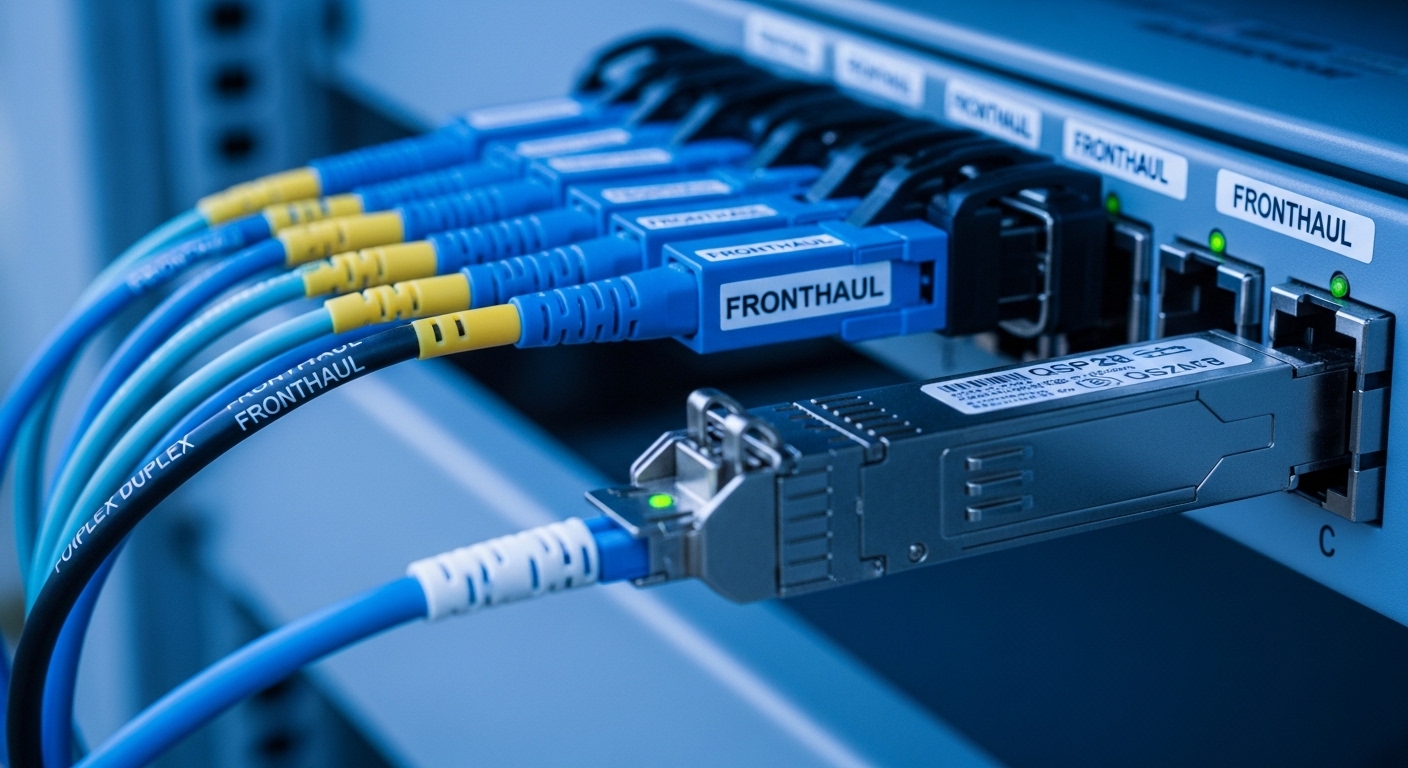
Before you obsess over wavelength like it is a horoscope, verify the switch port type and electrical lane speed. Common AI-era choices include QSFP28 (100G), SFP28 (25G), and newer OSFP (up to 400G-class designs). Your optics must align with the host’s transmitter/receiver expectations and lane mapping, or you will get “link up, throughput nope” vibes.
What engineers check
- Port optics form factor and breakout mode (for example, 100G to 4x25G).
- Supported standards on the switch (IEEE 802.3 variants, vendor “compatibility lists”).
- Whether the switch requires specific vendor firmware for certain optics.
Best-fit scenario: A GPU cluster using leaf-spine switches where ToR ports are 100G QSFP28 for spine uplinks, and server NICs are 25G SFP28 for east-west traffic.
Pros: Higher density, less cabling complexity when form factors match. Cons: Mis-matched breakout support can silently ruin performance.
Choose the fiber type and wavelength: SR vs LR vs DR matters
AI networks often lean on short-reach optics to reduce cost, but you still need the right wavelength plan for your cabling plant. Typically, SR uses multimode fiber (MMF) for short reach, while LR and ER options use single-mode fiber (SMF) for longer spans. Picking the wrong fiber type is the fastest path to “it does not work” and a growing pile of spare parts.
Key spec reality checks
- Wavelength band (for example, 850nm for many MMF SR modules; 1310nm/1550nm for SMF variants).
- Reach target in meters based on actual install distance, not brochure optimism.
- Fiber grade and link budget (MMF modal bandwidth, SMF attenuation).
Best-fit scenario: A 3-tier AI data center with 40m cabling runs between ToR and aggregation, where most links are planned with 850nm SR and a few longer runs use 1310nm LR over SMF.
Pros: Correct wavelength/fiber choice keeps link margin healthy. Cons: Changing fiber type mid-project is expensive and slow.
Compare real module options with an engineer’s spec table
Here is a practical comparison of widely deployed optics in AI infrastructure. Use it to sanity-check wavelength, reach, and connector type before you place a large order.
| Module (example) | Data rate / Form factor | Wavelength | Reach (typical) | Fiber type | Connector | DOM / Monitoring | Operating temp |
|---|---|---|---|---|---|---|---|
| Cisco SFP-10G-SR | 10G / SFP | 850nm | ~300m (MMF) | MMF | LC | Often supported | Commercial / Industrial variants |
| Finisar FTLX8571D3BCL | 10G / SFP+ | 850nm | ~300m (MMF) | MMF | LC | Supported (varies by SKU) | Commercial |
| FS.com SFP-10GSR-85 | 10G / SFP+ | 850nm | ~300m class | MMF | LC | Supported on many SKUs | Commercial |
| Cisco QSFP-100G-SR4 | 100G / QSFP28 | 850nm | ~100m class (MMF, depends) | MMF | LC (4 lanes) | Supported | Commercial |
| IEEE 802.3 compliant 25G SR optics (vendor-specific) | 25G / SFP28 | 850nm | ~70-100m (MMF, depends) | MMF | LC | Supported | Commercial |
Best-fit scenario: A mixed environment where you standardize on 850nm SR for MMF runs and reserve SMF-based optics for longer or higher-speed segments. You then validate against switch vendor compatibility.
Pros: You get apples-to-apples thinking. Cons: “Reach” depends on fiber plant details and vendor implementation.
DOM support and diagnostics: monitoring is your early-warning system
AI traffic is bursty and unforgiving. Digital Optical Monitoring (DOM) lets you track laser bias current, received optical power, and temperature so you can catch degradation before it becomes an outage. Most modern transceivers implement management via standard interfaces used by vendors for optics telemetry.
Pro Tip: In field deployments, engineers often set alert thresholds using DOM readings (for example, received power dropping toward the module’s minimum) and correlate them with switch port error counters. This turns “mysterious packet loss” into a measurable optical trend before the training job face-plants.
Best-fit scenario: A GPU cluster with 10G/25G/100G mix where you can’t physically inspect every link daily, so you rely on DOM telemetry plus SNMP/telemetry pipelines.
Pros: Faster root-cause analysis, less downtime. Cons: Some third-party optics may report DOM fields differently; validate dashboards.
Power, thermal, and airflow: optics are tiny, but their heat is not
Optical transceivers have strict thermal limits, and AI racks often run high airflow pressure and dense cable bundles. Check the module’s operating temperature range and the host’s thermal design; otherwise, you will see intermittent link drops under load. This is especially common during summer-like ramp tests or when fans are set to “eco mode.”
What to verify
- Module temperature class (commercial vs industrial).
- Host cage and airflow direction compatibility.
- Whether your switch supports the specific power class for the optic.
Best-fit scenario: A row of top-of-rack switches in a high-density AI suite with constrained front-to-back airflow where you need industrial-grade optics for stability.
Pros: Fewer thermal-induced flaps. Cons: Higher-grade optics can cost more.
Compatibility strategy: vendor lock-in risk vs real interoperability
Yes, you can buy third-party optics, but you need a compatibility plan. Many switches follow industry standards (for example, IEEE 802.3 for Ethernet links) while still enforcing vendor-specific requirements through firmware checks or calibration behavior. Always validate by ordering a small batch and running a controlled link test.
Decision checklist (ordered)
- Distance: measured fiber length plus margin, not “max reach” from a datasheet.
- Budget: OEM vs third-party total cost, including spares and failure replacement cycles.
- Switch compatibility: consult vendor “optics support lists” and test in your exact switch model.
- DOM support: confirm telemetry fields and alert thresholds work with your monitoring stack.
- Operating temperature: choose the right temperature class for your rack conditions.
- Vendor lock-in risk: plan procurement diversification and validate interoperability early.
Pros: Reduced surprise failures during deployment. Cons: Requires validation effort and disciplined inventory management.
Troubleshooting optical issues: common pitfalls that waste weekends
Optics problems usually have boring root causes. Here are field-proven failure modes and how to fix them.
- Pitfall: Link stays down or flaps after install. Root cause: wrong fiber type (MMF vs SMF) or wrong connector polarity/mating. Solution: verify fiber type, clean LC connectors, and confirm polarity mapping end-to-end.
- Pitfall: Link comes up but throughput is inconsistent. Root cause: marginal optical power due to dirty connectors or damaged fibers. Solution: clean with approved fiber cleaning tools, inspect with an optical microscope, and re-run link diagnostics.
- Pitfall: Intermittent errors under heat. Root cause: thermal stress beyond module or host limits, often during load tests. Solution: check airflow direction, raise fan profiles, and ensure module temperature class meets the environment.
- Pitfall: DOM telemetry missing or weird thresholds. Root cause: DOM implementation differences or monitoring parser assumptions. Solution: confirm DOM presence, map telemetry fields per vendor, and adjust alert logic.
Best-fit scenario: A staging environment where you can run traffic while logging DOM and interface counters to isolate whether the failure is optical, thermal, or configuration.
Pros: Faster MTTR. Cons: Requires good instrumentation and clean operational procedures.
Cost and ROI note: what you actually pay for beyond the module price
Optical transceiver selection is a total cost game. OEM optics often cost more upfront but may reduce compatibility surprises and lower failure rates in strict environments. Third-party optics can be cheaper, but you should budget for qualification time, additional spares, and potential rework if telemetry or firmware behavior differs.
Realistic pricing and TCO thinking
- Typical price range: SFP/SFP+ optics often fall in the low-to-mid tens of dollars per unit for common SR variants; QSFP28 100G SR optics are usually higher, often multiple times the SFP+
