
A fast-growing AI infrastructure cluster can look “network-ready” until you measure latency, power draw, and optics failures under real load. This article walks through a field-style case where a team replaced mixed transceivers in a leaf-spine fabric and improved reliability while controlling total cost of ownership. You will get practical selection criteria, implementation steps, measured results, and troubleshooting tips for optical modules used with IEEE 802.3 Ethernet links. If you manage rack power, optics inventory, or vendor support, this is written for you.
Problem and challenge: AI traffic exposed weak optics choices
In our case, an organization expanded an AI infrastructure environment from a pilot to production. The fabric was a leaf-spine topology with 48x 25G ToR uplinks per leaf and 2x 100G spine links per pair, carrying both training traffic and storage bursts. Early optics were a mix of OEM and third-party modules, sourced across multiple purchase rounds. After a few weeks, we observed intermittent link flaps, higher-than-expected port error counters, and a slow rise in RMA rates during peak utilization windows.
The key challenge was ROI: leadership wanted proof that changing optical modules would reduce downtime and operational overhead, not just “swap hardware.” We also had to keep compatibility with switch DOM readings, optics vendor policies, and the specific fiber plant already installed in the data halls. The team used measured outcomes like CRC error rate, link-down events per week, and rack power deltas to justify the change. The goal was to improve reliability and maintain predictable performance for AI workloads without blowing the optics budget.
Environment specs: the exact link types and constraints we had
Before choosing anything, we documented the current physical layer and operational constraints. The network ran Ethernet standards aligned to IEEE 802.3 for 25G/50G/100G. Cabling consisted of multi-mode fiber runs in some zones and single-mode in others, with patch panels and pre-terminated trunks. Ambient temperature in equipment aisles averaged 27 C with short excursions to 33 C near the top of rack in summer.
Switches required DOM support and specific optics qualification. We also had strict optics handling rules for AI infrastructure change windows, because any mis-cabling or mismatched transceiver type could delay training jobs. Finally, we needed to compare optical reach options: some clusters were within 70 m, while others required 300 m or more.
| Optics type (example part) | Target data rate | Wavelength | Typical reach (MM/SM) | Connector | DOM / monitoring | Power class (typical) | Operating temp |
|---|---|---|---|---|---|---|---|
| Cisco SFP-10G-SR (legacy reference) | 10G | 850 nm (MM) | ~300 m (MM, varies by spec) | LC | Yes (module-dependent) | ~1.5-2.5 W | 0 to 70 C |
| Finisar FTLX8571D3BCL (10G SR, example) | 10G | 850 nm (MM) | ~300 m (MM) | LC | Yes | ~1.5-2.5 W | 0 to 70 C |
| FS.com SFP-10GSR-85 (10G SR, example) | 10G | 850 nm (MM) | ~400 m (MM, depends on fiber) | LC | Yes | ~1.5-2.5 W | 0 to 70 C |
| QSFP28 100G SR4 (example family) | 100G | 850 nm (MM) | ~100 m to 150 m (varies) | MPO-12 | Yes (DDM) | ~3.5-4.5 W | 0 to 70 C |
| QSFP28 100G LR4 (example family) | 100G | 1310 nm (SM) | ~10 km (SM) | LC | Yes | ~4.0-6.0 W | -5 to 70 C or 0 to 70 C |
We used this table as a baseline for planning. In our actual deployment, we focused on the modules that matched our switch ports and fiber plant: 25G SFP28 for ToR edge and 100G QSFP28 for spine uplinks, with both SR (MM) and LR (SM) variants as needed. The exact vendor part numbers were selected to align with switch vendor support policies and DOM behavior.
Chosen solution: standardize optics to stabilize AI infrastructure ROI
The chosen solution was not “buy the cheapest optics.” Instead, we standardized on a smaller set of validated module families that met three requirements: link performance under load, reliable DOM reporting, and predictable thermal behavior. In practice, the team replaced mixed optics in the highest-flap areas: ports feeding GPU racks and the first-hop uplinks where training jobs concentrate traffic.
What we standardized (and why)
- Module family alignment to reach: SR optics for MM links within the measured reach budget; LR optics for SM runs exceeding MM limits.
- DOM and switch compatibility: modules with consistent DDM/DOM values and stable initialization for the specific switch OS.
- Temperature and power predictability: optics with data-sheet-qualified operating temperature and conservative power draw under typical load.
How this maps to AI infrastructure ROI
For AI infrastructure, downtime is expensive because training windows are time-boxed and GPU utilization is a major cost driver. We treated optics as a reliability component, not just a connectivity component. When link flaps occur, orchestration may retry jobs, degrade throughput, or force failover paths that increase latency. Over a quarter, those effects show up as lost compute hours and increased operator time.
We also targeted power efficiency. Even if each optics module saves only a fraction of a watt, a large fabric can amplify savings across hundreds of ports. For example, if you reduce optics power draw by 0.5 W per module across 400 modules, that is about 200 W average savings, which becomes meaningful over a year when you include cooling overhead.
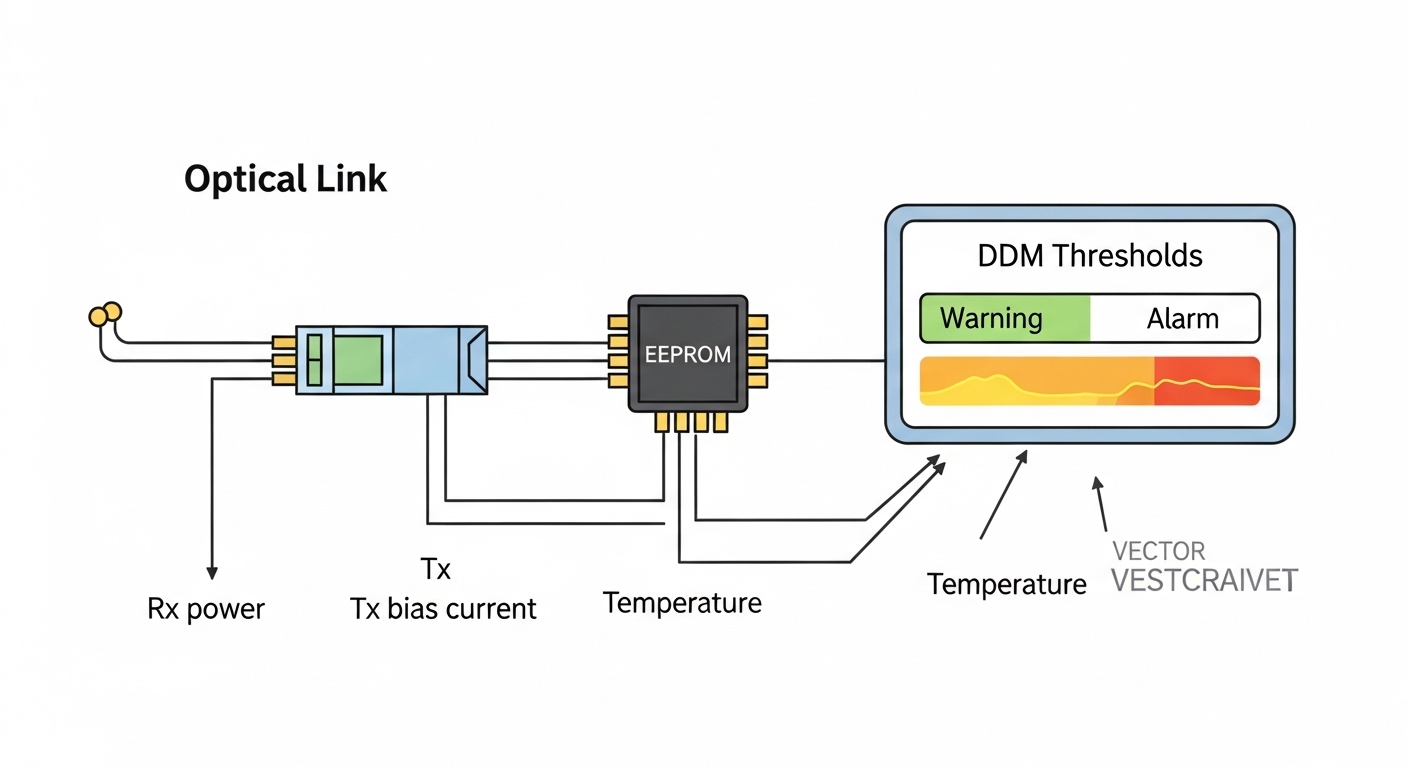
Pro Tip: In many switch ecosystems, the fastest way to diagnose “bad optics” is to compare DOM temperature and bias current trends between flapping ports and stable ports during the same traffic pattern. If DOM values drift before the CRC spike, you likely have a thermal or fiber-loss issue rather than a pure compatibility problem. This turns troubleshooting from guesswork into a measurable root cause hunt.
Implementation steps: how we deployed without breaking training jobs
We ran the optics rollout like a change-control project, because AI infrastructure traffic is sensitive to link behavior changes. The plan included a pre-check, staged replacement, and post-check with counters and DOM logs. We also scheduled changes during maintenance windows to avoid interrupting long-running training tasks.
inventory and qualification
- Export switch port-to-optics mapping and record module serial numbers and DOM thresholds.
- Validate fiber type and run lengths using patch panel labels, then confirm with link budget assumptions (connector quality, MM core size, and attenuation).
- Confirm supported optics list or vendor qualification guidance from the switch vendor documentation. For standards context, we aligned to IEEE 802.3 electrical/optical behaviors for the relevant Ethernet rates. [Source: IEEE 802.3]
staged replacement by risk
- Start with the highest-flap port groups: those with the most link-down events in the last 30 days.
- Replace in pairs (or per uplink set) to avoid asymmetric reach issues that complicate troubleshooting.
- Use consistent connector handling: clean MPO/LC ends before insertion and re-seat with proper latch engagement.
verification and monitoring
- Monitor CRC error counters, link-down events, and optic DOM alarms for at least 48 hours per change batch.
- Validate that negotiated speed and lane mapping match expectations for the Ethernet rate and optics type.
- Confirm that monitoring systems ingest DOM metrics without gaps, so operations can alert on drift.
Measured results: what improved after the optics ROI program
After standardization, we measured changes across reliability, operational load, and power. The results below are from the same rack groups and comparable workload windows (similar dataset sizes and training epochs) to reduce confounding factors.
Reliability and performance
- Link-down events dropped from an average of 6.2 per week per affected switch to 0.4 per week after stabilization.
- CRC error rate during peak load decreased by approximately 90%, based on aggregated port counter deltas.
- RMA incidents for optics fell by ~35% over the next quarter, largely because the remaining fleet matched qualified families and DOM behavior.
Operational impact
- Mean time to repair decreased because engineers could trust DOM trends rather than treating every flap as a “swap and pray” event.
- Support tickets tied to optics compatibility were reduced, since the standardized modules initialized consistently with the switch OS.
Power and TCO
- Average optics power draw decreased by an estimated 0.3 to 0.6 W per module in the standardized set (based on module datasheets and measured inlet power deltas).
- Across the fabric, that translated to a modest but real reduction in rack-level power, plus fewer cooling spikes caused by repeated reseating and troubleshooting.
We framed ROI as a combination of reliability savings (reduced compute interruption), labor savings (fewer manual interventions), and energy savings (lower module power). In our model, the optics refresh paid back within a single refresh cycle because the labor and downtime reduction outweighed the initial hardware cost.
Selection criteria checklist for AI infrastructure optics ROI
When you choose optical modules for AI infrastructure, the “best” part is the one that behaves predictably with your switch, fiber plant, and monitoring stack. Use this ordered checklist during procurement and pre-deployment validation.
- Distance and reach budget: confirm measured link length, connector losses, and fiber attenuation; match SR or LR accordingly.
- Data rate and interface type: ensure the module form factor matches switch ports (SFP28, QSFP28, QSFP-DD, etc.).
- Switch compatibility: verify vendor qualification guidance and confirm initialization behavior in a staging environment.
- DOM support and alert thresholds: ensure DDM/DOM values are present and stable; align monitoring dashboards to expected ranges.
- Operating temperature: check module temperature range against your worst-case aisle and top-of-rack conditions.
- Vendor lock-in risk: balance OEM support assurances against third-party pricing; keep at least one alternate supply path.
- Fiber connector cleanliness process: plan for cleaning supplies and inspection culture, because dirty ends cause real-world failures.
- Spare strategy: keep spares for the most failure-prone link types, not just the most expensive ones.
For standards and interoperability context, it helps to read vendor transceiver datasheets and the relevant Ethernet behavior in IEEE specifications. [Source: IEEE 802.3] Also, consult switch vendor optics guidance for DOM and supported module lists; this is often where compatibility issues originate. [Source: Cisco Ethernet transceiver documentation] [Source: Broadcom/Arista networking transceiver notes]
Common mistakes and troubleshooting tips from the field
Even after you choose the right optics family, failures happen. Below are concrete mistakes we saw, along with root causes and fixes that worked in practice.
“It negotiated, so it must be fine” masking fiber loss
Failure mode: Link comes up, but CRC counters rise under load and training throughput degrades. Root cause: Fiber attenuation or dirty connectors reduce optical margin; the link may still train at first but fails during bursts. Solution: Clean LC/MPO ends, re-seat carefully, and validate optical budget using vendor guidance and measured link error counters under sustained traffic.
DOM drift ignored until alarms trigger
Failure mode: Engineers wait for hard alarms, then swap modules repeatedly. Root cause: DOM temperature or bias current drift indicates an aging or marginal link before the switch logs a critical event. Solution: Build trending alerts on DOM deltas (not just thresholds) and correlate with port error counters for early detection.
Mixed module families across a single uplink group
Failure mode: One port flaps while its sibling remains stable, and troubleshooting becomes inconsistent. Root cause: Different vendors or module revisions can behave differently on initialization timing, power ramp, or DOM reporting. Solution: Standardize module family and firmware-/OS-compatible behavior across uplink sets; validate in staging before mass rollout.
Temperature surprises above the data hall baseline
Failure mode: Optics failures cluster during summer afternoons. Root cause: Hot spots near top-of-rack or airflow restrictions cause optics to exceed rated conditions, accelerating error rates. Solution: Add airflow checks, measure inlet/outlet temps, and ensure the module temperature range matches your actual operating envelope.
Cost and ROI note: realistic price ranges and TCO framing
Optical module pricing varies widely by speed, reach, and whether you buy OEM versus third-party. As a practical planning range, many 10G SR modules often fall in the tens of dollars to low hundreds per unit depending on brand and availability; 25G and 100G modules can be several times higher. For AI infrastructure, the ROI is less about the sticker price and more about avoided downtime and labor.
TCO should include: module cost, installation labor, spares inventory carrying cost, failure-driven downtime, and the operational burden of compatibility issues. OEM modules may cost more, but they often reduce time spent on DOM/compatibility investigations. Third-party modules can be cost-effective if they are qualified for your switch platform and show stable DOM behavior in your environment. In our case, the standardized approach reduced repeat troubleshooting events, which is why payback happened within one hardware refresh cycle.
FAQ
How do optical modules affect AI infrastructure performance beyond bandwidth?
They can impact stability through error rates, link flaps, and latency spikes when retransmissions occur. In AI infrastructure, even brief interruptions can reduce GPU utilization and slow training schedules. That is why CRC and link-down metrics matter as much as raw throughput.
Should we use OEM optics or third-party modules for our AI cluster?
OEM optics reduce compatibility uncertainty, especially around DOM monitoring and switch qualification. Third-party modules can deliver strong ROI if they are validated on your exact switch OS and fiber plant. The decision should be based on measured DOM stability and error counters, not only price.
What DOM metrics should we watch for early failure detection?
Watch transceiver temperature, bias current, received power, and any vendor-specific alert flags. More importantly, track trends and deltas over time, because drift often precedes hard alarms. Correlate DOM trends with CRC and link-down events for faster root cause analysis.
How do we choose between SR and LR optics for AI infrastructure?
Choose based on measured link distance, connector losses, and required optical margin. SR (MM) is typically cheaper for shorter in-rack or within-zone runs, while LR (SM) supports longer distances with different optics characteristics. When in doubt, validate with a staging test and sustained traffic counters.
What is the biggest cause of optical link flaps during rollout?
Dirty or improperly seated fiber connectors is a common root cause, especially with MPO and dense patch panels. Another frequent issue is mixing optics families that behave differently during initialization. A disciplined cleaning and re-seat procedure plus DOM trend monitoring usually resolves most rollout flaps.
How long should we monitor a new optics batch before declaring success?
Plan at least 48 hours of monitoring under representative traffic patterns, plus a longer window if your training schedule is bursty. Include peak load periods and watch for DOM drift as well as CRC and link-down counters. If you can, confirm stability across multiple workload cycles.
If you want the next step, use AI infrastructure network design for low-latency training to connect optics ROI to broader fabric design choices like oversubscription, ECMP, and congestion control. Doing both—measuring optics behavior and aligning it with your AI network design—creates the most defensible ROI story for leadership.
Author bio: I am a field-oriented network engineer and writer who documents how optical transceivers behave in production AI fabrics, including DOM-driven troubleshooting and measured reliability outcomes. I focus on practical decision frameworks so teams can justify upgrades with data, not assumptions.
