
Buying 800G transceivers is where “it fits on paper” turns into real outages. This article helps network engineers, data center architects, and procurement teams evaluate optical specifications for 800G links with fewer surprises in the lab and in production. You will get practical checks for wavelength, reach, power draw, connector type, DOM behavior, and temperature limits, plus troubleshooting patterns we see in the field.
What changes at 800G: optical specifications that actually impact link stability
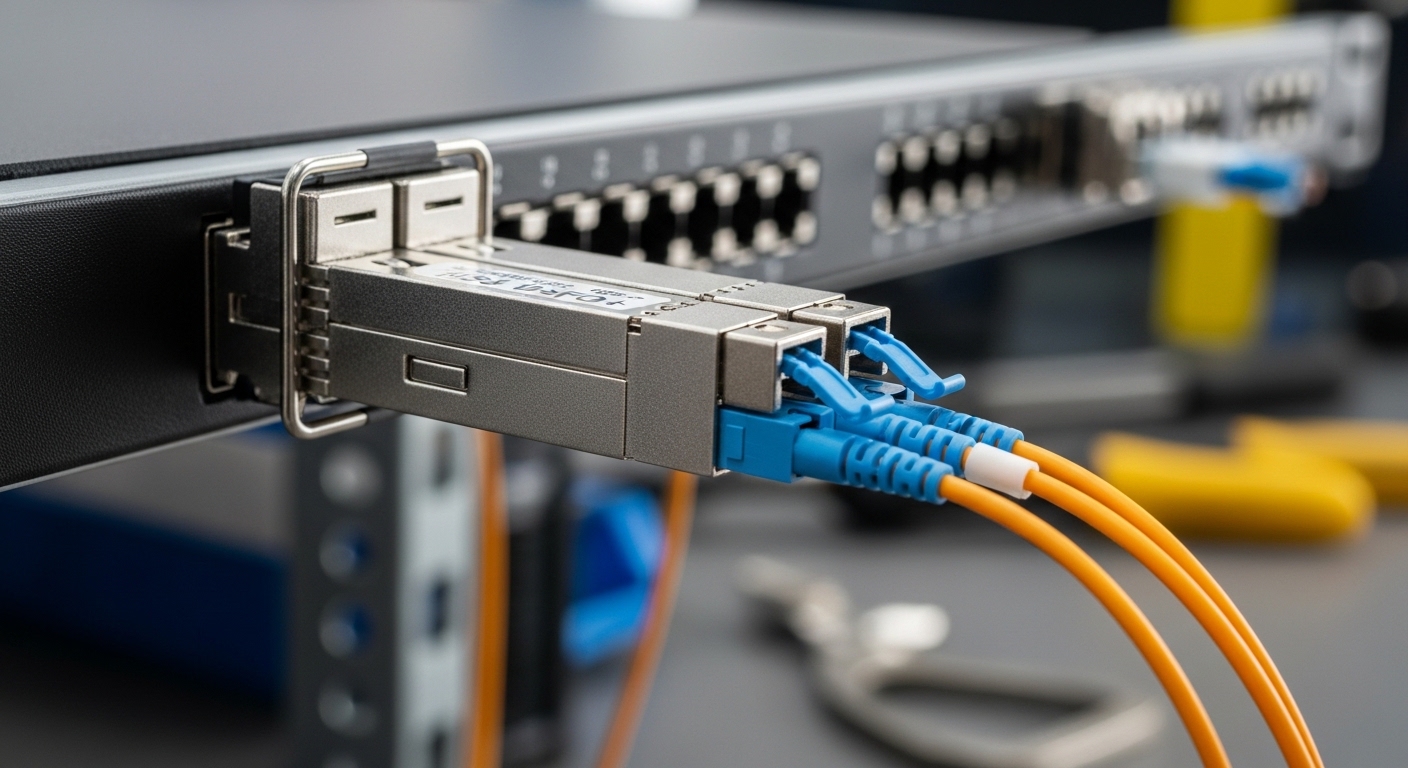
At 800G, small optical mismatches and operational limits become more visible because you are pushing higher baud rates and stricter DSP constraints. Most enterprise and hyperscale designs still follow the Ethernet PHY and optics frameworks defined by IEEE 802.3 (for example, 800G Ethernet clauses tied to PAM4/NRZ behavior and optical interfaces). Practically, you are validating not just reach, but also how the optics behave across temperature, aging, and transceiver vendor implementations. Before you order spares, confirm the module’s optical specifications align with the switch port optics, fiber plant, and expected link budget.
Wavelength and lane mapping: verify what your switch expects
For 800G, the common optics families include coherent and direct-detect options depending on the use case and vendor ecosystem. Direct-detect 800G often uses multi-lane structures (with multiple fibers and parallel optics), while coherent solutions may use a single fiber path with different tuning and DSP needs. Either way, you should confirm the wavelength band (commonly 850 nm for short reach multimode and 1310/1550 nm for longer reach single-mode depending on the standard), and verify lane/channel mapping matches the switch’s port breakout rules. If the switch vendor specifies “OM4 required” or “SMF only,” treat that as a hard constraint, not a suggestion.
Reach is not a number: it is a budget with assumptions
Reach claims come from a link budget model that assumes specific fiber type, connector quality, splice loss, and sometimes a target BER. Your optical specifications should include at least the nominal launch power, receiver sensitivity, and any minimum/maximum power limits. If the datasheet only says “up to X km” without the assumptions, ask the vendor for the test conditions or refer to the applicable IEEE interface definition. In a real plant, connectorization and patch panels often eat budget faster than you expect.
Pro Tip: When vendors state reach “up to” a distance, compare the minimum received optical power and the maximum launch power ranges, not just the distance. In the field, the most common “mystery link flaps” come from overly aggressive attenuation in patch cords combined with transceiver sensitivity variance between temperature extremes.
Key optical specifications checklist for 800G transceivers
Use this as your ordering gate. If a module fails any item, don’t “hope it works” in the rack—800G optics are usually more sensitive to plant variance than 10G/25G optics.
- Distance vs fiber type: Confirm MMF vs SMF requirement and the specific fiber grade (for example, OM4/OM5 for short reach multimode). Match the optical specification band (850 nm vs 1310 nm vs 1550 nm).
- Transmit and receive power ranges: Check min/max launch power and receiver sensitivity; ensure your measured link loss falls within limits with margin.
- Connector type: LC vs MPO/MTP, and polarity/mating rules. For parallel optics, confirm the exact MPO keying and polarity mapping.
- Data rate and modulation: Ensure the optics support the exact 800G profile your switch uses (including any lane oversubscription rules).
- DOM and management: Verify DOM support (I2C/SFF-8472 style diagnostics or vendor-specific extensions) and that the switch reads the expected thresholds without alarms.
- Operating temperature: Confirm the case temperature range and any derating guidance for high-density deployments.
- Switch compatibility: Validate with the switch vendor’s optics matrix for that exact module part number, not just “800G compatible.”
- Vendor lock-in risk: Consider whether third-party optics are supported by firmware and whether firmware updates change optics compatibility.
Minimum practical measurements before you install
Before shipping modules to production, measure your fiber plant. For multimode, verify link loss with an OTDR or calibrated optical power measurements at the relevant wavelength. For single-mode, confirm end-to-end loss and inspect connector cleanliness. If you can, validate with a bench setup that mirrors the final patch panel and transceiver type.
Side-by-side comparison: sample optical specifications you must reconcile
Because 800G optics come in multiple families, you need to compare the optical specifications that drive compatibility and link margin. Below is a practical comparison template using representative module types engineers commonly evaluate. Always treat these as example values to structure your decision; confirm exact numbers from each datasheet.
| Optics type (example) | Wavelength band | Typical reach | Connector | Tx/Rx power (concept) | DOM support | Operating temperature |
|---|---|---|---|---|---|---|
| 800G short-reach multimode (direct-detect) | 850 nm | ~50 m to ~100 m class (depends on fiber grade) | MPO/MTP (parallel lanes) | Check min/max launch and receiver sensitivity ranges | Usually supported (diagnostic reads) | Commercial or extended, confirm exact range |
| 800G long-reach single-mode (direct-detect) | 1310 nm | ~10 km class (varies by spec) | LC (often) or MPO depending on design | Budget driven by sensitivity and fiber attenuation | Usually supported | Confirm derating guidance |
| 800G coherent optics (longer reach) | 1550 nm band (typical) | ~80 km class (varies by tuning and vendor) | LC/2-fiber coherent interface | Budget includes OSNR and dispersion tolerance | High telemetry support | Confirm case temperature and thermal limits |
In your evaluation, reconcile three things: wavelength band, connector/polarity rules, and the optical power budget assumptions. For coherent optics, the “reach” story often includes additional constraints like dispersion tolerance and optical signal-to-noise requirements, which are not captured by a simple launch/sensitivity pair. If you are comparing vendors, ask for the test method and the expected BER target under the stated test conditions.
Concrete reference points engineers use
Many teams start by checking whether modules are listed in the switch vendor optics compatibility matrix. In parallel, you can validate plausibility by looking up vendor datasheets for known part families. For example, you might encounter modules such as Cisco-compatible 10G SR optics like Cisco SFP-10G-SR or Finisar-style transceivers such as FTLX8571D3BCL in earlier generations, but for 800G you will instead focus on 800G-specific direct-detect or coherent SKUs and their exact DOM and temperature specs. Third-party vendors also publish datasheets with DOM and optical power ranges, but always confirm your switch firmware can read and accept those values.
Real-world deployment scenario: 800G in a leaf-spine data center
Here’s a realistic scenario from an enterprise-style leaf-spine deployment moving to 800G for east-west traffic. In a 3-tier design, a customer upgrades 48-port ToR switches to support 800G uplinks to spine, using 24 uplinks per spine pair. Each link targets 100 m class reach on OM4 multimode fiber with patch panels and pre-terminated MPO trunks. Measured plant loss comes out to 3.5 dB per direction including connectors and patch cords, and the team budgets an additional 1.0 dB for aging and cleaning variability. The chosen transceivers must match the switch optics matrix and provide receiver sensitivity margin across the operating temperature range in the row.
During acceptance testing, the team runs link verification while cycling between hot-aisle and cold-aisle conditions, logging DOM telemetry like received power and error counters. One batch of modules shows higher-than-expected received power drift at upper temperature, which triggers a vendor RMA after bench confirmation. That outcome is common when optics vendors have different thermal designs or when the fiber plant is slightly worse than the model assumed. The key lesson: optical specifications must be tested against your actual measured link loss and your environmental envelope.
Selection criteria decision guide for optical specifications
If you only have time for one pass, use this ordered decision checklist. It is optimized for teams that buy multiple SKUs and need consistent acceptance criteria.
Step-by-step ordering gate
- Distance and fiber type: Start with measured loss and fiber grade. If the optical specifications assume OM4 at 850 nm but your plant is OM3, stop.
- Switch port compatibility: Confirm the exact transceiver part number is supported. Some switches accept “800G” but reject DOM threshold formats.
- Optical power budget margin: Ensure your measured attenuation sits between the transceiver min/max launch and receiver limits with at least 1 to 2 dB operational margin for cleaning and connector aging.
- DOM and telemetry behavior: Validate that DOM registers are read correctly and that alarms match your monitoring tools. If your NMS expects certain diagnostic fields, test early.
- Operating temperature and thermal design: Check module case temperature range and any derating curves. In high-density racks, airflow differences can shift the effective case temperature.
- Connector and polarity: Verify MPO/MTP polarity (A/B) and keying. A flipped polarity mapping can still “light up” sometimes but fail under higher load or error correction thresholds.
- Risk management: Consider OEM vs third-party support terms, replacement lead times, and firmware update compatibility.
Pro Tip: For 800G direct-detect, treat patch cord cleanliness as an optical-spec variable. A single contaminated MPO ferrule can reduce effective received power enough to pass during low-load tests, then fail when link utilization changes and error counters climb.
Common mistakes and troubleshooting tips for optical specifications at 800G
These are the failure modes we see when engineers validate 800G optics. Each includes the root cause and a practical fix.
“It worked on the bench” but fails after installation
Root cause: The bench test used shorter jumpers or a different patch panel than production, so the optical power budget margin disappeared once real connectors and splices were included. Solution: Re-measure end-to-end loss at the relevant wavelength using the same patch cords and adapters. Confirm the measured loss fits within the optical specifications min/max power envelope with margin.
DOM alarms and link resets even when the link comes up
Root cause: DOM fields or threshold units differ between module vendor implementations and the switch’s expected interpretation. This can trigger threshold-based resets or misreported received power values. Solution: Compare DOM telemetry during a stable period and during faults. If possible, update to a switch firmware version recommended for that optics family, and align your monitoring thresholds to the vendor’s documented DOM scaling.
High error rates at temperature extremes
Root cause: The module is operating near the edge of its operating temperature range, and thermal drift changes laser output power or receiver sensitivity. Solution: Check rack airflow, confirm front-to-back pressure balance, and validate the module’s specified operating temperature and any derating behavior. In one case, teams improved airflow and immediately stabilized error counters without changing optics.
Polarity and MPO keying mismatch
Root cause: MPO/MTP polarity mapping is incorrect (A/B mismatch) or keying orientation differs between trunks and adapters. Solution: Inspect MPO keying and polarity labels on both ends. Use a polarity verification tool or follow the exact polarity mapping diagram from the transceiver vendor documentation.
Using the right fiber grade but wrong attenuation assumptions
Root cause: Cable plant records may be optimistic, and patch panel loss can exceed design assumptions due to connector wear. Solution: Collect OTDR or calibrated power measurements per trunk, then update your link budget. Treat connector cleaning intervals as part of the optical specifications compliance process.
Cost and ROI note: balancing optics price, compatibility, and total downtime
800G optics pricing varies heavily by reach and technology family. In many enterprise procurements, direct-detect 800G short-reach modules can land in the mid-hundreds to low-thousands per module, while longer-reach or coherent solutions can be several times higher depending on vendor and optics complexity. OEM modules may cost more, but they often reduce compatibility risk and shorten RMA cycles, which can matter more than unit price when you are supporting critical traffic. Third-party optics can reduce upfront cost, but you should factor firmware compatibility testing time and the probability of extra swaps if DOM behavior differs.
For ROI, include total cost of ownership: expected module failure rate, lead time for replacements, and the labor cost of truck rolls for link troubleshooting. If your optical specifications evaluation process prevents even a few failed acceptance tests per quarter, the savings from better selection usually outweigh the time spent validating power budget, temperature, and switch compatibility.
FAQ about optical specifications for 800G transceivers
What optical specifications matter most for 800G direct-detect?
Start with wavelength band, connector type, reach assumptions, and the power budget parameters: launch power range and receiver sensitivity. Then check DOM support and operating temperature range, because telemetry and thermal behavior can affect stability even when the link initially comes up.
How do I verify reach beyond the “up to X km” marketing number?
Ask for the test conditions behind the reach claim, including fiber type, connector/splice loss assumptions, and the target BER. Then compare your measured end-to-end loss to the transceiver’s min/max power and sensitivity limits with margin.
Are third-party 800G optics safe to deploy?
They can be, but only if your switch firmware supports the module and the optics are listed or validated for that exact port profile. Run a small pilot with telemetry logging and error counter checks before scaling to production.
What causes link flaps that look like intermittent power issues?
Common causes include insufficient power budget margin, dirty MPO/MTP ferrules, and thermal drift near the module’s operating limit. Also watch for DOM threshold mismatches that can trigger resets or false alarms.
Do I need to worry about DOM when selecting optical specifications?
Yes. Many monitoring systems rely on specific DOM fields and scaling. If the switch reads DOM but reports unexpected values, you may miss real degradation or trigger unnecessary maintenance actions.
What temperature range should I plan for in high-density racks?
Use the module’s specified operating temperature range and validate your rack’s airflow so the module stays within that envelope during peak load. If your design relies on marginal airflow, expect receiver sensitivity drift and higher error rates at the hottest periods.
If you want the next step, map your fiber plant and acceptance test plan to a repeatable process using fiber link budget checklist. That way, your optical specifications evaluation turns into consistent, measurable deployments instead of last-minute troubleshooting.
Author bio: I have deployed multi-vendor optical stacks in leaf-spine and campus core environments, validating DOM telemetry, link budgets, and thermal behavior during acceptance testing. I focus on pragmatic selection criteria that reduce downtime and make fiber and optics work together reliably.
