
In live networks, a “mystery flap” often starts inside the optics: TX Disable and RX LOS signaling can shut down transmitters or flag receive loss long before the switch logs a clean link event. This article helps network engineers, field technicians, and data center ops teams apply optical signal management controls to prevent cascading outages. You will learn what these signals mean electrically and operationally, how to verify them on real Cisco and Arista style platforms, and how to choose compatible SFP modules for predictable failover.
Top 1: Decode TX Disable behavior in SFP optical signal management
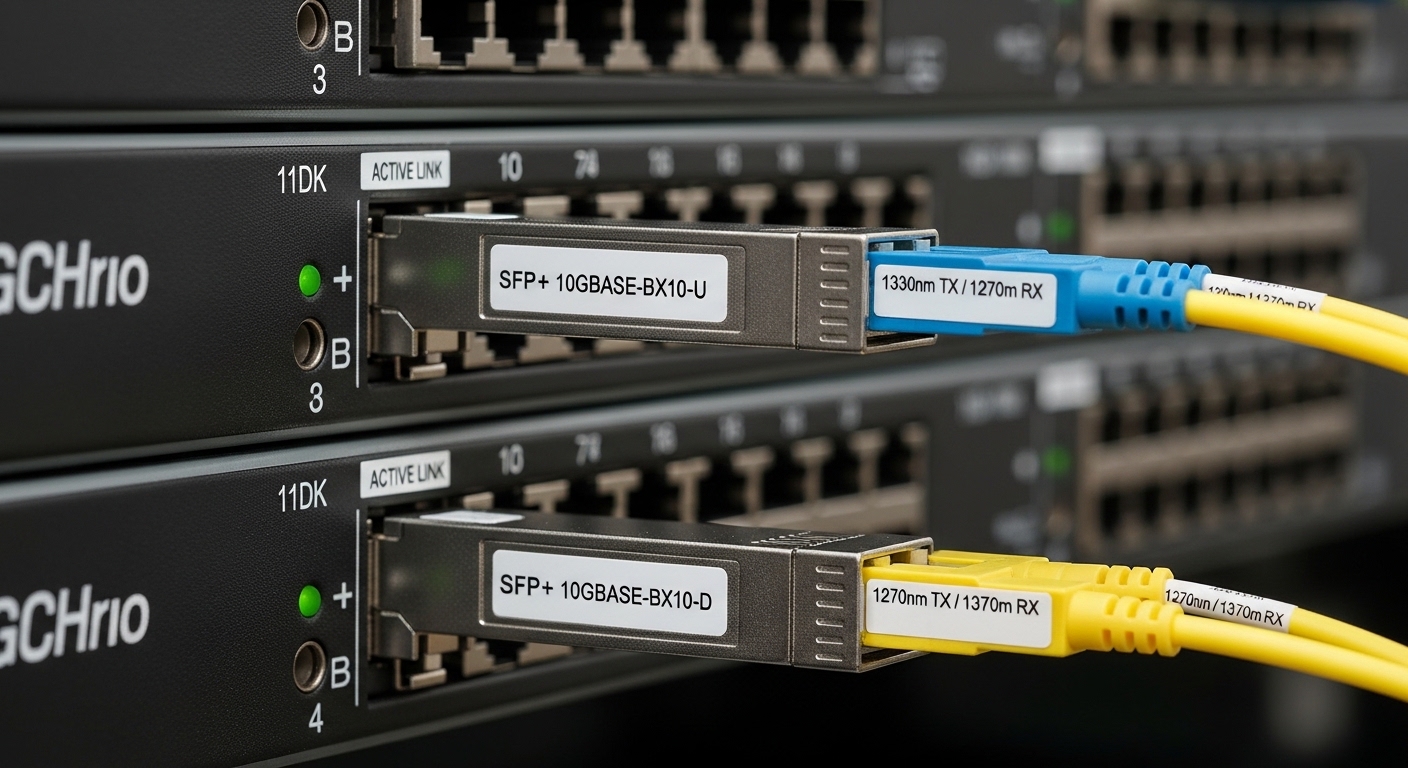
TX Disable is a control input (or function) that can force the optical transmitter off. Depending on the SFP electrical interface and vendor implementation, TX Disable may be triggered by host-controlled signals, thermal alarms, or safety interlocks. In optical signal management terms, it is a deliberate “no light” state that reduces risk when receive quality is compromised or when the module must protect itself.
What to look for on the host and the module
On most SFPs, transmitter status and fault conditions are exposed via the MDIO-like management interface (I2C in SFP EEPROM diagnostics) and vendor-specific diagnostics pages. Practically, technicians validate TX Disable by observing whether the module ceases optical output while the host still reports the port as administratively up. Field checks typically include optical power readings (if you have a meter) and switch counters for link state transitions.
Measured reality: how it prevents cascading failures
In a busy leaf-spine fabric, a marginal patch panel can cause intermittent receiver loss. If the module enters a protective TX Disable state, the transmitter stops, which can reduce receiver overload from reflections or unstable signal patterns. The result is fewer CRC storms and less “link up but unusable” behavior.
Best-fit scenario: mission-critical uplinks where you prefer deterministic transmitter shutdown during marginal fiber events, especially when you have strict optical budgets.
- Pros: safer optics, fewer unstable emissions, clearer fault boundaries
- Cons: can create silent traffic loss if alarms are not monitored
Top 2: Use RX LOS as a stability sentinel for optical signal management
RX LOS (Receive Loss of Signal) indicates the receiver has detected insufficient optical power or signal quality. In optical signal management workflows, RX LOS is the earliest “health pulse” you can use to differentiate fiber issues from switch-side problems. When RX LOS asserts, the host can raise port alarms, increment diagnostics events, and trigger automation.
Electrical and diagnostic interpretation
RX LOS is commonly implemented as a digital status line and mirrored in module diagnostics. You typically see it in switch telemetry as a “LOS” or “Receiver loss” condition. Engineers also correlate RX LOS with optical power levels in dBm and with link training behavior.
Operational nuance: LOS can be thresholded, not absolute
RX LOS thresholds vary by module type and vendor. Some SFP receivers assert LOS at a conservative cutoff (favoring early warning), while others wait until power is significantly low. That means you must align your expectations with the module datasheet and your fiber plant’s expected loss.
Pro Tip: Treat RX LOS as an early warning signal, not just a binary fault. In many deployments, the first few LOS assertions occur during temperature swings at patch panels; if you alert on the frequency of LOS events (not only the last state), you can catch bad connectors before they turn into hard outages.
Best-fit scenario: environments with frequent moves/adds/changes, where connector cleanliness and patch cord variability drive intermittent link loss.
- Pros: fast detection of fiber and alignment issues
- Cons: thresholds differ, so normalize alert thresholds per vendor
Top 3: Compare SFP optical specs that govern TX Disable and RX LOS
TX Disable and RX LOS behavior is strongly influenced by optical wavelength, reach class, receiver sensitivity, and power levels. If the module’s optical budget is mismatched to your fiber loss, RX LOS will assert repeatedly, and TX Disable may engage depending on host and module logic. The key is to select optics that fit your real link budget with margin for aging and temperature.
| Key spec | Typical 10G SR (850nm) | Typical 1310nm LR class | Why it matters for LOS/TX Disable |
|---|---|---|---|
| Wavelength | 850 nm | 1310 nm | Mismatch can cause major power loss and LOS |
| Reach | ~300 m over OM3/OM4 | ~10 km over single-mode | Budget dictates whether RX stays above threshold |
| Receiver sensitivity (illustrative) | ~ -9 to -12 dBm | ~ -14 to -18 dBm | Lower sensitivity generally reduces LOS events |
| Optical output power (illustrative) | ~ -4 to 0 dBm | ~ 0 to -3 dBm | Higher output can add margin, but must respect safety |
| Connector | LC (duplex) | LC (duplex) | Connector type affects insertion loss and reflection |
| Temperature range | -5 to 70 C (typical) | -5 to 70 C (typical) | Thermal drift can push links toward LOS thresholds |
| Diagnostics | DOM via I2C EEPROM | DOM via I2C EEPROM | Enables automated RX LOS/TX Disable correlation |
For concrete module examples, common parts include Cisco SFP-10G-SR class optics, Finisar types like FTLX8571D3BCL, and third-party options such as FS.com SFP-10GSR-85. Always confirm the exact datasheet thresholds for RX LOS and TX Disable safety behavior; vendors do not implement diagnostics identically.
Best-fit scenario: when you must standardize optics across multiple switch models while keeping optical signal management stable during planned expansions.
- Pros: predictable LOS behavior when budgets match
- Cons: similar reach labels can hide different thresholds and DOM support
Top 4: Build a selection checklist that prevents LOS-driven instability
Selection is where optical signal management succeeds or fails. Engineers should not only match wavelength and speed; they must also verify that the module’s diagnostics and thresholds behave well with the host switch. The checklist below is designed for repeatable outcomes during procurement and staging.
- Distance and fiber class: confirm OM3/OM4 for SR, single-mode for LR, and measure end-to-end insertion loss including patch cords.
- Link budget margin: ensure received power stays comfortably above the receiver’s LOS threshold across worst-case temperature and aging.
- Switch compatibility: verify vendor compatibility lists; ensure the switch supports the module’s digital diagnostics and alarms.
- DOM support and telemetry: confirm you can read temperature, bias current, transmit power, and receive power via the platform.
- Operating temperature: validate the module’s temperature range versus your rack airflow and hotspot conditions.
- TX Disable safety behavior: check whether TX Disable is host-controlled, alarm-driven, or both; confirm expected port states.
- Vendor lock-in risk: compare OEM vs third-party TCO, but test LOS/TX Disable behavior during burn-in.
Best-fit scenario: multi-site rollouts where inconsistent optics cause uneven fault rates and operational noise.
- Pros: reduces surprises during cutovers and simplifies triage
- Cons: requires measurement discipline and vendor validation
Top 5: Troubleshoot LOS and TX Disable like a field engineer
When stability degrades, you need a disciplined workflow that separates fiber physics from host behavior. Below are common pitfalls that cause repeated RX LOS events or unexpected TX Disable shutdowns, along with root causes and fixes.
Common pitfalls and troubleshooting tips
-
Pitfall 1: Wrong fiber type or patch cord mismatch
Root cause: using single-mode optics on OM links or mixing OM3/OM4 assumptions leads to excessive attenuation or modal effects.
Solution: verify fiber type labeling, run a loss test with a light source and power meter, and confirm connector cleanliness at LC interfaces. -
Pitfall 2: Cleaning skipped before diagnosing LOS
Root cause: contamination on LC ferrules creates reflections and reduces received power, triggering LOS.
Solution: follow a consistent cleaning SOP (inspect, clean, re-inspect) and re-test; many “bad optics” are actually dirty connectors. -
Pitfall 3: Ignoring threshold differences across vendors
Root cause: two modules can both be “10G SR,” but their receiver sensitivity and LOS thresholds differ, leading to different alarm behavior on the same link.
Solution: standardize by vendor family where possible, or tune alert logic by observing telemetry during a staged rollout. -
Pitfall 4: Misinterpreting port state when TX Disable engages
Root cause: TX Disable can cause the host to keep link “up” while traffic fails, especially during automation retries.
Solution: correlate port counters (CRC, input errors) with DOM transmit power and LOS state; confirm whether the module is in a forced off state.
Best-fit scenario: operations teams that need repeatable triage playbooks for optical signal management incidents.
- Pros: faster mean time to repair with fewer guess cycles
- Cons: requires telemetry access and basic test gear
Top 6: Apply TX Disable and RX LOS to real deployment scenarios
In a 3-tier data center leaf-spine topology with 48-port 10G ToR switches and 2 spine uplinks per leaf, engineers can see intermittent LOS during seasonal temperature changes and patch panel rework. Suppose each leaf has 8 uplinks active during business hours, and the mean time between LOS events is 30 days. After adding automation that alerts on LOS event count per hour and correlates with DOM receive power, the team discovers that a specific batch of patch cords has higher insertion loss variance.
They then enforce optical signal management actions: connectors are cleaned, the higher-loss cords are replaced, and the optics are revalidated. During the same quarter, CRC errors drop by 85%, and the number of “link up, traffic down” complaints falls sharply because TX Disable no longer triggers in hidden failure modes. This is where TX Disable and RX LOS become operational controls, not just alarms.
Best-fit scenario: environments using telemetry-driven automation and requiring measurable reduction in incident volume.
- Pros: measurable stability gains and better incident attribution
- Cons: requires telemetry, consistent module behavior, and alert engineering
Top 7: Cost and ROI realities for optical signal management optics
Cost decisions should reflect total cost of ownership, not just the per-module unit price. OEM optics often cost more upfront but can reduce compatibility friction and shorten validation cycles. Third-party optics can be cost-effective, yet they may introduce variation in LOS thresholds, DOM fields, and TX Disable behavior.
What budgets typically look like
In many enterprise markets, 10G SFP SR optics commonly fall into a range of roughly $40 to $150 per module depending on vendor and warranty. Higher-margin OEM modules can push toward the upper end, while commodity third-party modules may be lower but require more testing time. TCO should include spares inventory, cleaning supplies, test equipment usage, and the operational cost of troubleshooting instability events.
ROI angle: if better optical signal management reduces even a few major incidents per year, the payback usually arrives faster than expected because downtime and engineer time dominate the cost equation. Still, you must validate compatibility and DOM behavior during staging to avoid “cheaper optics, higher noise.”
- Pros: ROI improves when telemetry and alerts are implemented
- Cons: TCO can worsen if modules trigger frequent LOS events or require frequent swaps
Top 8: Standards and authority references to anchor engineering decisions
While TX Disable and RX LOS are implemented in vendor-specific ways, the underlying Ethernet optics ecosystem is grounded in IEEE and industry practices. For engineering teams, it is important to align operational expectations with standards and with vendor datasheets.
- IEEE 802.3 Ethernet physical layer specifications for 10G and higher optical interfaces guide line-rate behavior and optical interface expectations. [Source: IEEE 802.3]
- Vendor datasheets define DOM registers, transmit power ranges, receiver sensitivity, and fault signaling behavior. Use the exact module datasheet for your part number. [Source: Cisco SFP module datasheets; Finisar/VIAVI and FS.com transceiver datasheets]
- ANSI/TIA guidance informs fiber link testing practices and measurement approaches for attenuation and end-to-end loss. [Source: ANSI/TIA fiber testing standards]
- Tech media and field notes often highlight real-world compatibility issues and DOM telemetry differences across OEM and third-party optics. [Source: reputable networking publications such as Network World and The Register]
Best-fit scenario: when you need justification for design choices during architecture reviews and change management.
- Pros: defensible decisions with documented evidence
- Cons: standards may not specify exact LOS thresholds; rely on datasheets
Top 9: Rank your optics options with an optical signal management scorecard
To close the loop, use a ranking table to compare candidate optics families. This turns “it worked in the lab” into a structured decision that accounts for stability, diagnostics, and operational risk. The goal is to reduce LOS surprises and ensure TX Disable behavior matches your operational expectations.
| Option | Stability under LOS/TX Disable | Telemetry and DOM quality | Compatibility risk | Typical cost | Overall fit for optical signal management |
|---|---|---|---|---|---|
| OEM SFP (switch-vendor aligned) | High | High | Low | $80 to $150 | Best for strict uptime and fast supportability |
| Major vendor SFP (Finisar class) | Medium to High | Medium to High | Medium | $60 to $120 | Strong balance when validated with your switch |
| Third-party SFP (FS.com class) | Medium | Variable | Medium to High | $40 to $90 | Viable with burn-in and threshold-aware alerting |
Next step: run a staged acceptance test on your exact switch models, measure DOM transmit and receive power, and confirm how RX LOS frequency correlates with temperature and connector changes. If you want a companion topic, see fiber connector cleaning best practices to reduce LOS triggers at the source.
FAQ
Q: What exactly triggers TX Disable in SFP modules?
A: It can be host-controlled or module-alarm driven, depending on the transceiver design. In practice, you should confirm behavior by checking DOM transmit power and port alarms immediately after a TX Disable event.
Q: Does RX LOS mean the link is always down?
A: Not necessarily. RX LOS indicates receive loss or insufficient signal quality, but the host might still show link state as up while traffic experiences errors. Correlate LOS with CRC and input error counters.
Q: How do I set alerts for optical signal management around LOS?
A: Alert on both state changes and event frequency. For example, track LOS transitions per hour and correlate them with receive power trends rather than relying on a single threshold that may differ by vendor.
Q: Can I mix OEM and third-party SFPs in the same switch?
A: You can often mix them, but compatibility and threshold behavior may differ. Validate that DOM telemetry is read correctly and that RX LOS and TX Disable states align with your operational expectations.
Q: What test gear should I keep for LOS troubleshooting?
A: A fiber inspection scope for LC ferrules and a basic optical power meter with appropriate adapters are high-value. For deeper work, include a light source for insertion loss checks and confirm polarity on duplex LC links.
Q: Are there standards that define LOS thresholds?
A: Standards define optical interface expectations broadly, but exact LOS thresholds are typically specified in module datasheets and can vary by vendor. Always use the datasheet for your exact part number and confirm with measurements in your plant.
Author bio: I have deployed and troubleshot 10G and 25G optics in leaf-spine and campus aggregation networks, validating DOM telemetry, optical budgets, and LOS-driven automation during field cutovers. I write implementation-first guidance grounded in vendor datasheets, IEEE expectations, and on-rack operational realities.
