
When optical components shortages hit, the first failure is not usually the fiber run it is the transceiver lead time, the optics vendor mismatch, or a last-minute part swap that quietly breaks link budgets. This article helps network operators and early-stage data center teams keep throughput stable by using a structured sourcing and validation playbook for optical components. You will get concrete decision steps, compatibility checks, and troubleshooting patterns that mirror what we see during real deployments.
Prerequisites: what you need before you touch sourcing
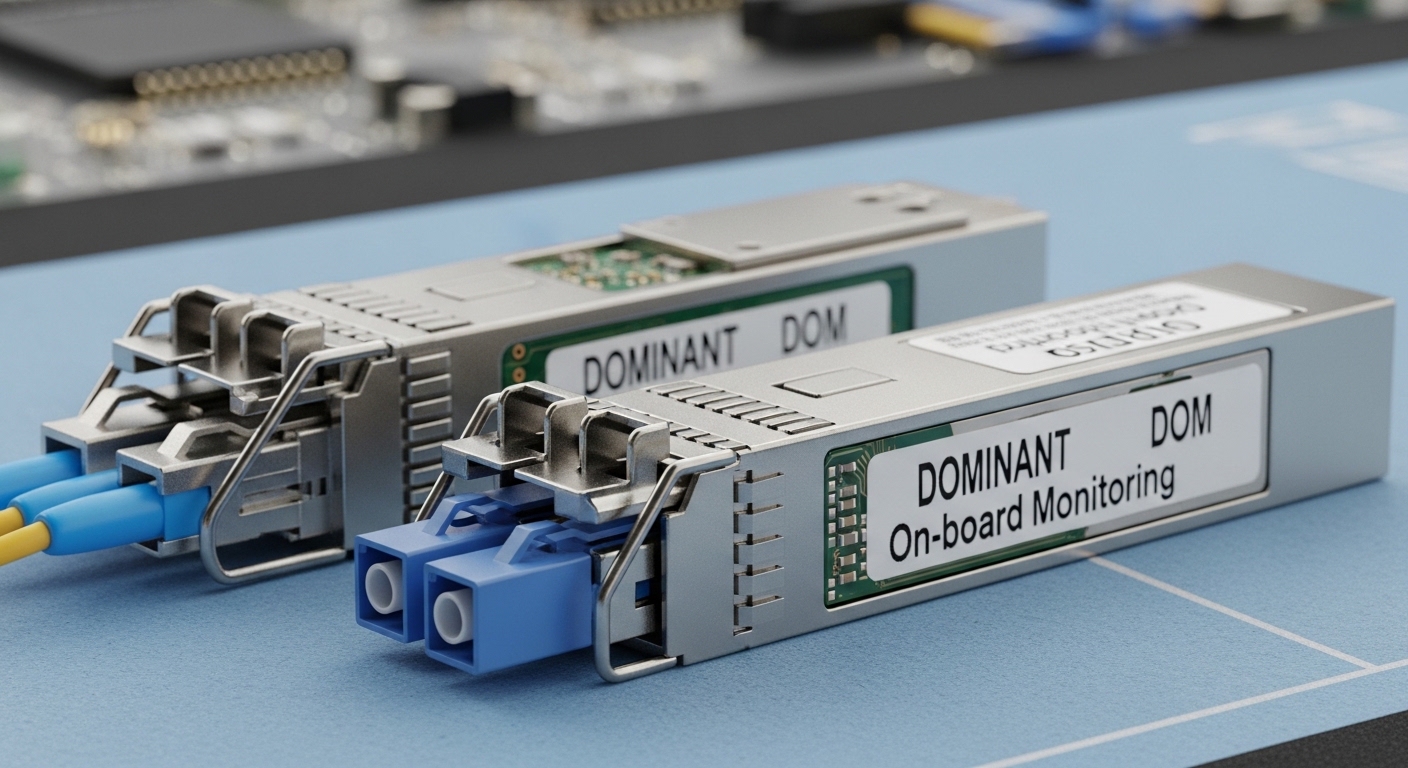
Before you chase inventory, freeze what “working” means in your environment. For each optical link, capture the interface type (SFP/SFP+/QSFP/QSFP28/OSFP), the transceiver standard (for example, IEEE 802.3 Ethernet PHY lane mapping), and the measured link budget assumptions (fiber attenuation, connector loss, and worst-case temperature). Also confirm whether your gear requires vendor-specific EEPROM fields or DOM thresholds, since some switch ASIC platforms enforce strict optics validation.
Inputs to collect (one worksheet per link)
For each critical path, record: switch model and port number, transceiver form factor (for example Cisco SFP-10G-SR style vs compatible SFP+), wavelength (850 nm vs 1310 nm vs 1550 nm), target reach (for example 300 m OM3 or 10 km OS2), and connector type (LC/UPC vs APC). Add the current part number, vendor, and any known field failures (DDM/DOM alarms, CRC bursts, or intermittent link flaps). Finally, pull the current optics inventory and reorder status from your procurement system so you can quantify the gap between demand and available stock.
Step-by-step implementation guide to survive shortages
Below is the playbook we use when lead times stretch and procurement asks for “something that will work.” The goal is not to find the cheapest optics; it is to protect uptime while maintaining electrical and optical compliance with the switch and the PHY.
-
Step 1: Classify each link by tolerance and replacement risk.
Expected outcome: A prioritized list that tells you which links can absorb substitutions and which cannot.
Split links into three buckets: (1) low-risk (same form factor, same wavelength, same reach class), (2) medium-risk (same wavelength but different reach class or vendor optics with different DOM behavior), and (3) high-risk (different wavelength band, different fiber type, or different data rate). For example, swapping an 850 nm SR link to a 1310 nm LR is high-risk unless you verified fiber type, patching, and switch optics support.
-
Step 2: Map compatibility to switch optics requirements, not just “it fits.”
Expected outcome: A compatibility matrix you can defend to engineering and procurement.
Use vendor compatibility lists when available, but verify the hard constraints: DOM/DDM support, optical power range, and interface standard. Many switches read the transceiver EEPROM and then enforce thresholds; if a third-party module reports out-of-spec bias current or optical output power, the port may refuse to come up. Check the switch datasheet and the transceiver datasheet for supported data rate, wavelength, and temperature range (commercial vs industrial).
-
Step 3: Create a “substitution ladder” with measured acceptance criteria.
Expected outcome: A controlled path from “exact match” to “acceptable substitute.”
Start with exact part replacement, then allow approved equivalents by key parameters. For 10GBASE-SR optics, prioritize same wavelength (typically 850 nm), same fiber mode class (OM3/OM4), and same connector type (LC). If you must shift reach class within the same wavelength family, validate with an optical power budget and confirm receiver sensitivity assumptions. Where possible, require that the replacement module’s DOM values stay within your historical operating window.
-
Step 4: Source using multiple channels and lock procurement early.
Expected outcome: Reduced lead time variance and fewer last-minute emergency swaps.
Do not rely on a single distributor. Use three channels: OEM authorized distribution, reputable third-party optics vendors, and certified secondary marketplaces with traceability. For example, if Cisco-branded inventory is scarce, you may still meet requirements with compatible SFP+ optics such as Finisar FTLX8571D3BCL style parts or equivalent SKUs from major optics suppliers (always validate against your switch). Keep a minimum safety stock for the top 20% of ports that represent most of your critical traffic.
-
Step 5: Run a burn-in and link verification before mass rollout.
Expected outcome: Fewer field failures and faster go/no-go decisions.
In a staging rack, insert each optical components candidate and run link bring-up checks, then traffic tests. For optics verification, confirm link state stability and monitor error counters under load. Use your switch CLI to track CRC errors, FCS errors, and interface flaps. In practice, we target at least 2 hours of sustained line-rate or near-line-rate traffic for each transceiver model, plus a cold-start or temperature-cycle test if you operate in industrial environments.
-
Step 6: Implement a “DOM guardrail” for early detection.
Expected outcome: Faster detection of marginal optics before they cause outages.
Set alert thresholds based on your baseline. Monitor for rising laser bias current, falling received power, and temperature drift. If your fleet suddenly shows higher-than-normal DOM temperature or RX power, you can quarantine specific batches. This is especially important when supply shortages push procurement toward new lots or different manufacturing runs.
Optical components spec mapping that prevents “it lights but it fails”
Supply shortages often cause teams to swap optics without a full spec map. The result is a link that comes up but degrades under load due to receiver sensitivity mismatch, optical power margin collapse, or incorrect fiber type assumptions. The fastest way to avoid this is to standardize on a parameter checklist tied to the Ethernet PHY and the fiber plant.
Key parameters to validate for each optics family
Start with the physical layer: data rate and lane encoding (for example, 10GBASE-SR uses 850 nm optics and a specific electrical interface). Then validate wavelength and reach class against your fiber type (OM3/OM4 vs OS2). Finally, verify operating temperature range and optical power levels: TX output power and RX sensitivity define the margin, while connector type and insertion loss define the real-world budget.
| Optical components type | Typical wavelength | Common reach class | Connector | Tx/Rx power behavior | Operating temperature |
|---|---|---|---|---|---|
| 10GBASE-SR (SFP+) | 850 nm | ~300 m on OM3 (varies by vendor) | LC/UPC | DOM/DDM reports bias and received power; verify within switch thresholds | Commercial 0 to 70 C typical |
| 10GBASE-LR (SFP+) | 1310 nm | ~10 km on OS2 (varies by vendor) | LC/UPC | Higher launch power; ensure fiber attenuation and splice loss budget | Commercial 0 to 70 C typical |
| 25GBASE-SR (SFP28) | 850 nm | ~100 m on OM3 class (varies) | LC/UPC | More sensitive to modal bandwidth and cable quality | Commercial 0 to 70 C typical |
Sources for baseline PHY requirements include IEEE 802.3 Ethernet specifications and vendor datasheets for specific transceiver families. For example, refer to module documentation for DOM/DDM behavior and optical power ranges, and to your switch manufacturer’s transceiver compatibility guidance. [Source: IEEE 802.3 Ethernet standards] [Source: Cisco transceiver documentation and switch hardware guides] [[EXT:https://standards.ieee.org/standard/]]
Pro Tip: In many switch platforms, “link up” only proves the serializer-deserializer handshake succeeded. The early warning signals are usually DOM trends and CRC/FCS counters under a sustained load test. If you only test for link state, shortage-driven batch substitutions will often surface as intermittent errors after a few days.
Deployment scenario: keeping a leaf-spine running during a 10G optics shortage
In a 3-tier data center leaf-spine topology with 48-port 10G ToR switches at each leaf and 2 spines, we had a shortage on 10GBASE-SR SFP+ optics for server-to-leaf uplinks. The demand was 1,200 optics over 6 weeks, but lead times for OEM-branded parts slipped from 3 weeks to 10 weeks. We prioritized links by traffic criticality, keeping storage replication paths in the low-risk bucket, then used a substitution ladder for less critical server clusters. After inserting compatible 850 nm SR modules from an approved vendor, we staged each batch for 2 hours traffic at near line rate, monitored DOM RX power and CRC errors, and then rolled out in waves of 24 ports per switch.
The operational detail that mattered most was connector and fiber hygiene. We re-terminated a subset of LC jumpers with confirmed insertion loss and cleaned the endfaces before insertion, which prevented marginal RX power from turning into error bursts. The result: no link flaps during the rollout window, and DOM alerts caught two bad modules early, before they impacted production.
Selection criteria checklist for optical components under constraints
When supply is tight, engineers need a consistent decision framework so substitutions do not become random. Use this ordered checklist as a practical gate before you deploy any new optics lot.
- Distance and fiber type: verify OM3/OM4 or OS2, then confirm reach class at your actual link length and connector/splice losses.
- Switch compatibility: confirm form factor and electrical interface (SFP vs SFP+ vs SFP28 vs QSFP/QSFP28), plus EEPROM validation behavior.
- Wavelength and lane standard: do not mix 850 nm SR with 1310 nm LR unless your fiber plant and switch support are explicitly validated.
- DOM/DDM support: ensure your switch reads DOM and that thresholds match; confirm TX/RX power reporting ranges from the datasheet.
- Operating temperature: choose industrial-grade modules if the rack environment can exceed 0 to 70 C typical commercial limits.
- Vendor lock-in risk: balance OEM reliability with second-source availability; keep at least two qualified module families per link type.
- Burn-in and acceptance tests: define pass/fail criteria (error counters, link stability duration, DOM drift limits).
Common mistakes and troubleshooting tips during optical components shortages
Below are the top failure modes we see when teams rush substitutions. Each includes a root cause and a fix you can apply quickly in the field.
Failure mode 1: Port stays down or keeps flapping after insertion
Root cause: EEPROM validation failure, DOM/DDM mismatch, or wrong interface standard for the port (for example, using an SFP module in a port that expects SFP+ with strict electrical compliance). Solution: confirm the switch model’s transceiver compatibility list, then test the module in a known-good port. Check DOM readings if the port partially comes up, and confirm the transceiver is rated for your temperature and data rate.
Failure mode 2: Link comes up but CRC/FCS errors spike under load
Root cause: insufficient optical power margin, fiber type mismatch (OM3 vs OM4), or dirty connectors causing increased insertion loss. Solution: clean LC ends with lint-free wipes and approved cleaning tools, then re-seat connectors. If errors persist, measure link attenuation and compare to the vendor’s reach assumptions; consider swapping to a module with better Tx power or a shorter patch path.
Failure mode 3: DOM alarms appear early, then the link degrades over days
Root cause: marginal laser bias current behavior or temperature sensitivity in new production lots, often amplified by poor airflow in the rack. Solution: enforce airflow checks, confirm ambient temperature, and set DOM guardrails tied to your baseline. Quarantine batches that show abnormal RX power drift and re-run burn-in tests before expanding rollout.
For Ethernet PHY and optical link behavior, consult IEEE 802.3 requirements and the transceiver vendor’s datasheet for DOM/DDM ranges and absolute maximum ratings. [Source: IEEE 802.3 Ethernet standards] [Source: Vendor transceiver datasheets] [[EXT:https://www.ieee.org/]]
Cost and ROI note: balancing OEM reliability with TCO
During shortages, OEM optics often cost more and arrive later, but they may reduce compatibility risk. In many enterprise and data center bids, third-party SFP/SFP+ optics can be cheaper by roughly 10% to 40% per unit, while the real TCO swing comes from failure rates, labor for troubleshooting, and downtime risk. A realistic approach is to qualify two sources for each optical components family and keep a small safety stock for the top critical links. If you reduce mean time to repair by even 30% through better DOM guardrails and burn-in, the ROI often outweighs the per-unit price difference.
Also consider power and cooling: while optics are not usually the dominant power draw, failed optics and repeated truck-rolls can dominate operational cost. Budget for testing time, cleaning supplies, spare patch cords, and a small staging rack so you do not validate modules directly in production ports.
FAQ: optical components sourcing and substitution questions
Q1: Can we substitute a third-party transceiver when OEM stock is unavailable?
Yes, but only after validating switch compatibility and DOM/DDM behavior. Many platforms enforce EEPROM fields and power/temperature operating windows, so you should qualify the exact module model in staging and run sustained traffic tests before scaling.
Q2: What is the safest optical components swap when lead times are long?
The safest swap is an exact match by form factor, data rate, wavelength, and reach class, ideally from the same or a qualified vendor. If you must change reach class, keep the wavelength family the same and validate with measured attenuation and DOM guardrails.
Q3: How do we confirm optical budget quickly during a shortage?
Start with known fiber attenuation and connector/splice loss values, then compare to vendor reach assumptions for your transceiver type. If you have historical DOM RX power data, use it as a practical margin check, then verify under load in staging.
Q4: Why do links show errors only after a few days?
This often indicates thermal drift, marginal optical power margin, or intermittent cleaning issues that worsen with vibration and handling. DOM trend monitoring and sustained burn-in in staging help catch these issues early.
Q5: Should we stock industrial-temperature optical components for data centers?
If your rack environment can exceed commercial limits or you have hot aisle variability, industrial-grade modules reduce the risk of temperature-related degradation. Confirm the module’s operating temperature range in the datasheet and ensure your switch supports those modules.
Q6: What documentation should we ask vendors for during procurement?
Ask for the transceiver datasheet with DOM/DDM specification ranges, wavelength and reach class, connector type, and compliance statements. Also request any known compatibility notes for your switch model to avoid EEPROM validation surprises.
Next step: build your link inventory worksheet and run the substitution ladder in staging for one non-critical cluster first, then scale to critical paths using the checklist above via optical fiber transceiver compatibility.
Updated: 2026-05-03
Author bio: I have deployed optical components in production networks, including staged burn-in workflows and DOM-based guardrails for error prevention. I focus on PMF-style validation: define the acceptance test, instrument it, and iterate fast until the system is dependable under real constraints.
