
In high-density networks, a 400G transceiver can look “up” while quietly degrading performance. This article helps network engineers and field technicians run operational checks that validate optics health, signal quality, and compatibility before it becomes an outage. You will get concrete metrics to collect, a decision checklist, and troubleshooting patterns grounded in real deployments and vendor-style diagnostics.
Top 1: Verify link health with hard metrics, not just “Link Up”
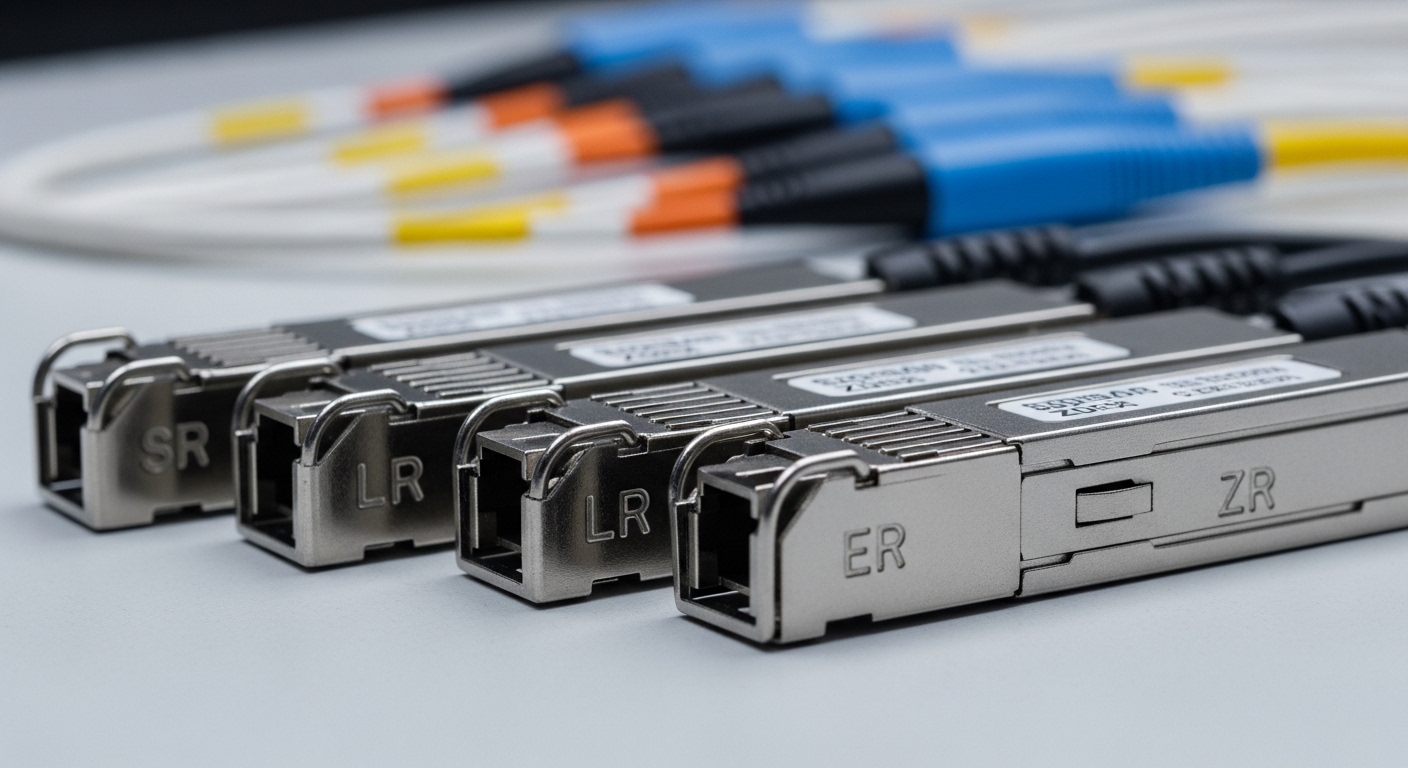
Start with the basics that actually correlate with bit error risk: optical power levels, link error counters, and FEC status. Many 400G interfaces will show administrative state as up even when the forward error correction is working overtime. In practice, you want a time series: capture values at link bring-up, then again after thermal stabilization (often 10 to 20 minutes).
Operational checks to run
- Receive power (Rx) in dBm from the transceiver DOM (Digital Optical Monitoring).
- Transmit power (Tx) in dBm to detect laser aging or bias drift.
- FEC counters: whether the device reports “FEC enabled,” “FEC corrected,” or “FEC uncorrectable.”
- Interface error counters: CRC/frame errors and symbol errors (platform-dependent naming).
Best-fit scenario: leaf-spine data centers where 400G uplinks carry bursty east-west traffic. If you only check the CLI “link status,” you may miss a marginal optics event that shows up first as rising corrected-FEC counts during peak congestion.
Pros: fast, non-invasive, catches early degradation. Cons: depends on switch/host OS exposing consistent counters and DOM fields.
Top 2: Validate DOM readings against vendor tolerances and your optics budget
DOM is only useful if you interpret it correctly. For 400G optics, DOM typically includes laser bias current, Tx power, Rx power, temperature, and sometimes lane-level parameters. Your operational checks should compare observed values to the vendor’s recommended operating range and the link’s optical power budget, including connector loss, patch cord attenuation, and any inline couplers.
What to compare
- Tx power vs vendor “launch power” range.
- Rx power vs receiver sensitivity for the specific standard (for example, SR4 or FR4 profiles depending on product family).
- Temperature and laser bias: rising temperature with stable power can indicate airflow or port thermal issues.
Real-world deployment scenario: In a 3-tier data center leaf-spine topology with 48-port 400G ToR switches, teams often pre-stage spare optics in a staging rack. They run operational checks in that staging environment, record DOM baselines, then deploy modules into production where airflow is different. A module that looked healthy at 25 C can become marginal at 55 C if the switch’s rear-to-front cooling path differs.
Pros: ties field measurements to optical budget; enables trend-based maintenance. Cons: DOM field naming varies across switches; reading accuracy is subject to vendor calibration.
Top 3: Confirm FEC mode, lane mapping, and transceiver standard alignment
For 400G, the physical layer is only half the story. The other half is whether the switch and transceiver agree on the expected coding and lane behavior. Operational checks should confirm that the port is configured for the correct optics type and that the transceiver is reporting a compatible profile.
Steps that prevent silent mismatch
- Check the transceiver type reported by the switch (vendor ID, part family, and supported mode).
- Confirm FEC mode: some platforms allow toggling or auto-negotiation that can differ by optics generation.
- Validate lane mapping: QSFP-DD and OSFP families often carry multiple lanes; some switches expose lane-status detail.
Best-fit scenario: multi-vendor environments where OEM and third-party optics coexist. If a port silently falls back to a reduced capability mode, you might see intermittent errors under burst traffic even when averages look acceptable.
Pro Tip: When you see “FEC corrected” climbing without a matching rise in CRC errors, treat it as an early-warning signal. On many 400G platforms, corrected-FEC growth is the first measurable symptom of fiber contamination or a slightly mis-seated connector, before user-visible packet loss appears.
Pros: prevents configuration and negotiation issues that counters may reveal slowly. Cons: requires platform-specific knowledge of how the OS reports FEC and lane status.
Top 4: Use optical safety and cleanliness checks to reduce connector-induced errors
Even perfect transceivers can fail operational checks if the fiber path is contaminated. Connector dirt is a leading cause of Rx power sag, intermittent link instability, and sudden error bursts after maintenance. Your checks should include inspection and cleaning as a standard procedure, especially when modules are swapped or moved between racks.
Field checklist
- Inspect endfaces with a fiber scope (typically 200x to 400x magnification).
- Clean with lint-free wipes and appropriate cleaning solvent or dry-clean method per connector type and dust severity.
- Re-check Rx power after cleaning; look for step changes, not only absolute values.
- Confirm fiber bend radius and routing: tight bends can introduce micro-bends that show up as fluctuating Rx readings.
Best-fit scenario: campus or metro networks where patching occurs frequently and maintenance windows are short. Operational checks that include a quick post-clean power verification can avoid “mystery flaps” that consume incident time.
Pros: addresses the most common physical root cause; improves mean time to repair. Cons: requires scope equipment and disciplined cleaning SOPs.
Top 5: Compare performance metrics across 400G optics types with a spec-driven table
Not all 400G transceivers are built for the same reach or optical budget. Operational checks should be guided by the exact optics class you installed: for example, short-reach multimode (often SR4 family) versus longer-reach single-mode (often FR4/LR4 family depending on product). Use a spec table to avoid mixing expectations that lead to false alarms or missed risk.
| Spec category | 400G SR4 (typical multimode) | 400G FR4 (typical single-mode) | What to check in operational checks |
|---|---|---|---|
| Target wavelength | 850 nm nominal (varies by product) | ~1310 nm nominal (varies by product) | Confirm DOM reports align with expected optics family |
| Reach | Commonly 100 m class over multimode | Commonly 2 km class over single-mode | Validate your fiber type and link length before chasing errors |
| Connector type | MPO/MTP (often 12-fiber) | LC duplex (often) | Clean correct interface geometry; use correct scope for MPO vs LC |
| Data rate | 400G aggregate | 400G aggregate | Ensure switch port profile matches module capability |
| DOM parameters | Tx/Rx power, temperature, bias current (typical) | Tx/Rx power, temperature, bias current (typical) | Track trends; watch for Rx sag and thermal drift |
| Temperature range | Typically commercial/industrial variants | Typically commercial/industrial variants | Confirm module grade matches cabinet ambient and airflow |
| Power budget sensitivity | Higher sensitivity to connector loss and MPO cleanliness | Sensitive to splice/patch loss and fiber aging | Recompute budget with measured patch cord loss and measured Rx |
Reference points: 400G Ethernet physical layer behavior is defined across IEEE 802.3 specifications by reach and signaling method, while transceiver DOM and electrical interfaces are vendor-datasheet driven. For general framing and Ethernet operation constraints, see [Source: IEEE 802.3]. For module-level DOM and supported diagnostics, see vendor transceiver datasheets such as [Source: Cisco SFP and QSFP module documentation], [Source: Finisar optical transceiver datasheets], and [Source: FS.com transceiver specification pages].
Pros: reduces wrong assumptions; supports consistent acceptance testing. Cons: exact numbers vary by vendor and revision; always confirm with the module datasheet you purchased.
Top 6: Build an acceptance-test routine with baseline capture and thresholds
Operational checks work best when they are standardized. For each deployed transceiver type, capture a baseline at install time: DOM values (Tx/Rx/temperature), initial error counters, and any FEC status. Then define thresholds for alerting that reflect your environment, not generic “it should be perfect” expectations.
A practical baseline template
- Record Tx power and Rx power at steady state.
- Record temperature and bias current if exposed.
- Record FEC corrected and uncorrectable counters at idle and during a controlled traffic test.
- Store results with serial number and port ID so you can correlate incidents later.
Best-fit scenario: operations teams with change management. When you run the same acceptance-test steps for every 400G swap, you can distinguish “expected variation” from “true degradation,” which directly reduces mean time to innocence and accelerates root-cause analysis.
Pros: creates defensible evidence for vendors and internal audits. Cons: requires disciplined data capture and a place to store it.
Top 7: Run thermal and power stability checks to catch cooling-related degradation
Thermal stress affects laser bias, receiver gain, and error correction headroom. Operational checks should include cabinet airflow observation and module temperature monitoring, especially in high-density racks where rear exhaust is blocked or front-to-back flow is disrupted.
What to monitor
- DOM temperature trend over 30 to 60 minutes after installation.
- Switch fan speed profiles and any “eco mode” changes during off-hours.
- Cabinet ambient temperature and whether intake filters are clogged.
Best-fit scenario: retrofit projects where racks are reconfigured. Even if the switch model stays the same, airflow changes can push optics temperature near the upper operating point, increasing the probability of intermittent errors that are hard to reproduce.
Pros: prevents slow degradation; improves reliability. Cons: correlation requires careful timing and environmental logging.
Top 8: Ensure compatibility and DOM support to avoid vendor lock-in surprises
Compatibility is operational, not theoretical. Some switch platforms enforce optics allowlists, and some expose different DOM fields depending on transceiver generation. Operational checks should confirm that your platform reads DOM consistently and that the module is recognized without fallback behavior.
Compatibility checks
- Confirm the switch’s supported optics list for the port type and speed mode.
- Validate DOM visibility: Tx power, Rx power, temperature, and alarms.
- Check whether the platform reports vendor-unique diagnostics or only generic fields.
Best-fit scenario: procurement teams negotiating third-party optics for cost control. By running operational checks on the first few installs, you reduce the risk that “works today” becomes “fails compliance tomorrow” during firmware upgrades.
Pros: reduces downtime risk from recognition issues. Cons: allowlists can change with OS updates; always retest after upgrades.
Top 9: Common mistakes and troubleshooting tips during operational checks
Even mature teams repeat the same failure modes. Below are concrete pitfalls with root causes and fixes that align with how 400G links typically fail in the field.
-
Mistake: Relying on “Link Up” only.
Root cause: FEC is correcting errors while counters are rising, but CRC counters remain low until conditions worsen.
Solution: Add corrected-FEC and error counter trending into operational checks; alert on slope changes, not just absolute values. -
Mistake: Comparing Rx power to a generic number across vendors.
Root cause: Receiver sensitivity and DOM calibration differ by module revision; also, patch cord and connector losses vary.
Solution: Use the vendor datasheet for sensitivity and your measured link loss; define thresholds based on your acceptance baseline. -
Mistake: Skipping connector inspection after a transceiver swap.
Root cause: Human handling introduces dust or micro-scratches; MPO polarity or lane mapping can also be wrong.
Solution: Inspect and clean every time; verify MPO polarity, and re-check Rx power immediately after cleaning. -
Mistake: Ignoring thermal drift during incident triage.
Root cause: Fans cycle during off-hours; optics temperature changes alter error correction margins.
Solution: Capture temperature and fan status during the failure window; verify airflow path and remove obstructions.
Pros: speeds resolution; prevents repeat incidents. Cons: requires consistent measurement discipline and documented procedures.
Top 10: Cost and ROI note for 400G optics, spares, and operational checks
Pricing varies widely by reach, brand, and whether you buy OEM or third-party. In many enterprise and data center deals, a 400G optics module can range from roughly several hundred to over two thousand USD per module depending on technology and supply constraints. The ROI is often not just the module price: it is reduced downtime, fewer truck rolls, and faster incident resolution enabled by operational checks and baseline documentation.
- OEM optics: typically higher upfront cost, stronger compatibility documentation, and more predictable DOM/counter behavior.
- Third-party optics: can cut unit cost, but you must validate DOM support, error counter behavior, and compatibility through acceptance tests.
- TCO drivers: labor for installation and cleaning, spare inventory strategy, warranty handling, and the risk of incompatibility after switch firmware upgrades.
Best-fit scenario: organizations standardizing on operational checks to reduce mean time to repair and to justify mixed-vendor procurement with evidence-backed acceptance criteria.
Pros: better budget predictability and fewer surprise failures. Cons: requires upfront testing and ongoing retest after platform updates.
Operational checks FAQ for 400G transceivers
What are the most important operational checks for a 400G link?
Focus on DOM Tx/Rx power, temperature, and error counters including FEC corrected and uncorrectable indicators. Then trend those metrics over time, not just at the moment you plug in the module.
How do I know if the optics are compatible with my switch?
Verify the switch port type and optics profile using the vendor compatibility list, then confirm the switch recognizes the module and exposes DOM fields reliably. After any switch firmware update, rerun a short operational checks routine to detect negotiation or allowlist changes.
Why do I see rising corrected-FEC counts before packet loss?
Corrected-FEC rising can indicate reduced signal quality, such as connector contamination, excessive loss, or thermal stress, while the link still stays within correction limits. Treat it as an early warning and investigate optics cleanliness, power budget, and temperature drift.
Can operational checks reduce incident time during fiber outages?
Yes. When you already have baselines for DOM and counters, you can quickly classify whether the problem is optics health, physical layer signal quality, or configuration mismatch. That reduces guesswork during troubleshooting.
What tools do field teams need to perform reliable operational checks?
At minimum: access to switch counters and DOM, a fiber inspection scope, and correct cleaning supplies for the connector type (MPO/MTP vs LC). For deeper analysis, some teams add optical power meters and calibrated attenuators for repeatable loss checks.
Should I buy OEM or third-party 400G optics?
If you need maximum compatibility assurance, OEM optics often reduce risk. If you buy third-party modules to optimize cost, operational checks and acceptance testing become non-negotiable, especially after switch OS upgrades.
Operational checks turn 400G optics from a “plug and hope” component into a measurable, auditable subsystem. Next, review your internal SOPs and align them with the baseline and threshold approach outlined here using optical diagnostics and DOM baselining.
| Rank | Operational check item | Best for | Impact on downtime risk |
|---|---|---|---|
| 1 | Hard link health metrics (DOM + FEC + errors) | Early detection and trend-based alerts | High |
| 2 | DOM validation vs vendor tolerances and power budget | Preventing marginal optics events | High |
| 3 | FEC mode and standard alignment checks | Configuration mismatch prevention | Medium-High |
| 4 | Connector cleanliness and optical safety verification | Fixing intermittent flaps from contamination | Medium-High |
| 5 | Thermal monitoring and airflow validation | Cooling-related degradation control | Medium |
| 6 | Compatibility and DOM support validation | Mixed-vendor and firmware upgrade safety | Medium |
| 7 | Acceptance test baselines and thresholding | Faster diagnosis and vendor evidence | Medium |
| 8 | Cost and ROI planning with spares strategy | Reducing TCO and operational burden | Medium |
Update date: 2026-05-03
Author bio: I have deployed and troubleshot 100G to 400G optics in production data centers, validating DOM and FEC behavior during migrations and incident response. I focus on measurable operational checks that field teams can repeat under time pressure.
