
In Open RAN rollouts, optical transceiver failures can look like “random” radio outages, rising latency, or link flaps between O-CU, O-DU, and transport. This quick-fix guide helps field and NOC engineers isolate SFP/SFP+/QSFP optics issues fast, using repeatable checks that match real vendor behavior. It focuses on practical root causes, measured signals, and compatibility details that commonly break under Open RAN integration.
Why Open RAN optics fail in the real world
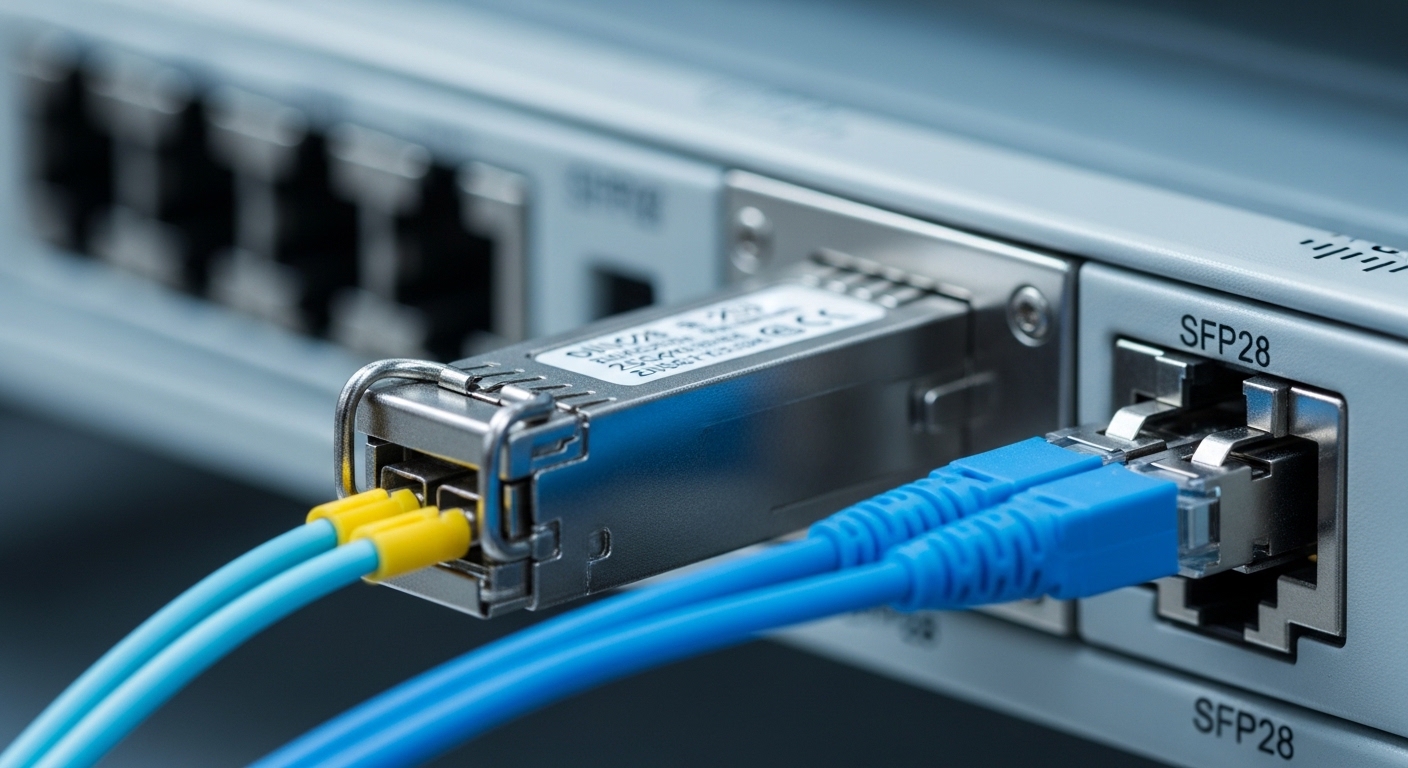
Open RAN fronthaul and midhaul depend on deterministic transport, so a marginal optical link can trigger sudden performance loss even when the interface stays “up.” Most failures trace back to one of four buckets: DOM/EEPROM incompatibility, fiber cleanliness and connector damage, wrong transceiver type or reach class, or power/thermal stress that pushes the module outside its operating envelope. IEEE 802.3 defines key physical layer behaviors (link training, receiver sensitivity assumptions), but vendors implement diagnostics and thresholds differently, so “works in lab” often fails in the field. For reference on optical Ethernet PHY expectations, see IEEE 802.3.
Typical symptoms you can map to optical causes
- CRC errors and FEC corrections rising: receiver sensitivity issues, dirty connectors, marginal fiber attenuation.
- Link flaps every few minutes: intermittent connector contact, dust on ferrules, or thermal cycling near the transceiver.
- “Module not recognized” or DOM errors: EEPROM format mismatch, unsupported vendor, or missing/blocked DOM support.
- Higher-than-normal BER but stable link: wrong wavelength pair, dispersion mismatch, or aged optics.
Fast isolation workflow for Open RAN optical links
Use a tight sequence so you do not waste time replacing parts blindly. Start with the interface counters and transceiver diagnostics, then verify physical layer basics (wavelength, connector type, polarity). In Open RAN, where you may run mixed vendor transport equipment, you must also confirm DOM support and switch compatibility profiles. The goal is to identify whether the problem is in the optical path or the module/switch electrical interface.
Confirm link counters and optical diagnostics
- Check interface errors: CRC, FCS, ES/SES (if available), and any vendor-specific optical alarms.
- Read DOM values from the switch/optics: Tx bias current, Tx power, Rx power, and temperature. Document them before swapping.
- If the platform supports it, capture alarm flags like “Rx power low,” “Tx power high/low,” or “LOS/LOF.”
Validate transceiver compatibility and reach class
- Confirm the intended standard: e.g., 10GBASE-SR uses 850 nm multimode; 100GBASE-SR4 uses parallel optics and different lane behavior.
- Match reach to your fiber plant: SR modules are for short reach; LR modules for single-mode spans. If you install an SR module on a long run, you may see “up/up” with heavy errors.
- Confirm connector type: LC vs MPO, and ensure the correct polarity mapping for MPO/MTP arrays.
Inspect and clean connectors before measuring loss
- Use a fiber scope on every suspect link. Even “new” patches can have residue from prior handling.
- Clean both ends and re-seat the connectors fully. For MPO, verify keying and full latch engagement.
- Only after cleaning, measure optical power or insertion loss if you have test gear.
Swap test with known-good optics
- Swap the module at the same port with a known-good transceiver of the same type and vendor compatibility class.
- Then swap the far-end module, if needed. This isolates whether the fault follows the module or stays with the port/fiber.
- In Open RAN, keep a small “golden” kit: one per wavelength and connector type used in your O-DU/O-CU design.
Key optical specs that matter (and how to read them)
Engineers often focus on distance, but in practice you need to match wavelength, reach class, connector format, and DOM behavior to your switch. A mismatch can pass basic link bring-up yet fail under load due to receiver sensitivity margin. The table below compares common Ethernet optics used in Open RAN transport designs so you can quickly sanity-check what you installed.
| Module Type | Wavelength | Typical Reach | Connector | Data Rate | DOM/Diagnostics | Operating Temp |
|---|---|---|---|---|---|---|
| SFP-10G SR (example: Cisco SFP-10G-SR) | 850 nm | Up to ~300 m (OM3) / ~400 m (OM4) | LC (2-fiber) | 10G | Typically supported (vendor-dependent) | 0 to 70 C (often; verify datasheet) |
| SFP+ 10G SR (example: Finisar FTLX8571D3BCL) | 850 nm | Up to ~300 m (OM3) / ~400 m (OM4) | LC | 10G | Supported | 0 to 70 C (often; verify) |
| SFP-10G LR (example: typical 1310 nm LR) | 1310 nm | Up to ~10 km on SMF (varies by spec) | LC | 10G | Supported | 0 to 70 C (often; verify) |
| QSFP28 100G SR4 (example: common 850 nm MPO) | 850 nm | Up to ~100 m (OM3) / ~150 m (OM4) | MPO-12 (4 lanes) | 100G | Supported | 0 to 70 C (often; verify) |
| QSFP+ 40G SR4 (example: common 850 nm MPO) | 850 nm | Up to ~100 m (OM3) / ~150 m (OM4) | MPO | 40G | Supported | 0 to 70 C (often; verify) |
Note: exact reach depends on fiber type, patch cord length, and link budget assumptions. Always validate against your operator’s fiber plant records and the module datasheet. For Open RAN transport planning, also review vendor deployment guidance and any Open RAN integration test results you have from your system integrator.
Selection criteria checklist for Open RAN optics swaps
When you need a quick fix, selection matters just as much as troubleshooting. If you replace with “functionally similar” optics, Open RAN transport can still fail due to DOM behavior, threshold differences, or reach mismatch. Use this ordered checklist so replacements match both the optical link and the switch’s electrical expectations.
- Distance and fiber type: verify OM3/OM4/OS2, patch lengths, and total channel loss.
- Wavelength and reach class: SR vs LR vs ER; confirm intended standard (10GBASE-SR, 100GBASE-SR4, etc.).
- Connector and polarity: LC vs MPO; MPO keying and lane polarity mapping for 40G/100G.
- Switch compatibility: check the switch transceiver support matrix and whether the platform enforces DOM thresholds or vendor IDs.
- DOM support and thresholds: confirm that Tx/Rx alarms are interpreted correctly by the host; mismatched DOM can trigger misleading faults.
- Operating temperature and airflow: Open RAN cabinets can run warm; confirm module temperature rating and ensure airflow paths are not blocked.
- Vendor lock-in risk: if you must use third-party optics, validate with a pilot and keep golden modules for rapid swaps.
Pro Tip: In many Open RAN deployments, “LOS” alarms are not only about fiber breakage. A dirty connector can reduce Rx power just enough that the host PHY crosses its loss-of-signal threshold under temperature drift, causing intermittent flaps. Cleaning and re-seating often restores stability without any module replacement, especially when DOM shows Rx power hovering near the alarm boundary.
Common mistakes and troubleshooting tips
If you want quick fixes, avoid the patterns that waste hours. Below are frequent failure modes seen in Open RAN optical troubleshooting, with root causes and practical solutions.
Replacing the module when the fiber is the problem
Root cause: connector contamination or damaged ferrules causes high attenuation that looks like a weak receiver. DOM may show “low Rx power,” but the module still works if moved to a clean port.
- Solution: scope and clean both ends first; then swap the module to a known-good fiber patch to confirm it is not the module.
Installing SR optics on a single-mode run (or vice versa)
Root cause: wavelength and fiber type mismatch reduces optical coupling efficiency. Links may come up but with elevated BER, CRC errors, and intermittent drops under load.
- Solution: verify the patch type (OM3/OM4 vs OS2) and confirm the transceiver wavelength from the module label and datasheet.
Ignoring MPO polarity and lane mapping for 40G/100G
Root cause: wrong polarity mapping scrambles lanes, producing high errors even when optical power levels seem acceptable. This is common when teams re-patch MPO trunks under time pressure.
- Solution: confirm MPO polarity using your cabling standard (documented in your deployment plan) and re-verify with a known-good polarity reference patch.
Trusting “up/up” without checking error counters
Root cause: some hosts only show link state, while FEC and error counters reveal marginal performance. In Open RAN, this can translate to radio layer retransmissions and degraded throughput.
- Solution: always check CRC/FCS counters and any optical alarm flags, not just link state.
Cost and ROI note for optics in Open RAN
Replacement optics pricing varies widely by OEM vs third-party. As a realistic field reference: OEM 10G SFP+ SR modules often cost roughly $50 to $150 each depending on vendor and speed grade; OEM 100G QSFP28 SR4 modules can be $400 to $1,200 each; third-party modules may be lower but can increase integration risk. TCO is not only purchase price: a module that triggers frequent flaps can raise truck rolls, downtime penalties, and labor hours. For ROI, prioritize optics that match your switch compatibility matrix and have stable DOM behavior; it typically reduces mean time to repair (MTTR) and lowers repeat failures.
FAQ
How can I tell if the optics are the problem versus the fiber?
Check DOM values (Rx power, Tx power, temperature) and interface error counters. Then do a swap test: replace the module with a known-good one on the same port, or move the suspect module to a known-good port. If the fault follows the module, replace it; if it stays with the port/fiber, clean and re-test the fiber path.
What DOM or diagnostics issues are common in Open RAN?
Hosts may flag “unsupported module” or misinterpret thresholds when optics are not on the switch support matrix. Some third-party modules report DOM fields differently, which can create misleading alarms even when optical power is acceptable. Always validate your replacement optics against the platform’s transceiver compatibility expectations.
Do I need a fiber scope every time?
For high-availability Open RAN links, yes. Connector contamination is a top cause of intermittent Rx power issues, and visual inspection with a scope is faster than repeated module swaps. Scope-based cleaning often restores stability without touching transceivers.
Can I use third-party optics to reduce cost?
Sometimes, but treat it as an integration project. Pilot third-party optics in a non-critical set of links first, validate DOM alarms, and confirm error-rate stability under operating temperature. If your switch enforces strict vendor ID or threshold checks, OEM or certified optics may be the safer path.
What counters should I monitor during optics troubleshooting?
Monitor CRC/FCS errors, any LOS/LOF alarms, and optical diagnostic thresholds like Rx power low. For higher-rate links, also check FEC-related counters if the platform exposes them. “Up/up” with rising error counters is a strong sign of a marginal optical path.
How do I avoid MPO polarity failures for 40G/100G?
Use documented polarity standards from your cabling plan and label both ends of MPO trunks. After any re-patch, verify lane mapping against a known-good reference and confirm with error counters under load. MPO polarity mistakes can look like “bad optics” when power levels appear normal.
If you want the fastest stabilization, combine DOM checks, scope-based cleaning, and swap tests before ordering replacements. For a related operational view, see Open RAN transport maintenance playbook.
Author bio: I have deployed and troubleshot Open RAN transport links in live data centers and outdoor cabinets, focusing on optics, DOM alarms, and fiber plant recovery workflows. I write from field experience with concrete swap procedures, error-counter validation, and compatibility-driven replacement strategies.
