
When an 800G optical link refuses to come up or starts flapping after deployment, the outage feels immediate but the root cause is often subtle. This article delivers practical industry insights for field engineers and reliability teams handling real 800G rollouts across leaf-spine, campus backbone, and metro aggregation. You will get a troubleshooting workflow, compatibility checks, and testable hypotheses tied to IEEE optics behavior and vendor diagnostics. The goal is faster isolation, fewer truck rolls, and higher MTBF confidence.
Why 800G optical troubleshooting is different at scale
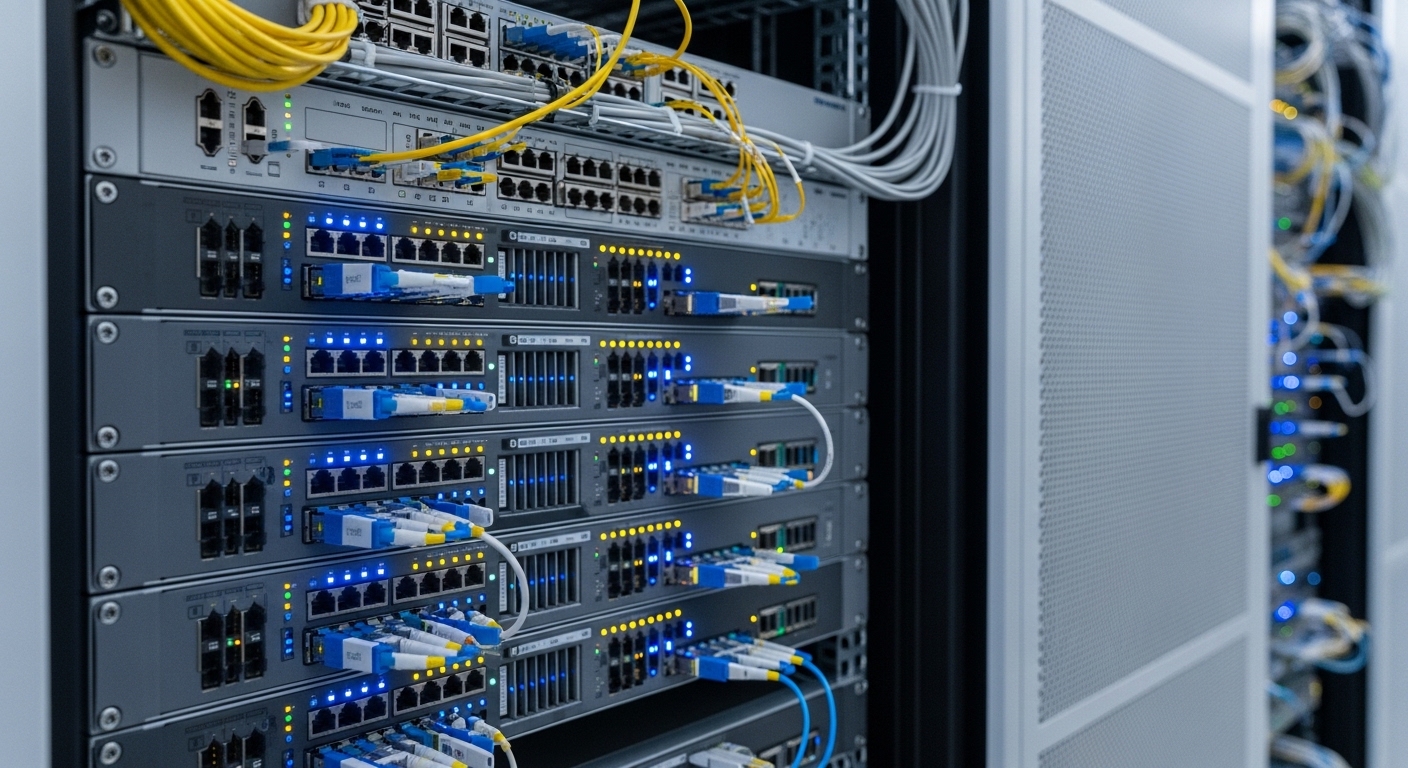
At 800G, operators typically move from 400G-style “two-lane” assumptions to higher parallelism, tighter electrical budgets, and more sensitivity to optical power imbalance. Many 800G systems use multi-lane architectures (for example, 8x100G or similar internal lane grouping depending on the vendor), so a single weak lane can fail the overall FEC and link training budget. Reliability teams also see more frequent “works for hours then degrades” events tied to temperature, dust ingress, or marginal connector geometry under vibration.
From a QA and ISO 9001 mindset, treat each symptom as a measurable nonconformity: “link down,” “high BER,” “intermittent CRC errors,” or “increased FEC correction.” IEEE Ethernet behavior (including autonegotiation and PCS/FEC interactions) plus vendor-specific diagnostics means you should avoid guesswork and instead capture a traceable evidence set: optical power per lane, transceiver DOM readings, and switch log timestamps. The fastest teams build a consistent test record that supports root cause analysis and corrective action (CAPA).
For authority on Ethernet PHY behavior and optical Ethernet framing, see [Source: IEEE 802.3]. For practical optics and safety guidance, vendor transceiver datasheets and fiber handling standards are essential; many vendors explicitly require connector inspection and cleaning before power-up.
Core specs to verify before you touch a cable
Before troubleshooting, confirm that the module type, optics wavelength, and connector standard match both ends and the switch’s supported optics list. A surprising number of “mystery failures” originate from mismatched transceiver generations (for example, a receiver engineered for a specific reach class) or from using a compatible-looking but electrically different module. Also confirm whether the deployment expects OM4, OM5, or OS2 fiber, because dispersion and link budget assumptions change with wavelength and mode count.
Key 800G optics parameters that drive link margin
Engineers typically validate: wavelength band, reach class, fiber type (multimode vs single-mode), connector type, nominal transmit power, receiver sensitivity, DOM temperature limits, and power consumption. For 800G, even small deviations can push the system out of the FEC working region, leading to intermittent errors that look like “network instability.”
| Parameter | Example 800G Multimode (Typical) | Example 800G Single-mode (Typical) |
|---|---|---|
| Target data rate | 800G Ethernet (multi-lane) | 800G Ethernet (multi-lane) |
| Wavelength | 850 nm class (multimode) | 1310 nm or 1550 nm class (single-mode) |
| Reach class | Short reach over OM4/OM5 (vendor-defined) | Longer reach over OS2 (vendor-defined) |
| Fiber type | OM4 or OM5 multimode | OS2 single-mode |
| Connector | Commonly MPO/MTP (12-fiber or 16-fiber variants) | Commonly LC (or MPO depending on design) |
| Operating temperature | Check transceiver datasheet; often extended ranges exist | Check transceiver datasheet; often extended ranges exist |
| DOM support | Required for diagnostics and alarm thresholds | Required for diagnostics and alarm thresholds |
| Power consumption | Often higher than 400G; validate switch PSU budget | Often higher than 400G; validate switch PSU budget |
| Typical failure mode | Connector contamination, lane power imbalance | Wrong fiber type, cleaning/termination defects |
Use these values as a checklist, but always defer to the specific transceiver model’s datasheet. Examples of widely referenced optics families include Cisco SFP-10G-SR for 10G comparisons, and for higher speeds you will see vendor-specific 800G optical modules; verify exact part numbers and lane mappings in the module documentation. Compatibility is not only “up/down” — it is also DOM alarm thresholds, FEC mode behavior, and whether the switch expects a particular optical connector polarity.
Step-by-step troubleshooting workflow for 800G link flaps
When the link comes up then flaps, your best leverage is to isolate whether the failure is optical (power, contamination, fiber defects) or electrical/control-plane (module handshake, firmware mismatch, switch port settings). Start by collecting evidence from both ends at the same time window. Then run a controlled set of tests that can prove or disprove each hypothesis.
Capture switch and module diagnostics together
From the switch CLI or telemetry, record: link state transitions, FEC counters, CRC/PCS errors, and any “loss of signal” or “transceiver alarm” events. Immediately read DOM data from the module: laser bias current, received optical power, temperature, and supply voltage. If your environment supports it, export logs with timestamps to correlate with ambient temperature changes or HVAC cycles.
Validate the optics and connector path end-to-end
Visually inspect and clean connectors before you re-seat modules. For MPO/MTP, confirm polarity and alignment; many failures are simply mis-keyed polarity causing consistent lane swaps that push certain lanes beyond the sensitivity margin. Then measure optical power at the receiver using a calibrated meter or module diagnostic output; do not rely only on “link up” as a proxy for margin.
Narrow down lane imbalance and check FEC working region
In 800G multi-lane links, one weak lane can dominate the error budget. Look for per-lane received power (if supported) or use vendor tooling to infer lane health. If you see increasing FEC correction over time, suspect thermal drift, aging optics, or a marginal connector that becomes worse under airflow or vibration.
Control variables and retest systematically
Swap one element at a time: transceiver on one side, then the other side, then the fiber patch cord set. This is the reliability engineer’s version of controlled experimentation. If the issue follows the module, you have an RMA candidate; if it follows the fiber path, focus on termination and connector inspection. Document each change as part of your nonconformance record for ISO 9001 traceability.
Pro Tip: In many 800G deployments, the most misleading metric is “link is up.” Field teams often find that a link can remain up while certain lanes are already below comfortable optical margin, and only later does it cross the FEC boundary, causing flaps. Track received power trend and FEC correction growth rate over time, not just instantaneous link state.
Common mistakes and how to fix them quickly
Below are frequent failure modes seen in real 800G rollouts, with root cause and a concrete fix. Treat these as fast triage ideas, then confirm with measurements.
Pitfall 1: Dirty MPO/MTP endfaces causing intermittent “loss of signal”
Root cause: Microscopic dust or residue on the fiber endface increases insertion loss, often unevenly across lanes. Under airflow changes, the system may pass then fail. Solution: Clean both ends using lint-free wipes and approved cleaning tools; inspect with a microscope/inspection scope rated for fiber endfaces; re-seat with consistent connector pressure and verify polarity keying.
Pitfall 2: Fiber type mismatch or wrong reach class assumptions
Root cause: Using OM4-rated expectations on a patch path that includes OM2-grade segments, or mixing OS2 vs multimode in a complex campus splice. The link may negotiate but run with too little margin. Solution: Verify actual fiber type per segment, not just the original cabinet label; use OTDR or certified fiber test reports; replace the suspect patch cords and validate reach class compatibility.
Pitfall 3: Transceiver compatibility gaps and DOM alarm threshold mismatches
Root cause: Third-party optics that appear “functionally compatible” but differ in DOM reporting, FEC mode expectations, or supported lane mapping. Some systems can show delayed training or periodic resets. Solution: Use the switch vendor’s optics compatibility list where available; confirm firmware versions on both sides; test with the vendor-recommended module model for a short controlled window before scaling.
Pitfall 4: Power budget and thermal throttling
Root cause: High power 800G optics can stress PSU rails, and thermal limits can cause laser output or electrical subsystems to derate. This leads to error bursts correlated with temperature. Solution: Check switch PSU capacity, airflow direction, and intake exhaust obstructions; verify module temperature from DOM; ensure the rack cooling plan matches the vendor’s thermal design guidelines.
Selection criteria checklist for 800G optical reliability
Choosing the right optics is prevention, not just reaction. Use this ordered checklist to reduce risk before deployment and to support procurement decisions with evidence.
- Distance and reach class: Confirm the planned fiber length plus worst-case patch cord loss and splice loss.
- Fiber type and bandwidth profile: Match OM4 vs OM5 vs OS2 requirements; do not trust labels alone.
- Switch compatibility: Validate the exact port type and supported transceiver list; confirm lane mapping and polarity expectations.
- DOM support and alarm thresholds: Ensure DOM is readable and alarms are actionable; plan monitoring dashboards.
- Operating temperature: Compare transceiver limits with your rack thermal profile and seasonal extremes.
- FEC mode and optics behavior: Verify whether the link uses a specific FEC profile and whether the transceiver supports it reliably.
- Vendor lock-in risk: Evaluate OEM vs third-party optics and the cost of validation time; require test reports and warranty terms.
- Connector strategy: Standardize MPO/MTP cleaning and polarity practices; define who is responsible for inspection and re-cleaning.
For IEEE Ethernet behavior and optical PHY requirements, review [Source: IEEE 802.3]. For connector handling and safety, follow vendor datasheets and reputable fiber optic handling guidance such as those published by standards bodies and major test equipment manufacturers. If you need a practical DOM and diagnostics baseline, vendor transceiver documentation is usually the fastest path to accurate thresholds.
Cost and ROI note: balancing optics price with failure cost
800G optics pricing varies widely by vendor, reach class, and whether the module is OEM or third-party. In many enterprise and mid-market data centers, you might see modules in a broad range where OEM can cost more upfront but reduces validation cycles and RMA friction. Third-party optics can be cost-effective, but the TCO depends on your test automation, acceptance testing time, and warranty coverage.
Reliability cost is often dominated by labor and downtime rather than the module itself. For example, a single failed deployment event can involve a truck roll, rack access time, cleaning supplies, and extended monitoring to prove stability. If your MTTR is 2 to 4 hours and your organization values uptime highly, investing in inspection tooling and DOM monitoring frequently yields faster payback than chasing the lowest module price.
FAQ for engineers deploying 800G optical links
What should I check first when an 800G link will not train?
Start with switch logs and module DOM to confirm whether the failure is “loss of signal,” “FEC/PCS errors,” or a transceiver alarm. Then verify reach class and fiber type, and inspect/clean connectors before re-seating. If possible, run a controlled swap with a known-good transceiver to isolate whether the fault follows the module or the fiber path.
How do I detect lane imbalance in multi-lane 800G links?
If your platform exposes per-lane received power or lane-level diagnostics, use those values and watch trends over time. If not, monitor FEC correction growth and CRC/PCS counters; rising correction with stable link state strongly suggests margin erosion on one or more lanes. Always correlate with temperature and connector handling events.
Can third-party transceivers work reliably in 800G?
Yes, but only after validation against your specific switch model, firmware version, and optics compatibility expectations. Some third-party modules differ in DOM behavior, supported diagnostics, or FEC implementation details. Use a structured acceptance test and require clear warranty terms and return authorization paths.
What cleaning method is best for MPO/MTP connectors?
Use approved fiber cleaning tools designed for the connector type and inspect using a fiber endface microscope before and after cleaning. For MPO/MTP, ensure correct polarity alignment and consistent cleaning of every relevant endface. Avoid “air dusting” alone; it can redistribute particles onto already clean surfaces.
Why does the link flap only after a few hours?
Time-delayed failures often indicate thermal drift, a connector that warms and expands, or contamination that becomes worse with airflow. Monitor transceiver temperature, laser bias current, and receiver power trend while collecting FEC and error counters. If the flaps correlate with rack temperature cycles, address airflow and thermal design first.
How can we improve MTBF for 800G deployments?
Standardize connector inspection and cleaning, enforce acceptance testing with recorded optical margin evidence, and keep DOM alarms integrated into your monitoring system. Reduce human variability by using written procedures and checklists, then track incidents in a CAPA system. Over time, this turns troubleshooting into prevention and improves reliability outcomes.
If you apply these industry insights—spec verification, evidence-based troubleshooting, and a disciplined selection checklist—you will reduce link flaps and shorten time to resolution in 800G optical deployments. Next, review optical transceiver monitoring and DOM alarms to build a monitoring plan that catches margin erosion before it becomes an outage.
Author bio: I am a reliability engineer who has deployed and debugged high-speed optical links in multi-rack data centers using DOM telemetry, optical power measurement, and structured CAPA workflows. I focus on measurable MTBF improvements through repeatable test plans, environmental controls, and standards-aligned troubleshooting.
