
In high-density racks, one bad SFP can trigger flapping ports, CPU spikes on the switch, and wasted maintenance windows. This quick reference helps network engineers and data center operators choose SFP modules that match optics, budget, and thermal realities. You will get a practical checklist, a comparison table, and field-tested troubleshooting steps for reliable 1G/10G deployments.
Why high-density SFP choices fail (and how to prevent it)
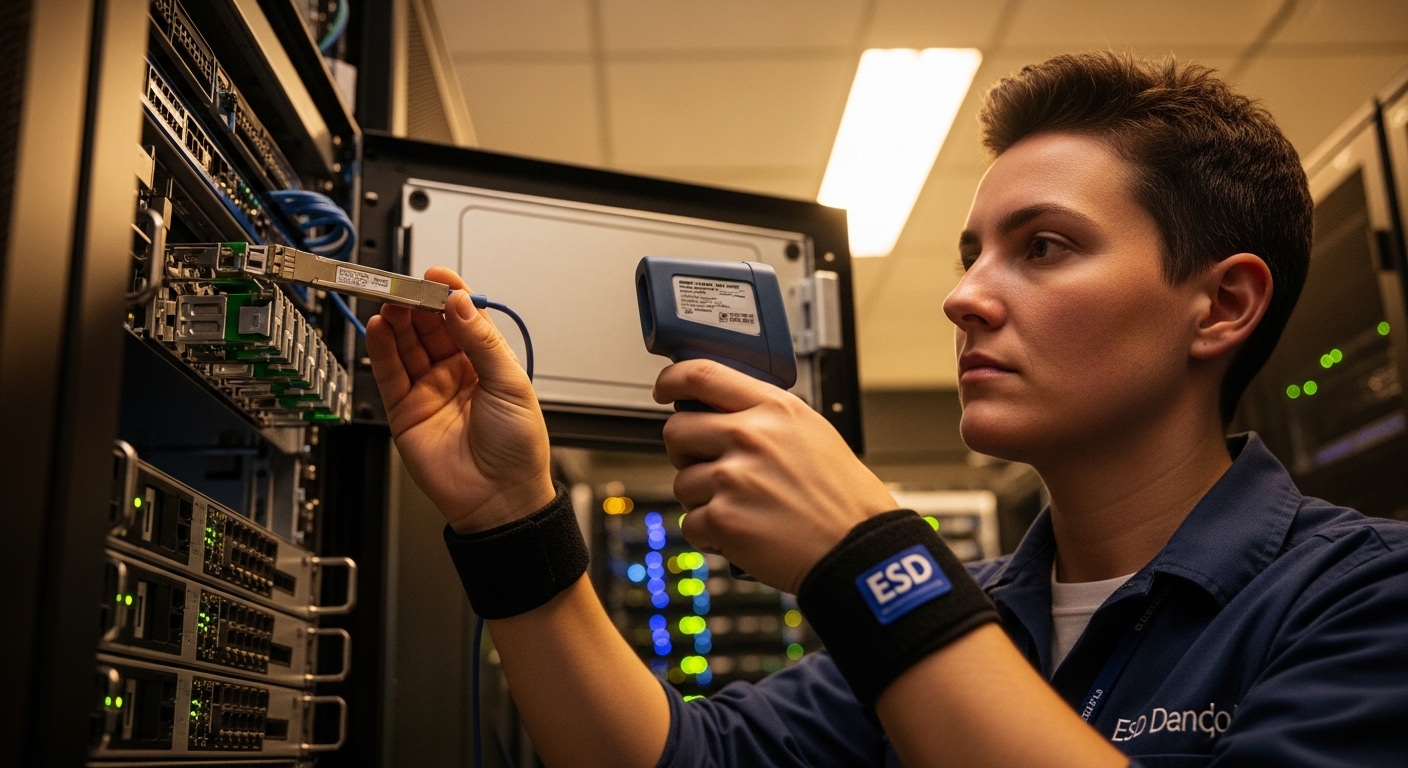
High-density environments compress optics, airflow, and power budgets into smaller spaces, so marginal transceivers show symptoms sooner. Common failure patterns include link instability after warm-up, “unsupported transceiver” messages, and unexpected errors from incompatible digital diagnostics. The fix is not “buy faster modules,” but selecting optics that meet IEEE 802.3 requirements, vendor compatibility expectations, and your site’s thermal and optical budget.
When you validate SFPs, treat each module as a full system component: optics (wavelength and reach), electrical interface (SFP signaling), and management (DOM). Also account for switch vendor behavior such as whether it enforces optics vendor whitelists.
Core specs to verify before you order (wavelength, reach, diagnostics)
Start with the standards your switch expects, then match the fiber plant. For Ethernet over fiber, most SFP selection boils down to wavelength, reach class, and connector type. If you are mixing vendors, confirm whether your switch reads DOM values consistently and whether it tolerates different calibration data.
Minimum data you should capture from the switch and optics
- Switch port speed and media type (example: 10GBASE-SR on SFP+)
- Fiber type (OM3 or OM4 multimode, or OS2 single-mode)
- Connector (LC is most common for rack deployments)
- Required reach in meters, including patch cord losses
- DOM support (digital optical monitoring via I2C/SFF-8472 compatible interfaces)
- Operating temperature range for the transceiver class (industrial vs commercial)
Pro Tip: In high-density top-of-rack and aggregation closets, the biggest “silent killer” is marginal link budgets caused by patch cord loss and connector contamination, not the transceiver itself. Validate with a light meter or at least clean-and-test before you blame optics—most field returns trace back to dirty LC ends or worn patch cords.
Side-by-side comparison: common SFP optics for dense 10G
Use this table to compare typical SFP options. Even within the “same reach” label, optical power and receiver sensitivity can differ by manufacturer and temperature grade, which matters when you push racks to the edge of your optical budget.
| Module example | Data rate | Wavelength | Reach (typ.) | Fiber type | Connector | DOM | Temp range (typ.) |
|---|---|---|---|---|---|---|---|
| Cisco SFP-10G-SR | 10G | 850 nm | ~300 m (OM3) | MMF | LC | Supported | 0 to 70 C (typ.) |
| Finisar FTLX8571D3BCL | 10G | 850 nm | ~300 m (OM3) | MMF | LC | Supported | 0 to 70 C (typ.) |
| FS.com SFP-10GSR-85 | 10G | 850 nm | ~400 m (OM4) | MMF | LC | Supported (varies) | 0 to 70 C or wider (check SKU) |
| Generic 1310 nm SMF SFP (example) | 1G or 10G (varies) | 1310 nm | ~10 km (varies) | OS2 | LC | Supported | -5 to 70 C or wider (check SKU) |
Standards and vendor behavior to keep in mind: Ethernet over fiber is defined by IEEE 802.3 families, while SFP electrical/DOM expectations align with common transceiver interfaces. For diagnostics behavior and optical safety practices, also reference vendor datasheets and interface documentation. IEEE 802.3 [Source: IEEE]. SFF-8472 and transceiver diagnostic concepts are widely referenced in industry documentation; verify against the specific vendor datasheet [Source: SFF industry documentation via vendor datasheets].
Selection criteria checklist for high-density deployments
Use this ordered checklist during procurement and staging. It is designed for environments where every rack U and every maintenance slot counts.
- Distance and fiber type: confirm OM3 vs OM4 vs OS2 and include patch cord and splice loss margins.
- Switch compatibility: verify the switch model and port type support the target SFP class and speed (including whether it is SFP vs SFP+).
- DOM behavior: confirm the switch reads temperature/laser bias correctly; mismatches can cause alarms or port disable events.
- Power and thermal envelope: check the transceiver’s typical and maximum power and ensure airflow in the specific rack row supports it.
- Operating temperature range: choose industrial/extended temperature modules if you have hot aisles, rear-door heat exchangers, or elevated mean time-to-failure risk.
- Connector and polarity: ensure LC geometry matches your fiber harness; confirm A-to-A or A-to-B polarity requirements end-to-end.
- Vendor lock-in risk: decide whether you need OEM-only support for warranty clarity or if third-party optics are acceptable with documented compatibility.
How to validate before deployment (fast and measurable)
- Stage the transceivers in the same rack location and airflow path you will use in production.
- Run link bring-up tests for at least 30 minutes and monitor interface counters for CRC errors and optical DOM thresholds.
- Perform a fiber clean-and-test cycle on every pair of patch cords before first insertion.
Common pitfalls and troubleshooting in dense optics
Below are field-real mistakes that repeatedly cause outages or “mystery” errors in high-density deployments. Each includes root cause and a practical fix.
-
Pitfall 1: Port flaps after a warm-up period
Root cause: thermal stress pushing the transceiver near its operating limit, or airflow obstruction behind the switch.
Solution: verify intake temperatures at the port-side and rear exhaust; re-seat modules; confirm fan direction and baffle integrity; if needed, switch to an extended temperature grade. -
Pitfall 2: “Unsupported transceiver” or management alarms
Root cause: switch enforces vendor/device ID checks or expects specific DOM format/calibration behavior.
Solution: confirm compatibility with your switch vendor’s optics list; test in a spare port; if the issue persists, use an optics SKU validated for that platform. -
Pitfall 3: High CRC or intermittent loss of signal
Root cause: dirty LC ends, damaged patch cords, or an optical budget that ignores connector and splice losses.
Solution: clean connectors with approved methods; inspect cables; measure received power/optical levels via DOM; rebuild patch cords if losses exceed your plan. -
Pitfall 4: Distance mismatch masked by “it links”
Root cause: link comes up but optical margin is too low for temperature and aging, leading to errors later.
Solution: enforce a conservative margin (for example, keep meaningful headroom between planned and measured optical power) and re-check fiber certification records.
Cost and ROI: OEM vs third-party in a high-density world
Pricing varies by speed, reach, and temperature grade, but in many enterprise deployments you will see OEM SFP modules costing roughly 1.2x to 2.5x compared with reputable third-party equivalents. TCO is about more than purchase price: include installation labor, failure rate, warranty handling, and downtime costs.
For ROI, third-party modules can be cost-effective when you have a documented compatibility path and you validate DOM behavior in staging. If your environment is tightly audited or you rely on vendor support escalation, OEM optics can reduce support friction even if unit cost is higher. Track return rates and link error trends per batch; in high-density closets, even a small uplift in failure rate can outweigh savings due to the operational overhead of replacements.
FAQ
Which SFP type is best for high-density 10G inside a data center?
Most dense 10G leaf-spine designs use 850 nm SR over OM3 or OM4 multimode for short to mid runs, typically with LC connectors and DOM support. Choose based on actual measured fiber distances and your patch cord loss, not just the nominal reach on the datasheet.
Do I need DOM support for high-density monitoring?
DOM is strongly recommended because it enables optical power and temperature visibility, which helps you detect aging and margin erosion early. However, DOM behavior can vary by vendor, so confirm that your switch reads DOM without raising alarms.
Can I mix OEM and third-party SFP modules in the same switch?
Often you can, but compatibility depends on the switch model’s transceiver validation rules and DOM expectations. If your switch enforces vendor whitelists, third-party optics may be blocked or flagged even if they work electrically.
What temperature range matters most in dense racks?
In high-density deployments, the transceiver’s operating range matters because airflow can swing significantly between aisles. If you operate near the upper end of your site’s temperature envelope, prefer extended-temperature modules and validate in the exact rack location.
How do I troubleshoot CRC errors quickly?
Check DOM for optical levels, then clean and re-seat LC connectors, and inspect patch cords for damage. If errors persist, compare measured received power against your design margin and verify fiber distance and polarity end-to-end.
Are IEEE 802.3 and SFF standards enough to guarantee compatibility?
They help ensure baseline Ethernet behavior, but they do not guarantee switch-specific optics handling or DOM interpretation. Always confirm platform-level compatibility using vendor documentation and real staging tests.
If you want the next step after selecting optics, review how to plan fiber loss budgets and patch cord strategy for high-density racks using fiber loss budget planning.
Author bio: I’m a network reliability consultant who deploys and validates optical transceivers in production data centers, focusing on measured optical margin, DOM telemetry, and switch compatibility testing. My work blends field troubleshooting with standards-aware design practices based on vendor datasheets and IEEE guidance.
