
Optical networks fail in predictable ways: capacity ceilings hit first, then interoperability issues, then thermal or power faults. This article helps network engineers and data center field technicians build a future-proofing plan for 2026 and beyond using practical link design, vendor-validated transceivers, and disciplined migration steps. You will leave with a step-by-step implementation checklist, a spec comparison table, and troubleshooting paths tied to real symptoms.
Prerequisites: what you must measure before you buy anything
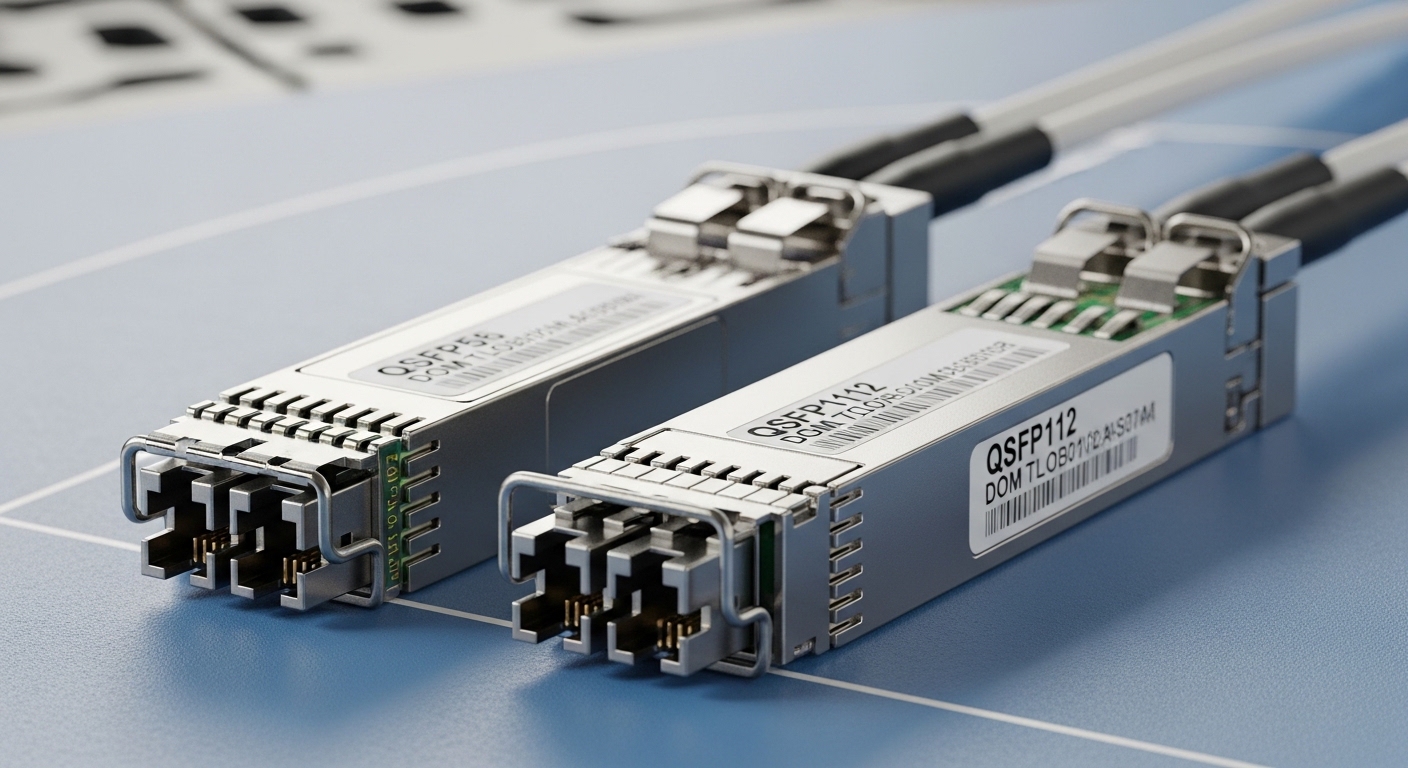
Before selecting optics, capture the inputs that determine link feasibility and long-term upgrade paths. In production, I start with an inventory export from the switch vendor tooling and correlate it to fiber plant documentation; the goal is to avoid “spec guessing” when you are miles from the MPO trays.
Gather these items: (1) switch model numbers and transceiver compatibility lists, (2) installed fiber type and core count (OS2 single-mode vs OM3/OM4 multimode), (3) measured link loss using OTDR or at least certified end-to-end attenuation, (4) expected reach growth over 24–36 months. For migration planning, also log current utilization per port and per uplink group so you can quantify required oversubscription changes.
Step-by-step implementation guide for future-proofing
This is a field-ready workflow I use for leaf-spine, campus core, and industrial rings. Each step includes an expected outcome so you can verify progress without waiting for a full cutover window.
Lock the target architecture and capacity runway
Define where the next bottleneck will appear: ToR-to-spine uplinks, spine-to-core aggregation, or long-haul backbones. For example, if you run 48-port 10G ToR switches today and plan to scale to 25G or 50G, assume you may need a mix of 10G-to-25G upgrades in phases. Build a runway model using projected growth and typical traffic patterns; then translate it into required port counts and optics types.
Expected outcome: A list of link types you must support by 2026 (data rates, distances, and topology reach), plus a phased rollout plan that avoids a rip-and-replace.
Validate fiber plant loss and dispersion margin
Use certified fiber test results whenever possible; otherwise, run OTDR to locate high-loss events and verify fiber grade. For single-mode, confirm OS2 compliance and check whether the plant is “clean” enough for higher-speed optics without margin collapse. In practice, I require at least 3 dB additional system margin beyond the vendor-recommended budget for aging, connector rework, and future patching.
Expected outcome: A link budget worksheet per path that includes connector loss, splice loss, and worst-case patch panel estimates.
Choose optics that match switch compatibility and optics standards
Switches enforce strict transceiver behavior: diagnostics, DOM signaling, and sometimes vendor-specific EEPROM fields. Prefer optics that comply with IEEE 802.3 electrical and optical requirements for the targeted PHY (for Ethernet optics, see IEEE 802.3 clause sets relevant to your data rates). Then align with the switch vendor’s optics matrix and confirm your transceiver supports Digital Optical Monitoring (DOM) if your platform expects it.
Expected outcome: A BOM that is compatible with your exact switch SKUs, including DOM and temperature class requirements.
Select transceiver types using a reach-versus-upgrade strategy
For near-term upgrades, mix optics that preserve flexibility: for example, multimode for short-reach aggregation and single-mode for longer uplinks. Where you can, standardize on a smaller set of wavelengths and media types to reduce operational load. For single-mode short-to-mid reach, widely deployed 1310 nm and 1550 nm options can support phased upgrades if your link budget and dispersion are controlled.
Expected outcome: A media and wavelength plan that minimizes future rework while fitting your measured losses.
Implement “compatibility-safe” provisioning and monitoring
In production, I stage changes: first insert optics in a maintenance window with the port configured for the intended speed, then verify link training and DOM readings. Enable alarms for DOM thresholds (temperature, bias current, optical power) so you detect degradation before errors spike. On many platforms, you can poll transceiver diagnostics via telemetry or CLI; ensure your monitoring stack alerts on both “link down” and “high error rate” conditions.
Expected outcome: Measurable health baselines per link and automated alarms tied to optical power and error counters.
Pro Tip: If your switch supports it, require DOM telemetry collection during acceptance testing. In several real deployments I supported, optics that “link up” but report marginal transmit power later caused intermittent CRC bursts; DOM made the early warning obvious, while raw link status did not.
Key optics specs comparison for future-proofing
Engineers often compare only reach and price. For future-proofing, you must also evaluate wavelength, connector type, DOM support, and operating temperature. Below is a practical comparison for common Ethernet pluggables used in enterprise and data center networks.
| Transceiver example | Typical wavelength | Max reach (typical) | Connector / fiber | Data rate | DOM | Operating temp (typical) |
|---|---|---|---|---|---|---|
| Finisar FTLX8571D3BCL (10G SR) | 850 nm | ~300 m OM3 / ~400 m OM4 (varies by vendor) | LC, MMF | 10G | Yes (commonly) | 0 to 70 C (often) |
| Cisco SFP-10G-SR (OEM-based) | 850 nm | ~300 m OM3 / ~400 m OM4 (varies by spec sheet) | LC, MMF | 10G | Yes | 0 to 70 C (often) |
| FS.com SFP-10GSR-85 (third-party SR) | 850 nm | ~300 m OM3 / ~400 m OM4 (varies by model) | LC, MMF | 10G | Yes (model-dependent) | 0 to 70 C (often) |
| Common 1310 nm SM module (example) | 1310 nm | ~10 km (varies by budget) | LC, SMF OS2 | 10G/25G (depends) | Yes (model-dependent) | -5 to 70 C (varies) |
Note: exact reach depends on the vendor’s transmitter power, receiver sensitivity, and your measured link loss. Always validate against the vendor datasheet and your certified test results.
Real-world deployment scenario: what future-proofing looks like
In a 3-tier data center leaf-spine topology with 48-port 10G ToR switches, I have seen teams hit a capacity wall when uplinks were upgraded late. In one deployment, we migrated over 9 weeks: starting with 20% of ToR uplinks to 25G-capable optics while keeping existing 10G server access, then upgrading spine aggregation next. We standardized on DOM-capable optics, required a minimum 3 dB margin at acceptance, and used telemetry to flag optics drift during week 2 and week 6.
The measurable outcome was fewer emergency rollbacks: error rates stayed stable during the phased cutovers, and the monitoring stack caught a low-bias transmitter before it caused link flaps. This is how future-proofing avoids the “it links today, it breaks during growth” trap.
Selection criteria checklist for future-proofing decisions
Use this ordered checklist when selecting optics and planning upgrades. The sequence matters because early choices (media type and compatibility) reduce later rework.
- Distance and link budget: verify measured loss and ensure margin for future patching; do not rely on nominal reach alone.
- Switch compatibility: confirm the exact switch model supports the transceiver family; check the vendor optics matrix.
- Standards compliance: ensure behavior aligns with IEEE 802.3 for your PHY and data rate.
- DOM support and telemetry: require DOM if your monitoring and automation depend on optical diagnostics.
- Operating temperature: match the module’s class to the actual rack inlet conditions; check airflow and thermal hotspots.
- Vendor lock-in risk: compare OEM vs third-party with a test plan; validate EEPROM fields and alarm thresholds.
- Spare strategy: stock the exact optics that match the most failure-prone paths and critical uplinks.
Common mistakes and troubleshooting tips
Even experienced teams stumble. Here are the top failure modes I see in the field, with root cause and a concrete solution.
Failure mode 1: “Link up” but high CRC or intermittent flaps
Root cause: marginal optical power due to connector contamination, aging, or insufficient link margin; sometimes mismatched optics settings across vendors. Solution: clean connectors, re-seat transceivers, verify DOM transmit/receive power, and re-check certified loss on the affected path. If the DOM shows low bias or high temperature, replace the optics and log the baseline for future alerting.
Failure mode 2: Transceiver not recognized or port stays administratively down
Root cause: switch compatibility mismatch, unsupported EEPROM fields, or missing DOM behavior. Solution: confirm the transceiver is explicitly listed for your switch model and firmware generation. If you must trial third-party optics, stage one port, verify link negotiation and diagnostics, then expand only after validation.
Failure mode 3: Works in the lab, fails in the rack after thermal ramp
Root cause: module operating temperature exceeds its class due to restricted airflow or high ambient in the row. Solution: measure rack inlet temperature during peak load, check airflow direction, and ensure the module’s temperature rating fits the actual environment. Replace any optics that show thermal throttling behavior or elevated bias drift.
Cost and ROI note: balancing optics price against downtime
OEM optics often cost more, but the ROI comes from reduced integration time and fewer compatibility surprises. In typical enterprise procurement, you might see OEM 10G SR modules priced higher than third-party equivalents by a meaningful margin; however, the TCO depends on your failure rate, acceptance testing time, and the cost of troubleshooting during peak hours. For future-proofing, I recommend budgeting for: (1) a small pilot batch of candidate optics, (2) certified fiber test re-runs for critical trunks, and (3) spare units for the highest utilization links.
If your organization can enforce acceptance criteria (DOM telemetry, margin checks, and thermal validation), third-party optics can be cost-effective; if not, OEM can reduce operational risk.
FAQ: future-proofing optical networks
Q1: What does future-proofing mean for optics specifically?
It means choosing transceivers and media that will keep your upgrade path open without forcing a full re-cabling or a disruptive hardware swap. Practically, it requires link budget margin, switch compatibility, and telemetry-based monitoring.
Q2: Should I standardize on multimode or single-mode for 2026?
It depends on distances and your fiber plant. Multimode can be efficient for short reach in data centers, while single-mode helps scale across longer distances and future speed bumps if your OS2 plant is clean.
Q3: Do third-party SFP and SFP+ modules always work?
No. Many third-party modules can work well, but compatibility varies by switch model, firmware behavior, and DOM expectations. Always validate against your switch’s optics matrix and run a staged acceptance test.
Q4: How much link margin should I plan for?
A common operational target is at least 3 dB beyond the nominal budget, especially when patching is likely during growth. The exact requirement should follow vendor guidance and your measured certified results.
Q5: What are the best indicators that optics are degrading?
DOM telemetry is the best early indicator: rising temperature, bias current drift, and declining received power can appear before users notice outages. Pair this with error counters like CRC and FEC (where applicable) to detect problems quickly.
Q6: Which standards should I reference when planning?
For Ethernet PHY behavior, use IEEE 802.3 as the baseline. For structured cabling and installed link practices, also align with ANSI/TIA cabling guidance and your vendor datasheets for optical budgets. IEEE Standards and TIA are good starting points.
Start by measuring your current fiber and switch compatibility, then choose optics with real margin and DOM telemetry
