
When 400G systems roll into a live data center, the hardest part is not picking a transceiver spec sheet; it is ensuring optical compatibility, operational stability, and predictable maintenance. This article helps network engineers and field technicians plan for rollout, validate reach and power budgets, and avoid outages caused by overlooked DOM, firmware, or fiber cleanliness issues. You will get practical selection criteria, a troubleshooting checklist, and a realistic cost and ROI view grounded in vendor documentation and IEEE guidance.
Start with the physics: optics, reach, and electrical lane budgeting
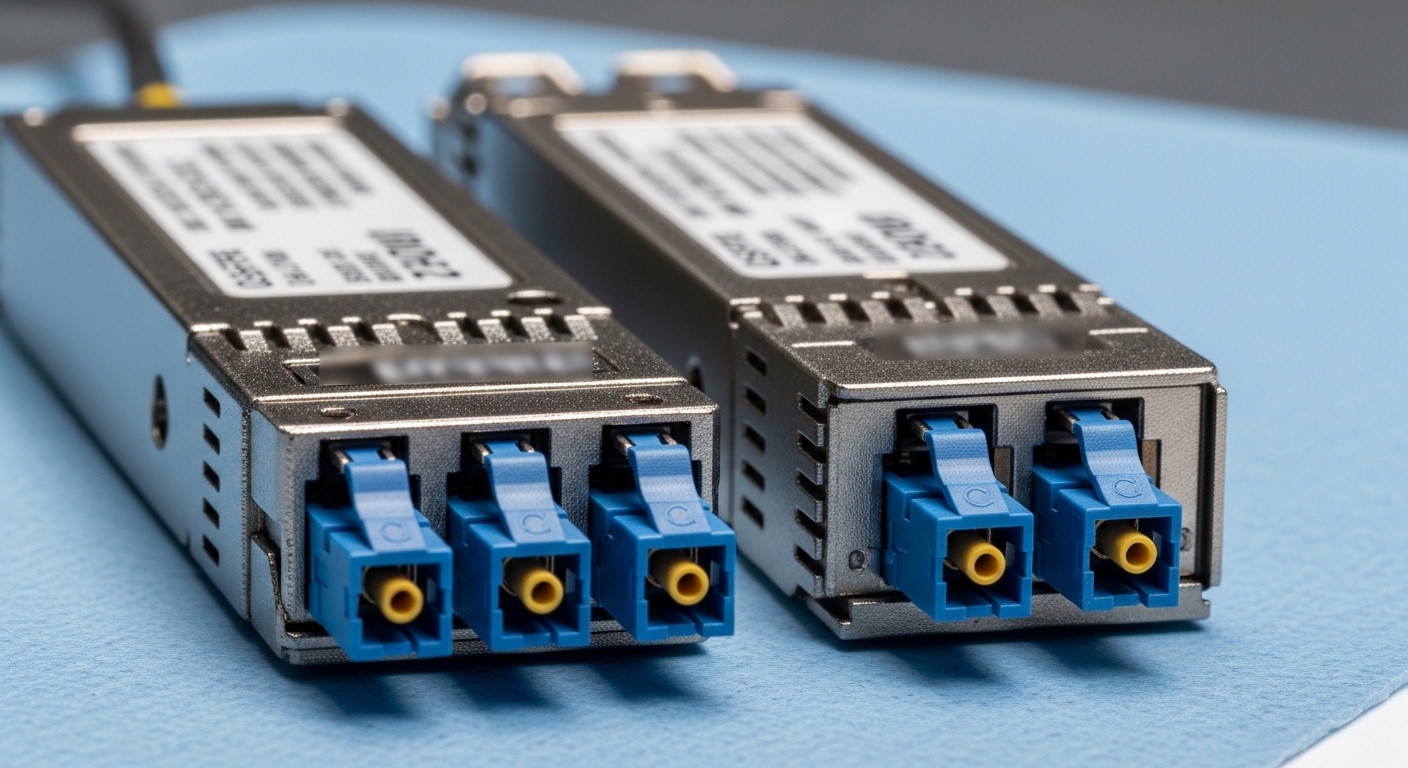
Most 400G systems deployments use either 400G pluggable optics (commonly QSFP-DD or OSFP form factors depending on vendor) or fixed optical interfaces on switches. The key is to match the optics to the fiber plant: single-mode fiber (SMF) for longer reach and multi-mode fiber (MMF) for shorter, high-density spans. At 400G, lane mapping and encoding choices (for example, PAM4-based approaches in many implementations) drive strict requirements for optical signal quality and receiver sensitivity.
For SMF, typical “SR-like” multi-lane short-reach is replaced by LR/ER style optics when distance grows. For MMF, legacy 10G/25G assumptions often break because modal bandwidth and launch conditions matter more at higher aggregate rates. Always validate the optics against the switch vendor’s compatibility matrix and the specific fiber type and patch panel geometry.
| Spec category | Typical 400G SR over MMF | Typical 400G LR/DR over SMF | What to verify in the field |
|---|---|---|---|
| Data rate | 400G aggregate | 400G aggregate | Switch port actually supports 400G mode |
| Wavelength | Near 850 nm class | Near 1310 nm or C-band class (varies) | Match transceiver wavelength to link budget assumptions |
| Connector | LC (often duplex MPO variants) | LC (or MPO depending on optic) | Confirm connector type and polarity requirements |
| Reach (order of magnitude) | ~100 m to a few hundred m depending on MMF grade | ~2 km to 10 km+ depending on optic class | Use vendor reach tables, not generic “SR” labels |
| DOM | Usually supported (I2C via SFF MSA) | Usually supported (I2C via SFF MSA) | DOM registers readable; thresholds match platform |
| Operating temperature | Commonly commercial/industrial ranges | Varies by transceiver grade | Verify airflow and hot-spot temperatures near the port |
For standards context, consult IEEE 802.3 for Ethernet physical layer framework and vendor datasheets for the specific 400G lane mapping and modulation details. A practical starting point is [Source: IEEE 802.3] and SFF MSA references for pluggable management behavior, typically aligned with DOM expectations. anchor-text: IEEE 802.3 standards portal
Compatibility is a system feature: validate switch, optic, and fiber plant
In real deployments, “it fits” is not the same as “it interoperates.” Many 400G systems require that the switch firmware supports the exact transceiver electrical profile, including any vendor-specific equalization settings. Start by pulling the switch optics compatibility list, then confirm the transceiver part number and DOM behavior are supported.
Checklist: what to confirm before you touch live ports
- Port mode support: ensure the chassis supports 400G on that exact physical interface (some platforms require breakout or different optics).
- Transceiver type: confirm QSFP-DD vs OSFP vs fixed optics alignment to the platform’s electrical interface.
- DOM compatibility: verify that alarms and thresholds (temperature, bias current, received optical power) map cleanly into the switch telemetry model.
- Fiber type and polarity: confirm MMF OM3/OM4/OM5 grades or SMF core specs, plus MPO polarity and any required polarity adapters.
- Link budget: compute loss from fiber attenuation, connectors, splices, and patch panel components; include margin for aging and cleaning variability.
- Operating temperature and airflow: measure inlet temperatures near the module bay; validate that the transceiver’s rated range is not exceeded.
Pro Tip: Field teams often discover that “DOM reads fine” does not guarantee “link quality is stable.” During acceptance testing, log received optical power and error counters for at least 30 minutes under realistic traffic, because some platforms only surface marginal receiver conditions after temperature ramps or after initial optics warm-up.
For concrete part examples used in the market, engineers frequently evaluate models like Cisco SFP-10G-SR for earlier generations and then move to 400G equivalents in the QSFP-DD/OSFP ecosystem; for SMF short-to-mid reach, transceiver vendors such as Finisar/II-VI and FS.com publish compatible 400G optics variants (always verify against your specific switch). Use vendor datasheets for receiver sensitivity and DOM register behavior; treat third-party optics as a compatibility exercise, not a plug-and-play assumption. anchor-text: Finisar transceiver datasheet portal
Operational best practices: rollout, monitoring, and maintenance loops
Future-proofing 400G systems is mostly about operational discipline: consistent installation practices, telemetry-driven monitoring, and maintenance routines that reduce human-variable failures. In a typical leaf-spine data center, you may upgrade ToR and spine links within weeks, but you still need a stable process for acceptance testing and ongoing monitoring.
Real-world deployment scenario
In a 3-tier data center leaf-spine topology with 48-port 10G/25G ToR switches upgrading to 400G uplinks, a common rollout pattern is: 12 leaves migrated per week, each leaf using 4 x 400G uplinks. Engineers plan a fiber move with 2 km SMF from ToR to spine across patch panels, and they install LC-to-LC or MPO-based cabling based on optic type. Before cutover, they validate link loss budget with a measured end-to-end attenuation (including connectors and splices), then run traffic at 80% of line rate for 30 to 60 minutes while collecting DOM telemetry and interface error counters. After migration, they set alerts on “low received optical power” and “module temperature drift” so that marginal links are flagged before they become outages.
Monitoring that actually helps
- DOM alarms: alert on bias current trends, temperature excursions, and received power minima.
- Optical error counters: track CRC/FEC-related counters if your platform exposes them.
- Change control: tie transceiver swaps to maintenance tickets and keep a record of optic part numbers and serials.
- Fiber hygiene: enforce endface inspection before mating, and use consistent cleaning media and procedures.
Selection criteria for 400G systems: a decision checklist engineers use
Choosing optics for 400G systems is a trade-off between reach, power consumption, compatibility risk, and total cost of ownership. The best selection process starts with the distance and ends with operational fit: monitoring, temperature, and supportability.
- Distance and reach class: map each link span to the optic reach table using measured attenuation and connector loss.
- Budget and power: compare transceiver power draw and chassis power headroom; higher power density can increase cooling load.
- Switch compatibility: only deploy optics listed for your switch family and firmware release.
- DOM support and telemetry quality: confirm that your NMS can ingest key DOM fields without gaps.
- Operating temperature: verify the transceiver grade and ensure airflow direction matches module bay design.
- Vendor lock-in risk: evaluate third-party optics with a pilot group and a rollback plan; keep a stock of approved spares.
- Failure mode history: review vendor RMAs and field reports; prefer vendors with transparent reliability practices.
Cost-wise, budget transceivers for 400G systems can vary widely, often landing in the broad range of several hundred to over a thousand USD per module depending on reach class (short-reach MMF typically differs from SMF reach). OEM optics may cost more but reduce compatibility risk and accelerate support workflows. TCO should include installation labor, downtime risk, optics warm-up behavior, and the operational cost of failures; a single problematic batch can erase savings in weeks.
Common mistakes and troubleshooting tips for 400G optics
Even experienced teams run into predictable failure modes when deploying 400G systems. Below are concrete issues, their root causes, and practical fixes.
“Link comes up, then flaps under load”
Root cause: marginal optical power budget, connector contamination, or insufficient margin for temperature drift. Sometimes the fiber loss is within spec at idle but not under sustained traffic and warm-up.
Solution: re-clean endfaces, verify polarity/MPO alignment, re-measure receive power with a calibrated meter, and ensure the link budget includes at least 3 to 6 dB of operational margin (vendor-specific). Then run a sustained traffic test while logging DOM.
“DOM alarms but no link errors”
Root cause: DOM thresholds mismatch between transceiver and platform, or a platform telemetry mapping issue after firmware changes.
Solution: confirm firmware compatibility notes from the switch vendor, validate DOM register interpretation using vendor tools where available, and compare alarm thresholds across known-good optics.
“Works on one chassis, fails on another”
Root cause: electrical interface differences across switch models, even if the optics are the same form factor. Some platforms require specific equalization settings or support only certain DOM profiles.
Solution: use the switch vendor compatibility matrix, test in a lab with the target chassis model, and avoid assuming that “QSFP-DD compatible” implies full interoperability.
“Intermittent high BER counters after a patch move”
Root cause: MPO polarity adapter orientation error, incorrect patch panel labeling, or a partially seated connector causing micro-gaps and intermittent reflections.
Solution: verify polarity end-to-end, inspect connector seating, and standardize patch labeling and change verification steps.
FAQ
Q1: Are 400G systems optics interchangeable across vendors?
No. Even with the same physical form factor, electrical profiles and DOM telemetry mapping can differ. Always validate against the specific switch compatibility list and firmware version from the platform vendor. anchor-text: Example vendor networking compatibility resources
Q2: How much optical margin should I plan for?
Plan margin using your vendor’s reach and link budget tables, then include additional headroom for cleaning variability and aging. In many field programs, teams target several dB of operational margin and verify it with measured receive power before cutover.
Q3: What DOM fields are most useful for early fault detection?
Received optical power, module temperature, and bias current trends are typically the most actionable. Pair those with interface error counters so you can correlate


