
Your Ethernet setup can look perfect on paper, yet fail in the rack when QSFP-DD optics, firmware, and fiber plant don’t agree. This buying guide helps data center and campus network engineers choose the right QSFP-DD module type for high-density 400G and 200G links, with practical compatibility checks and field troubleshooting. You will leave with a clear decision matrix and an engineer-ready checklist.
QSFP-DD for Ethernet setup: SR4 and LR4 compared by performance
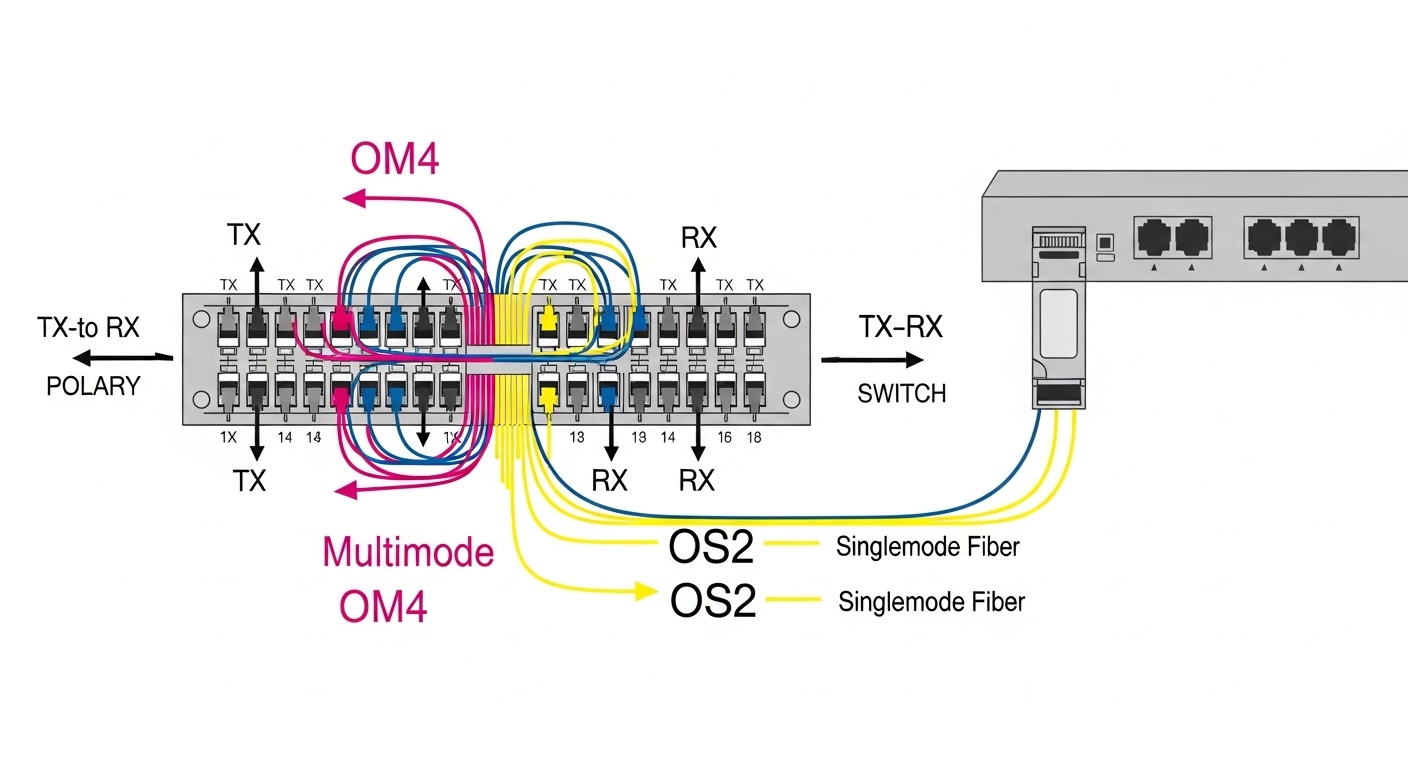
QSFP-DD modules are designed for high-density Ethernet setup where each port must deliver stable throughput while keeping power and cooling within spec. In practice, the biggest performance difference is reach and link budget: QSFP-DD SR4 targets short-reach multimode links, while QSFP-DD LR4 targets longer-reach single-mode links. Both typically support 400G Ethernet by using four lanes, but the optics, fiber type, and expected attenuation tolerance differ.
What “SR4” and “LR4” mean in the real world
For SR4, engineers usually plan for OM4 or OM5 fiber in a controlled cabling environment. SR4 modules such as Finisar FTLX8571D3BCL (commonly listed for 400G SR4 over multimode) are built for the multimode modal dispersion limits and typical data center patching. For LR4, the optics are tuned for single-mode fiber and are more forgiving over longer distances when the fiber is properly characterized.
Performance specs you should actually track
When you validate Ethernet setup, don’t only check “reach.” Track transmit power, receive sensitivity, and the module’s operating temperature. Vendor datasheets often publish typical values, but production environments will vary with cleaning quality, connector polish, and patch panel loss. If you are deploying in a hot aisle, also check temperature range and whether the module is specified for your switch’s ambient conditions.
Reach, wavelength, and power: a QSFP-DD spec table engineers can audit
For an Ethernet setup audit, a single spreadsheet view beats scattered product pages. The table below compares common QSFP-DD options engineers select for short and long reach. Always confirm exact values in the specific vendor datasheet, since part numbers and revisions can differ.
| Module type | Typical center wavelength | Fiber type | Target reach (typical) | Data rate | Connector | Power (typical) | Operating temp range |
|---|---|---|---|---|---|---|---|
| QSFP-DD SR4 | 850 nm | OM4 or OM5 multimode | ~100 m class (varies by vendor and fiber) | 400G Ethernet | LC | ~6–12 W class | ~0 to 70 C (common) |
| QSFP-DD LR4 | ~1310 nm | Single-mode OS2 | ~10 km class (varies by vendor) | 400G Ethernet | LC | ~7–15 W class | ~0 to 70 C (common) |
Standards and why they matter for Ethernet setup
QSFP-DD optical behavior is governed by Ethernet PHY and optical interface specifications aligned with IEEE Ethernet standards and vendor implementation details. For link behavior and Ethernet framing, reference IEEE 802.3 for 400G Ethernet requirements: anchor-text: IEEE 802.3 standard. For optical interoperability expectations, also consult vendor datasheets and the module’s electrical interface compliance.
Pro Tip: In Ethernet setup validation, measure fiber loss at the patch panel using an optical test plan, then compare against the module’s published link budget. A clean-looking cable can still fail if the loss is concentrated at one connector pair or if the patching uses the wrong fiber grade (OM4 vs OM5) for SR4.
Cost and ROI: OEM vs third-party QSFP-DD for high-density Ethernet setup
Cost is real in a high-density Ethernet setup because a single chassis can hold dozens of QSFP-DD ports. OEM optics often command a premium, while third-party modules can reduce capital expenditure, but the total cost of ownership depends on compatibility risk and support overhead. In field terms, the “cheapest” module can become expensive if you lose maintenance windows to repeated firmware negotiation failures.
Realistic price ranges and TCO thinking
As of recent market conditions, typical street pricing often lands around $300 to $900 per QSFP-DD SR4 module and $700 to $1,500 per QSFP-DD LR4 module, depending on vendor, supply constraints, and warranty. Your TCO should include labor for optic swaps, the time to run link tests, and the probability of needing an RMA. If you are deploying hundreds of ports, a small compatibility premium can be cheaper than operational downtime.
Power and cooling ROI
Even modest power differences add up when you scale. In a 400G leaf-spine design, dozens of optics can meaningfully affect airflow requirements and fan power. If your data hall runs at the edge of thermal limits, prioritize modules with stable power consumption and verify the switch vendor’s thermal guidance.
Compatibility and vendor lock-in: what breaks during Ethernet setup
Ethernet setup failures with QSFP-DD optics are usually not “bad optics” but mismatches between module capabilities, switch firmware, and configuration policies. Many modern switches enforce optics compatibility lists, and some platforms require specific transceiver capabilities to be enabled. If your environment uses strict security or automation, you may also need to confirm how the module’s digital diagnostics are exposed to your management plane.
Switch compatibility checks you should do before buying
Start by validating the exact switch model and its supported optics list. For example, high-speed platforms from major vendors often publish supported transceiver part numbers and firmware baselines. Also confirm whether your switch supports DOM via the management interface (commonly part of the transceiver management feature set), because missing or misread diagnostics can complicate operations.
Fiber plant compatibility
SR4 expects properly conditioned multimode fiber and correct patching practices. LR4 expects single-mode OS2 fiber and clean LC terminations. If your plant is mixed, you may need to re-cable or add attenuation management, otherwise your link margin can collapse under normal aging and cleaning variation.
Deployment scenario: QSFP-DD Ethernet setup in a 3-tier data center
In a 3-tier data center leaf-spine topology with 48-port 400G ToR switches and 96-port spine aggregation, an operator planned to light up 32 active 400G uplinks per ToR. The design used SR4 for ToR-to-spine within 70 m across a structured cabling zone and LR4 for longer runs of up to 3.5 km through a different row group. During commissioning, the team discovered that one patch panel batch had higher insertion loss due to dirty LC connectors, causing intermittent link flaps at high temperature. After re-terminating and cleaning, the links stabilized without further firmware changes.
Selection criteria checklist for QSFP-DD modules in Ethernet setup
Use this ordered checklist to reduce surprises during Ethernet setup:
- Distance and fiber type: pick SR4 for OM4/OM5 multimode within budget, LR4 for OS2 single-mode when reach grows.
- Switch compatibility: confirm the exact transceiver part numbers supported by your switch model and firmware revision.
- DOM and management behavior: verify diagnostics reporting and alert thresholds align with your monitoring system.
- Operating temperature: check module spec and validate chassis thermal models for your ambient and airflow strategy.
- Link budget reality: compare measured patch panel loss to the module’s published link budget, not just “max reach.”
- Power and cooling: ensure aggregate optical power does not exceed cooling headroom.
- Vendor lock-in risk: consider warranty and support workflow; quantify downtime cost if you need RMA swaps.
Common pitfalls and troubleshooting tips for Ethernet setup
Even experienced teams hit the same failure modes. Here are concrete issues, root causes, and fixes you can apply quickly.
Link comes up then flaps under load
Root cause: insufficient optical signal margin from connector contamination or patch panel loss spikes. High-speed optics are sensitive to small loss and reflectance changes.
Solution: inspect LC connectors with a microscope, clean with correct tools, then re-test with an OTDR or optical power meter at the patch points. Replace the suspect patch cord or re-terminate if needed.
“Module not recognized” or diagnostics missing
Root cause: switch firmware does not support that specific transceiver implementation, or DOM data is not mapped correctly for your platform.
Solution: verify the module appears in the switch’s supported optics list for your firmware baseline. If using third-party optics, confirm the exact vendor and part number revision.
SR4 fails after a cabling change, LR4 works
Root cause: fiber grade mismatch (OM4 vs OM5) or patching that introduces excess modal noise. SR4 is less forgiving than single-mode when the multimode environment is off-spec.
Solution: confirm fiber grade labeling, inspect patch adapters, and validate end-to-end attenuation and bandwidth modal characteristics per your cabling standard. Re-patch using correct fiber grade and validated jumpers.
Thermal throttling or unexpected performance drops
Root cause: module temperature exceeds expected operating conditions due to blocked airflow, fan curve changes, or high ambient.
Solution: check chassis airflow paths, verify fan health, and compare module reported temperature telemetry to vendor guidance. If needed, adjust airflow, relocate optics, or schedule maintenance to restore cooling performance.
Decision matrix: which QSFP-DD option fits your Ethernet setup
Use this matrix to decide quickly, then confirm with a short pilot deployment.
| Scenario | Preferred option | Why | Watch-outs |
|---|---|---|---|
| Data center cabinet runs within structured cabling | QSFP-DD SR4 | Lower cost and simpler single-mode handling | Multimode grade must match, connector cleanliness is critical |
| Longer inter-row or inter-building links | QSFP-DD LR4 | Single-mode reach and better long-run margin | Single-mode fiber and correct polarity/termination quality required |
| Budget constrained but downtime is expensive | OEM or carefully validated third-party | Lower compatibility risk | Higher upfront cost; validate with vendor support contacts |
| Rapid scaling with a mature optics validation process | Third-party with strict testing | Lower capex at scale | Need repeatable qualification, RMA policy, and firmware alignment |
Which Option Should You Choose?
If your Ethernet setup is dominated by short, well-controlled runs on OM4 or OM5, choose QSFP-DD SR4 and invest in connector cleaning and measured patch panel loss testing. If you need reach beyond what your multimode plant can reliably support, choose QSFP-DD LR4 and validate single-mode fiber quality and termination polish.
For teams optimizing for lowest downtime risk, lean toward OEM optics or third-party modules explicitly validated for your switch model and firmware. For teams with a repeatable qualification lab and fast RMA workflow, third-party modules can deliver strong ROI, but only after you pilot-test and lock a known-good part number set.
FAQ
What does Ethernet setup validation look like for QSFP-DD?
It starts with confirming switch support for the exact transceiver part number and firmware baseline, then verifying measured fiber loss at the patch panel. After insertion, validate link stability under typical traffic patterns and confirm DOM telemetry reads correctly.
Can I mix SR4 and LR4 optics on the same switch?
Yes, as long as each port is connected to the correct fiber type and the switch supports both optics types. Mixing is often fine electrically, but operationally it becomes a cabling discipline problem.
Do I need to worry about DOM for Ethernet setup monitoring?
DOM is often essential for proactive maintenance because it provides laser bias, received power, and temperature telemetry. If DOM is missing or misreported, your monitoring and alerting may not catch degrading links early.
Are third-party QSFP-DD modules reliable for production Ethernet setup?
They can be, but reliability depends on vendor consistency, firmware compatibility, and your qualification process. In production, insist on a pilot, track failure modes, and standardize on known-good part numbers.
What fiber should I use for QSFP-DD SR4?
Use properly labeled OM4 or OM5 multimode fiber and validated patch cords and adapters. Always measure end-to-end loss at the patch points rather than relying on “rated reach” alone.
Where do Ethernet setup problems usually come from?
Most failures trace back to connector contamination, incorrect fiber grade, unsupported optics by firmware, or insufficient link budget due to patching loss. Treat optics like precision components and test the fiber plant like production hardware.


