
You are deploying edge infrastructure with constrained power, harsh temperatures, and strict latency targets, yet optics failures still interrupt revenue systems. This article helps network engineers and field technicians choose SFP modules that match switch support, fiber plant loss, and real operating limits. You will get a step-by-step selection workflow, a specs comparison table, and troubleshooting for the top failure modes seen in the field.
Prerequisites: what you must measure before choosing SFPs
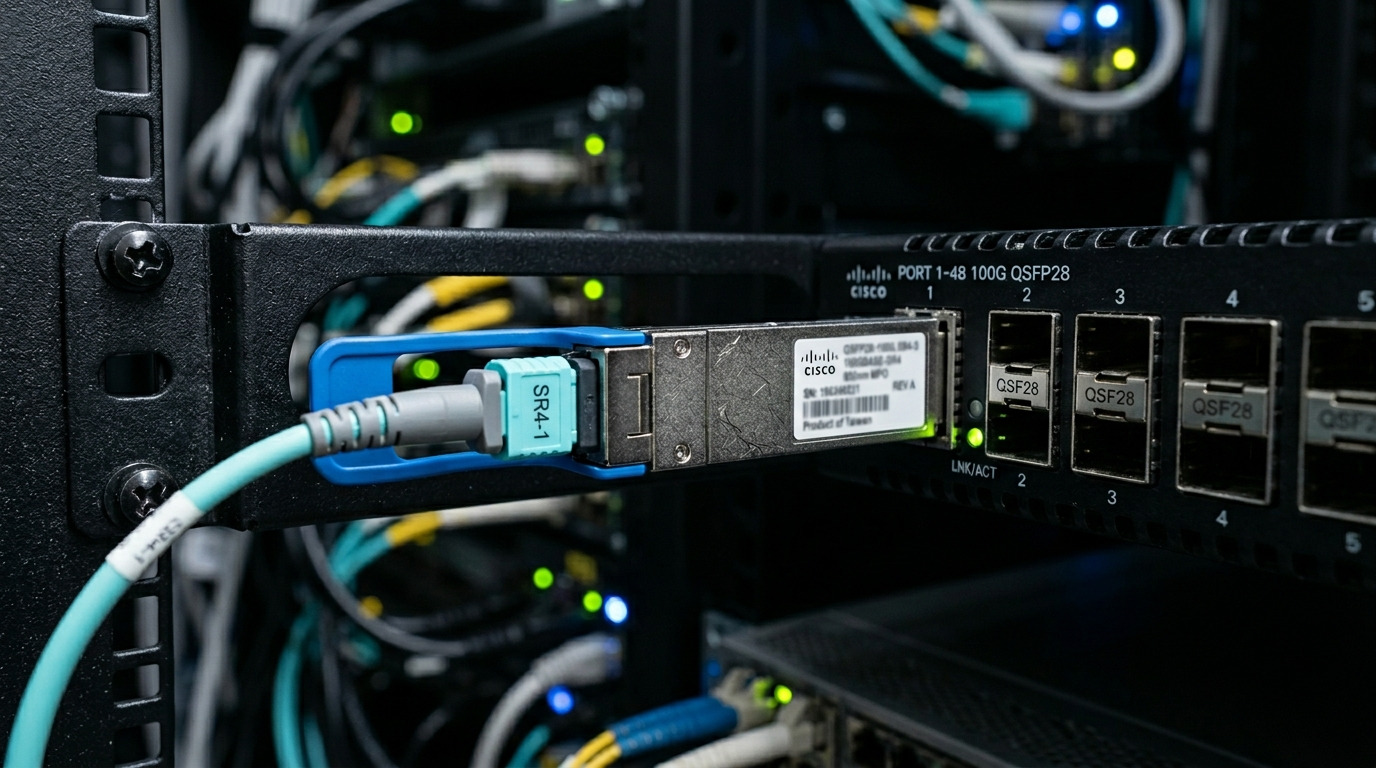
Before ordering any transceiver, capture the physical and electrical constraints that actually determine link success. In edge deployments, the most common outages come from mismatched optics type, insufficient budget for fiber loss, or unsupported vendor/DOM behavior. Use the steps below to build a “link budget” and a compatibility list tied to your exact switch models.
Inventory your switching hardware and optics cages
Record the exact switch part numbers and port speed capabilities (for example, Cisco Catalyst 9300 series, Arista 7050X series, or Dell PowerSwitch N series). Confirm the cage type (SFP vs SFP+), and whether the platform supports digital optical monitoring (DOM) reads. If you use vendor-locked optics, note the vendor compatibility matrix from the switch datasheet or support portal.
Expected outcome: a port-to-speed map like “Port 1-24: SFP 10G, DOM supported, temperature range required: -5C to 60C.”
Measure fiber distance and worst-case loss
For each link, measure end-to-end distance and document worst-case attenuation. Use an OTDR or calibrated power meter with the correct wavelength (typically 850 nm for SR, 1310 nm for LR). Include patch cord loss, splice loss, and any expected degradation during maintenance.
Expected outcome: a loss number in dB with a safety margin, for example “8.5 dB worst-case at 850 nm across 72 m with 2 splices.”
Define your operating environment and power constraints
Edge infrastructure often lives in telecom cabinets, substations, or outdoor enclosures where airflow is limited. Record ambient temperature, airflow, and any derating rules from your enclosure vendor. Also check your power budget for optics: even small per-port differences can matter at scale in remote cabinets.
Expected outcome: a temperature requirement and an optics power ceiling, for example “-10C to 55C ambient; enclosure supports 35 W total for optics and fans.”
Step-by-step selection workflow for edge infrastructure SFP modules
This section turns the prerequisite data into an ordering decision that field teams can execute quickly. The goal is to pick optics that meet reach and signal quality while remaining compatible with switch transceivers and management expectations. Follow the numbered steps in order, and you will avoid most avoidable link failures.
Choose the correct fiber type and wavelength family
Start by matching module family to your fiber plant. For multi-mode (OM3/OM4) short reach, you will typically use SFP 10G SR at 850 nm. For longer reach on single-mode (OS2), you will use 10G LR at 1310 nm or ER at 1550 nm depending on distance. If you have mixed plant, do not assume “it will negotiate”; optics are wavelength and fiber-type specific.
Verify SFP electrical standard and data rate
Confirm the transceiver is designed for your speed and interface. For example, 10G SFP transceivers typically conform to IEEE 802.3ae 10GBASE-SR/LR requirements, while 1G uses different encoding and optics families. Mismatched speed can still physically “plug in” but may fail link training or show link flaps.
Expected outcome: a module family aligned to the switch port standard and negotiated speed.
Check reach vs measured fiber loss using a margin
Do not select purely by “rated reach” on a datasheet. Use the link budget: compare your worst-case measured attenuation plus connector/splice loss against the module’s optical power budget. In edge infrastructure, fiber repairs during future maintenance can change loss; a margin reduces repeat dispatches.
Pro Tip: If you must choose between two SR modules, prefer the one with higher transmit power and better receiver sensitivity, then validate with a power meter reading at install. In real cabinets, dust and patch cord aging can add 1 to 2 dB over time, and that margin is what prevents repeated “works on day one, fails in month six” incidents.
Confirm DOM and monitoring behavior
Most modern switches can read DOM values (laser bias current, received power, temperature). However, some platforms behave differently with third-party optics, including partial DOM access or stricter thresholds. If you rely on telemetry for predictive maintenance, validate that DOM fields are readable and that alert thresholds are compatible with your monitoring stack.
Validate operating temperature and mechanical fit
Edge cabinets may exceed standard indoor temperature ranges. Look for an industrial or extended temperature option where available, and ensure the module supports the enclosure airflow conditions. Also check whether the switch uses a specific cage geometry or requires a minimum latch force; loose seating can create intermittent link events.
Select vendor strategy to reduce lock-in risk
OEM modules can reduce compatibility uncertainty, but third-party modules often provide better cost per port. Decide based on your risk tolerance: if you are deploying in remote sites with no spare optics, you may accept a higher per-module cost for fewer field failures. If you can stock spares locally and have spare-switch fallback, third-party optics can be a rational cost optimization.
Key SFP specs comparison for edge infrastructure links
The table below compares common 10G SFP optics used in edge infrastructure. Use it as a baseline, then verify the exact datasheet values for transmit power, receiver sensitivity, and temperature range.
| Module type | Wavelength | Typical reach | Fiber type | Connector | Data rate | Power (typical) | Operating temp |
|---|---|---|---|---|---|---|---|
| 10GBASE-SR (SFP) | 850 nm | Up to 300 m on OM3 | OM3/OM4 multi-mode | LC | 10.3125 Gbps | ~1 W | 0C to 70C (varies by vendor) |
| 10GBASE-LR (SFP) | 1310 nm | Up to 10 km | OS2 single-mode | LC | 10.3125 Gbps | ~1.2 W | -5C to 70C (varies by vendor) |
| 10GBASE-ER (SFP) | 1550 nm | Up to 40 km | OS2 single-mode | LC | 10.3125 Gbps | ~1.5 W | -5C to 70C (varies by vendor) |
For standards context, align choices to IEEE 802.3ae for 10GBASE SR/LR/ER behavior and interoperability expectations. For practical optics parameters, cross-check vendor datasheets for the exact receiver sensitivity, launch power, and DOM compliance. [Source: IEEE 802.3ae] [Source: SFP module datasheets from Cisco-compatible or Finisar-class vendors]
Deployment scenario: choosing SR vs LR in a real edge cabinet
In a 3-tier edge infrastructure rollout, a utility operator connects 12 customer sites to a regional aggregation switch using 10G SFP uplinks. Each cabinet uses a 72 m OM4 multi-mode run from the switch to an outdoor media converter, with two SC-to-LC patch transitions and two splices. Measured worst-case attenuation at 850 nm is 8.5 dB, with an additional 1.5 dB maintenance margin reserved for dust and patch cord aging.
The team selected 10GBASE-SR SFPs with receiver sensitivity sufficient for the total budget under worst-case conditions, validated DOM readings during commissioning, and configured the switch to poll optical thresholds every 60 seconds. For one cabinet with a planned fiber reroute to a different building, they used 10GBASE-LR on OS2 because the distance increased to 6.8 km with measured attenuation under 2.3 dB at 1310 nm. The result was stable link uptime and fewer truck rolls after replacing two degraded patch cords during routine maintenance.
Selection criteria checklist engineers actually use
Use this ordered checklist during purchase and acceptance testing. It is designed to be auditable so that operations and finance can justify decisions when a remote site goes down.
- Distance and fiber type: confirm OM3/OM4 vs OS2, then compute worst-case attenuation at the correct wavelength.
- Data rate and interface: match IEEE 802.3 variants supported by your switch port (for example 10GBASE-SR vs 1GBASE-LX).
- Switch compatibility: check vendor compatibility list, including whether the platform supports third-party optics and DOM reads.
- DOM support and monitoring: verify fields your NMS consumes (temperature, laser bias current, received optical power).
- Operating temperature: match industrial ranges for edge enclosures; apply derating if airflow is poor.
- Vendor lock-in risk: decide OEM vs third-party based on spares strategy and failure cost per dispatch.
- Connector and cleaning strategy: ensure LC/SC compatibility and confirm you have lint-free cleaning tools and approved procedures.
Common pitfalls and troubleshooting tips (top failure modes)
In edge infrastructure, failure often looks like “link down” or “intermittent flaps,” but root causes are usually physical, optical budget related, or compatibility/DOM threshold mismatches. Below are three high-frequency issues with concrete fixes.
Failure mode 1: Wrong fiber type or connector mismatch
Root cause: SR optics installed on single-mode fiber (or LR optics installed on multi-mode), or connector adapters create excessive loss. Sometimes the link “partially” works due to marginal power but fails under temperature swings.
Solution: verify fiber type at the patch panel label and test with a power meter at the correct wavelength. Use proper LC/LC or LC/SC adapters rated for low insertion loss, and clean both ends before re-seating.
Failure mode 2: Insufficient optical budget at worst-case loss
Root cause: selecting based on “max reach” without accounting for patch cords, splices, and aging. Edge environments add extra attenuation from dust, micro-bends, and enclosure vibration.
Solution: rebuild the link budget using measured dB values, then compare to module transmit power and receiver sensitivity from the datasheet. If you are short by 1 to 2 dB, swap to a higher power variant or shorten the patch/cabling path.
Failure mode 3: DOM or compatibility thresholds causing flaps
Root cause: some switches enforce stricter alarms or refuse optics that do not match expected DOM calibration ranges. This can cause link resets even when optical power is within spec.
Solution: confirm DOM readability and check switch logs for optics-related messages. If needed, switch to an OEM module or a third-party module explicitly listed as compatible for your switch model and software version.
Cost and ROI note: balancing OEM, third-party, and spares
Typical street pricing for 10G SFP modules varies widely by reach and temperature grade. As a planning range, OEM-grade 10G SR SFPs can cost roughly $60 to $120 per unit, while third-party compatible options may be $25 to $70, depending on DOM validation and vendor reputation. LR/ER modules cost more due to laser class and optical components, often $120 to $250 for LR and higher for ER.
ROI depends on failure cost, not only unit price. If a remote site dispatch costs $800 to $2,000 in labor and downtime, the expected value of additional failure risk can outweigh a $30 per-module savings. A practical approach is to stock OEM modules for the most critical uplinks and use third-party modules for non-critical access links where you can tolerate shorter maintenance windows.
FAQ: edge infrastructure buyers ask about SFP modules
What SFP type should I choose for edge infrastructure with OM4 fiber?
For 10G over OM4 multi-mode at typical cabinet distances, choose 10GBASE-SR at 850 nm and verify the link budget using worst-case attenuation. Confirm your switch port is SFP (not SFP+) and supports the required data rate.
Do I need DOM support, or can I ignore it?
If you run predictive maintenance or automated optics threshold alerts, DOM is valuable. Even if link works without DOM, lack of telemetry can delay detection of degrading lasers or dirty connectors.
How do I validate compatibility for third-party optics?
Start with the switch vendor compatibility list or community-tested matrix, then validate in a lab using your exact switch software version. During acceptance, confirm link stability and DOM readability, not just initial link-up.
What is the most common reason for intermittent link flaps?
Dirty connectors and marginal optical budget are the top causes, especially in edge cabinets with vibration and frequent maintenance. Clean and re-seat connectors, then measure received optical power and compare to datasheet thresholds.
Can I mix OEM and third-party SFPs in the same switch?
Often yes, but behavior depends on platform optics policy and DOM threshold handling. If you see flaps or alarm mismatches, standardize on one vendor family per switch model and software release.
Where should I look for authoritative specs?
Use IEEE 802.3ae for 10GBASE optical behavior and vendor datasheets for transmit power, receiver sensitivity, and temperature range. Also consult switch platform documentation for optics compatibility and DOM expectations. [Source: IEEE 802.3ae] IEEE standards portal
Update date: 2026-05-03. Choosing SFP modules for edge infrastructure is mostly a measurement and compatibility exercise: quantify loss, match wavelength and data rate, and validate DOM and temperature behavior before rollout. Next step: review fiber link budget for edge infrastructure to turn your OTDR and power meter results into a repeatable purchasing workflow.
Author bio: I have deployed and troubleshot 10G optical links in remote edge cabinets using OTDR verification, DOM telemetry thresholds, and switch compatibility testing. I write selection guidance grounded in IEEE requirements and vendor datasheet parameters, optimized for field operations and measurable uptime.
