
When an edge switch suddenly loses link, the outage feels immediate, yet the root cause is often hidden in dust, optics mismatch, or firmware timing. This article helps field engineers and QA-minded network owners restore connectivity in edge deployments by combining ISO 9001 style rigor with practical fiber and transceiver checks. You will get a step-by-step implementation guide, a troubleshooting section for the top failure points, and selection criteria that reduce repeat incidents.
Prerequisites for fast, auditable SFP recovery in edge deployments
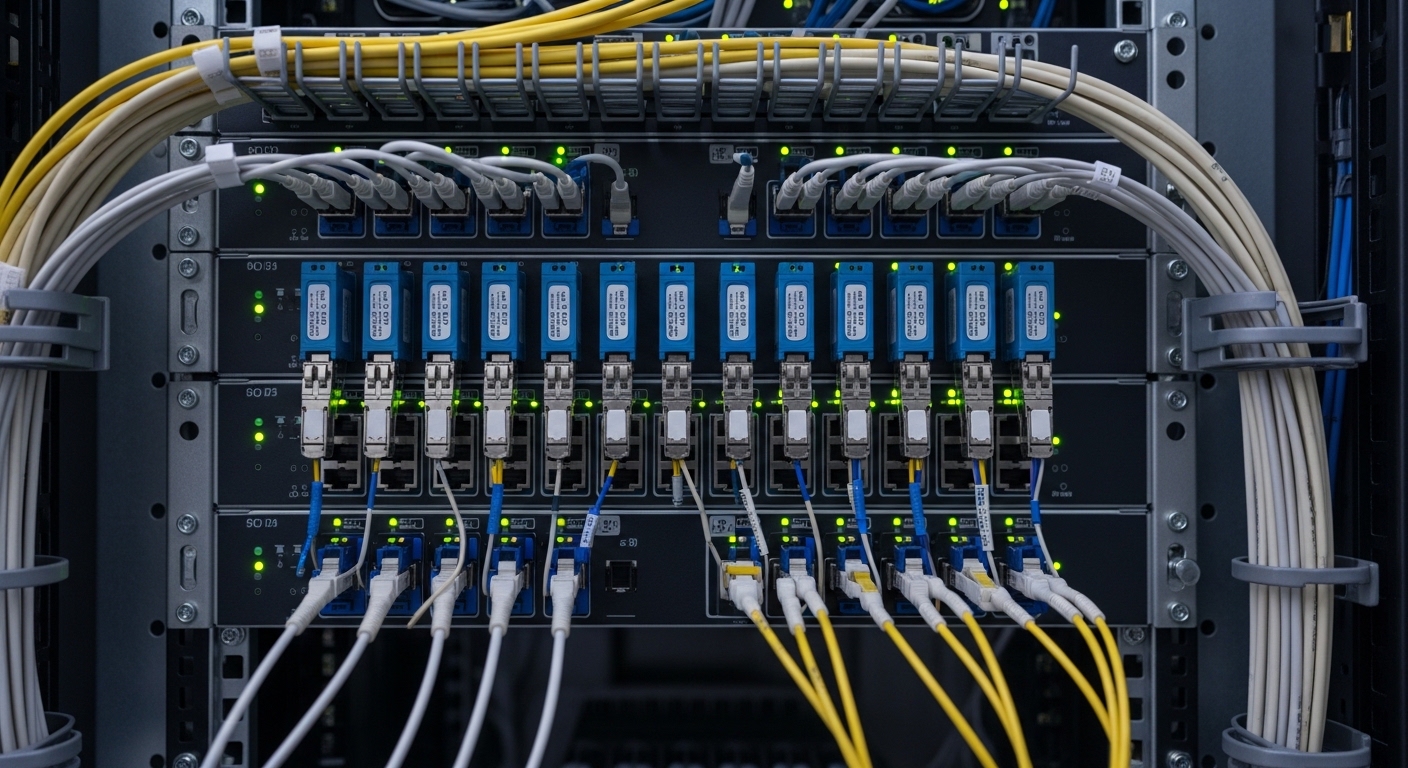
Before you pull optics, prepare an evidence trail so the next corrective action is measurable. In my on-site work for utilities and retail sites, I treat each incident like a small quality system: record port number, transceiver part number, optics type, and observed link state. Keep a known-good patch cord and one spare SFP of the same type to separate “fiber problem” from “module problem.”
Tools and data to have on hand
- Known-good SFP with matching electrical interface (e.g., 10GBASE-SR vs 10GBASE-LR) and vendor compatibility
- Optical inspection capability: a fiber microscope or at minimum a visual inspection kit for LC ferrules
- Cleaning supplies: lint-free wipes and isopropyl alcohol, plus dry cleaning method if your site uses it
- Switch CLI access to read DOM, port counters, and link diagnostics
- Environmental context: temperature range, humidity, and whether the cabinet is near HVAC vents
Expected outcome: a ready checklist that speeds diagnosis and improves repeatability across incidents, which is the spirit of ISO 9001 nonconformity handling.
Step-by-step: link recovery workflow for SFP connection failures
Start with the simplest hypothesis and move toward the more complex. In edge deployments, the most common failures are physical contamination, wrong optics type, and power/thermal stress that pushes a marginal module beyond link budget.
Capture current state and DOM health
On the edge switch, record the port and read transceiver diagnostics via DOM. For Cisco IOS-XE, a typical workflow is to check interface status and optical readings; on many platforms, you can also view alarms like LOS (loss of signal). Look for values such as received power, transmitted power, and temperature; if DOM shows high temperature or abnormal bias current, link instability can be thermal.
Expected outcome: a baseline showing whether the failure is “no light received,” “light present but errors,” or “module not recognized.”
Verify optics and wavelength match to the fiber plant
Mis-matched modules are frequent when technicians mix older inventory. Confirm the module is the correct standard for the port speed (for example, 10GBASE-SR for multimode 850 nm links). Then confirm whether your fiber is multimode OM3/OM4 or single-mode, and whether the link budget matches the intended reach.
Expected outcome: you eliminate “wrong transceiver on the wrong fiber” before spending time cleaning.
Clean connectors and re-seat with inspection
In field cases, I have seen a single fingerprint on an LC ferrule cause a complete LOS event. Clean both ends: the transceiver pigtail and the patch panel side, using a consistent method and inspecting afterward. Re-seat the SFP firmly; edge cabinets with vibration can loosen latch engagement over months.
Expected outcome: restoration of link if contamination or seating was the primary cause.
Test with a known-good spare and a short patch cord
If the link still fails, swap the SFP with a known-good unit of the same part family. Then test with a short, confirmed-good patch cord to isolate whether the long run is contaminated or damaged. This two-axis test (module swap, fiber length swap) is how you separate “transceiver margin” from “fiber attenuation or connector problems.”
Expected outcome: you converge on the failing component with minimal downtime.
Check counters for error pattern, not just link up/down
Even when the link comes up, CRC errors and FEC-related counters can reveal a marginal optical budget. In IEEE 802.3 environments, bit error rate concerns show up as increasing frame errors, not always as a clean LOS. If your platform supports it, review error counters over a few minutes and correlate them with temperature or nearby power events.
Expected outcome: you prevent “false recovery” where the link is technically up but unreliable.
Document corrective action and update your edge SOP
Write down what fixed the issue: cleaning only, module swap, patch cord replacement, or reseat and reseal. In ISO 9001 audits, this documentation is the difference between a one-off hero response and a system that learns. If you discover an inventory mismatch pattern, update your BOM rules and labeling for the edge cabinet.
Expected outcome: measurable reduction in repeat incidents and a clearer supplier compatibility story.
Key SFP specifications to match during troubleshooting
Specifications are not trivia; they are constraints that determine whether your edge deployments can survive temperature swings and connector aging. Below is a practical comparison of common SFP types used in access and aggregation layers, focusing on wavelength, reach, connector style, and typical operating conditions.
| Module type | Standard / data rate | Wavelength | Typical reach | Fiber type | Connector | Operating temp (typ.) | Example part numbers |
|---|---|---|---|---|---|---|---|
| SFP-SR | 10GBASE-SR | 850 nm | Up to 300 m (OM3) / 400 m (OM4) | MMF OM3/OM4 | LC | -10 C to 70 C (commercial) or wider for industrial | Cisco SFP-10G-SR, Finisar FTLX8571D3BCL, FS.com SFP-10GSR-85 |
| SFP-LR | 10GBASE-LR | 1310 nm | Up to 10 km | SMF | LC | -5 C to 70 C (varies by vendor) | Vendor LR equivalents (check datasheet) |
| SFP-ER | 10GBASE-ER | 1550 nm | Up to 40 km | SMF | LC | -5 C to 70 C (varies) | Vendor ER equivalents (check datasheet) |
Sources: IEEE 802.3 for interface behavior and reach expectations; vendor datasheets for temperature and DOM behavior. [Source: IEEE 802.3], [Source: Cisco SFP-10G-SR datasheet], [Source: Finisar and FS.com SFP datasheets]
Pro Tip: In the field, “link up” can mask a marginal optical path. If you see stable link but rising CRC or FCS errors, treat it like a quality defect: clean again, verify connector endfaces, and re-check DOM received power trend versus temperature rather than assuming the optics are fine.
Selection criteria: choosing SFPs that keep edge deployments stable
When you replace a failing module, selection should be driven by compatibility and environmental fit, not only reach. Engineers in edge deployments often face vendor lock-in risk, inventory drift, and nonstandard patching over time, so the checklist must be strict.
- Distance and fiber type: confirm OM3/OM4 vs SMF, and compute budget for connectors and splices
- Data rate and standard: ensure the SFP matches the port speed (e.g., 10GBASE-SR vs other variants)
- Switch compatibility: verify whether the switch enforces vendor ID or supports third-party with DOM
- DOM support: confirm alarms you can read (temp, bias, Tx power, Rx power) for faster MTTR
- Operating temperature and enclosure airflow: choose industrial temperature modules if cabinets exceed spec
- Vendor lock-in risk: plan a qualified cross-vendor list and label spares by compatibility class
Expected outcome: fewer “unknown unknowns” during future incidents and shorter mean time to repair.
Common mistakes and troubleshooting tips for SFP failures
Even good teams repeat predictable errors. Here are three high-frequency failure modes I have seen during edge deployments, with root cause and a direct fix.
Pitfall 1: Cleaning the inside of the connector but not the endface
Root cause: technicians wipe the cable jacket or connector body while leaving contamination on the ferrule endface. The interface still shows LOS because the optical surface remains dirty. Solution: clean the LC ferrule endface using a validated method and inspect with a fiber microscope before re-seating.
Pitfall 2: Installing the right speed but wrong optics standard
Root cause: a 10GBASE module is inserted, but it is SR instead of LR (or multimode vs single-mode is mixed). The link may never come up or will be extremely error-prone. Solution: verify wavelength and fiber type on both ends, then align to the correct standard per IEEE 802.3 and vendor reach tables.
Pitfall 3: Ignoring thermal margin in sealed edge cabinets
Root cause: the cabinet runs hotter than the module’s temperature rating, increasing Tx drift and reducing Rx sensitivity. Symptoms include intermittent link drops after midday heat or power cycles. Solution: check DOM temperature, improve airflow, add thermal management, and use modules rated for the environment.
Real-world deployment scenario: why the same SFP fails twice
In a 3-tier edge-to-core topology for a chain of retail sites, each store used a pair of 48-port access switches feeding a small aggregation switch. The uplinks were 10GBASE-SR over OM4 with typical distances around 120 m, but patch panel rework during seasonal resets introduced new connectors. Two weeks apart, the same port went into LOS; DOM showed Rx power trending down as temperature rose, and connector inspection revealed a single cracked LC ferrule endface. After replacing the patch cord and cleaning both ends with inspection confirmation, the link stabilized and CRC errors dropped to near-zero over a 24-hour window.
Cost and ROI note: balancing uptime, power, and module strategy
Third-party SFPs can be cost-effective, but only when compatibility is validated. In many markets, a typical 10GBASE-SR SFP price range is roughly $40 to $120 depending on vendor and temperature rating; OEM replacements often cost more, sometimes $80 to $200. Total cost of ownership includes spares logistics, time-to-repair, and the operational burden of repeated incidents; improving MTTR through DOM-capable, industrial-rated modules usually pays back faster than repeatedly swapping “compatible-looking” optics.
For reliability planning, treat link failures as quality events: track incident counts by port, fiber run, and cabinet temperature. That data supports MTBF-style thinking, even when you cannot access raw failure rates directly from vendors.
FAQ
Q: How do I tell if the problem is the SFP or the fiber in edge deployments?
Swap in a known-good SFP of the same standard and test with a short, confirmed-good patch cord. If the link recovers with the spare, the original module or its connector interface is suspect; if not, focus on the fiber run and endfaces.
Q: What DOM values are most useful during troubleshooting?
Temperature and bias current help identify thermal stress, while Tx and Rx power indicate whether light is being launched and received. If your platform exposes alarm flags such as LOS, correlate them with observed counter growth.
Q: Can I use third-party SFPs with any edge switch?
Not always. Some switches enforce strict optics compatibility or have limited support for non-OEM DOM behavior. Validate using your switch model and firmware, and keep a short list of pre-qualified part numbers.
Q: What is the fastest way to reduce repeat SFP failures?
Standardize connector cleaning with inspection and improve labeling for optics type and wavelength. Then add a
