
Edge computing deployments fail for optical reasons more often than teams expect: mismatched transceiver optics, budgeted loss errors, or connector/DOM incompatibilities in harsh cabinets. This buying guide helps network engineers and field teams choose the right optical solutions for edge computing sites, from SFP and QSFP pluggables to DWDM and PON transport. You will get practical selection steps, a spec comparison table, deployment numbers, and troubleshooting patterns seen during installs.
What “optical readiness” means for edge computing sites
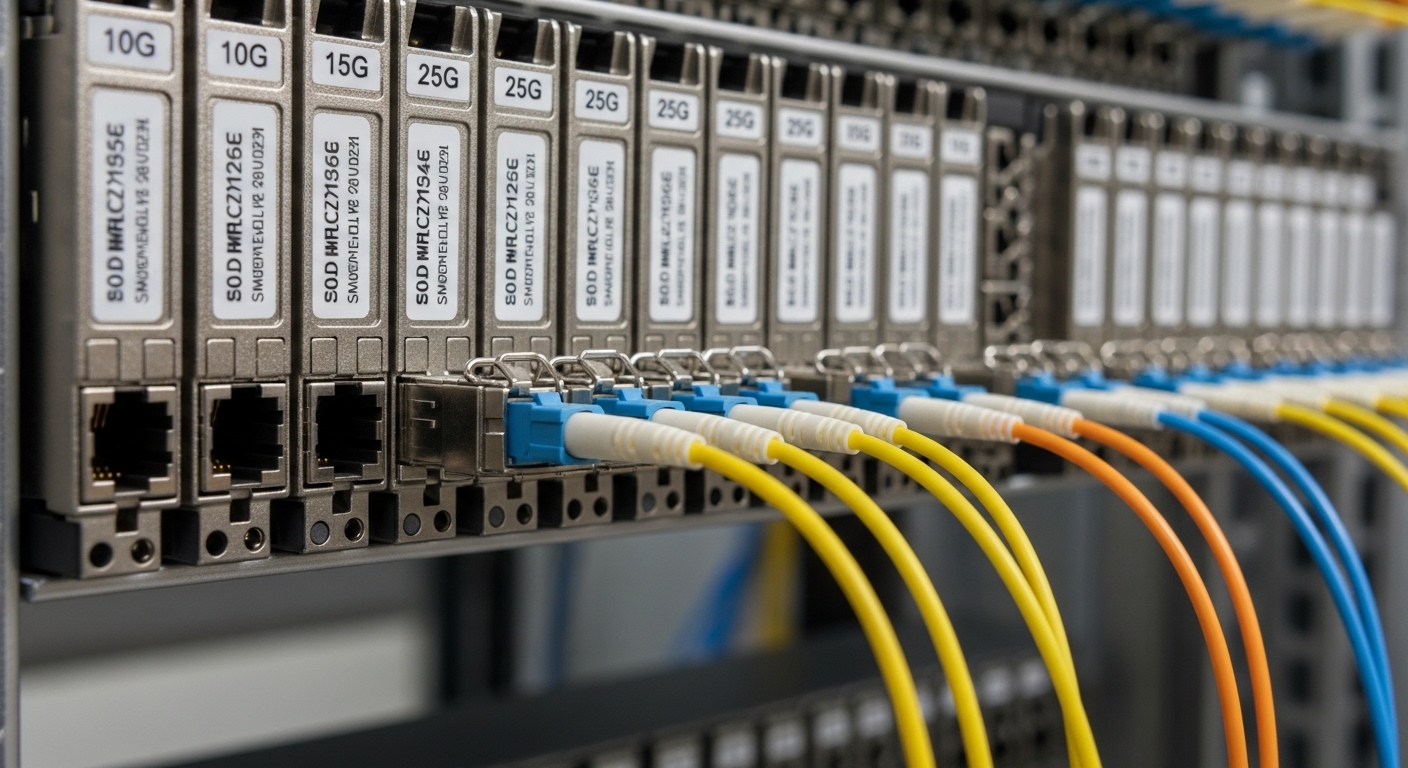
In edge computing, fiber links and optics must survive tighter constraints than core DCs: higher vibration, temperature swings, limited power, and sometimes unlicensed maintenance windows. On the equipment side, you typically face a mix of switches, routers, and aggregation gear with specific optical reach and vendor compatibility requirements. On the fiber side, the limiting factors are usually link budget (fiber attenuation + splice loss + connector loss + margin) and dispersion tolerance for higher data rates.
From my field work, the most reliable pattern is to start with the transport plan: is the edge site doing Ethernet backhaul over dark fiber, is it using a managed DWDM mux/demux, or is it terminating a PON handoff into an aggregation switch? Each path changes the connector types, wavelengths, and wavelength stability expectations. For PON, you also need to align to the OLT/ONU optics ecosystem; for DWDM, you must align to channel plans and vendor-specific optics behavior. For standards, anchor to IEEE 802.3 for Ethernet PHY expectations and to vendor datasheets for optical power, receiver sensitivity, and DOM support. anchor-text: IEEE 802.3 standard portal
Choosing transceivers: wavelengths, reach, and interface fit
Most edge computing builds start with pluggable optics because they reduce lead time and let you standardize on switch ports. However, “plug compatibility” is not the same as “optical compatibility.” You must match the transceiver type (SFP, SFP+, QSFP+, QSFP28, QSFP56), the wavelength (850 nm, 1310 nm, 1550 nm), and the reach class to the actual fiber type (OM3/OM4/OS2) and measured losses.
Quick spec comparison you can use at the rack
Use this table to sanity-check typical edge computing optics while you verify the switch port mapping and transceiver vendor support. Values below are representative ranges from common datasheets; always confirm the exact module part number and DOM behavior.
| Optical type | Typical wavelength | Target data rate | Typical reach class | Connector | DOM / management | Operating temperature (typical) | Field notes for edge computing |
|---|---|---|---|---|---|---|---|
| SFP-10G SR (10GBase-SR) | 850 nm | 10G | ~300 m on OM3 / ~400 m on OM4 | LC | Commonly supported | 0 to 70 C or -10 to 70 C | Works well for short intra-cabinet and nearby runs; sensitive to dirty connectors. |
| SFP-10G LR (10GBase-LR) | 1310 nm | 10G | ~10 km on OS2 | LC | Commonly supported | -5 to 70 C (varies) | Better for edge-to-aggregation fiber; verify link budget with measured attenuation. |
| QSFP28-25G SR (25GBase-SR) | 850 nm | 25G | ~70 m on OM3 / ~100 m on OM4 | LC | Commonly supported | 0 to 70 C (varies) | Good for dense top-of-rack to nearby aggregation; confirm OM type and patch cord quality. |
| QSFP28-100G LR4 | ~1310 nm (4 lanes) | 100G | ~10 km on OS2 | LC | Commonly supported | -10 to 70 C (varies) | Use when you need higher capacity on constrained fiber runs; check vendor channel mapping behavior. |
Example module families engineers often deploy include Cisco SFP-10G-SR (10GBase-SR), Finisar FTLX8571D3BCL, and FS.com SFP-10GSR-85 (third-party optics). Even when they claim the same Ethernet standard behavior, the DOM implementation and vendor “compatibility checks” can differ. Always cross-check against the switch vendor’s supported transceiver list, not just the PHY spec.
Pro Tip: In edge computing cabinets, the most common “mystery link flaps” come from optical power budget being barely met and connector contamination. I have seen links that pass a commissioning test fail after a technician re-seats a patch cord once. Build your acceptance test around measured receive power and clean/inspect every connector at turnover.
Backhaul options: Ethernet over fiber, PON handoff, and DWDM
Edge computing backhaul choices change the optics and the operational model. If you have dedicated fiber, Ethernet over fiber with LR or LR4 optics is straightforward, but you still need to compute the link budget and verify dispersion for higher rates. If you are in a multi-tenant or limited-fiber environment, DWDM can multiply capacity over a single fiber, but it adds channel planning, mux/demux insertion loss, and wavelength-accuracy considerations. If you are using access network infrastructure, PON handoff optics and splitter constraints become dominant.
When to use each transport style
- Ethernet over fiber: Best when the edge site has dedicated OS2 or OM4/OM3 runs; simplest operationally.
- PON handoff: Best when you need cost-efficient last-mile aggregation; ensure OLT/ONU optics compatibility and budget for splitter loss.
- DWDM aggregation: Best when you must scale capacity on constrained fiber; plan channel spacing and verify mux/demux IL and margins.
Standards and vendor behavior to validate
For Ethernet PHY behavior, validate against IEEE 802.3 requirements and the transceiver datasheet for receiver sensitivity and transmit power. For optics management, confirm whether the module supports Digital Optical Monitoring (DOM) over the vendor’s expected I2C interface and whether the switch enforces module authentication. Many operators also require compliance with SFP+ MSA and QSFP MSA mechanical/electrical expectations, but the practical risk is not physical fit—it is firmware compatibility and DOM readouts.
For DWDM, confirm channel plan and wavelength stability requirements with the mux/demux vendor, and budget for insertion loss plus aging margin. Also check whether your transceiver is specified for the exact temperature range expected at the site (sun-heated cabinets can exceed spec even with “outdoor” labels).
Selection checklist engineers actually use before ordering
Before buying optical modules or planning fiber transport, run this ordered checklist. It reduces rework and prevents the common “it links in the lab but not in the field” scenario.
- Distance and fiber type: Measure actual spans (OTDR or documented as-built) and confirm OM3/OM4 vs OS2. Use measured attenuation, not cable reel labels.
- Link budget: Calculate fiber loss + connector loss + splice loss + patch cord loss, then add margin (commonly 2 to 4 dB for field variability, depending on site practices).
- Switch port compatibility: Verify the exact transceiver type and speed supported by the switch model and software release. Check the vendor “supported optics” list when available.
- DOM and diagnostics: Confirm the module supports DOM and that the switch reads DOM without alarming. Validate thresholds for temperature and optical power.
- Operating temperature and enclosure airflow: Use worst-case site temperatures. If the cabinet lacks forced airflow, derate reach expectations if the module’s temperature range is tight.
- Connector and cleaning readiness: Confirm you have the right LC/SC type, ferrule geometry, and a cleaning workflow (cassette cleaner, inspection scope). Dirty connectors can mimic “bad optics.”
- Vendor lock-in risk: Decide whether OEM optics are required. Third-party optics can work well, but field failures increase if authentication or DOM interpretation differs.
- Spare strategy and lead time: For edge computing, keep at least one verified spare per optics class at the service hub to reduce truck rolls.
For reference, third-party optics such as FS.com transceiver families often provide good value, but you should confirm DOM readings and compatibility with your specific switch platform. If you have a DWDM design, ensure the optics wavelength and channel alignment matches the mux/demux plan and that the transceiver is specified for the system’s temperature behavior.
Common mistakes and troubleshooting patterns
These are recurring edge computing optical failure modes I have seen across deployments. Each includes a root cause and a practical fix.
Link comes up, then flaps under load
Root cause: Marginal optical power budget or slight contamination after re-seating. Some modules pass initial link training but fail when BER increases with temperature drift.
Solution: Inspect connectors with a scope, clean with a validated method, and re-measure receive power. If you are near the limit, swap to a higher power or longer-reach class (e.g., SR to LR) and re-check link budget.
Wrong wavelength class selected for the fiber type
Root cause: Selecting 850 nm SR optics for OS2 runs, or mixing OM3/OM4 assumptions. The link may appear weak or never establish, especially after patching.
Solution: Confirm fiber type and attenuation with documentation and measurement. Use 1310/1550 nm optics for OS2 where appropriate, and align to the transceiver’s specified reach.
“Compatible optics” still get rejected by the switch
Root cause: Switch firmware enforces optics compatibility checks, sometimes using DOM values, vendor IDs, or thresholds. Third-party modules may physically fit but fail authentication.
Solution: Check the switch vendor’s transceiver compatibility list for the exact OS release. If you must use third-party optics, validate in a staging environment with the same firmware and confirm alarm behavior.
PON handoff instability due to splitter and budget miscalculation
Root cause: Underestimating splitter loss, patch cord loss, or aging. PON is particularly sensitive because multiple optical budget components accumulate.
Solution: Recompute the PON budget using the splitter ratios and actual measured losses. Validate with OLT/ONU diagnostics and verify that the optical levels are within the vendor’s specified ranges.
Cost and ROI considerations for edge computing optics
Optics cost varies widely by reach and speed. In typical enterprise and carrier edge builds, OEM transceivers may cost roughly 1.2x to 2.5x third-party pricing, but OEM modules often reduce compatibility and warranty friction. For example, a 10G LR class SFP can be materially cheaper from third-party suppliers than OEM equivalents, but total cost depends on failure rates, truck rolls, and time spent troubleshooting DOM alarms.
For ROI, consider TCO components: module unit price, spares inventory, power consumption (small but non-zero across many ports), and maintenance labor. In one deployment pattern, we reduced truck rolls by keeping a pre-validated optics kit at the regional hub: one spare SR, one spare LR, and one spare QSFP28 class for 25G/100G uplinks. That strategy often beats chasing the cheapest part at procurement time, especially when edge sites have long lead times.
Also account for replacement cycles. High-temperature edge cabinets can accelerate aging, so selecting modules with a wider temperature range and robust thermal design can lower long-term failure probability. Always compare datasheet temperature specs to your site’s worst-case thermal profile.
FAQ: picking optical solutions for edge computing
What optical reach should I plan for in edge computing backhaul?
Plan using measured fiber attenuation and add a margin for splices, connectors, and future patching. If you are close to the transceiver’s rated reach, increase the margin by selecting a higher-reach optic class (for example, SR to LR) or reduce the number of intermediate patch points.
Are third-party transceivers safe for edge computing deployments?
They can be safe, but validate with your exact switch model and firmware. Confirm DOM readouts, alarm thresholds, and whether the switch enforces optics authentication or vendor IDs.
Should I choose 850 nm SR or 1310 nm LR for short edge runs?
If your fiber is OM3/OM4 and the distance is within SR reach, 850 nm SR is often simpler and cost-effective. For OS2 runs or uncertain patching paths, 1310 nm LR is more forgiving and typically aligns better with long-distance fiber.
How do I estimate link budget quickly during site surveys?
Start with measured span loss (OTDR if possible), then add connector loss per mated pair and splice loss per splice. Include a margin for cleaning variability and future re-patching, then compare the result to the transceiver’s specified transmit power and receiver sensitivity.
What are the most common causes of optical alarms after installation?
The top causes are dirty connectors, incorrect wavelength class selection, and marginal power budgets. A smaller but recurring cause is DOM compatibility or threshold differences between third-party modules and switch firmware.
When should I consider DWDM instead of direct fiber Ethernet optics?
Consider DWDM when you must scale capacity over limited fiber pairs or when you want to consolidate multiple edge services. Ensure you can manage channel plans and insertion loss, and validate wavelength stability requirements with your transceiver and mux/demux vendors.
Edge computing optical success is mostly about disciplined selection: match wavelengths to fiber type, validate link budgets with measurements, and confirm switch compatibility and DOM behavior before mass deployment. If you want a related next step, review edge computing uplink transport design for uplink capacity planning and operational practices.
Author bio: Telecom engineer specializing in 5G fronthaul/backhaul and optical transport, with hands-on field experience deploying Ethernet over fiber, PON handoff, and DWDM aggregation. I write deployment-focused guidance grounded in switch optics compatibility, measured link budgets, and operational troubleshooting.
