
If your enterprise router WAN interface is down or flapping, the root cause is often not the router itself but an incompatible WAN SFP transceiver, mismatched fiber type, or missing optical parameters. This article helps network engineers and field techs plan, validate, and deploy SFP optics on edge routers for reliable service handoffs. You will get a step-by-step implementation guide, a troubleshooting checklist, and realistic cost/ROI guidance for 1G and 10G WAN links.
Prerequisites before you touch the optics
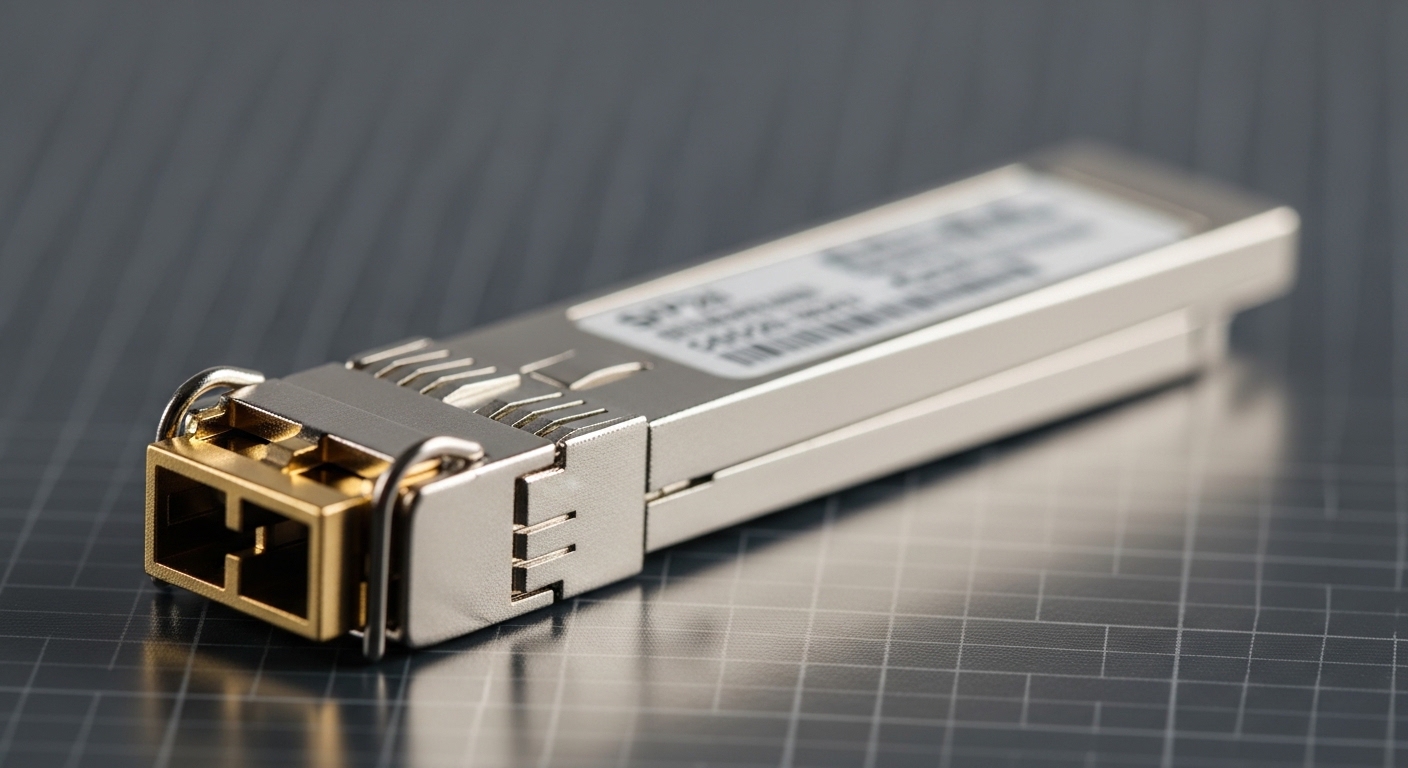
Before ordering or inserting a WAN SFP transceiver, confirm the WAN interface requirements, the fiber plant characteristics, and your operational constraints (temperature, DOM visibility, and vendor support). In my deployments, I treat optics as part of the change plan: we verify link budget, connector cleanliness, and switch/router transceiver compatibility before any physical access.
What to gather (minimum set)
- Router model and WAN interface type (for example, Cisco Catalyst/ISR module ports, Juniper line cards, or equivalent). Note whether the port expects SFP, SFP+, or SFP28.
- Carrier handoff details: wavelength, reach, and whether the carrier expects LR, SR, or ER optics.
- Fiber type and link distance: single-mode vs multi-mode, approximate span length, and number of splices/connectors.
- Connector standard: typically LC for enterprise SFP optics; confirm if your patch panels use LC or SC.
- Operational needs: DOM support requirement, temperature margin, and whether you need vendor-validated optics to satisfy support contracts.
Expected outcome: you can map each WAN requirement to an optical standard and a specific part family, reducing “trial-and-error” swaps that cause prolonged outages.
Step-by-step: deploy a WAN SFP transceiver on a router edge port
This section is written as an implementation runbook for enterprise edges where you need predictable link bring-up. The steps below assume a fiber WAN handoff over single-mode for typical 10GBase-LR or 10GBase-ER distances, but the logic applies to 1GBase-LX and 3.3V/5V SFP families too.
Validate optical standard and reach against the fiber plant
Confirm you are choosing the right wavelength and reach class for the carrier or internal link budget. For example, 10GBase-LR commonly targets 1310 nm over single-mode with up to about 10 km class reach, while 10GBase-ER typically targets 1550 nm with longer reach class behavior. Use connector losses, splice counts, and typical fiber attenuation to avoid marginal links.
Expected outcome: you select an optic whose nominal power budget is comfortably above your measured loss, not just within a marketing reach number.
Confirm transceiver form factor and electrical compatibility
Even when the optics “look similar,” electrical compatibility matters. A router that expects SFP+ may not behave correctly with an SFP module, and an SFP28 port will not accept older generations reliably. Verify the port spec in the vendor hardware guide, then match the transceiver’s data rate: 1G, 10G, or higher.
Expected outcome: the port accepts the module and reports the correct interface speed and optics type without frequent resets.
Check DOM expectations and management visibility
If you rely on optics monitoring for proactive maintenance, ensure the WAN SFP transceiver supports Digital Optical Monitoring (DOM). In practice, I configure monitoring to alert on laser bias current, received optical power, and temperature thresholds. Some third-party optics provide DOM fields that differ slightly from vendor expectations, so confirm your telemetry tooling supports them.
Expected outcome: you can see optical metrics in-band and detect degradation before the link fails.
Clean connectors and verify fiber polarity
Connector cleanliness is the number one avoidable cause of “it won’t link.” Before plugging in LC connectors, inspect with a scope if your process allows it, then clean using lint-free wipes and approved cleaning tools. For duplex fiber, confirm polarity handling: many LR/ER links use duplex LC with A/B mapping, and some deployments need polarity jumpers or specific patching.
Expected outcome: stable receive power and a link that stays up through the first maintenance window.
Insert the transceiver and bring up the WAN interface
With power applied, insert the module gently until it seats fully. Then bring up the WAN interface and verify negotiated speed, line protocol state, and optics alarms. On Cisco IOS XE, a common validation flow is checking interface status and optics counters; on Juniper, you typically verify link state and optical alarms from the interface diagnostics. If your router supports it, confirm the DOM temperature and RX power are in-range immediately after insertion.
Expected outcome: the interface transitions to “up/up” (or equivalent) and stays stable after a short post-change observation period (often 15 to 30 minutes, depending on your risk posture).
Lock down the change and document the exact part number
Record the exact transceiver part number, vendor, batch/label, and optics parameters. Add this to your change ticket and your optical inventory so future replacements match the deployed configuration. In field operations, the fastest recovery comes from accurate optics documentation, not from memory.
Expected outcome: predictable spares strategy and faster restoration during an incident.
WAN SFP transceiver specs that actually affect link success
Engineers often compare only wavelength and reach, but real success depends on connector type, DOM behavior, optical power class, and operating temperature range. Below is a practical comparison for common enterprise WAN optics used in router edge deployments.
| Optics type | Wavelength | Typical reach class | Data rate | Connector | DOM | Operating temp | Example part numbers |
|---|---|---|---|---|---|---|---|
| 10GBase-LR (SFP+) | 1310 nm | Up to 10 km (SMF) | 10.3125 Gbps | LC duplex | Often supported | Commercial/Industrial variants | Cisco SFP-10G-LR, Finisar FTLX8571D3BCL, FS.com SFP-10GSR-85 (verify type) |
| 10GBase-ER (SFP+) | 1550 nm | Up to 40 km (SMF class) | 10.3125 Gbps | LC duplex | Often supported | Commercial/Industrial variants | Vendor ER SFP+ modules (verify exact reach spec) |
| 1GBase-LX (SFP) | 1310 nm | Up to 10 km (SMF class) | 1.25 Gbps | LC duplex | Common but not universal | Commercial/Industrial variants | Cisco SFP modules (LX variants), Finisar LX SFP (verify) |
Notes: Always confirm the exact part’s specification sheet because “SR vs LR vs ER” and “SFP vs SFP+” are frequently confused in procurement. Also, some example SKUs above are families; validate exact wavelength and reach before purchase.
Sources for optical class behavior and Ethernet PHY expectations include IEEE 802.3 for optical Ethernet link requirements and vendor datasheets for module parameters. [Source: IEEE 802.3] [Source: Cisco SFP module datasheets] [Source: Finisar/Fabrinet transceiver datasheets]
Pro Tip: In real edge deployments, I’ve seen “it should be compatible” turn into intermittent flaps when the router’s optics monitoring thresholds are tighter than the third-party module’s DOM reporting behavior. The fix is not only swapping optics; it is aligning your monitoring thresholds to the DOM data model you actually receive and validating RX power right after insertion, not hours later.
Selection criteria checklist for WAN SFP transceiver purchases
Use this ordered checklist during design and procurement. It is the same sequence I use in pre-install reviews because it prevents the most expensive mistakes: wrong reach class, wrong form factor, and unsupported telemetry.
- Distance and loss budget: confirm single-mode vs multi-mode, estimate attenuation and connector/splice loss, and verify you have margin (not just within nominal reach).
- WAN interface compatibility: confirm the router port expects the correct SFP generation and speed (SFP vs SFP+ vs SFP28, and 1G vs 10G).
- Fiber and connector details: LC vs SC, duplex vs simplex, and correct polarity handling with patching or polarity adapters.
- Optical class (LR/ER) and wavelength: ensure 1310 nm for LR-style links and 1550 nm for ER-style when required by the reach plan.
- DOM support and monitoring needs: verify the module supports DOM and that your NMS or router diagnostics can interpret it.
- Operating temperature range: choose industrial-rated modules for hot aisles or constrained airflow; verify datasheet ranges.
- Vendor lock-in risk: evaluate OEM vs third-party. Some OEM support contracts may require vendor-validated optics for troubleshooting coverage.
Expected outcome: fewer installation rollbacks and faster acceptance testing during cutover.
Common mistakes and troubleshooting tips
When a WAN SFP transceiver fails to bring up the link, the failure is usually repeatable. Below are the top field issues I’ve seen, with root cause and a practical solution.
Failure point 1: Link never comes up after insertion
Root cause: wrong module generation or data rate (for example, SFP vs SFP+ mismatch) or wrong optical class for the fiber type. Solution: verify the port’s hardware guide, confirm the module’s form factor and nominal data rate, and check whether the fiber is single-mode or multi-mode. Re-seat the module after inspecting for bent pins and re-check interface diagnostics.
Failure point 2: Link flaps every few minutes
Root cause: marginal optical power due to dirty connectors, incorrect polarity, or higher-than-expected splice/connector loss. Solution: clean both ends again, inspect with a fiber scope if available, and correct polarity using the correct duplex mapping or polarity jumper. Then re-check RX power and laser bias current via DOM/diagnostics.
Failure point 3: DOM alarms or missing telemetry, leading to false outage reports
Root cause: DOM field interpretation differences between OEM and third-party optics, or monitoring thresholds that assume OEM behavior. Solution: confirm DOM availability and compare reported temperature and RX power ranges against module datasheet values. Adjust monitoring thresholds and ensure your NMS supports the optics vendor’s DOM implementation.
Real-world deployment scenario: enterprise edge with 10G WAN handoffs
In one 3-tier enterprise edge deployment, we connected 48-port ToR switches to two aggregation routers using trunked uplinks, then terminated WAN services on dedicated router WAN interfaces. The WAN handoff required 10GBase-LR over single-mode fiber for approximately 6.5 km from the demarc to the router, with an estimated 2.0 dB total connector and splice loss. We deployed LC-duplex optics with DOM enabled, then configured alerts for RX power and temperature within the module’s datasheet operational envelope.
During acceptance testing, we observed that one third-party replacement module reported RX power values slightly offset from the OEM baseline, but the link remained stable. The outage risk was mitigated by aligning alert thresholds to the actual DOM behavior and by performing connector cleaning immediately before final insertion.
Cost and ROI note: OEM vs third-party WAN SFP transceivers
Typical street pricing for enterprise optics varies widely by reach class and temperature rating. As a realistic planning range, OEM 10GBase-LR SFP+ modules often cost more than third-party equivalents; third-party modules can be less expensive but may introduce support and DOM/threshold considerations. For TCO, factor not only purchase price but also labor time, outage risk during failed cutovers, cleaning consumables, and the cost of spares inventory.
In my experience, the ROI improves when you standardize on validated part numbers for each site and keep a tested spare kit, because the biggest cost driver is not the optics themselves but the time to restore service after an avoidable mis-match or dirty connector incident.
Expected outcome: you can justify optics selection based on both unit cost and operational risk reduction.
FAQ
What is a WAN SFP transceiver versus an Ethernet SFP?
A WAN SFP transceiver is typically an SFP/SFP+ optical module used on router WAN interfaces, often aligned to LR/ER reach classes and carrier requirements. Electrically it still follows Ethernet PHY expectations, but the “WAN” usage implies stricter attention to reach, optical power budget, and operational monitoring.
Can I use third-party optics in a router WAN port?
Often yes, but you must confirm form factor, data rate, wavelength, and DOM behavior. Some platforms enforce compatibility checks or support policies, so review the router’s compatibility guidance and test with a spare in a maintenance window.
How do I choose between LR and ER for a WAN link?
Choose based on distance and link budget. LR-style optics commonly operate at 1310 nm for shorter single-mode reaches, while ER-style optics commonly operate at 1550 nm for longer distances, where attenuation and margin require it.
Why is my WAN link up but performance is bad?
Common causes include duplex/polarity issues, marginal RX power, or excessive errors due to fiber contamination. Check interface error counters, confirm DOM RX power is within the vendor datasheet range, and re-clean/re-seat connectors.
Do I need DOM for WAN monitoring?
If you want proactive maintenance, DOM is strongly recommended. It enables visibility into temperature and optical power trends so you can replace optics before they fail, rather than reacting after outages.
What are the fastest troubleshooting actions when optics fail?
Start with connector cleaning and polarity verification, then confirm the module is the correct SFP generation and wavelength class for the port. Finally, check DOM alarms and interface diagnostics immediately after insertion to confirm the link is truly healthy.
If you want a related deployment topic, follow up with fiber connector cleaning best practices to reduce link flaps caused by avoidable contamination. For the next step, build a small optics validation matrix per router model so future WAN SFP transceiver replacements are predictable and fast.
Author bio: I have deployed enterprise edge router optics in production networks, focusing on DOM monitoring, link-budget validation, and cutover risk reduction. I write from field experience with SFP/SFP+ rollouts, connector cleanliness workflows, and compatibility testing across common router platforms.
