
In edge computing deployments, the physical link can quietly determine whether your site stays online. This article helps network and field engineers understand how DAC (direct-attach copper) choices affect latency, power, reach, and switch compatibility in real installations. You will get a head-to-head comparison against pluggable optics, plus a decision checklist you can use during validation and rollout.
DAC vs Pluggable Optics in Edge Computing: What Actually Changes
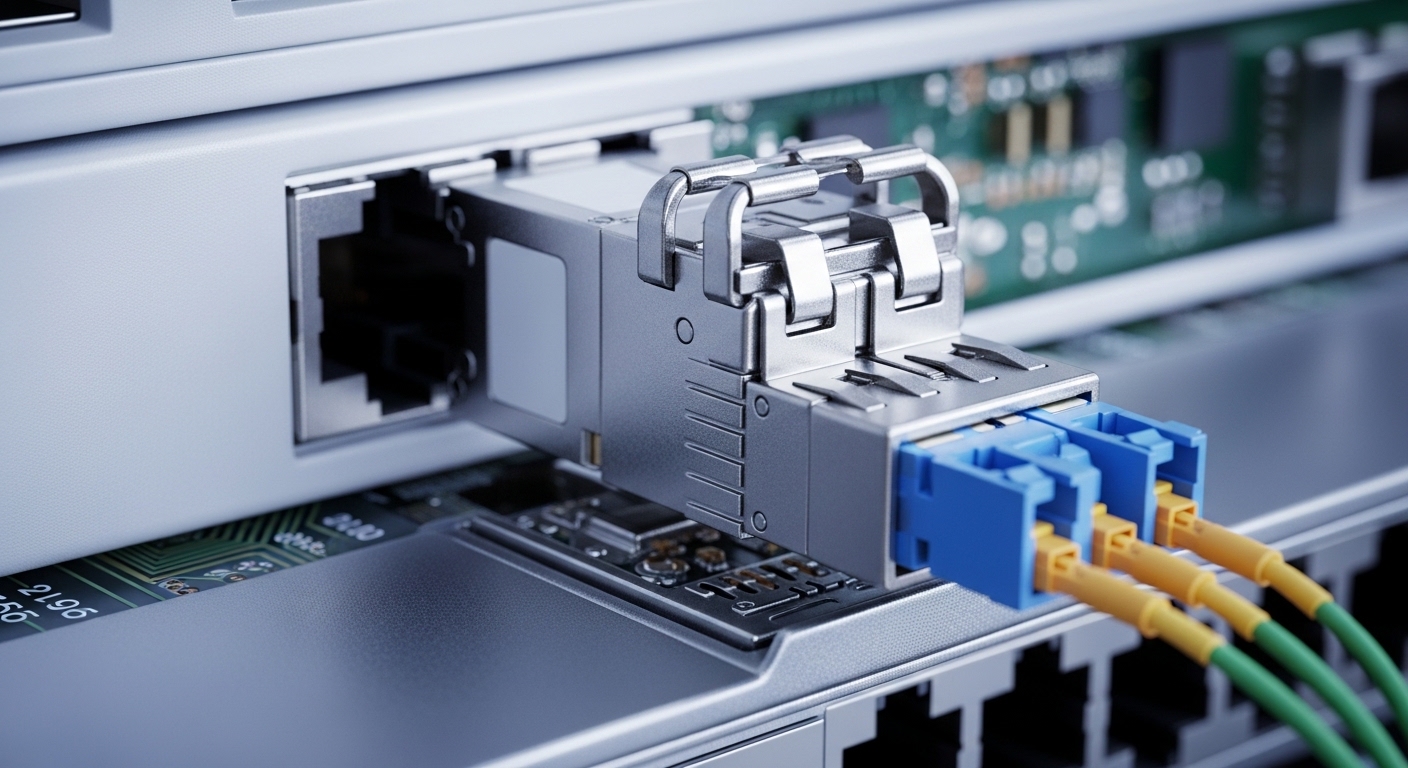
DAC is a cost-optimized, short-reach cabling method where the transceiver functionality is integrated into the cable assembly. In edge computing, that matters because many sites have dense top-of-rack (ToR) switches, limited cooling, and strict power budgets. With DAC, you typically trade flexibility (fiber reach and longer spans) for predictable performance and lower bill of materials. With pluggable optics, you gain distance options and simpler cabling management, but you accept higher per-port cost and sometimes more operational complexity.
Performance characteristics that show up in the field
For Ethernet links, the key performance drivers are signal integrity, link training behavior, and thermal stability. DAC assemblies usually target short reach and are designed to meet the electrical requirements of the corresponding PHY and module standard, commonly following IEEE 802.3 Ethernet specifications for the data rate and encoding. In contrast, optics shift the problem to optical power budgets, connector cleanliness, and fiber attenuation.
In practical terms, teams often see DAC links come up faster during site commissioning because there is no fiber polarity to manage and no laser safety workflow. However, DAC is less forgiving when you need to route around obstacles or when switch placement changes after install. If you plan for future expansion, optics can reduce re-cabling churn.
Pro Tip: If you are validating edge computing sites with moveable racks, measure the maximum expected offset between switch ports and patch points. Many “works in the lab” DAC installs fail later because the cable bend radius and effective electrical length drift beyond what the vendor characterized for that exact SKU.
Spec Targets Side-by-Side: Reach, Power, Wavelength, and Temperature
Engineers choose transceivers by matching electrical or optical budgets to the platform. For DAC, you select by data rate, connector form factor, and supported reach for that exact cable SKU. For optics, you select by wavelength, fiber type, and reach under a defined power budget.
| Category | DAC (Direct-Attach Copper) | Pluggable Optics (Examples) |
|---|---|---|
| Common data rates | 10G, 25G, 40G, 100G (varies by form factor) | 10G SFP+, 25G SFP28, 40G QSFP+, 100G QSFP28 |
| Typical reach class | About 1 m to 5 m (SKU dependent) | SR multimode: often up to 400 m (10G/25G classes vary); LR singlemode: often 10 km+ |
| Wavelength | N/A (copper electrical link) | SR: 850 nm; LR/ER: typically 1310 nm / 1550 nm |
| Power profile | Often lower per-port than optics at short reach; depends on vendor | Optics power varies; some QSFP28 modules are higher than DAC |
| Connector and media | Integrated copper cable with connector ends | Fiber connectors (LC duplex common), plus patch panels |
| Operating temperature | Varies by grade; many are commercial or extended | Some support industrial/extended ranges; verify module datasheet |
| Compatibility risk | Lower if platform supports the exact DAC form factor; still can be sensitive to length and vendor | Can be higher if optics are not vendor-qualified; DOM and firmware interactions matter |
To ground this in real part numbers, many operators benchmark behavior using known optics modules such as Cisco SFP-10G-SR or third-party equivalents like Finisar FTLX8571D3BCL and FS.com SFP-10GSR-85. For DAC, you will typically source from the switch vendor ecosystem or a vendor that explicitly lists compatibility with your exact platform model.
For standards context, the Ethernet physical layer requirements for 10GBASE-SR and related variants are defined under IEEE 802.3. For optics and cabling practices, also reference ANSI/TIA cabling guidance for fiber handling and installation quality. For monitoring, the transceiver Digital Optical Monitoring and management concepts align with vendor implementations of optical module diagnostics (commonly via I2C/MDIO-style access depending on platform). IEEE 802.3 Ethernet standard
Edge Computing Use-Case Fit: Where DAC Wins and Where It Fails
Consider a typical edge deployment: a regional micro data center with a 3-tier leaf-spine pattern collapsed into a smaller footprint. Suppose you have 48-port 25G ToR switches uplinking to aggregation at 25G, with rack-to-rack distances under 2 meters because equipment is co-located in a single aisle. In that scenario, DAC assemblies offer fast commissioning and fewer failure points associated with fiber polarity and connector contamination. If you are running industrial temperature requirements, you also need the DAC SKU that explicitly supports that range.
Now flip the constraint: the edge site is a warehouse with variable rack spacing due to ongoing layout changes, and you anticipate relocating hardware after three months. Even a small increase in path length can push you beyond the DAC SKU’s electrical reach. In that case, pluggable optics on singlemode fiber may be the safer long-term approach because you can re-patch fiber without replacing every interconnect.
Operational considerations unique to edge sites
- Maintenance windows: DAC failures often require swapping the assembly; fiber failures may be resolved by cleaning/reseating connectors if the optics are still within power budget.
- Environmental swings: optics can be sensitive to connector cleanliness and end-face damage; DAC can be sensitive to bend radius and physical stress.
- Inventory management: DAC means fewer SKUs per link type, but you may carry multiple lengths. Optics means fewer length variants but more module types and fiber patch materials.
Compatibility and Validation: The Checklist That Prevents Surprises
Edge computing rollouts fail most often due to compatibility gaps, not theory. Use this ordered decision checklist during proof-of-concept and before scaling beyond a handful of sites.
- Switch compatibility: Confirm your exact switch model and transceiver support matrix for DAC and optics. Validate with the same vendor ecosystem if your platform enforces strict module IDs.
- Distance and electrical reach: For DAC, verify the vendor-rated reach including worst-case installation tolerances (length tolerance, cable routing constraints, and expected slack).
- DOM and diagnostics support: If you need visibility for maintenance, ensure the platform reads diagnostics for optics; DAC behavior varies by vendor and form factor.
- Operating temperature and grade: Match the module or cable grade to the edge site spec. If you see condensation risk, prioritize designs explicitly rated for the environment.
- Link training and firmware quirks: During lab validation, observe link up time, error counters, and any flapping behavior under temperature cycling.
- Vendor lock-in risk: Evaluate third-party optics and DAC options by testing them in your platform, not by assumption. Keep a rollback plan.
Common Mistakes and Troubleshooting Tips in Edge Computing Links
Here are concrete failure modes teams see when selecting DAC for edge computing deployments, along with root causes and fixes.
“Link down” after installation because the DAC length is marginal
Root cause: The physical path ended up longer than the vendor-rated electrical length, or cable routing forced extra effective length via slack loops and tight bends. Solution: Re-measure the routed path, replace with a shorter-rated SKU, and enforce bend radius guidelines from the cable datasheet.
Intermittent errors that only appear after thermal swings
Root cause: Thermal expansion and connector micro-movement degrade signal integrity, especially in vibration-prone cabinets. Solution: Inspect connector seating, secure cables with strain relief, and run a soak test while monitoring CRC/error counters and link stability.
Optics selected for wavelength class but fiber type mismatch causes low optical power
Root cause: Using multimode SR optics on singlemode cabling (or vice versa), or exceeding the power budget due to dirty connectors and aged patch cords. Solution: Verify fiber type, check attenuation with an OTDR or certified meter, clean connectors, and validate against the module’s power budget.
Unexpected “unsupported module” behavior due to platform enforcement
Root cause: Some platforms enforce transceiver compatibility via vendor IDs or EEPROM fields. Solution: Test the exact third-party SKU in your platform before scaling, and keep a known-good fallback module list.
Cost and ROI: DAC vs Optics Over a Multi-Site Rollout
Cost is not just purchase price; it is total installed cost, spares strategy, and downtime risk. DAC assemblies are often cheaper per port than optics plus fiber, especially when your distances stay within the short-reach envelope. However, if you later need to move racks or extend cabling, replacing DAC lengths can erase the initial savings.
In many deployments, optics modules plus fiber patching can increase upfront spend, but they reduce future re-cabling churn. A realistic approach is to budget for spares: for example, keep a small pool of known-good DAC lengths and one or two optic module types that match your fiber plant. TCO should include expected failure rates, labor hours for swapping, and the cost of maintenance windows.
Decision Matrix: Which Option Fits Your Edge Computing Reality?
Use this matrix as a fast filter before you commit a procurement order.
| Criteria | DAC in Edge Computing | Pluggable Optics |
|---|---|---|
| Expected distance | Best when under ~5 m and stable | Best for tens of meters to kilometers |
| Commissioning speed | Often faster: no fiber polarity/cleanliness workflow | Slower: patching, cleaning, and power verification |
| Future rack moves | Risky: cable length becomes a constraint | Flexible: re-patch fiber without new optics |
| Power and thermal | Often favorable at short reach | Varies; verify per-module power draw and cooling |
| Operational visibility | Diagnostics depend on platform and cable type | Better standardized monitoring with optics diagnostics (varies by platform) |
| Compatibility risk | Can be low, but still SKU-sensitive | Can be higher if vendor IDs are enforced |
Which Option Should You Choose?
If your edge computing sites have predictable rack geometry, short uplink distances, and you want the simplest commissioning path, choose DAC for the majority of intra-row connections. If your sites face frequent layout changes, longer spans, or you need a unified fiber plant strategy across locations, choose pluggable optics even if the upfront cost is higher.
For hybrid designs, a common PMF-grade pattern is to use DAC for leaf-to-aggregation within a fixed rack zone and optics for any path that crosses cabinets, aisles, or future expansion boundaries. Next, evaluate your broader transceiver strategy with Edge networking transceiver selection.
FAQ
What does DAC mean in edge computing networks?
DAC stands for direct-attach copper, typically an integrated cable assembly that connects directly between switch ports for short-reach Ethernet. In edge computing, it is popular because it reduces commissioning steps and can be lower cost per link when distances are stable.
How do I confirm DAC compatibility with my switch?
Check the switch vendor transceiver and cabling support matrix for your exact model. Then validate in a lab using the same DAC SKU and length you plan to deploy, observing link stability and error counters over temperature soak.
When should I stop using DAC and move to fiber optics?
Stop when your routed distance might exceed the DAC SKU’s electrical reach, or when racks are likely to move. If you need standardized cabling across many sites, fiber optics typically reduce rework by letting you re-patch rather than replace cable assemblies.
Do optics provide better monitoring than DAC?
Often yes, because optics diagnostics are commonly exposed through module monitoring features. That said, diagnostic availability depends on both the module type and your platform’s transceiver management implementation.
What is the most common cause of intermittent edge link failures?
In practice, it is usually physical-layer issues: marginal cable length, poor connector seating, insufficient strain relief, or thermal/vibration stress. For fiber, dirty connectors and exceeded power budgets are frequent root causes.
Are third-party optics and DAC safe for production edge deployments?
They can be safe if you validate the exact SKU on your platform before rollout. Treat compatibility as an engineering test, not a procurement assumption, and maintain a known-good fallback inventory.
Author bio: I build and validate edge networking systems end-to-end, from switch port bring-up to field commissioning checklists and measurable reliability targets. I care about PMF because it forces disciplined validation: tight specs, fast experiments, and ruthless compatibility testing.
