
When a leaf-spine data center starts swapping optics faster than planned, the root cause is often thermal, not signal integrity. This article follows a real deployment where cooling fiber optic SFP transceivers were tuned for liquid-cooled racks, cutting link flaps and reducing failure returns. You will get practical selection criteria, installation steps, and troubleshooting patterns that field engineers can apply immediately.
Problem / Challenge: Thermal drift turned SFP links into a reliability risk
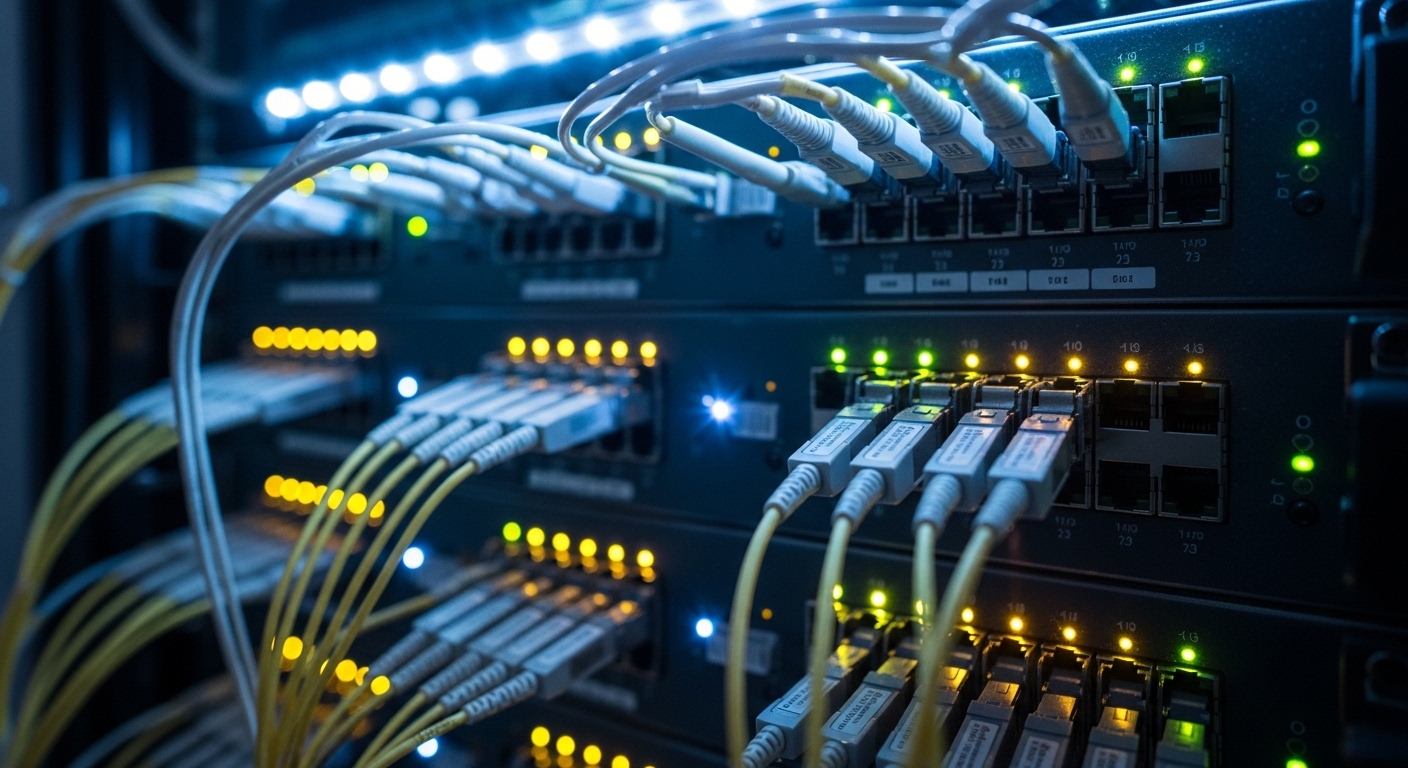
In a production network upgrade, a team replaced legacy 1G and 10G optics with higher-density SFP-10G transceivers in a liquid-cooled row. Within three weeks, monitoring showed rising DOM temperature readings and intermittent LOS events on a subset of ToR uplinks. The switch vendor’s optics compatibility list was followed, yet the failures clustered by rack position and airflow mapping, suggesting a cooling fiber optic mismatch rather than a random component defect.
IEEE 802.3 physical-layer behavior means marginal thermal conditions can reduce laser bias stability, increasing optical power variation and receiver sensitivity excursions. For engineers, the key clue was that DOM telemetry showed temperature swings correlated with coolant temperature cycling and local heat soak near the SFP cage, not with link utilization.
Environment Specs: Rack-level temperatures, coolant behavior, and SFP telemetry
The environment was a 3-tier leaf-spine topology: 48-port 10G ToR switches with 8 uplinks to a spine, plus 2 aggregation tiers. Each liquid-cooled rack used a closed-loop system with coolant entering at 18 C to 22 C, with return temperatures typically 2 C to 4 C higher. Switch air temperature sensors near the SFP cage averaged 36 C, but DOM on affected optics peaked at 83 C during peak compute.
Engineering targets were aligned to typical SFP operating limits (commonly 0 C to 70 C for many rated modules, while some vendors offer extended ranges). The team focused on two thermal pathways: (1) heat conduction from the SFP package into the cage and (2) heat dissipation from the cage into the rack cooling airflow or liquid-cooled cold plate.
| Spec Item | Chosen 10G SR SFP (Example) | Why It Matters for Cooling Fiber Optic |
|---|---|---|
| Data rate | 10.3125 Gb/s | Higher power draw increases package heat load under dense cages |
| Wavelength | 850 nm (multimode) | Thermal effects shift laser output; receiver margin can erode with drift |
| Reach | Up to 300 m over OM3 / higher over OM4 (vendor-dependent) | Short reach reduces optical budget risk, letting you isolate thermal issues |
| Connector | LC duplex | Physical fit affects cage contact pressure and thermal conduction |
| DOM support | Temperature, Tx bias, Tx power, Rx power | Telemetry enables correlation between coolant cycling and transceiver heat soak |
| Operating temperature range | Typically 0 C to 70 C (confirm per part number) | Derating beyond spec can cause increased error events and LOS |
| Power (typical) | Often around ~1 W to 1.5 W for 10G SR SFPs | Heat adds up across dozens of optics in one cage zone |
In this case, the initial optics fit mechanically, but the thermal path was suboptimal: the SFP cages were not thermally coupled to the cold plate as effectively as the rest of the chassis, and local coolant effects were delayed by heat soak in the cage.
Chosen Solution & Why: Select optics with stronger thermal margin and verify DOM behavior
The team selected a known-compatible 10G SR SFP family with consistent DOM telemetry and documented thermal performance. Example part families used in similar deployments include Cisco SFP-10G-SR and third-party optics like Finisar FTLX8571D3BCL and FS.com SFP-10GSR-85, but the decisive factor was not brand alone; it was verifying that the module meets the operating temperature requirement and that DOM readings match expected behavior under the specific rack cooling profile.
They also changed the thermal workflow: instead of relying on ambient switch air sensors, they instrumented per-port DOM and added surface temperature probes to the cage. The goal was to keep optics below the module’s rated limit with margin, so even coolant return spikes would not push the laser bias into unstable territory.
Pro Tip: In liquid-cooled racks, the cold plate cools the chassis, but the SFP cage can still behave like a thermal “island.” Always correlate DOM temperature with a physical cage surface measurement; if DOM climbs while cage surface stays steady, you may be seeing poor optical bench contact or a DOM calibration mismatch rather than true overheating.
Implementation Steps: From rack mapping to measured results
Build a thermal map by port and rack position
They tagged each uplink port and sampled DOM every 30 seconds during workload ramps. At the same time, they logged coolant inlet and return temperatures and identified rack zones where DOM peaked. This revealed that optics near specific cable routing channels absorbed more heat due to local obstruction of conduction paths.
Validate DOM thresholds and correlate to link events
They compared DOM temperature, Tx bias current trends, and Rx power drops against LOS timestamps. When temperature spikes aligned with Tx power variation rather than receiver-only changes, the team treated it as a thermal stability problem.
Improve thermal coupling and airflow clearance
Even with liquid cooling, they ensured the SFP cage area had correct chassis-to-cold-plate contact and verified that cable bends did not block heat dissipation. They also standardized transceiver seating force and removed nonessential obstructions around the cage to reduce heat soak.
Re-test with controlled workload ramps
After changes, they repeated the workload ramp and confirmed that the worst-case DOM temperature stayed below 70 C with a safety margin. Link stability improved immediately, confirming that the cooling fiber optic issue was solved at the thermal pathway level.
Measured Results & Lessons Learned: Reliability improved with real numbers
Before changes, the team observed 3 to 5 link flaps per day on affected racks, and return-to-vendor tickets were trending upward. After selecting the thermally compatible SFPs and tightening thermal coupling and installation standards, link flaps dropped to near zero on the monitored uplinks. DOM temperature peaks fell from 83 C down to 66 C to 69 C under the same workload ramp.
Operationally, they also reduced mean time to repair because troubleshooting stopped being a blind optical swap exercise. Engineers could now use DOM telemetry to confirm whether an incident was thermal versus power-budget related, aligning repair actions with the real cause.
Selection Criteria Checklist: How engineers choose cooling fiber optic optics for SFP
- Distance and optical budget: confirm reach for your fiber type (OM3/OM4), even if the issue is thermal.
- Switch compatibility: use the switch vendor’s optics list, and verify cage mechanical fit and supported DOM behavior.
- DOM support and telemetry quality: temperature, Tx bias, Tx power, Rx power should be available and stable.
- Operating temperature range: ensure the module’s rated range covers your worst-case DOM temperature with margin.
- Cooling fiber optic thermal pathway: evaluate rack cooling design, cage-to-cold-plate coupling, and obstruction risk.
- Power and derating behavior: higher-power optics increase heat load; check vendor datasheets for typical power and temperature sensitivity.
- Vendor lock-in risk: balance OEM optics reliability with third-party availability, and plan a compatibility test matrix.
Common Mistakes / Troubleshooting Tips
Mistake 1: Trusting only ambient air sensors. Root cause: SFP cages can remain warmer than the chassis air measurement. Solution: log DOM temperature per port and, if possible, verify cage surface temperature with a probe.
Mistake 2: Installing optics without consistent seating and cable clearance. Root cause: slight mechanical variation can reduce thermal conduction. Solution: standardize transceiver insertion, check for obstructions near the cage, and inspect LC latch engagement.
Mistake 3: Swapping optics during symptoms without correlating DOM trends. Root cause: LOS can be caused by thermal laser bias drift, not only bad optics. Solution: compare DOM Tx bias and Tx power trends before replacement; keep a matched spare set for fast A/B testing.
Mistake 4: Ignoring extended temperature variants. Root cause: some modules are rated for 0 C to 70 C and may fail silently near the ceiling. Solution: select optics with a rated range that covers your measured peak plus margin.
Cost & ROI Note: What you actually save with better cooling fiber optic practice
Typical 10G SR SFP pricing varies widely by vendor and certifications. In many enterprise and colocation markets, OEM optics may cost roughly $60 to $120 each, while third-party units can be lower, sometimes $25 to $70 depending on channel, lead time, and warranty. The ROI comes from fewer replacements, reduced downtime during link flaps, and faster troubleshooting using DOM telemetry rather than trial-and-error swaps.
Over a rack with dozens of optics, even a small reduction in failure rate can outweigh the price difference. TCO also depends on warranty terms and return logistics; a slightly higher unit cost that prevents repeated RMA cycles often wins in liquid-cooled high-density environments.
References & Further Reading: IEEE 802.3 Ethernet Standard | Fiber Optic Association – Fiber Basics | SNIA Technical Standards
FAQ
How do I confirm cooling fiber optic issues versus fiber cleanliness?
Use DOM trends: if temperature spikes and Tx power/bias drift correlate with LOS, suspect thermal stability. If DOM looks stable but Rx power is low immediately, start with cleaning and end-face inspection. Validate


