
AI clusters stress the physical layer: a single marginal optics choice can trigger link flaps, CRC errors, or unexpected fallback rates during training. This article helps data center, network, and field teams select the right SFP modules by translating vendor specs into operational decisions for leaf-spine and spine fabrics. You will get a comparison table, a distance and compatibility checklist, troubleshooting pitfalls, and a practical cost and lead-time perspective.
Where AI workloads stress SFP modules (and why it matters)
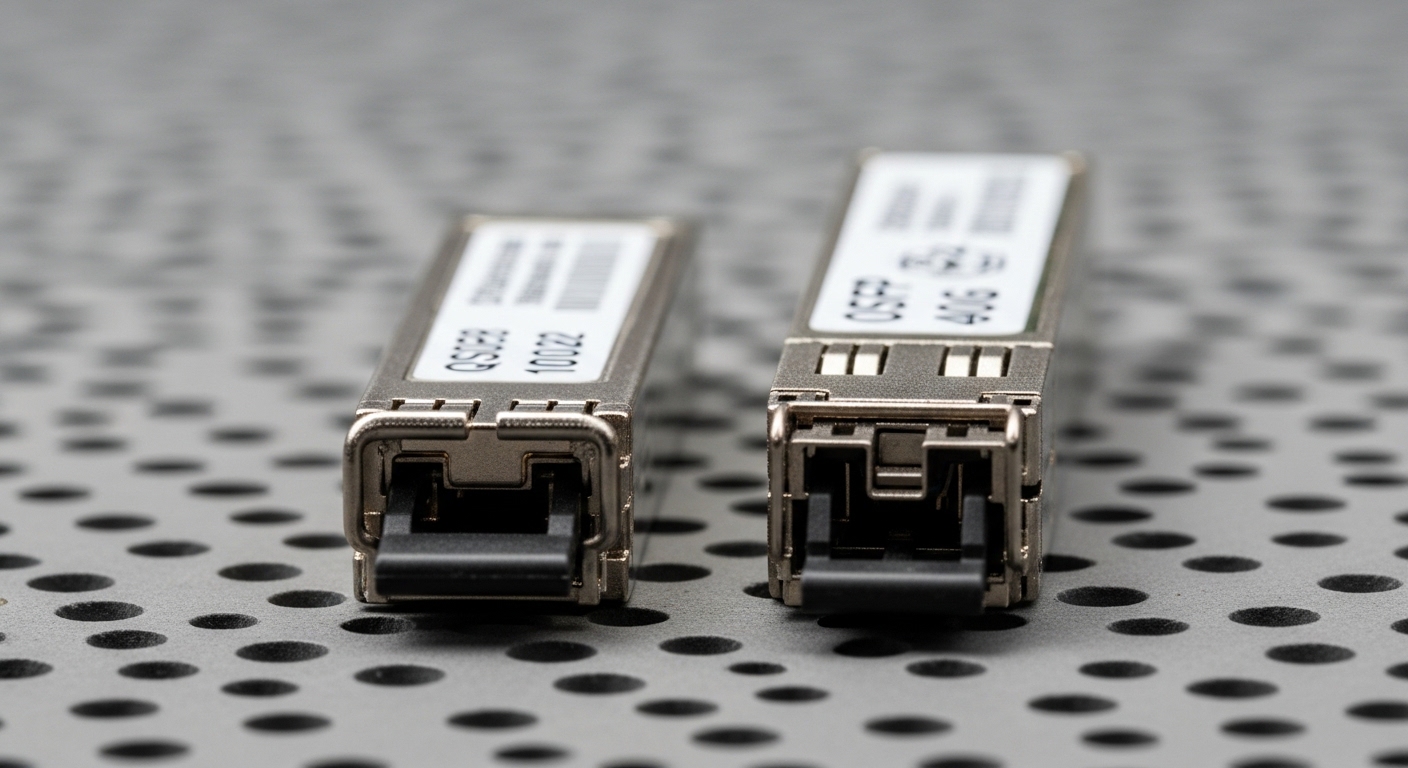
Unlike general enterprise traffic, AI workloads often create bursts of east-west traffic with tight latency budgets. In a typical 10G or 25G Ethernet fabric, optics must maintain stable optical power over time while the module repeatedly negotiates link parameters at boot and during link resets. Many failures are not “total dead optics” but intermittent degradation: higher BER, temperature drift, or connector contamination that only becomes visible under sustained utilization. Vendors align module behavior with IEEE 802.3 physical layer requirements, but real deployments also depend on switch optics support, DOM interpretation, and fiber plant quality anchor-text: IEEE 802.3 standard.
AI cluster traffic patterns that reveal marginal optics
In a training run, you may see synchronized microbursts across hundreds of links when a new batch of data is prefetched. Those bursts can push links into higher retransmission activity, making marginal optics appear as “network instability” rather than an optics issue. Engineers often confirm this by correlating interface counters (CRC, FCS errors, symbol errors) with optics temperature and received power from DOM. When the received optical power approaches the module’s sensitivity threshold, the link can still appear “up,” but error rates climb enough to degrade throughput and increase tail latency.
Key technical specs to match: reach, wavelength, interface, and DOM
To choose the right SFP modules for AI workloads, you should treat optics selection as a system matching exercise: transceiver type, wavelength, reach budget, and switch compatibility all interact. Start by identifying what the switch expects for the physical layer (for example, 10GBASE-SR for 850 nm multimode) and verify the module’s electrical interface (SFP MSA compliant). Then validate that the module includes Digital Optical Monitoring (DOM) if your operations team needs laser bias current, temperature, and received power telemetry for monitoring and alerting.
Spec comparison table (example: common 10G SFP options)
The table below compares common SFP module categories you may encounter in AI cluster deployments, especially around ToR and aggregation layers. Always confirm your exact switch port speed and supported transceiver list, but use this as a baseline for planning.
| Module family | Typical wavelength | Reach (typical) | Fiber type | Connector | Power / thermal notes | DOM availability | Temperature range |
|---|---|---|---|---|---|---|---|
| SFP-10G-SR (850 nm) | 850 nm | Up to 300 m on OM3, up to 400 m on OM4 | Multimode (OM3 or OM4) | LC | Low to moderate, typically a few watts; ensure cage airflow | Often supported; verify per vendor | Commercial 0 to 70 C or extended variants |
| SFP-10G-LR (1310 nm) | 1310 nm | Up to 10 km | Single-mode (OS2) | LC | Low to moderate; check module power class | Often supported; verify per vendor | Commercial or extended depending on SKU |
| SFP-10G-ER (1550 nm) | 1550 nm | Up to 40 km | Single-mode (OS2) | LC | Higher stability requirements; airflow still matters | Often supported; verify per vendor | Commercial or extended depending on SKU |
Practical spec translation: what you should calculate before ordering
Do not rely only on “marketing reach.” For multimode SR, budget modal effects, patch cord length, connector loss, and any splitters. For single-mode LR/ER, budget splice and connector loss, plus aging margin for long-lived AI facilities. A field-proven approach is to request or measure an optical link loss report using an OTDR or insertion-loss testing kit, then compare it to the module’s stated power budget. If your team uses DOM, plan alert thresholds around received power drift rather than waiting for link drops.
Pro Tip: In AI clusters, the most “expensive” optics problems often show up as link flaps during maintenance windows, not during baseline traffic. Validate that your switch supports the exact transceiver vendor and that DOM thresholds do not trigger unexpected administrative disable actions when the module temperature spikes after a chassis fan ramp-up.
Switch compatibility and operational behavior: what to verify before procurement
Even when a module is electrically compatible with SFP MSA, switch vendors can implement additional constraints: firmware expects specific vendor IDs, specific DOM field mappings, or specific link negotiation behavior. For AI workloads that rely on stable ECMP and fast convergence, optics that cause repeated link resets can create cascading routing churn. Therefore, procurement should require a compatibility matrix check and a short validation test on a spare port prior to scaling.
Compatibility checks that procurement and field teams can agree on
- Distance and fiber plant fit: Confirm SR vs LR vs ER based on measured or documented cabling distances and fiber type (OM3/OM4 vs OS2).
- Switch port speed and signaling: Ensure the switch supports the intended speed and that auto-negotiation behavior matches your design (avoid unintended downshifts).
- Vendor compatibility and lock-in risk: Check the switch optics support list; plan a second vendor option if your procurement policy allows it.
- DOM support and monitoring plan: Confirm DOM presence and whether your monitoring stack can parse vendor-specific fields correctly.
- Operating temperature and airflow: Verify the module’s temperature range and the chassis airflow profile; AI clusters often have higher ambient near rear exhaust.
- Supply chain risk and lead time: Validate lead time for the exact SKU, not just “10G-SR”; secure alternate sources and keep spares.
DOM and telemetry: how it impacts AI operations
DOM is not just an observability feature; it becomes a control lever. Teams can set proactive alerts for rising temperature or declining received power, then schedule cleaning or patch cord replacement before a training window. However, DOM field names and scaling can differ across vendors, and some monitoring tools assume standard units. To avoid false alarms, test DOM parsing in your environment and confirm values correspond to expected ranges for your transceiver category.
Cost, ROI, and supply chain planning for AI rollouts
Optics cost is only part of total cost of ownership (TCO). A cheaper module that causes link instability can cause expensive downtime, increased support tickets, and delayed training schedules. In practice, OEM-branded SFP modules often carry a premium, while third-party or compatible modules can reduce unit cost but increase validation and risk management effort. For budgeting, plan not only for purchase price but also for testing time, spares, and the operational overhead of troubleshooting.
Realistic price ranges and TCO considerations
As a planning baseline in many markets, a 10G-SR SFP module commonly ranges from about $40 to $120 depending on OEM vs compatible sourcing, temperature grade, and DOM features. 10G-LR and 10G-ER typically cost more, with single-mode options often landing in the $80 to $250 range for common enterprise SKUs. ROI improves when the module choice reduces failed deployments: if third-party optics require more burn-in tests or generate higher return rates, the savings can vanish quickly. Procurement should also request documented lead times and failure rate history from suppliers, especially for large AI expansions where you might deploy hundreds or thousands of ports.
Lead time and risk controls that procurement should enforce
For AI rollouts, lead times can swing due to semiconductor and optical component availability. Mitigate this by locking multiple approved SKUs, maintaining a small pool of spares per rack row, and using a staged rollout: validate on a limited number of links, then expand. A field-friendly approach is to include a “port swap” plan in your maintenance procedure so you can isolate optics vs fiber issues quickly. If your supply chain policy allows it, use a second vendor for the same optical class but still validate compatibility on your switch model.
Common mistakes and troubleshooting tips for SFP modules in production
Most optics issues are avoidable if you treat the physical layer as a measurable system. Below are common failure modes seen during AI cluster bring-up and ongoing operations, along with root causes and fixes.
Link flaps after warm reboot or fan speed changes
Root cause: Module temperature or bias current drift during thermal transients, sometimes combined with insufficient airflow or a marginal chassis temperature profile. Some modules also react differently to switch power cycling.
Solution: Confirm module temperature grade and airflow adequacy; validate in a test window that includes chassis warm reboot. Use DOM to track temperature and laser bias current during the reboot sequence, not just after link stabilizes.
High CRC or FCS errors that correlate with received power
Root cause: Fiber connector contamination, excessive patch cord loss, or a mismatch between expected and actual fiber type (for example, OM3 installed where OM4 assumptions were made). In multimode SR, small link margin issues can become visible under bursty AI traffic.
Solution: Clean LC connectors using approved procedures, replace suspect patch cords, and verify insertion loss with test equipment. Confirm the module class matches the planned fiber plant and that patch lengths are within the calculated power budget.
“Up but not passing traffic” due to port speed or optics negotiation mismatch
Root cause: Switch firmware expects a specific transceiver behavior profile; auto-negotiation or breakout configuration can cause the port to come up at an unexpected mode. Some platforms also enforce optics vendor allow-lists.
Solution: Verify port configuration (speed, breakout, and admin state) and confirm compatibility with the exact switch model. Run a controlled test: move the optics to a known-good port and compare error counters and link state transitions.
DOM telemetry is misleading or monitoring shows false alarms
Root cause: Monitoring tools interpret DOM scaling incorrectly, or the module provides DOM fields that differ from what the collector expects. This can lead to incorrect thresholds and wasted troubleshooting cycles.
Solution: Calibrate your monitoring by comparing reported received power and temperature with known reference behavior during a stable run. Update DOM parsing logic or adjust thresholds per transceiver class after validation.
FAQ: SFP modules for AI workloads
How do I choose between SFP-10G-SR and SFP-10G-LR for an AI cluster?
Select based on fiber type and distance. Use SR (850 nm) for short links over multimode OM3/OM4 and LR (1310 nm) for longer runs over single-mode OS2. Always confirm with measured link loss and power budget rather than relying on maximum spec reach.
Do I need DOM support for AI operations?
DOM is strongly recommended when your operations team wants proactive monitoring. It enables alerts on temperature and received power drift before link instability becomes visible through performance degradation. If you use third-party monitoring, test DOM parsing to avoid false alarms.
Are third-party SFP modules acceptable for production AI systems?
They can be acceptable if the supplier has a compatibility track record for your exact switch model and if you validate behavior under your reboot and thermal profiles. The risk is not only module failure but also monitoring differences and negotiation quirks that can increase operational overhead.
What temperature range should I plan for in high-density AI racks?
Plan around the module’s specified operating temperature plus your measured chassis ambient near the port. AI clusters often run sustained high utilization with uneven airflow, especially near exhaust zones. Use DOM and chassis sensor data to confirm stability during peak load.
What is the fastest way to isolate an optics issue during training downtime?
Swap the SFP module with a known-good spare on the same port first, then test the fiber path by moving the patch cord to a verified channel. Correlate with interface error counters and DOM received power to determine whether the problem follows the module or the fiber.
How should procurement handle lead time risk for large AI rollouts?
Lock multiple approved SKUs, stage deployments, and keep spares per rack row or per spares pool policy. Require lead time commitments for the exact part numbers and include a contingency plan for last-minute substitutions with pre-approved compatibility.
Choosing SFP modules for AI workloads is less about picking a “supported optics type” and more about matching reach, monitoring, thermal behavior, and switch compatibility to your actual fiber plant. Next step: review your switch optics support list and run a small validation test using the same port settings and reboot procedures you will use during the AI rollout compatibility testing for transceivers.
Author bio: I have hands-on experience deploying Ethernet optics in leaf-spine and AI cluster environments, including DOM-based alert tuning and OTDR-driven fiber acceptance testing. I write procurement-ready guidance that field teams can validate during bring-up and maintenance windows.
