
Nothing ruins a night shift like a surveillance feed that looks like it is being watched through steamed-up glass. If you are building long-distance IP surveillance runs, a CCTV fiber module can stabilize your link budget and reduce noise headaches versus copper. This article helps security integrators, field techs, and network engineers pick the right SFP-based fiber option for camera-to-NVR and camera-to-switch paths. You will also get practical troubleshooting steps that match real deployment failures.
Why SFP fiber links beat copper for IP surveillance runs
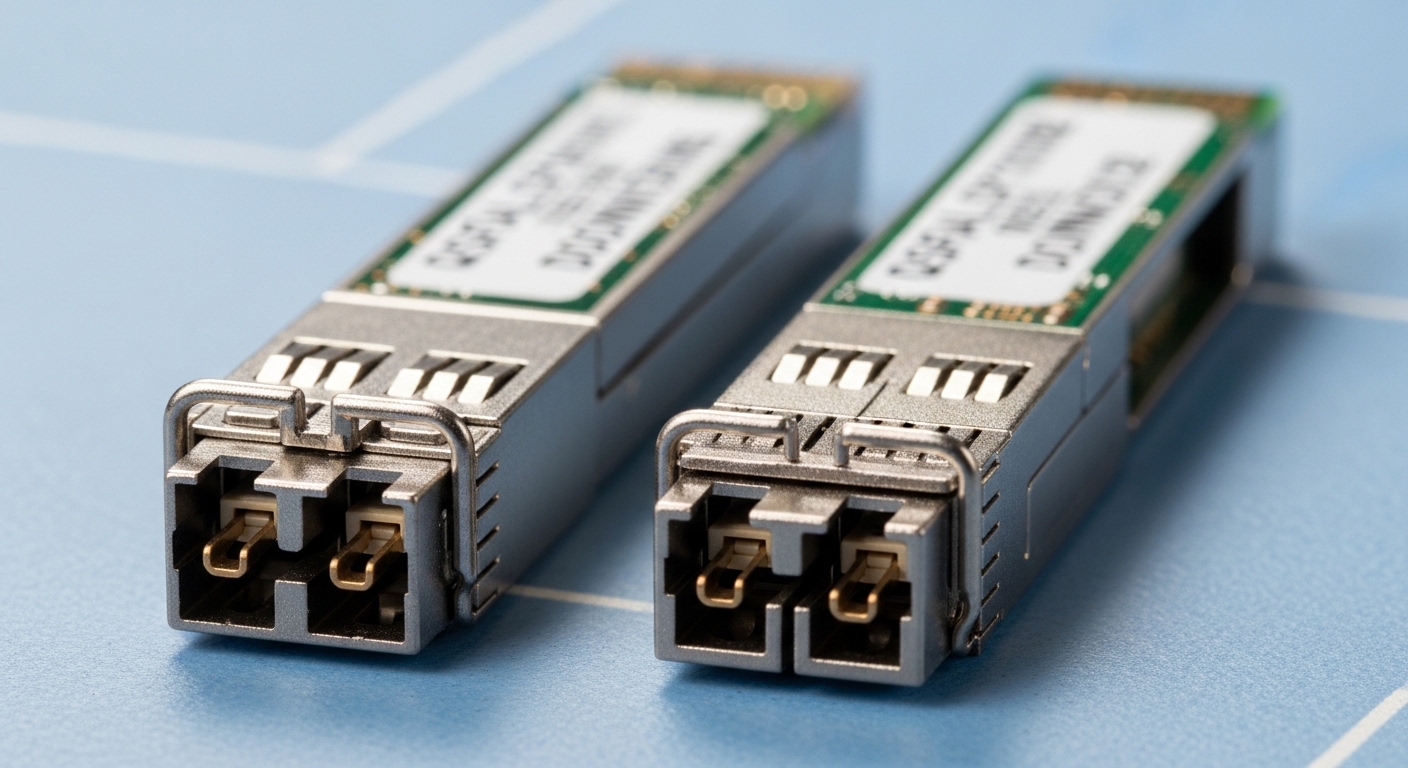
Most IP surveillance networks still start with a simple idea: bring camera video back to an NVR or PoE switch. Over short distances, copper Ethernet is convenient; over longer distances, copper losses, interference, and surge events start writing their own maintenance tickets. Fiber, paired with an SFP transceiver, moves the transmission problem into optics where attenuation is predictable and EMI is largely a non-issue. IEEE 802.3 Ethernet standards define the physical layer behavior, and vendor datasheets define how the optics meet those requirements for reach and power.
What “long-distance” really means in camera topologies
In real sites, long-distance rarely means “the spec sheet says 10 km, so we are good.” It usually means you have 2 km to 8 km of aerial or buried plant between camera poles and the nearest aggregation switch. Then you add splice losses, patch cord losses, and possible dirty connectors. Those losses shrink your optical budget faster than people shrink their coffee cups.
Operational reliability lens (ISO 9001 style)
From a reliability and quality perspective, your goal is consistent performance across acceptance, commissioning, and ongoing maintenance. That means standardizing module type, connector cleanliness procedures, and test measurements (optical power and link status). If you are tracking nonconformities, you want a repeatable method: same SFP family, same fiber type, same wavelength, and documented power levels at install time.
Key CCTV fiber module specs: match wavelength, reach, and connectors
Choosing the right SFP is mostly an optics-and-compatibility exercise. You must align fiber type (typically 62.5/125 µm multimode or 9/125 µm single-mode), wavelength (commonly 850 nm for MMF and 1310 nm or 1550 nm for SMF), and connector family (often LC). Then you confirm data rate and link behavior with the switch: the module should be supported, and the switch should negotiate the same Ethernet line rate.
Practical spec comparison for common SFP options
Below is a field-friendly comparison of typical SFP variants used for CCTV fiber module deployments. Real vendor specs vary by exact model; always confirm against the transceiver datasheet and your switch vendor compatibility list.
| Spec | 10G MMF SFP SR (850 nm) | 10G SMF SFP LR (1310 nm) | 1G SMF SFP LX (1310 nm) |
|---|---|---|---|
| Typical data rate | 10.3125 Gbps | 10.3125 Gbps | 1.25 Gbps |
| Target fiber | OM3/OM4 multimode | OS2 single-mode | OS2 single-mode |
| Typical reach (marketing) | 300 m to 400 m | 10 km | 10 km to 20 km |
| Connector style | LC (common) | LC (common) | LC (common) |
| Power class / budget | Shorter budget; higher sensitivity to patch loss | Comfortable budget for camera runs with splices | Budget varies by vendor; check Rx sensitivity |
| Operating temperature | Usually -5 C to 70 C (verify) | Often -5 C to 70 C or wider | Often -5 C to 70 C or wider |
| Common example models | Cisco SFP-10G-SR, Finisar FTLX8571D3BCL | Finisar FTLX1471D3BCL, FS.com 10G-LR | Cisco GLC-LH-SMD, FS.com 1G-LX |
Connector and fiber type: the “gotcha” duo
Most CCTV fiber module failures are not mystical; they are mechanical. A single APC versus UPC mismatch on a connector can reduce returns and impact some link behaviors, while a wrong fiber type (multimode versus single-mode) can make the link appear dead. If your site uses OS2 single-mode, do not “just try” an 850 nm multimode module because it arrived faster than the correct part.
Pro Tip: During acceptance testing, record both ends: measure receive power at the switch with a calibrated optical power meter (or transceiver diagnostic readings if your platform is trustworthy). If you only test at the NVR side, you will miss connector contamination or splice loss introduced earlier in the field run.
Deployment scenario: pole-mounted cameras across a 6 km fiber run
Consider a real-world-ish layout: a 3-tier IP surveillance network in a mixed urban-suburban site with 48 cameras deployed on light poles. Each camera streams at 4 Mbps H.264, aggregated by two edge PoE switches at the poles. From those edge switches to a central aggregation switch, you run 6 km of buried OS2 single-mode fiber with 12 splice points and roughly 18 patch cord meters total across cabinets. You choose a 10G SMF SFP LR (1310 nm) pair to carry uplink traffic between the edge and aggregation layers.
In commissioning, a field engineer budgets optical loss: fiber attenuation around 0.35 dB/km, splice loss assumed 0.1 dB per splice, and connector/patch losses that add up quickly if the cleaning procedure is skipped. With 6 km, the fiber loss is about 2.1 dB, splices add about 1.2 dB, and patching might add another 0.5 to 1.5 dB. That leaves margin for aging and seasonal temperature swings, assuming the transceiver Rx sensitivity and vendor optical budget align.
Selection criteria checklist for CCTV fiber module projects
Engineers rarely fail because they do not know “fiber is better than copper.” They fail because they pick the wrong optical flavor, ignore switch compatibility, or under-estimate environmental realities. Use this ordered checklist like a small ritual before you order the parts.
- Distance and link budget: Calculate fiber loss plus splice and connector losses. Confirm the transceiver optical budget supports your margin. Include worst-case connector cleanliness scenarios.
- Fiber type and wavelength: Match OM3/OM4 for 850 nm MMF, and OS2 for 1310 nm or 1550 nm SMF. Do not mix them unless you enjoy troubleshooting for sport.
- Data rate and Ethernet mode: Ensure the camera uplink and switch ports support the transceiver data rate (1G versus 10G). Use the vendor datasheet and switch port documentation.
- Switch compatibility and DOM support: Verify if the switch supports the specific SFP family and whether DOM (Digital Optical Monitoring) is required for your monitoring workflow.
- Connector type and physical fit: Confirm LC versus other form factors, plus whether the switch cage expects a specific transceiver form factor.
- Operating temperature and environmental rating: Outdoor cabinets can exceed comfort levels. Check transceiver temperature range and consider airflow or heat shielding if needed.
- Vendor lock-in risk: OEM modules can work flawlessly, but third-party modules may require compatibility validation. Plan spares strategy with a documented interchangeability test.
For standards context, the Ethernet physical layer behavior is defined by IEEE 802.3 for the relevant link speeds and optical interfaces, while vendor datasheets define the exact optical reach and safety constraints. Helpful references include IEEE 802.3 and vendor transceiver documentation such as Cisco and Finisar datasheets.
Common pitfalls and troubleshooting tips in the field
Here are the failure modes that show up in real CCTV fiber module installs. I have seen all of these ruin a deployment schedule, usually right after the vendor said, “It should just work.”
“Link up, but video drops” after connector cleaning is skipped
Root cause: Dirty LC endfaces introduce excess loss and intermittent signal degradation, especially after reconnecting patch cords. The link may train initially, then degrade under temperature or vibration. Solution: Use lint-free wipes and approved cleaning tools; inspect with a microscope if available; then re-seat and re-test optical power. Follow a documented cleaning SOP and retrain if needed.
Wrong transceiver type for the installed fiber
Root cause: Installing an 850 nm multimode SFP into an OS2 single-mode run (or vice versa). The optics will not meet the required coupling conditions, and the link may never come up. Solution: Verify fiber type at the splice location with labeling records and a fiber identification test. Confirm by checking the planned wavelength and module part number alignment.
Budget is “on paper,” but real splices exceed assumptions
Root cause: Field splicing quality varies, and splice loss can be >0.1 dB if procedures are inconsistent or if fibers were stressed during burial. Patch cord losses and additional connectors at cabinets can also exceed estimates. Solution: Measure received power. If your platform provides DOM readings, correlate them with meter readings during commissioning. Add margin by choosing an LR-class module or improving splice/connector quality.
Switch port incompatibility or absent DOM behavior
Root cause: Some switches are picky about SFP EEPROM identification, optics class, or DOM reporting. Link negotiation may fall back to a less optimal mode or fail entirely. Solution: Use the switch vendor compatibility list; test one known-good module in the target port before rolling out. If DOM is required for monitoring, confirm the module supports the expected DOM format and thresholds.
Cost and ROI: OEM versus third-party CCTV fiber modules
Pricing depends on data rate, reach, and whether you buy OEM or third-party. In typical procurement environments, a 1G SMF SFP LX might cost roughly $20 to $60 each, while a 10G SMF LR SFP often lands around $60 to $180 depending on brand and warranty. OEM modules can be higher, but they can reduce integration time and lower the risk of compatibility surprises.
ROI comes from fewer truck rolls, faster commissioning, and lower failure rates through standardized optics and documented testing. If you have hundreds of camera links, even a small reduction in rework time becomes real money. However, third-party modules can still be cost-effective when you do a compatibility validation test and standardize on a few approved models.
For reference, consult your chosen module vendor datasheets for optical budget, DOM support, and safety compliance. Reputable transceiver sellers often publish detailed specs for models like Finisar and FS.com offerings, and Cisco provides OEM part documentation for their SFP families. See vendor datasheets and switch documentation as the source of truth.
FAQ
What is a CCTV fiber module, exactly?
A CCTV fiber module is typically an SFP (or similar pluggable transceiver) that converts electrical Ethernet signals to optical signals for carrying IP surveillance traffic over fiber. The “CCTV” part usually means it is deployed in camera networks, not that it is a special optical species. You still choose it based on wavelength, reach, data rate, and connector type.
Do I need multimode or single-mode fiber for long camera runs?
If your distance is beyond a few hundred meters, single-mode OS2 with 1310 nm or 1550 nm optics is usually the safer choice. Multimode 850 nm modules can work for short indoor or short outdoor runs, but the budget shrinks quickly when splices and connectors appear. Always match the module to the installed fiber type.
How do I confirm link budget before installation?
Calculate expected loss: fiber attenuation by distance plus splice loss plus connector and patch cord loss. Then verify with measurements during commissioning: optical power meter readings or reliable transceiver diagnostics. This is where you prevent “it should work” from turning into “why is it down at 2 a.m.?”
Will any SFP work in my surveillance switch?
Not always. Switches may require specific SFP identification behavior, and some platforms expect DOM support for monitoring. Use the switch vendor compatibility list and test a known-good module in the exact port model before scaling deployment.
What temperature issues should I expect outdoors?
Outdoor cabinets can see high ambient temperatures during summer sun and low temperatures at night. Transceiver temperature range matters, and so does enclosure airflow. If you are stacking multiple modules, consider thermal management to avoid drift in optical performance.
Are third-party CCTV fiber modules a bad idea?
They are not inherently bad, but you must validate compatibility and performance. The best ROI comes from standardized models, documented test results, and a spares strategy. If you skip validation, you risk inconsistent behavior and delayed repairs.
If you want fewer surprise outages, treat your CCTV fiber module selection like a mini quality system: match fiber type and wavelength, calculate and measure the optical budget, and verify switch compatibility before the roll-out. Next, review fiber splicing and connector cleaning best practices to keep your optical losses boring and your cameras reliably boring too.
Author bio: Field-reliability engineer who has commissioned fiber camera networks across outdoor cabinets, measuring optical power and documenting failure modes for maintainable operations.
Author bio: Hands-on with IEEE 802.3 physical-layer constraints, DOM monitoring workflows, and MTBF-oriented spares planning for security deployments.
