
When a telecom backbone upgrade is delayed, the cost is not measured in dollars alone; it is measured in lost capacity and delayed services. This article helps network engineers and field operators plan, qualify, and purchase 800G transceivers with practical compatibility checks, realistic optics choices, and failure-proof commissioning steps. You will leave with a step-by-step buying and deployment workflow designed for uptime, not wishful testing.
Prerequisites before you touch procurement
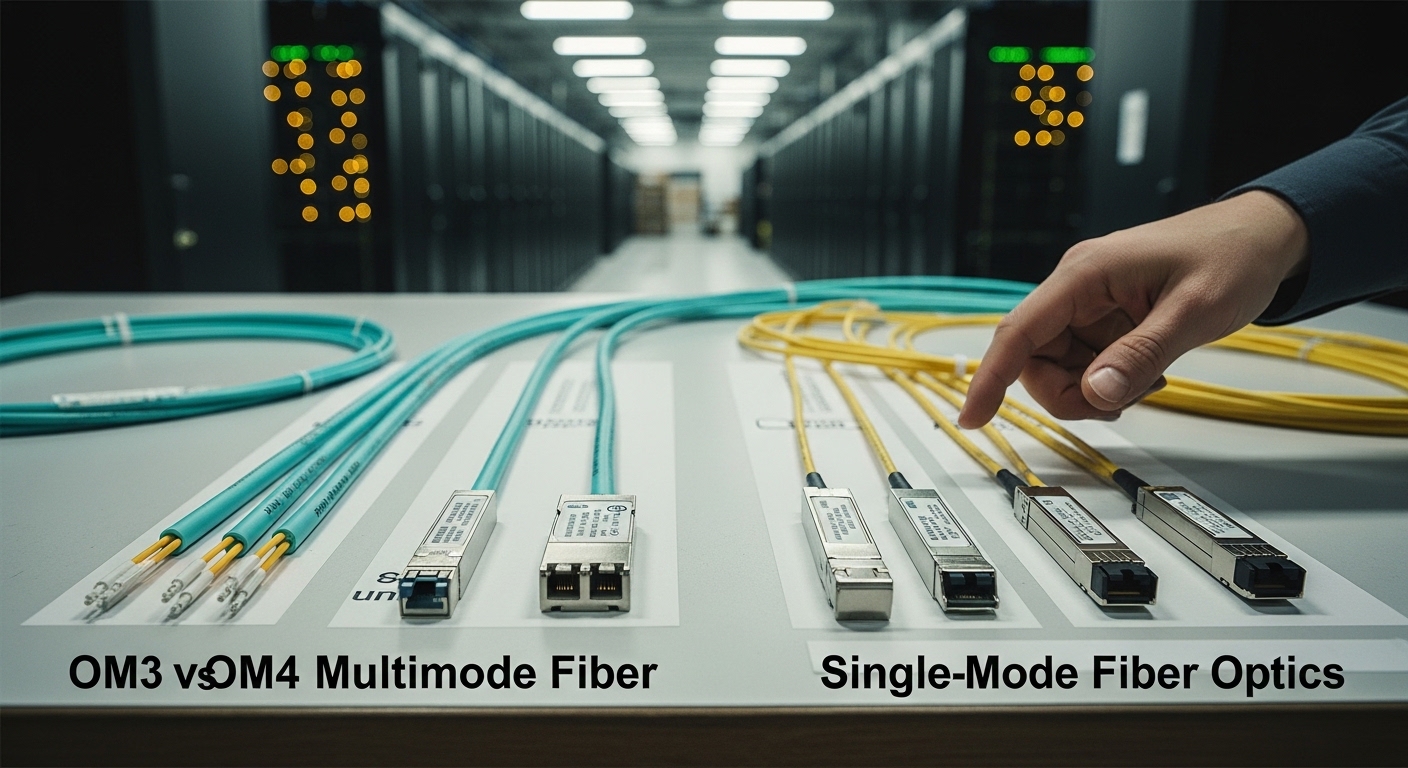
Before you request quotes, confirm the target line cards, optical budget approach, and the exact transport standard your network runs. Most telecom deployments center on 800G Ethernet over coherent or next-generation short-reach optics, depending on span length and vendor platform. Also gather acceptance criteria: vendor interoperability notes, DOM behavior, and minimum vendor firmware versions.
In practice, I recommend you assemble a short “optics dossier” per site: switch model, port speed mode, supported optical types, required connector (LC duplex or MPO), and the expected temperature class. For standards grounding, review IEEE Ethernet evolution guidance and vendor transceiver compliance claims via datasheets. For baseline Ethernet behavior, see [Source: IEEE 802.3]. For optical module expectations, rely on vendor datasheets and compliance statements. anchor-text: IEEE 802.3 working group
Decode which “800G” you actually need (reach, modulation, and interface)
“800G transceivers” is a family name, not a single device. Your choice is driven by reach and topology: metro aggregation, long-haul, or intra-data-center fan-out. Many telecom upgrades use coherent optics for longer spans, while shorter distances may use direct-detect or advanced parallel optics—each comes with different power consumption, optics type, and commissioning behavior.
Key spec fields engineers must read first
Focus on wavelength band, reach, data rate mode, connector type, and optical power ranges. Also validate the host interface: some platforms expect specific form factors and lane mappings, even when the marketing says “800G.” Confirm DOM support (digital optical monitoring) and whether the module supports alarm thresholds your NMS can read.
| Spec category | What to verify | Why it matters |
|---|---|---|
| Line rate | 800G at the host’s negotiated mode | Prevents silent link failures or auto-negotiation mismatch |
| Reach | Target span (meters to kilometers) | Determines coherent vs short-reach optics path |
| Wavelength | Band and nominal wavelength(s) | Must match fiber type and ROADM filtering |
| Connector / polarity | LC duplex vs MPO, polarity method | Prevents swapped fibers and degraded receive power |
| Optical power | Tx power and Rx sensitivity ranges | Ensures link budget closure |
| DOM and alarms | Supported DOM fields and thresholds | Enables automated health monitoring and early fault detection |
| Temperature range | Operational class (often commercial vs extended) | Prevents intermittent errors in hot aisles |
Authority checks: for Ethernet behavior and interface assumptions, consult IEEE 802.3. For specific optical parameter ranges, rely on the module datasheet and the host vendor compatibility list. [Source: IEEE 802.3] anchor-text: IEEE 802.3
Build a link budget and a fiber reality check
A buying decision without a link budget is a gamble disguised as engineering. Start with measured insertion loss (not labels), connector cleanliness, and patch cord aging. Then include transceiver launch power, expected dispersion penalties (where coherent or advanced modulation applies), and any ROADM add-drop filtering.
For field operations, I have seen “works on the bench” modules fail on-site because the patch panel jumpers differ from the lab reference. Measure end-to-end loss with an OTDR or calibrated power meter and verify fiber type (single-mode grade, end-face condition). If the network uses inline optics, confirm the ROADM or mux/demux passband aligns with the module’s wavelength set.
Shortlist modules by compatibility, not by price
In telecom, the host platform is the gatekeeper. Confirm the switch or router model supports the exact transceiver type and form factor, and verify firmware compatibility. A third-party module can be valid, but you should expect more commissioning nuance: DOM mapping, alarm thresholds, and sometimes vendor-specific vendor ID handling.
What to look up in vendor documentation
Check the host vendor’s optics compatibility matrix and the module manufacturer’s interoperability notes. For concrete examples, many ecosystems discuss specific part families such as Cisco optics listings and Finisar/Flexoptix style coherent and short-reach offerings; still, always verify your exact host model and software release. When using a third-party module, request a compatibility letter or test report for your platform.
Pro Tip:
Before you commit to a shipment, run a DOM read test immediately after insertion: confirm that tx bias, rx power, temperature, and vendor alarm flags appear in your NMS with correct units. Field teams often catch “almost compatible” transceivers this way long before traffic tests, because some modules expose DOM fields differently even when the link comes up briefly.
Commission in a controlled sequence (and record evidence)
Commissioning should be staged: start with a single port pair, validate optical health, then expand. Use a maintenance window to avoid cascading alarms. Enable interface diagnostics and capture baseline telemetry: link up time, tx power, rx power, and any corrected error counters.
Operationally, I deploy in a leaf-spine telecom-like fabric where 48-port 800G-capable line cards are common. In one staged rollout, we moved 8 uplinks first to validate optics behavior under real patch panel conditions, then expanded to 24 uplinks after confirming stable temperature telemetry within the target range. We planned for at least 30 minutes per optics batch for telemetry review and fiber re-cleaning if needed.
Choose between OEM and third-party with a realistic TCO lens
Price is only one line item. OEM optics often cost more upfront but may reduce truck rolls and compatibility friction, which can dominate total cost during upgrades. Third-party optics can lower acquisition cost, but you must budget time for qualification, possible firmware workarounds, and higher odds of “works but alarms differ” incidents.
Typical street pricing varies by reach and technology, but in many markets you may see several hundred to a few thousand USD per 800G transceiver depending on coherent vs short-reach and vendor brand. TCO should include spares strategy, expected failure rates, power draw, and your operational effort for DOM/alarm mapping. For telecom buyers, a smaller “qualified spares pool” often beats buying everything at once.
Selection criteria checklist you can apply immediately
- Distance and reach: choose coherent vs short-reach based on measured span, not brochure reach.
- Budget and procurement model: include qualification labor and integration time in your total cost.
- Switch compatibility: verify exact host model and software release support.
- DOM support: confirm telemetry availability and units for tx/rx power and alarms.
- Operating temperature range: ensure extended temperature class for hot aisles and constrained airflow.
- Vendor lock-in risk: assess if you can standardize across sites and suppliers without rework.
- Connector and polarity: lock down LC vs MPO and polarity method early to avoid field swaps.
Common mistakes and troubleshooting (top failure points)
Link comes up, but errors climb rapidly
Root cause: marginal optical budget due to unmeasured patch panel loss, dirty connectors, or wrong polarity on MPO/LC adapters. Solution: clean connectors with a proper fiber cleaning workflow, verify polarity, then re-measure optical power at the receiver and compare to datasheet sensitivity.
Port stays down or flaps during negotiation
Root cause: incompatible transceiver type or lane mapping expectations on the host, sometimes triggered by firmware mismatch. Solution: confirm the module’s transceiver type matches the host’s supported optics list and align host software/firmware to the vendor’s recommended release.
DOM alarms appear “wrong” in monitoring
Root cause: DOM field mapping differences or threshold configuration mismatch, especially with third-party optics. Solution: validate DOM readout via direct telemetry queries, then update NMS threshold profiles and alarm interpretations based on vendor DOM documentation.
FAQ
Q: Are 800G transceivers always compatible across different switch brands?
A: Not reliably. Even when a module is “800G,” the host may require a specific form factor, DOM behavior, or firmware compatibility. Always use the host vendor compatibility matrix and validate DOM telemetry before scaling.
Q: How do I choose between coherent and short-reach optics for telecom?
A: Use reach and span environment as your primary decision driver. Coherent optics are typically favored for longer distances and more complex routing, while short-reach options target lower-loss metro or shorter intra-facility runs. Confirm with measured optical budget and filtering constraints.
Q: What DOM fields should I insist on during acceptance testing?
A: At minimum, verify tx bias/current, tx power, rx power, temperature, and alarm flags with correct units. Also confirm that your monitoring system can interpret thresholds consistently so alarms are actionable rather than noisy.
Q: What is the most common field failure during 800G rollout?
A: Connector cleanliness and polarity errors are frequent, especially with dense MPO patching. A structured cleaning and polarity verification step before traffic tests prevents many “mystery” error escalations.
Q: Should I buy OEM optics or third-party for telecom upgrades?
A: OEM optics often reduce integration friction and may speed commissioning, improving uptime risk profiles. Third-party optics can reduce acquisition cost but require qualification time and careful DOM/alarm validation. A balanced approach is to qualify one third-party source per host family and keep a small OEM-qualified fallback for critical links.
Q: How many spares should we stage for an 800G migration?
