
In modern racks, your data center connectivity choices often come down to a simple question: do you want the clean, reach-friendly behavior of an Active Optical Cable (AOC), or the low-latency, low-cost efficiency of a Direct Attach Copper (DAC)? This article helps data center network engineers and field technicians compare AOC versus DAC using practical numbers from switch-to-switch and server-to-ToR deployments. You will see real compatibility constraints, power and thermal considerations, and the most common failure modes seen during rollouts.
Why AOC and DAC behave differently in real data center connectivity links
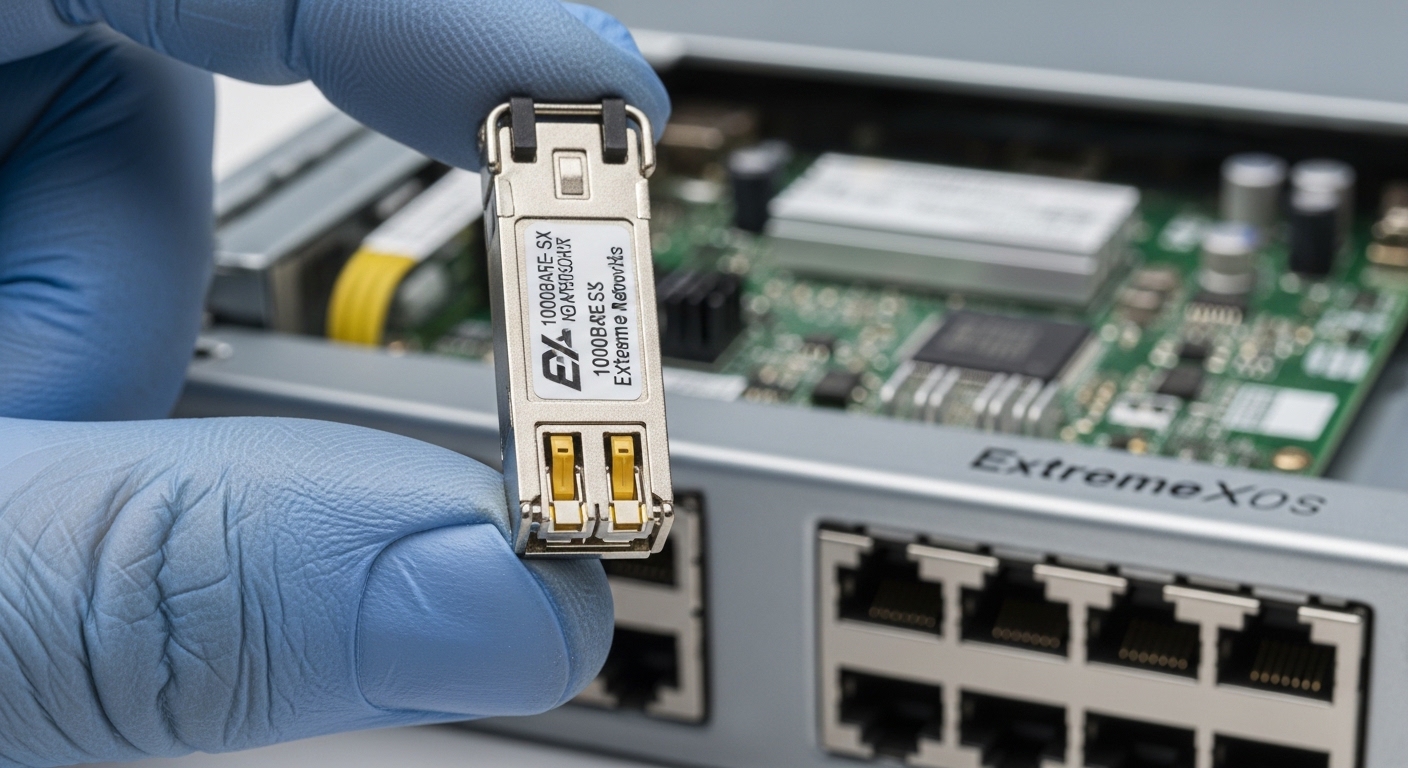
AOC and DAC both solve the same physical problem—moving high-speed signals between adjacent endpoints—but they do it with different media and electronics. A DAC uses copper conductors plus integrated transceiver electronics, typically designed for short reach with tight electrical equalization budgets. AOC replaces copper with optical transmission inside an integrated cable, which can improve reach and reduce EMI sensitivity while introducing optical power management concerns.
In practice, the biggest operational difference is how each technology fails. DAC links often degrade in discrete ways tied to connector seating, bend radius, and oxidation on contacts, especially when cables are repeatedly moved during patching. AOC links can fail more “cleanly” at the optics layer—loss of signal, link flaps, or alarm thresholds—often related to improper handling, dust on MPO-style interfaces, or mismatched optics expectations with the host switch.
If you are building 25G, 50G, 100G, or 200G connections in a leaf-spine or top-of-rack design, the choice impacts not only link reach but also thermal density and maintenance workflow. For standards context, Ethernet electrical and optical behaviors are governed by IEEE 802.3 families, while vendor implementations determine exact reach and diagnostics behavior. IEEE 802.3
Key specs comparison: AOC vs DAC at 25G to 400G
Below is a practical comparison using representative module and cable classes you will encounter in commercial data centers. Exact performance varies by vendor and transceiver generation, but these ranges match how most engineers plan link budgets and spares.
| Spec | DAC (Direct Attach Copper) | AOC (Active Optical Cable) |
|---|---|---|
| Typical data rates | 25G, 40G, 50G, 100G (cable variants), sometimes 200G/400G | 25G, 50G, 100G, 200G, 400G (integrated optical cable variants) |
| Typical reach (planning range) | 1 m to 7 m (varies widely by speed and vendor) | 5 m to 100 m+ depending on wavelength and optics class |
| Media | Copper conductors inside a twinax or multi-conductor structure | Optical transmission inside an integrated cable assembly |
| Connector style | Integrated plug ends (often SFP/SFP28-like or QSFP-like physical form factors) | Integrated plug ends; often QSFP-DD style for 400G-class AOC, LC or MPO in some designs |
| Power profile | Lower optical power concerns; power depends on SERDES and cable equalization | Optical transmit power and receive sensitivity; power is typically higher than passive optics but predictable |
| Link diagnostics | Often supports DOM-like reporting for temperature and alarms; varies by vendor | Usually supports digital diagnostics similar to optical transceivers; varies by vendor |
| Temperature range | Commonly 0°C to 70°C for standard parts; some extended options exist | Commonly 0°C to 70°C for standard parts; many offer extended variants |
| EMI sensitivity | More sensitive to airflow and cable management in dense racks | Generally more robust against EMI due to optical path |
For concrete examples, many data center teams use branded DACs like Cisco SFP-10G-SR is not a DAC, but typical DAC equivalents exist in QSFP-DD and SFP28 categories; for optics-based AOC, you will see vendor part families similar to Finisar and FS.com AOC offerings such as FS.com SFP-10GSR-85 for optics modules, while AOC assemblies are typically sold as integrated cables rather than standalone optics. Always check the exact host port speed and breakout mode.
Also note that “compatibility” is not just electrical signaling. Vendor firmware sometimes expects specific vendor IDs or transceiver diagnostic behaviors. That is why field teams keep a small verified inventory of the exact part numbers that have passed acceptance testing on their switch models.
Decision checklist: choosing AOC or DAC for data center connectivity
The fastest way to decide is to treat it like a link engineering problem plus an operational maintenance problem. Engineers typically score the options using a short ordered checklist, then validate with a small pilot set.
- Distance and routing path: If the route is under the DAC reach for your exact speed (often a few meters), DAC may win on simplicity. If you need to cross underfloor cable trays or route around hot aisle constraints, AOC reach can be the deciding factor.
- Switch and port compatibility: Confirm the host switch supports the cable type at the target speed and FEC mode. Validate with vendor compatibility matrices where available.
- Power and thermal budget: In dense leaf-spine racks, optics and cables both contribute to local heat. Check airflow assumptions and cabinet temperature profiles during commissioning.
- Diagnostics and DOM support: Prefer cables that provide stable digital diagnostics for alarms, temperature, and optical power. If you are using monitoring systems, verify telemetry fields match your tooling.
- Operating temperature and derating: Verify the cable rated temperature range and any derating curves. In hot aisle containment, you may see sustained temperatures close to the upper spec.
- Vendor lock-in risk: DAC and AOC are often sold in vendor-validated part numbers. Consider third-party options only after you confirm link stability and DOM/telemetry behavior.
- Maintenance workflow: If you frequently re-patch during migrations, DAC’s robustness to dust is attractive, but you must manage connector seating and bend radius. If you use optical dust management procedures, AOC can be cleaner long-term.
Pro Tip: In field audits, the “bad cable” is often not the cable at all. It is the patch panel or port seating tolerance stack-up that creates a marginal contact. For DAC, reseat and inspect the connector under magnification; for AOC, verify dust caps were removed correctly and that you use the same cleaning protocol your optical team uses for pluggable optics. This single process change can cut link flaps dramatically during cutover windows.
Where AOC tends to outperform DAC (and where it does not)
AOC tends to win when you need a longer reach without switching to discrete optics plus fiber patch cords. In practice, teams deploy AOC to connect across cable corridors between adjacent cabinets when the path is longer than DAC tolerances or when cable management constraints force gentle routing bends. Active optics also tends to reduce electrical EMI concerns, which helps in high-power environments with nearby PDU cabling or where grounding practices vary across building zones.
AOC can also simplify migrations where you want fewer patch points. Instead of adding separate transceivers and fiber jumpers, an AOC gives you a single integrated link with predictable behavior during installation. That said, AOC still requires careful handling: optics faces are sensitive, and failure can occur if connectors are exposed to dust or if the bend radius is exceeded during tray installation.
DAC still shines for ultra-short, high-density links like server-to-ToR or ToR-to-leaf within the same cabinet. DAC assemblies are typically easier to label, easier to swap quickly, and they avoid optical cleaning procedures. The limitation is reach: once you exceed the vendor-recommended length for your speed class, you will see CRC errors and link training instability, which can look like intermittent packet loss.
Common mistakes and troubleshooting for AOC vs DAC
Even experienced teams get bitten during rollouts. Here are frequent failure modes I have seen in commissioning logs and change-control tickets, with root cause and the fix.
Link training flaps after patching a DAC
Root cause: Connector not fully seated, or slight misalignment plus oxidized contacts after repeated handling. Twinax connectors can appear “seated” but still produce marginal contact resistance, especially in high-vibration racks.
Solution: Power down only if policy requires; otherwise reseat both ends with a consistent insertion force. Inspect connectors for discoloration and use approved cleaning tools for contact surfaces where recommended by the vendor. Keep a small set of known-good DAC spares for rapid isolation.
AOC link comes up but telemetry shows low optical power or high alarms
Root cause: Dust contamination on optical interfaces or the wrong cleaning method used during maintenance. Even a small residue can reduce optical coupling enough to trigger thresholds.
Solution: Follow the optics cleaning standard your site uses, using lint-free wipes and approved cleaners for the connector type. If your AOC supports digital diagnostics, watch receive power and temperature over time rather than only link state.
Choosing AOC length that exceeds the vendor’s reach for the exact speed
Root cause: Engineers sometimes select “looks close enough” cable lengths without accounting for the speed class and the implementation’s equalization and FEC settings. AOC reach is not just “meters”; it is also optics budget, connector losses, and the host’s receiver sensitivity.
Solution: Validate with a pilot: deploy a few cables at the target length and monitor CRC/ethernet counters for 24 to 72 hours. If errors appear, shorten the length or switch to a different optics class that matches the expected link budget.
Thermal surprise: cabinet airflow makes one cable class run hotter
Root cause: AOC and DAC both dissipate power, but AOC can be more sensitive to airflow patterns because optics electronics run near the cabinet temperature. If the cable tray blocks front-to-back airflow, you can exceed the cable’s rated temperature margin.
Solution: Re-route cables to maintain airflow channels, verify cabinet temperature sensors during peak cooling demand, and replace cables with extended temperature variants if your environment requires it.
Cost and ROI: what to budget for AOC vs DAC in data center connectivity
Budget planning is where many decisions become rational instead of ideological. In typical deployments, short DACs are often cheaper per link than AOC, especially for 25G to 100G classes. AOC tends to cost more upfront but can reduce indirect costs: fewer patch panels, fewer discrete optics and fiber jumpers, and less labor during installation.
Realistic street pricing varies by speed and volume, but a common pattern is: DAC for short reach can be roughly half to two-thirds the cost of an equivalent AOC link, while AOC can lower labor time enough to offset the delta in mid-to-high port-count projects. Total cost of ownership also depends on failure rates and the operational time lost to troubleshooting. OEM-validated part numbers usually reduce acceptance risk, but third-party optics and cables can be cost-effective if you run a compatibility pilot and enforce a strict cleaning and handling procedure.
If you are optimizing for uptime, factor in your spares strategy. Keeping a small pool of verified DACs and AOCs for each speed class can prevent long outages during cutovers, even if it increases inventory slightly. For telecom-grade reliability, treat cable assemblies as controlled assets, not generic consumables.
FAQ
Q: Which is better for data center connectivity at 25G, AOC or DAC?
AOC is usually the better choice when you need more than a few meters or want to route around constrained pathways. DAC is often ideal for ultra-short cabinet links where reach is comfortably within the vendor limit and you want the lowest installed cost.
Q: Do AOC cables support digital diagnostics like DOM?
Most modern AOC assemblies provide diagnostics similar to pluggable optics, but the exact telemetry fields and alarm thresholds depend on vendor firmware. Verify by checking switch-reported transceiver diagnostics during acceptance testing.
Q: Can I mix AOC or DAC brands across different switch models?
You can sometimes, but compatibility is not guaranteed because vendors may implement different handling for speed negotiation, FEC, or vendor ID checks. Always test in a pilot rack before scaling, especially across heterogeneous switch generations.
Q: What is the most common cause of AOC link failures?
Dust contamination at optical interfaces is one of the most common. The second is exceeding reach or using the wrong cable class for the configured speed and host settings. Monitor receive power and error counters to pinpoint the root cause faster.
Q: Should I standardize on DAC for all short links to reduce complexity?
Often yes for simplicity, but only if your maximum route distance stays within DAC reach and your cable management plan avoids connector stress. Where routing is messy or airflow is constrained, AOC can reduce intermittent issues and speed up maintenance.
Q: How do I calculate the ROI for AOC vs DAC?
Compare not only per-link purchase price but also installation labor, patching steps, cleaning workflow, and the expected time to restore service during failures. AOC can pay back quickly when it reduces the number of discrete optics and fiber jumpers you must manage.
Choosing between AOC and DAC for data center connectivity is less about “which is newer” and more about reach, compatibility, diagnostics, and how your team actually installs and maintains links. If you want the next layer of planning, review optical transceiver DOM telemetry and monitoring to align your cable choice with real operational visibility.
Author bio: I have deployed and validated 25G to 400G cabling strategies across leaf-spine and DCI environments, including AOC and DAC acceptance testing on multiple switch platforms. My work focuses on hands-on troubleshooting, link budget sanity checks, and operational telemetry that field teams can trust.
