
When an active optical cable starts flapping links, you usually lose more time arguing with the switch than fixing the physics. This article is for data center operators, field techs, and network engineers who need practical AOC troubleshooting steps for common failure modes like link drops, high CRC counts, and thermal derating. I’ll walk through what I’ve actually seen on leaf-spine fabrics, how to validate optics, and when to replace the cable versus re-seat it. Updated for current vendor behaviors as of 2026-05-03.
How AOCs behave in real links (and why failures look random)
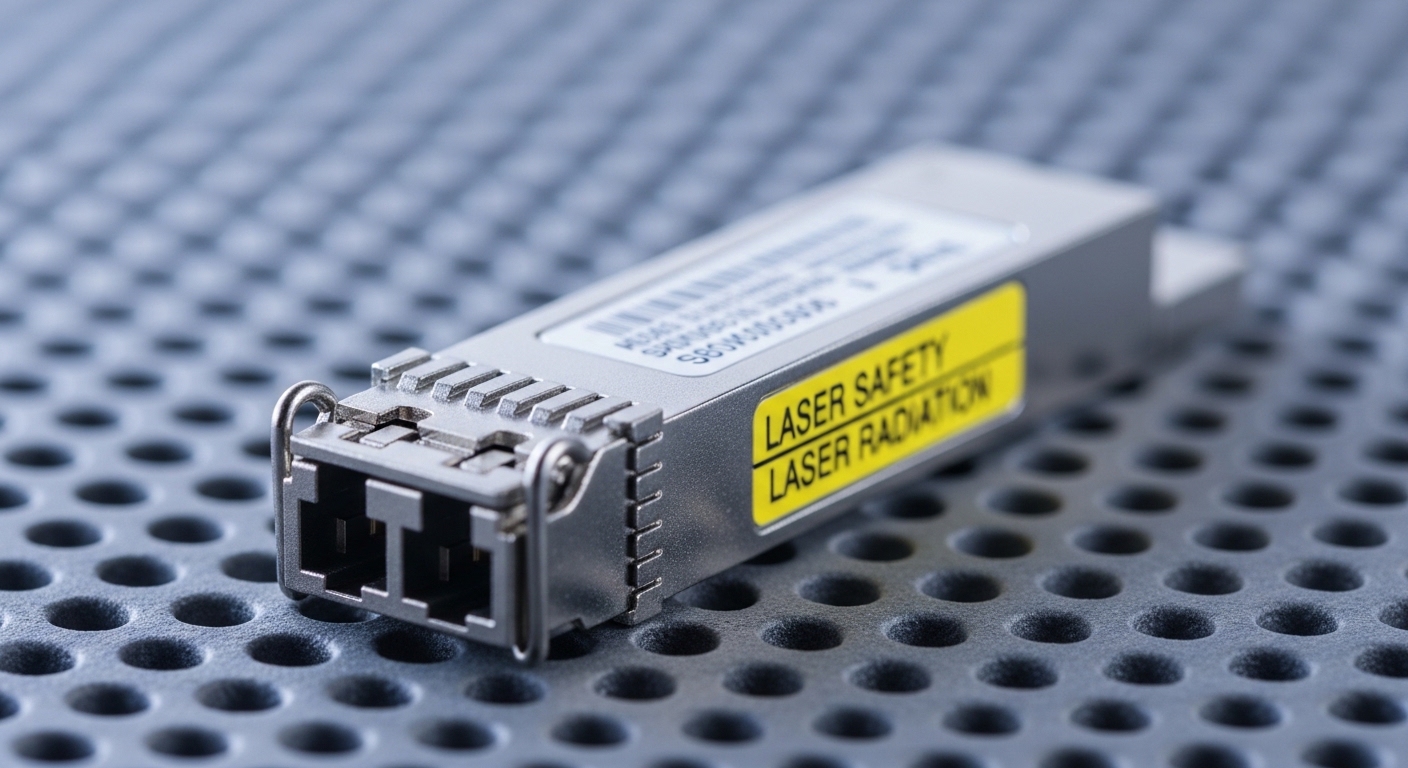
Active Optical Cables (AOCs) combine a transceiver and fiber pigtail in one assembly, typically running over standard duplex multimode or single-mode fiber formats depending on the part. In Ethernet, the switch PHY still expects a clean eye opening, stable signal levels, and correct lane mapping; when those degrade, you see symptoms like interface down/up, CRC/Frame errors, FEC warnings, or negotiated speed changes. AOCs also have thermal limits inside the molded housing, so you can get “it works in the morning, fails in the afternoon” patterns. That’s why AOC troubleshooting starts with measurement and logs, not guesswork.
What to collect before touching anything
Start with timestamps and counters. Pull switch interface logs for the same window as the outage, including link flaps, training failures, and any vendor-specific alarms. Then capture basic optics telemetry: received power (Rx), transmit power (Tx), temperature, and DOM fields if available. If your platform supports it, also export error counters at 1-minute granularity for the affected port range.
For Ethernet physical layer context, remember that IEEE 802.3 specifies the electrical and optical requirements for link operation, while the AOC vendor specifies how their module meets those requirements across temperature and aging. When the AOC drifts outside the vendor’s power/temperature operating envelope, the switch may still “try” to train, resulting in bursts of CRC before the link finally drops.
Reference points: IEEE 802.3 defines Ethernet PHY behavior and optical/electrical characteristics by speed and medium. For general interoperability and optics expectations, vendors document their transceiver compliance and DOM behavior. [Source: IEEE 802.3-2022] and [Source: Cisco transceiver documentation] and [Source: Finisar/II-VI application notes on optical link budgets].
Symptom driven AOC troubleshooting: from link flaps to CRC bursts
Instead of treating every problem as “bad cable,” map symptoms to likely causes. In my field notes, the fastest path is to correlate three signals: link state changes, error counters, and DOM telemetry. Once you see the pattern, you can decide whether it’s seating/connector contamination, budget/attenuation mismatch, or thermal/aging.
Case 1: Link up/down flapping every few minutes
Common root causes are marginal optical power, poor connector contact, or a mechanical stress condition (tight bend radius, cable tension, or a port not fully latched). First, verify that the AOC is the correct type for the switch (for example, 10G SFP+ vs 25G SFP28 vs 100G QSFP28) and matches the expected medium (MMF vs SMF). Then inspect the cable routing: look for kinks near the bend relief and check that the cable isn’t being pulled at an angle that stresses the plug.
Operational fix sequence I recommend: power-cycle the port (or bounce the interface), reseat the AOC until the latch clicks, and compare DOM temperature and Rx power to neighboring “known good” ports. If your switch reports that the link is training repeatedly, note the exact training failure reason if shown. If the flaps stop immediately after reseating, you’ve likely got a contact integrity issue.
Case 2: CRC bursts while link remains up
CRC spikes with stable link state usually mean the receiver is intermittently seeing degraded signal quality. The most common causes are optical budget mismatch, dirty connectors on the mating path (if your AOC includes any intermediate interface), or a cable that’s aging and barely meeting the receiver sensitivity under current temperature. Even if an AOC is “pre-terminated,” internal connector interfaces and molded transitions can still be sensitive to contamination or micro-movement in high-vibration racks.
Try swapping the AOC with a known-good one in the same port and comparing Rx power and temperature. If CRC follows the cable, replace it. If CRC follows the port, check for port damage, dust on the port cage, or a failing PHY. Also check whether the switch is applying any FEC mode or speed fallback; some platforms will change behavior under specific error thresholds.
Case 3: Works at low temperature, fails after hours
Thermal derating is a classic AOC troubleshooting trigger. AOC electronics use lasers and limiting amplifiers that can drift with temperature. If the cable warms beyond its specified operating range, the transmitter power can drop or the receiver equalization can fall out of the intended envelope. The result is often a gradual rise in errors that culminates in link loss or a speed downgrade.
What I do: check the cable temperature telemetry (DOM) and compare it to the switch ambient and neighboring ports. Improve airflow where the cable enters the rack, avoid blocking the cable with dense patch panel covers, and ensure you’re not exceeding the vendor’s maximum operating temperature. If the telemetry shows temperature climbing sharply only on one cable, that’s a strong replacement indicator.
Pro Tip: In many switch platforms, the first “real” signal of a failing AOC is a slow drift in Rx power over days, not sudden total failure. If you log DOM telemetry daily, you can schedule preventive replacement before you hit CRC bursts and customer-visible link flaps.
Key AOC specs that decide whether you can fix it or must replace it
Before you open a ticket that turns into a cable lottery, verify the spec alignment. AOC troubleshooting is mostly about staying inside the optical budget and mechanical envelope. If the AOC is out of spec for your speed, reach, or connector type, reseating won’t help.
Quick comparison table (use this when you’re swapping parts)
| Parameter | Example AOC Type | Typical Values | Why it matters in troubleshooting |
|---|---|---|---|
| Data rate | SFP+ 10G / SFP28 25G / QSFP28 100G | 10G / 25G / 100G | Wrong rate can cause link refusal or speed fallback. |
| Wavelength | MMF AOC vs SMF AOC | 850 nm (common for MMF) or 1310 nm/1550 nm (SMF) | Mismatch to fiber type often presents as weak/unstable link. |
| Reach | Short-reach vs long-reach | Up to 100 m common for 850 nm AOCs; longer for SMF | Exceeding reach increases BER and CRC bursts. |
| Connector | Direct attach cage | Integrated plug per form factor (SFP+ / SFP28 / QSFP28) | Mechanical latch issues cause intermittent link. |
| Power / DOM | DOM support varies | Rx power, Tx power, temperature | DOM helps confirm drift and thermal stress. |
| Operating temp | Vendor specified | Often about 0 C to 70 C for many modules (check datasheet) | Over temp leads to derating and sudden dropouts. |
When you’re selecting replacement parts, I’ve had good results matching exact part families. For example, Cisco SFP-10G-SR is a common reference point for 10G over MMF. On the third-party side, you’ll see modules like Finisar FTLX8571D3BCL (example family) and FS.com SFP-10GSR-85 as typical “85/850 nm short reach” options. Still, don’t assume all “85 10G SR” listings behave identically—DOM calibration, temperature margins, and compliance can differ. Always validate against your switch vendor’s compatibility list and the module datasheet. [Source: Cisco transceiver compatibility docs] and [Source: vendor datasheets for SFP+/SFP28/AOC assemblies].
Deployment scenario: troubleshooting AOCs in a leaf-spine data center
Here’s a real pattern I’ve seen in a 3-tier data center leaf-spine topology using 48-port 10G ToR switches and 100G uplinks. The environment ran with 10G server downlinks using SFP+ AOCs rated for 100 m reach over 50/125 MMF. One rack started reporting intermittent CRC errors on four adjacent server ports, with link flaps peaking during afternoon heat. DOM telemetry showed the affected AOCs’ temperature rising about 10 C above neighboring cables, while Rx power slowly sagged by a few tenths of a dB before the first flap.
We tried a disciplined swap: each suspect AOC moved to a “quiet” port on the same switch, and the port moved to a known-good cable. CRC followed the cable, not the port. The fix was replacement of the AOCs and re-routing to improve airflow around the bend relief. After replacement, CRC counters stayed near baseline and temperature stabilized within the normal spread for that switch model. This is why in AOC troubleshooting, the fastest “proof” is controlled swapping plus DOM comparison.
Selection checklist for AOC troubleshooting and prevention
Good troubleshooting starts before failure by choosing parts that won’t be on the edge. Use this ordered checklist during procurement, staging, and replacement decisions.
- Distance vs reach: Measure the actual routed length including slack and routing loops; don’t assume “label reach” matches your installation.
- Speed and form factor compatibility: Confirm SFP+ vs SFP28 vs QSFP28 and ensure the switch supports that exact AOC profile.
- Fiber type and wavelength: Match MMF 850 nm AOCs to the right fiber plant; avoid mixing SMF and MMF assumptions.
- DOM and telemetry support: Prefer modules that expose temperature and Rx power reliably for your switch platform.
- Operating temperature: Compare datasheet limits to your rack ambient and airflow conditions; plan for peak summer operation.
- Vendor lock-in risk: Check compatibility lists and testing reports; keep a small spares pool of an approved family to reduce downtime.
- Connector and mechanical stress: Verify bend radius and ensure cable routing doesn’t pull on the latch.
For standards context, IEEE 802.3 governs Ethernet PHY behavior, but the real-world margin is shaped by vendor implementation details: laser characteristics, receiver sensitivity, and equalization algorithms. That’s why two “equivalent” AOCs can behave differently under thermal stress. [Source: IEEE 802.3-2022] and [Source: transceiver manufacturer application notes].
Common mistakes and troubleshooting tips that save hours
Here are the failures I see most often during AOC troubleshooting, with root cause and a concrete fix.
Pitfall 1: Swapping cables without logging DOM telemetry
Root cause: You replace blindly, but the real signal was a temperature or Rx power drift that would have predicted the failure. You lose the pattern and can’t prove whether the cable or the port is at fault.
Solution: Before swapping, record DOM temperature and Rx power for the suspect port and at least one neighboring known-good port. If your platform supports it, also export error counters for the same window. After swapping, compare again; the delta tells you whether replacement is justified.
Pitfall 2: Using the wrong “AOC reach” assumption for your actual routing
Root cause: The label reach is typically based on a controlled test channel. In racks, additional loss from patching, connectors, or tighter-than-recommended routing can push you out of the optical budget.
Solution: Measure the routed length and include any intermediate coupling losses if your architecture includes them. If you’re near the limit, move to a shorter reach-rated AOC or improve fiber quality and patching practices.
Pitfall 3: Ignoring airflow and cable bend stress near the port cage
Root cause: AOCs have internal components that are sensitive to thermal conditions and mechanical stress. A cable that’s slightly over-bent or trapped against a warm metal edge can degrade faster than you expect.
Solution: Re-route with proper bend radius, add slack where the cable enters the cage, and improve airflow around the port area. If you have a thermal camera, compare the suspect AOC temperature to neighbors after 30 minutes of steady traffic.
Pitfall 4: Assuming “no alarms” means “no optical problem”
Root cause: Some switches only raise a visible alarm when the link drops, but CRC bursts can appear earlier. If you’re only watching link state, you miss the early warning.
Solution: Monitor CRC/Frame errors and vendor-specific PHY error counters. Trigger alerts on rising error rates even when the interface stays up.
Cost and ROI note: what replacement really costs
Pricing varies by speed and vendor, but in many enterprise and colo environments, short-reach AOCs often land roughly in the $50 to $200 range per cable for 10G class, while higher-speed assemblies can move into $200 to $800+ depending on reach and brand. OEM-compatible parts may cost more, but TCO can be lower when you reduce truck rolls and downtime. Third-party modules can work well, yet the ROI depends on whether you get consistent DOM behavior and stable thermal margins across your fleet.
From a maintenance perspective, track failure rates by batch and vendor. If a specific AOC family shows higher incident frequency in hot racks, you can tighten procurement controls and require additional burn-in testing. That’s often cheaper than repeatedly diagnosing the same root cause with incomplete telemetry. The best ROI move is building a small “known good” rotation pool for rapid swap testing during AOC troubleshooting.
FAQ
What should I check first during AOC troubleshooting?
Start with interface logs and counters around the outage window, then compare DOM telemetry (Rx power, Tx power if available, and temperature) against neighboring ports. If the telemetry shows drift or overheating, you’ll usually know whether to reseat, re-route, or replace quickly.
Can I fix CRC bursts without replacing the AOC?
Sometimes yes. If CRC spikes correlate with reseating, airflow changes, or routing stress, you can resolve it by improving mechanical handling and reducing thermal load. If CRC follows the cable across ports, replacement is the correct call.
How do I know if I have an optical budget mismatch?
If the link is unstable under load but not completely dead, and Rx power is lower than expected or trending downward, budget mismatch is likely. Confirm the AOC wavelength and reach rating match your fiber plant and measured routed length, then compare Rx power to a known-good baseline.
Do I need DOM support for effective AOC troubleshooting?
DOM is not strictly required to get basic link behavior, but it dramatically speeds up root cause analysis. Without DOM, you end up relying on error counters and guesswork, which increases downtime during repeated swap cycles.
Is it safe to mix AOC brands in the same rack?
It can be safe if the switch vendor compatibility list supports that module family and the specs match, but behavior can differ under thermal stress. I recommend standardizing on an approved family for consistent performance and predictable DOM telemetry.
When should I open a vendor RMA?
Open an RMA when the AOC consistently fails across multiple known-good ports and switches, and when telemetry confirms out-of-range behavior (temperature drift, weak Rx power, or repeated training failures). Include your logs, counter snapshots, and the swap test results.
If you want the fastest path to stable links, treat AOC troubleshooting like a measurement workflow: collect telemetry, correlate counters, then validate with controlled swaps. Next, check How to monitor transceiver DOM telemetry for early failure to build alerts that catch drift before CRC bursts hit production.
Author bio: I’m a field-minded network tinkerer who troubleshoots optics in real racks, not just lab setups. I document the exact commands, counter patterns, and replacement decisions that keep 24/7 links from turning into recurring incidents.
