
AI clusters are getting denser, and the transceiver choice can quietly make or break your uptime and budget. This article compares 50G vs 100G optics for AI infrastructure, focusing on throughput efficiency, power draw, switch port compatibility, and real deployment constraints. It helps data center network engineers, field techs, and procurement teams decide what to standardize on before the next rollout.
50G vs 100G: What changes in AI traffic and link behavior?
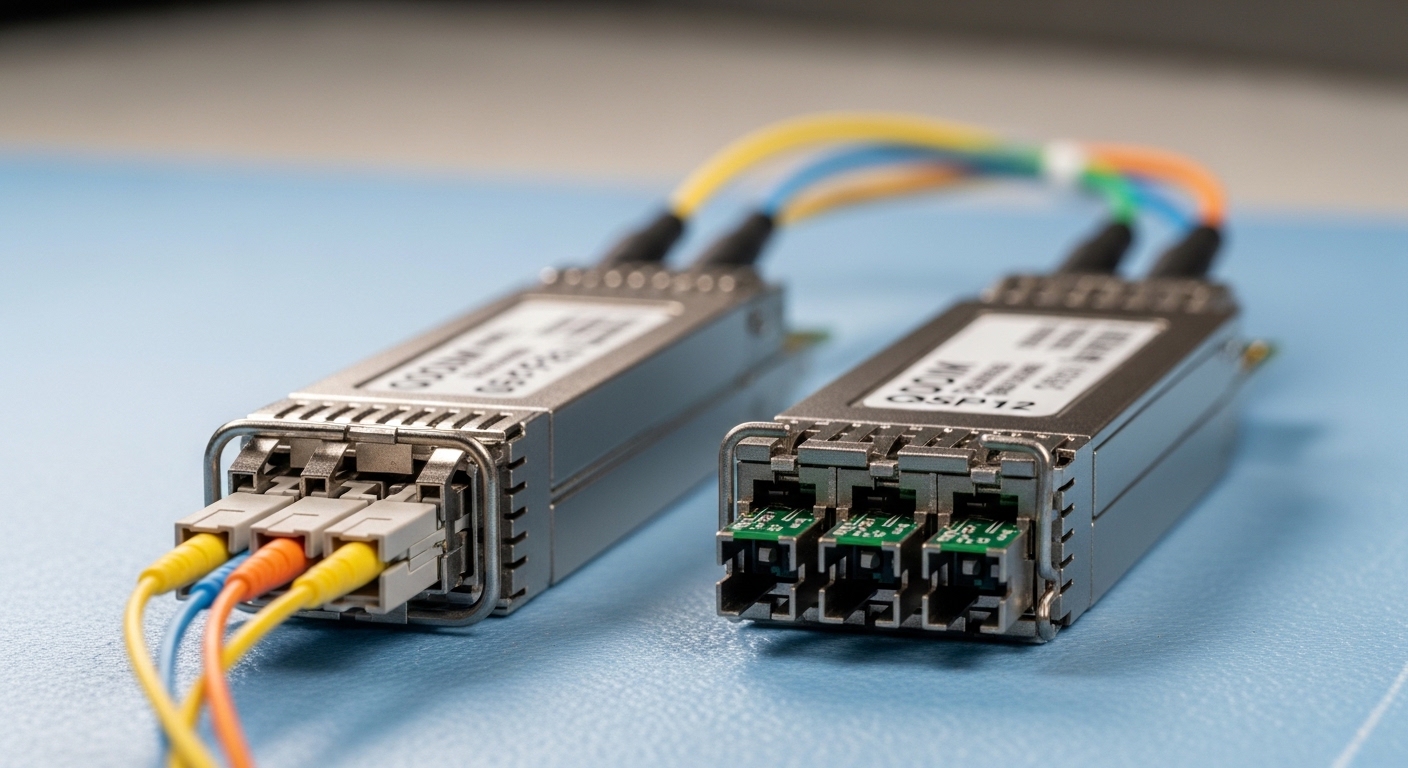
In AI training and inference, traffic patterns are bursty: gradient exchange, all-reduce phases, and microbursty RPC calls. The practical difference between 50G vs 100G is less about “faster always wins” and more about how you map workloads onto switch uplinks and leaf-spine fabrics. With 50G optics, you often get finer granularity: more links for the same aggregate bandwidth budget, which can reduce contention per flow when your routing and ECMP hashing are well-tuned. With 100G, you cut the number of physical optics and ports, which can reduce fanout complexity but can also concentrate traffic onto fewer links.
Capacity math that matters during rollouts
Suppose you need 800G of spine uplink capacity from a rack. Using 50G, that can be implemented as 16 active links (16 x 50G). Using 100G, it becomes 8 active links (8 x 100G). Fewer links can simplify cabling and optics management, but each 100G link carries more traffic headroom pressure. In practice, the better option depends on whether your switch ASIC and scheduler can keep latency stable under higher utilization.
Performance and optics specs: reach, wavelength, and power
Both 50G and 100G transceivers exist across common Ethernet and interconnect ecosystems, but the key is the physical layer choice: SR (short reach, multimode or OM4/OM5), LR (longer reach), and active optical cables in some designs. For most AI pod topologies, SR variants dominate because most runs are within a few tens of meters. You’ll typically see 50G and 100G implemented as coherent or direct-detect options depending on vendor and distance target, but in Ethernet data centers, direct-detect SR is the usual starting point.
Side-by-side technical specs (typical SR and common temperature constraints)
Below is a practical comparison using representative direct-detect short-reach modules. Exact numbers vary by vendor, fiber type (OM4 vs OM5), and whether the module supports a specific host port mode.
| Spec | 50G SR (typical) | 100G SR (typical) |
|---|---|---|
| Data rate | 50G (single-lane aggregate, vendor-dependent) | 100G (typically dual-lane aggregate) |
| Wavelength | ~850 nm (SR) | ~850 nm (SR) |
| Reach target | Up to ~70 m (OM4), ~100 m+ (OM5) depending on module | Up to ~70 m (OM4), ~100 m+ (OM5) depending on module |
| Connector | LC duplex (most SR modules) | LC duplex (most SR modules) |
| Form factor | QSFP56 / SFP56-class (varies by ecosystem) | QSFP28 / QSFP56-class or CXP-style (varies by ecosystem) |
| Power (ballpark) | Often lower per link; typical module budgets vary widely by vendor | Higher per link; fewer links can offset total rack power impact |
| Operating temp | Commonly 0 to 70 C commercial; some support wider ranges | Commonly 0 to 70 C commercial; some support wider ranges |
Power and thermal reality check
In the field, the biggest thermal issues usually come from airflow, dust, and how densely optics are packed, not just nominal transceiver power. Still, 50G vs 100G affects total module count: 50G tends to increase the number of optics and therefore the number of active optical components per rack. If your cooling profile is tight, that can matter. On the other hand, if 100G modules are higher power but cut the count in half, the net effect can be neutral or even favorable for 100G depending on the specific host and vendor module power budgets.
Pro Tip: Before you standardize, pull the switch vendor’s “supported transceivers” list and cross-check the exact port mode (for example, breakout settings and lane mapping). We’ve seen otherwise compatible optics fail link bring-up simply because the host expects a specific electrical lane order or DOM threshold behavior.
Cost and ROI: optics pricing, spares, and total installed cost
Pricing swings based on volume, vendor, and whether you buy OEM-branded optics or third-party modules. In many deployments, the “cheapest per module” is not the cheapest per year because failure rates, warranty terms, and supportability change the operational cost. For AI infrastructure, ROI also includes engineering time: fewer link failures and fewer truck rolls can outweigh small unit price differences.
What engineers actually model in TCO
When I build a TCO case for 50G vs 100G, I model: (1) module unit cost, (2) expected failure probability over the warranty window, (3) spares inventory size, (4) power and cooling impact, and (5) validation effort for each optics type in the lab. If your procurement team supports third-party optics, you still need a rigorous compatibility test plan (especially for DOM alarms and link training behavior).
As a realistic range, optics pricing can vary widely, but a common pattern is: third-party SR modules are notably cheaper than OEM, yet OEM can reduce integration risk. For AI pods with aggressive timelines, the “time-to-validated-link” often drives the ROI more than electricity math.
Compatibility and deployment fit: switch ports, breakout, and lane mapping
This is where 50G vs 100G becomes very practical. Many AI fabrics use specific switch families and port configurations that determine whether 50G or 100G optics are “first-class citizens.” Some platforms support 50G on certain port modes, while others primarily support 100G and treat 50G as a breakout or a special mode. Even when both are “supported,” the lane mapping and host electrical interface can differ.
Decision checklist for compatibility
- Distance and fiber type: confirm OM4 vs OM5 and measure actual patch panel losses and bend radius.
- Budget and optics count: model total modules per rack and expected spares.
- Switch compatibility: confirm exact port mode support for 50G or 100G, including breakout behavior.
- DOM support: check whether the host reads DOM via I2C and whether alarm thresholds match your monitoring system.
- Operating temperature: validate module temp rating against your rack’s measured inlet temperature and airflow direction.
- Vendor lock-in risk: evaluate whether third-party optics are validated for the same switch OS version.
- Firmware and optics interoperability: plan a lab test after each switch firmware update.
Standards and what they imply
At the Ethernet physical layer, the general behavior is governed by IEEE Ethernet specifications and optics management conventions. DOM and pluggable interface behavior are typically aligned with vendor interpretations of standard management interfaces, and link training is implemented per the module and host. For background on Ethernet PHY requirements, see [Source: IEEE 802.3]. For connector and cabling expectations, see [Source: ANSI/TIA-568].
External references: IEEE 802.3 and ANSI/TIA-568 cabling standard.
Head-to-head: operational tradeoffs in real AI pod networks
Let’s ground this in a concrete scenario. In a 3-tier data center leaf-spine topology with 48-port ToR switches feeding 2x spine uplinks, you might run 10G/25G down to servers and use higher-speed uplinks between ToR and spines. For an AI training rack where each ToR needs 800G effective uplink capacity, you can choose 50G optics to increase path diversity or 100G optics to reduce optics count and cabling complexity. In day-two operations, we’ve seen the “fewer optics” approach reduce the number of field swaps, but the “more optics” approach can improve resilience when a single link segment is under maintenance.
What changes operationally between 50G and 100G
- Monitoring granularity: 50G gives you more individual links to pinpoint issues quickly.
- Cabinet density: 100G can reduce transceiver count but may increase per-module thermal sensitivity depending on vendor.
- Maintenance workflow: with 50G you might carry more spares SKUs; with 100G you carry fewer but higher-cost modules.
- Failure blast radius: one failed 100G link affects more traffic until ECMP reroutes.
Common mistakes and troubleshooting tips in the field
Even with correct specs on paper, 50G vs 100G deployments can fail due to cabling, host mode mismatches, or optics management quirks. Here are concrete failure modes I’ve seen, with root cause and fixes.
Link comes up intermittently, then flaps under load
Root cause: marginal fiber link loss or excessive patch cord attenuation/bend radius, often worse at higher aggregate utilization. Solution: measure end-to-end optical power and confirm OM4/OM5 compliance; replace patch cords with known-good lengths; verify bend radius and clean LC connectors.
Optical module recognized but stays in “no signal” or fails autoneg
Root cause: switch port mode expects a different lane mapping or breakout configuration than what the module provides. Solution: verify switch configuration for the exact port; compare against the vendor’s supported optics matrix; test in a lab with the same OS and firmware revision.
Monitoring shows repeated DOM alarm events or threshold mismatches
Root cause: DOM reporting format or alarm thresholds differ across vendors, and your monitoring rules may treat warnings as critical. Solution: align your monitoring thresholds to the module’s reported parameters; confirm whether your system expects vendor-specific scaling; validate after firmware updates.
Thermal throttling or high error counters after a power event
Root cause: airflow changes, clogged filters, or dust on fiber endfaces that worsen with temperature cycling. Solution: inspect optics cleanliness, clean LC endfaces using proper procedures, and verify rack inlet temps and fan speeds match design.
Decision matrix: picking 50G vs 100G with fewer surprises
Use this matrix to choose quickly, then validate with a targeted lab test for your switch and fiber plant.
| Criteria | 50G tends to win when… | 100G tends to win when… |
|---|---|---|
| Path diversity and ECMP granularity | More links reduce per-link congestion and improve pinpointing | Fewer links are fine if your fabric is well balanced |
| Optics count and cabling complexity | Cabinet space is available and ops prefer more visibility | You want fewer optics and simpler patching |
| Budget pressure on unit price | 50G module pricing and availability fit your procurement model | 100G unit price is competitive and spares are manageable |
| Switch port support | Your switch offers strong native support for 50G modes | Your switch is optimized for 100G and breakout is awkward |
| Thermal and airflow constraints | Extra module count is acceptable with good cooling | Fewer modules reduce heat sources in tight racks |
| Upgrade cadence and validation effort | You can validate more link types safely | You want fewer optics SKUs per fabric generation |
Which Option Should You Choose?
If you’re building an AI pod where you expect frequent topology tuning, want more monitoring granularity, and your switch clearly supports 50G vs 100G with consistent lane mapping, 50G is often the safer operational choice. If your priority is reducing optics sprawl, simplifying cabling, and your switch native 100G support is strong, 100G can deliver cleaner deployments with a smaller physical footprint.
My practical recommendation: pick one “standard” optics type per distance class, then validate both in a lab if your budget allows. Start with your actual fiber plant measurements and your switch OS/firmware baseline, and lock the decision only after you confirm DOM telemetry behavior and error-counter stability. Next step: compare your cabling loss budget and connector cleanliness procedures using fiber link budget OM4 vs OM5|fiber link budget OM4 vs OM5.
FAQ
Is 50G or 100G better for AI training bandwidth?
Neither is universally better. 100G reduces the number of links, while 50G increases link granularity and can reduce congestion per path when ECMP is configured well. Choose based on your switch’s native support and your measured utilization patterns.
What fiber reach should I plan for with SR optics?
For typical 850 nm SR modules, many designs target tens of meters and rely on OM4 or OM5 performance. Plan with measured end-to-end loss including patch panels, and avoid assuming that “rated reach” equals your installed reach budget.
Will third-party optics work for both 50G and 100G?
Often yes, but it depends on switch compatibility and DOM behavior. Always validate against the switch vendor’s supported optics guidance and test with your exact OS and firmware revision before scaling.
How do I check DOM and monitoring integration?
Confirm your monitoring stack reads DOM fields correctly (temperature, laser bias, received power) and that your alert thresholds match the module’s reporting format. Then verify in a controlled test that alarms behave consistently during link up/down cycles.
What’s the most common cause of link failures after swapping optics?
Most often it’s connector cleanliness, patch cord mismatch, or a host port mode mismatch. Clean
