
In a 400G deployment, optical failures often look the same at first glance: links go down, traffic blips, or alarms show LOS without obvious cable damage. This article helps network engineers and field techs use repeatable troubleshooting to isolate whether the root cause is optics selection, fiber cleanliness, transceiver power/thermal margins, or switch compatibility. You will get practical checks, a decision checklist, and real-world failure patterns seen with 400G pluggables and coherent or PAM4 optics.
Where 400G optical troubleshooting usually starts: the alarm story
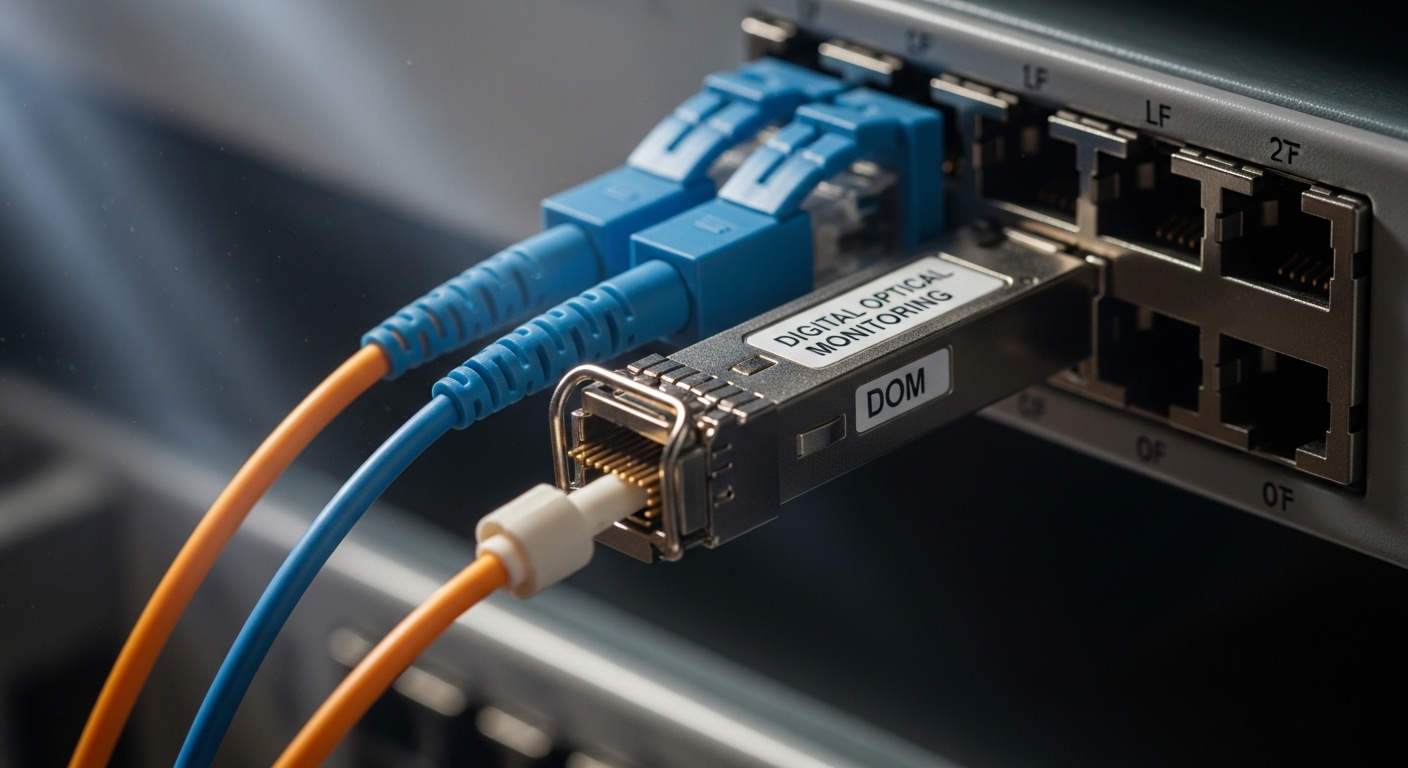
Most outages start with a specific symptom pattern on the switch. For example, Link down plus RX power out of range points to optics/fiber loss or a wrong wavelength pairing, while LOS asserted that persists after reseating suggests a dirty or damaged ferrule, or a transceiver that fails its internal diagnostics. In 400G optics, you can also see flapping due to marginal optical power, thermal throttling, or high attenuation combined with aging connectors.
Fast triage sequence (field-friendly)
- Capture optics and port state: record module type, vendor, serial, DOM flags, link training status, and interface counters.
- Check physical layer metrics: verify RX/TX optical power, lane errors, and whether the switch reports unsupported optic or calibration failure.
- Inspect and clean: confirm dust on MPO/MTP end faces; re-clean and re-seat using the correct procedure.
- Swap with a known-good module: test both directions if possible; note whether the fault follows the optic.
- Validate cabling loss: confirm link budget with fiber attenuation and connector loss; compare to the module’s rated reach.
Pro Tip: In many 400G cases, the switch reports only “LOS” while the real clue is the DOM diagnostic delta—watch for RX power that is slightly low but stable (often fiber/cleanliness) versus RX power that jumps around (often a seating/connector issue or patch panel stress).
400G optics compatibility: the hidden cause behind “works in lab, fails in production”
In production, the same optical link can behave differently depending on transceiver EEPROM/DOM fields and the switch’s optics compatibility matrix. Many switches enforce strict checks on module identity, supported standards, and lane mapping. A module that is electrically functional but not accepted by the switch may show link down, repeated training attempts, or high FEC/BER alarms even when the fiber is clean.
What to verify in DOM and switch logs
- Type and speed: confirm the module is truly 400G-capable (for example, QSFP-DD 400G-SR8 style, or the correct coherent format).
- Wavelength / grid: ensure the transmitter and receiver wavelengths match across the link.
- DOM alarms: look for temperature out of range, bias current anomalies, or optical power warnings.
- Vendor and part number: record model numbers such as Cisco SFP-10G-SR is not relevant for 400G; for 400G you might see QSFP-DD or OSFP variants depending on platform. Always match the platform’s tested module list.
Standards context that matters
For 400G Ethernet optics, link behavior is often governed by the Ethernet PHY and optical interface requirements aligned with IEEE 802.3 specifications for 400GBASE. For cabling and connector handling, follow ANSI/TIA-568 guidance and cleaning/inspection workflows referenced by major connector vendors. Use vendor datasheets for specific DOM thresholds and optical safety limits; mismatched thresholds can create “it should work” links that still fail intermittently.
Authority references: IEEE 802.3 and ANSI/TIA-568 cabling.
400G reach, power, and thermal margins: a troubleshooting table you can use
When 400G links fail due to physical margins, the symptoms usually correlate with RX power and error counters. In short-reach multi-fiber systems, a single bad fiber in an MPO bundle can cause lane-level errors that aggregate into link instability. In longer-reach coherent or higher-order modulation, small power and dispersion changes can drive FEC stress, leading to intermittent training failures.
Key specs to compare across modules
| Module example | Typical data rate | Optical wavelength | Connector | Reach (rated) | DOM availability | Operating temp |
|---|---|---|---|---|---|---|
| QSFP-DD 400G SR8 (example: OEM modules) | 400G | 850 nm class | MPO/MTP | ~70 m typical short reach | Yes (per vendor) | 0 to 70 C typical |
| OSFP / QSFP-DD 400G LR4-style (coarse wavelength optics) | 400G | ~1310 nm class | LC or MPO (varies) | ~10 km typical | Yes (per vendor) | -5 to 70 C typical |
| Coherent 400G (vendor-specific) | 400G | Vendor-defined | Depends on platform | Several hundred km possible | Yes (advanced DSP) | -5 to 70 C typical |
Use this table as a reminder: when troubleshooting, you must compare connector type, wavelength class, reach rating, and temperature range. Even if the link “lights up,” operating outside the module’s thermal or optical budget can cause intermittent errors.
Selection criteria checklist for 400G optics troubleshooting prevention
Engineers often treat optical troubleshooting as reactive. The best ROI comes from selecting optics and cabling that reduce margin stress and compatibility surprises. Before deployment, run this checklist so your “troubleshooting” becomes verification rather than firefighting.
- Distance and link budget: verify rated reach against measured fiber attenuation and worst-case connector/splice loss; include patch panel jumpers.
- Switch compatibility: confirm the exact transceiver family is supported by the platform; avoid “close enough” substitutions.
- DOM and diagnostics support: ensure the switch can read DOM fields used for threshold alarms and lane health.
- Connector and cleaning workflow: match MPO/MTP types and confirm you have inspection tools and lint-free cleaning supplies.
- Operating temperature and airflow: check transceiver temperature ranges and verify the chassis airflow path; thermal starvation causes bias drift.
- Vendor lock-in risk: understand warranty and replacement policies; third-party optics can be fine, but mixed-compatibility can complicate root cause.
Common mistakes and troubleshooting tips for 400G optical failures
Below are field-proven failure modes. Each includes a root cause and a fix that you can apply during troubleshooting.
LOS after reseat: dirty ferrules or micro-scratches
Symptom: LOS stays asserted even after reseating; RX power reads very low.
Root cause: dust on MPO/MTP end faces or micro-scratches from improper cleaning.
Solution: inspect with a fiber microscope, clean using the correct cassette and wipe direction, and re-terminate or replace if the end face is damaged.
Link flaps only under load: marginal optical power or one bad lane
Symptom: link trains, then flaps during traffic bursts; error counters rise.
Root cause: one fiber in a multi-fiber bundle has higher loss; aggregated lane errors push FEC beyond margin.
Solution: test continuity and measure per-fiber loss if possible; replace the entire MPO assembly if you cannot isolate the fiber pair safely.
“Unsupported optic” or repeated training attempts: EEPROM/DOM mismatch
Symptom: switch log shows optic not supported or training fails; the port never stabilizes.
Root cause: optics not on the compatibility list, wrong part family, or DOM fields that the switch rejects.
Solution: validate exact model number and DOM behavior; swap to a known-good supported optic from the same vendor family.
Works at room temperature, fails in a hot row: thermal margin and airflow
Symptom: failures occur after hours; temperature readings approach upper limits.
Root cause: insufficient airflow, blocked vents, or chassis fan ramp settings; bias current drift reduces optical output.
Solution: confirm airflow direction, remove obstructions, and compare module operating temperature to datasheet limits; consider targeted airflow upgrades.
Wrong wavelength pairing: “it lights up” but errors persist
Symptom: link comes up briefly, then BER/FEC alarms increase.
Root cause: transmitter/receiver wavelength mismatch across spares or mis-labeled patch cords.
Solution: verify wavelength class and labeling; trace both ends of the patch path and replace incorrect jumpers.
Cost and ROI note: what troubleshooting costs when you skip prevention
Typical 400G transceiver pricing varies widely by reach and technology. In many enterprise and mid-market deployments, third-party QSFP-DD or OSFP optics can be several hundred to low-thousand USD per module, while OEM-branded optics may cost more, especially for coherent or longer-reach options. The hidden cost is downtime and labor: each failed port can consume hours of swap-and-clean cycles, plus potential truck rolls and service credits.
From a TCO standpoint, the “cheapest” optic is often the one that matches the switch compatibility list and has predictable DOM thresholds. If you have higher failure rates due to connector contamination or thermal misalignment, you will spend more on replacements than you saved on unit price. Plan spares with the same part family and keep inspection tools in the same place as the patch kit so troubleshooting is fast and repeatable.
FAQ
What are the first signs of an optical problem in a 400G port?
Look for LOS asserted, link down, RX power out of range, or training retries. Then check lane/error counters and DOM thresholds to determine whether the failure is cleanliness, power budget, or compatibility.
How do I tell if the failure follows the transceiver or the fiber?
Swap the optic with a known-good module in the same port and observe whether the fault follows the optic. If the fault stays on the same cable path or patch panel, focus on fiber attenuation, connector damage, or mis-wiring.
Can third-party optics reduce troubleshooting time or increase it?
Third-party optics can be reliable, but they must match the switch’s supported compatibility matrix and DOM expectations. If you see repeated training failures or “unsupported optic” logs, third-party modules can increase troubleshooting time due to stricter acceptance checks.
Why do MPO/MTP links fail intermittently even when they initially come up?
Intermittent failures often come from micro-dust, connector stress, or one fiber with higher loss within the bundle. Under higher traffic, FEC margin is consumed and lane errors become visible as flaps.
What should I measure during troubleshooting besides LOS?
Measure RX optical power, DOM-reported temperature and bias current, lane or symbol error counters, and any FEC-related alarms. These indicators help you distinguish cleanliness issues from power budget problems.
Is cleaning alone enough, or should I replace cables and optics?
Cleaning is the first step because it is fast and often resolves the issue. If inspection shows end-face damage, persistent low power, or the fault repeats after cleaning, replace the jumper or the transceiver to stop recurrence.
If you want to go one step deeper on safe handling and repeatable procedures, review fiber cleaning and inspection best practices. For next actions, build a small “known-good” optics and cable test kit so your troubleshooting becomes a controlled experiment instead of guesswork.
Author bio: I have deployed 10G to 400G optical networks in leaf-spine data centers and coached field teams through DOM-driven troubleshooting and fiber inspection workflows. My focus is practical isolation: measure margins, verify compatibility, and prevent repeat failures with disciplined spares and cleaning.


