
In many data centers, the move toward 400G migration analysis starts as a capacity forecast but quickly becomes an operational question: which transceivers, which switch ports, and what total cost of ownership (TCO) over a 3 to 5 year window. This helps network owners, DC engineers, and procurement teams who need a practical plan for upgrading leaf-spine fabrics without triggering avoidable downtime, optics mismatches, or stranded hardware. The article covers the decision logic behind optics selection, upgrade sequencing, and ROI math you can defend in a steering meeting.
Why 400G migration analysis fails without a port-and-optics model
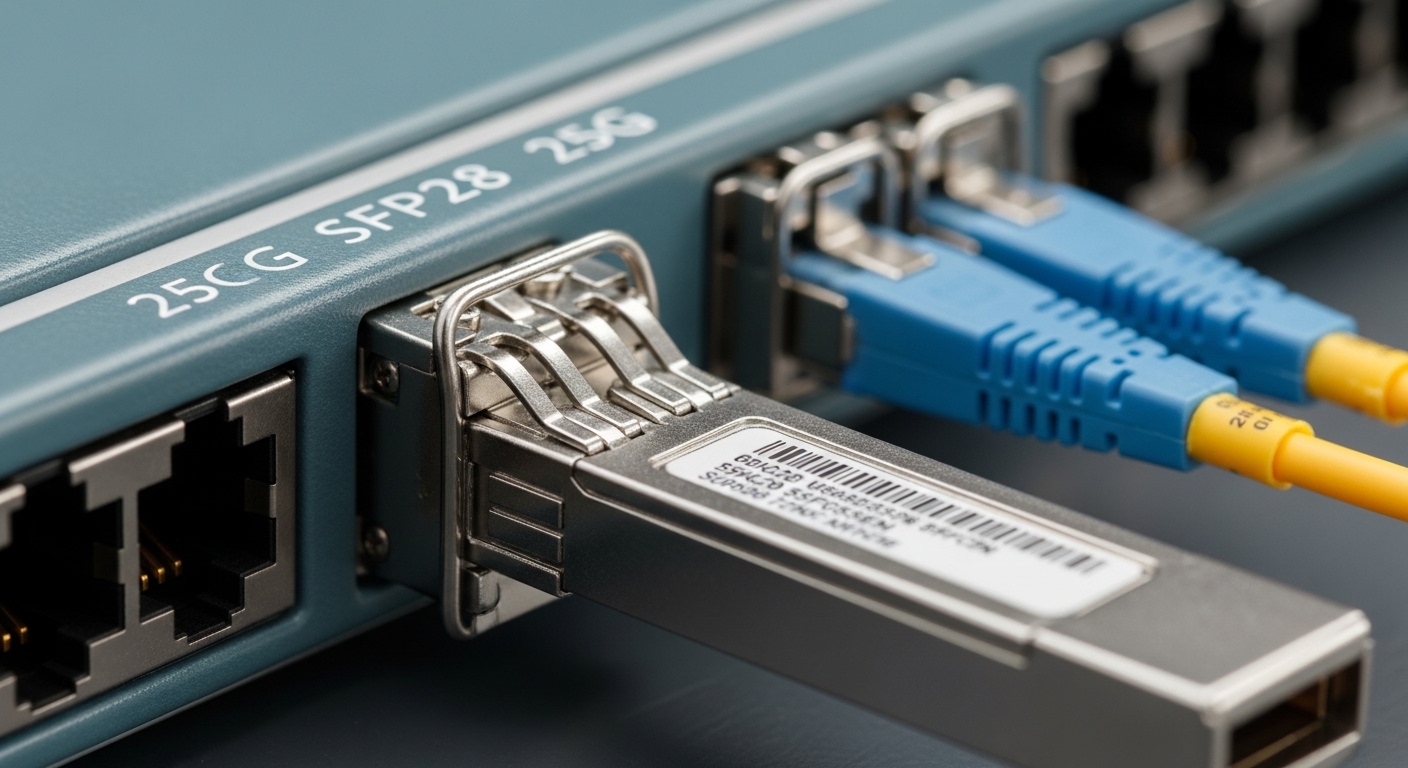
Teams often treat 400G as a simple “replace 100G with 400G” exercise, but real deployments are constrained by port granularity, optics reach, power budgets, and vendor-specific transceiver requirements. IEEE 802.3 defines the Ethernet physical layer families, but the practical compatibility layer is the switch vendor’s optics qualification and DOM (Digital Optical Monitoring) behavior. In the field, engineers learn that a “works in the lab” transceiver can still fail link bring-up in production due to lane mapping, FEC expectations, or DOM parsing differences. So a robust 400G migration analysis needs a matrix of switch models, port types, optical interface modes, and target traffic patterns.
Start with your traffic and oversubscription math
Before touching hardware, estimate how many 400G ports you actually need. For example, if your ToR layer currently runs 48-port 100G with an oversubscription ratio of 3:1, a quarter of your east-west flows may never require a full 400G uplink. A common mitigation is to move only the hottest application cohorts first, using 400G where congestion exists. Engineers then validate the plan by checking switch telemetry for output queue depth and ECN/RED marks, not just link utilization.
Map port density to real cabling and patch panel constraints
400G typically changes optics footprint and fiber usage depending on whether you use QSFP-DD (for 400G SR4/FR4-like paradigms) or OSFP/COSFP-style interfaces. Even when fiber counts remain similar, patch panel labeling and polarity discipline become a bigger operational risk. If you are using MPO/MTP trunks, confirm the polarity method required for your transceiver family and confirm the patching standard in your facilities documentation. Otherwise, you can end up with “mystery” link flaps that look like optics failures but are actually broken polarity or incorrect breakout harness mapping.
Optics choices in 400G migration analysis: SR, LR, and the reach budget reality
Optics selection is where budget and risk concentrate. For most leaf-spine deployments, 400G SR (short reach over multimode or short single-mode) dominates because it aligns with typical top-of-rack distances and cost targets. However, reach budgeting is not just “distance in meters.” You must account for connector loss, splice loss, patch cord loss, and any extra attenuation due to aging or dirty connectors.
Understand the standards and what actually gets negotiated
From an engineering perspective, Ethernet physical layers rely on specific modulation formats and lane configurations. IEEE 802.3 specifies the Ethernet PHY behavior, but the switch and transceiver ecosystem decides which FEC mode is enabled, how link training completes, and how alarms are reported through DOM. In practice, engineers verify the vendor’s transceiver compatibility list and confirm whether the switch expects a particular FEC or RS-FEC profile for that optic family. If you do not, you can see symptoms like intermittent CRC errors or “link up but high error rate” after a seemingly successful install.
Concrete examples of common 400G optics families
Vendors and optics suppliers offer multiple 400G pluggables targeting different distances. For instance, common field-usable options include QSFP-DD 400G SR4 using MPO connectors for short reach, and QSFP-DD 400G LR4 targeting longer spans over single-mode fiber. In procurement cycles, teams also compare third-party optics against OEM optics using the switch vendor compatibility matrix to reduce operational risk.
| Optics type (typical form factor) | Nominal wavelength | Reach target | Connector | Data rate | Typical DOM / monitoring | Operating temperature (range) |
|---|---|---|---|---|---|---|
| 400G QSFP-DD SR4 (multimode) | ~850 nm (4-lane aggregate) | Up to ~100 m class (MMF) | MPO/MTP | 400G Ethernet | DOM supported (vendor dependent) | ~0 to 70 C class |
| 400G QSFP-DD LR4 (single-mode) | ~1310 nm | Up to ~10 km class | LC duplex | 400G Ethernet | DOM supported (vendor dependent) | ~0 to 70 C class |
| 400G OSFP / compatible SR4-like (vendor-specific) | ~850 nm or per datasheet | Distance depends on fiber type and budget | MPO/MTP (often) | 400G Ethernet | DOM supported (vendor dependent) | ~0 to 70 C class |
Note: exact reach and temperature ranges vary by datasheet and optical budget assumptions. Always validate against the transceiver manufacturer’s datasheet and your switch vendor’s supported optics list. Relevant references include IEEE 802.3 Ethernet PHY specifications and vendor datasheets for transceiver families. IEEE 802.3 standards and Cisco support and compatibility guidance are common starting points.
Pro Tip: In live networks, the biggest “reach” surprises come from patch cord composition and connector cleanliness, not the trunk length. Teams that standardize connector inspection (for example, end-face inspection before every MPO re-termination) typically reduce post-migration link instability faster than teams that only change the optic model.
Switch upgrade paths: same chassis, mixed speeds, or full fabric refresh
400G migration analysis becomes strategic when you decide whether to keep the current switch line cards, add new ones, or refresh the fabric. Mixed-speed operation is often possible, but it can create uneven hashing behavior, queue scheduling differences, and operational complexity in monitoring. A well-run approach uses a phased rollout: add 400G on the uplinks first, keep downstream at 100G/200G where congestion is absent, and then increase oversubscription headroom intentionally.
Scenario A: Add 400G leaf uplinks with minimal downstream disruption
Many operators deploy 400G uplinks from leaf switches to spine, while keeping server-facing ports at 100G or 200G. This reduces the immediate need to replace NICs across the server fleet. It also lets you amortize the transceiver and cabling work against actual utilization improvements. The downside is that you must ensure consistent ECMP hashing expectations and validate that congestion hotspots move as expected.
Scenario B: Upgrade spine first, then leaves
Spine-first upgrades can be operationally attractive when spine ports are the bottleneck for east-west traffic. Engineers schedule spine maintenance windows, then validate end-to-end latency and packet loss with synthetic traffic. This path can reduce the total number of transceiver SKUs by standardizing optics across the spine tier. The risk is temporary imbalance: leaves may still oversubscribe in ways that mask the benefits of additional spine capacity.
Scenario C: Full fabric refresh with new switching ASIC generations
When the fabric refresh includes a major ASIC generation change, you must plan for differences in telemetry granularity, congestion control behavior, and buffer management. Even if line-rate forwarding is equivalent, queueing dynamics can shift. In those cases, the 400G migration analysis should include a test plan with measurable KPIs: microburst survivability, packet loss under tail-drop, and CPU utilization for control-plane tasks during link transitions.
Cost and ROI considerations: building a defendable 3 to 5 year model
ROI for 400G is rarely about raw transceiver unit cost alone. It is about avoiding stranded capacity, reducing the number of incremental upgrades, and preventing downtime during migrations. Engineers also account for labor hours, spares inventory, and the probability of field failures. A realistic model includes power consumption differences between 100G and 400G optics and line cards, plus the operational cost of troubleshooting compatibility issues.
Practical cost ranges you can use in planning
Pricing varies widely by region, volume discounts, and OEM vs third-party optics. As a planning baseline, many teams see OEM 400G optics priced roughly in the low hundreds to over a thousand USD per module depending on reach and form factor, while verified third-party optics often land materially lower. For example, a third-party QSFP-DD SR module may be 20% to 45% cheaper than OEM in some procurement cycles, but only if it is on the vendor’s compatibility list. Always include the cost of spares and the risk cost of delayed replacements.
TCO components that matter more than the optic SKU
For TCO, engineers commonly break costs into: optics cost, switch port activation or line card cost, cabling and patch panel work, installation labor, and ongoing monitoring/maintenance. Power is also a factor: line cards and optics consume measurable watts, and in dense racks, even a small per-port increase can add up. Finally, there is a “change management tax”: the cost of training, runbooks, and rollback procedures.
ROI math example (illustrative, not a quote)
Assume a fabric expansion where you need 96 uplinks upgraded from 100G to 400G over two phases. If your incremental capacity unlocks an additional application rollout that would otherwise require a costly delay, you can estimate business value from avoided lead times. On the technical side, you can estimate labor: a well-prepared team may replace optics and validate links in roughly 15 to 30 minutes per port including verification, but failures can extend this. If your compatibility risk is high (unknown transceivers, no staging), the expected downtime cost can quickly outweigh savings from cheaper optics.
Selection checklist for 400G migration analysis: what to verify before purchase
Below is an ordered checklist engineers and procurement teams use to reduce surprises. Use it during vendor evaluation and before placing bulk POs.
- Distance and optical budget: confirm trunk length, patch cord loss, connector type, and spare budget for aging.
- Switch compatibility: verify the exact switch model and port type supports the transceiver family; check the vendor compatibility list.
- Form factor and port mapping: confirm the 400G interface type (QSFP-DD vs OSFP style) and that lane mapping matches your platform.
- DOM and alarm behavior: ensure DOM fields (temperature, laser bias, received power) are correctly parsed and alarms propagate to your monitoring stack.
- FEC expectations: confirm whether the platform uses a specific FEC mode for that optic family; validate by checking error counters under load.
- Operating temperature: confirm the transceiver is within spec for your rack inlet temperature and airflow pattern.
- Vendor lock-in risk: decide whether you accept OEM-only optics or can use verified third-party modules; plan spares strategy accordingly.
- Spare and replacement logistics: stock at least a small pool of spares; define RMA lead times and cross-dock procedures.
Common mistakes and troubleshooting tips during 400G migration analysis
Even mature teams hit predictable failure modes. The key is to recognize patterns quickly and avoid “shotgun replacements” that waste labor.
Link up but high error rate after migration
Root cause: FEC mismatch or marginal optical power due to dirty connectors, incorrect polarity, or underestimated loss in patch cords. Sometimes DOM shows received power near threshold, and load reveals CRC or symbol errors.
Solution: clean connectors, verify polarity and MPO harness mapping, then compare received optical power to the datasheet’s recommended operating window. Validate FEC mode and error counters under controlled traffic. If you used third-party optics, confirm they are explicitly qualified for the specific switch model.
Intermittent link flaps during traffic bursts
Root cause: thermal issues from airflow misalignment, optics running near upper temperature limit, or an optics cage that is not fully seated. In dense racks, a few degrees matter.
Solution: check switch and optics DOM temperature readings, confirm airflow direction, and reseat optics. If flaps correlate with specific racks or time periods, inspect for blocked vents or fan module degradation.
“No light” or persistent link down after patching
Root cause: polarity inversion, wrong MPO breakout direction, or mixing connectors/harness types that assume different polarity conventions. Another common root cause is using the wrong fiber type (MMF vs SMF) for the optic family.
Solution: use an end-to-end fiber verification workflow: test fiber with a light meter or OTDR where possible, confirm patch panel labels, and verify that the MPO polarity method matches the transceiver requirement. Replace the patch harness only after confirming the fiber path.
DOM alarms not visible in monitoring, masking real degradation
Root cause: monitoring integration expects certain DOM fields or thresholds, but the transceiver reports values differently. Engineers then miss early warnings.
Solution: during staging, confirm that telemetry ingestion records temperature and optical power fields correctly. Update alert thresholds based on observed baseline values, not just defaults.
FAQ
How do I estimate how many 400G ports I actually need?
Use flow telemetry to identify which uplinks experience persistent queueing, packet drops, or ECN marks. Convert the top 20 to 30 high-bitrate flows into required aggregate bandwidth and add headroom for scheduled growth. Then validate with a controlled traffic test after the first phase.
Should we buy OEM optics or verified third-party modules?
OEM optics reduce compatibility risk and usually simplify RMA processes, but they cost more. Verified third-party optics can cut CapEx meaningfully if they are explicitly supported for your switch model and you validate DOM parsing and FEC behavior in staging. Many teams adopt a hybrid approach: OEM for first deployments, third-party only after successful soak testing.
What is the most common 400G migration failure mode?
In practice, the most common issues are not the switch configuration; they are optical path problems: polarity errors, underestimated patch loss, or dirty connectors. A disciplined fiber cleaning and verification workflow typically prevents the majority of production incidents.
Does 400G require new cabling every time?
Not always. If your current cabling and patch panels already support the required fiber type and connector standard, you may only need new optics. However, QSFP-DD vs OSFP-style interfaces can change fiber mapping requirements and breakout harness expectations.
How do we protect uptime during phased 400G migration analysis?
Plan a staged rollout with a rollback path: change one pod or one row at a time, keep a parallel validation plan, and ensure spares are on-site. Collect pre-change baselines for latency, packet loss, and error counters so you can quickly attribute problems.
What KPIs should we track during and after the upgrade?
Track link state stability, interface error counters, FEC indicators, queue depth, packet drops, and latency percentiles under representative workloads. Also monitor optics DOM temperature and received power to detect degradation before it becomes an outage.
Bottom line: a strong 400G migration analysis treats optics, compatibility, and cabling discipline as first-class design inputs, not afterthoughts. If you want to continue the plan, review 400G migration planning checklist to structure your phased rollout, test gates, and stakeholder sign-off.
Author bio: I have led hands-on data center fabric migrations, including 100G-to-400G uplink rollouts with staged optics validation, DOM telemetry integration, and rollback runbooks. I focus on pragmatic tradeoffs across switching ASIC constraints, optical power budgets, and operational risk to keep performance predictable.
