
In smart city deployments, the wrong optical module can turn a clean fiber plan into a cascade of link flaps, high error counters, and truck-rolls. This article helps field engineers, network planners, and integrators select the right transceiver for urban networking solutions by mapping IEEE 802.3 requirements, vendor compatibility, and real-world operating limits. You will get a step-by-step implementation guide, a practical decision checklist, and troubleshooting for the top failure points seen in municipal and campus fiber networks.
Prerequisites: what you must measure before you buy
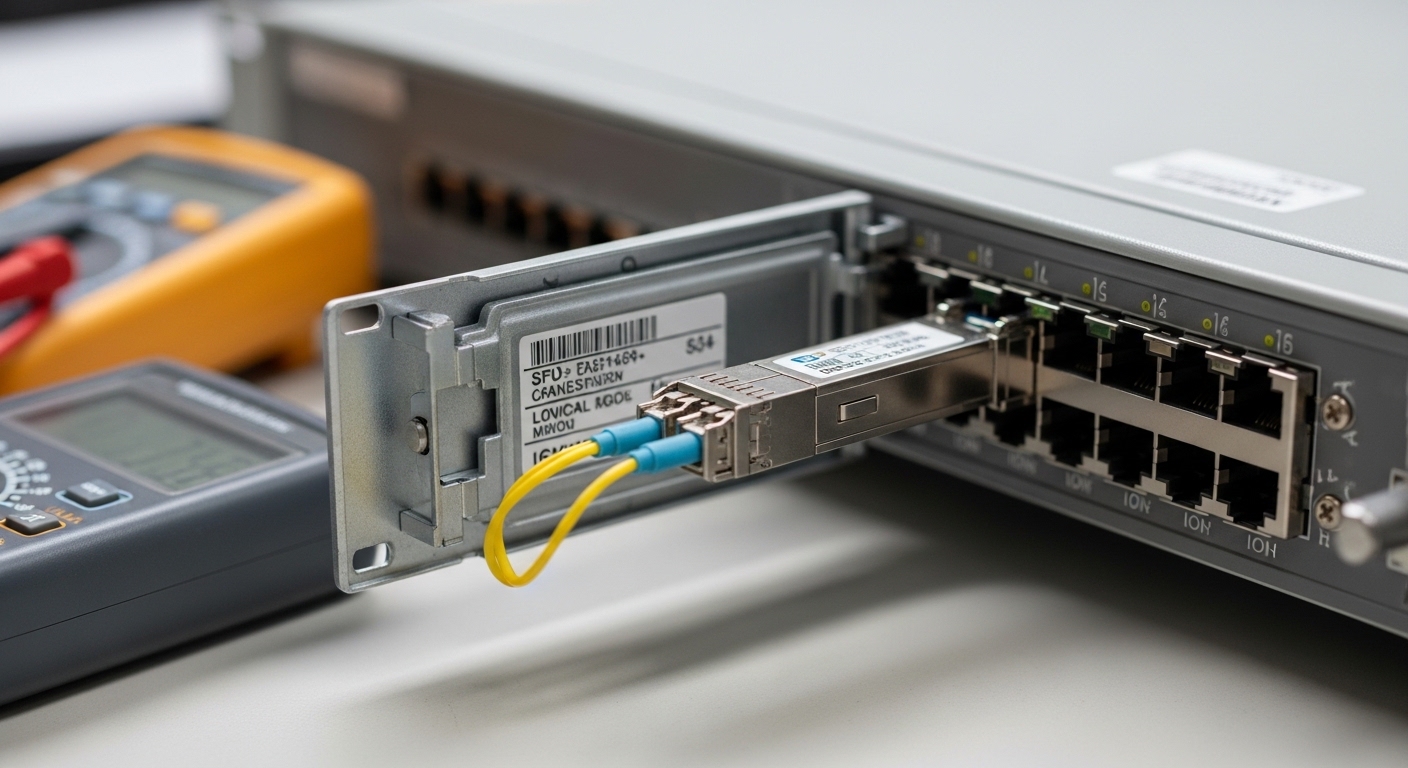
Before selecting any SFP, SFP+, QSFP, or QSFP-DD module, treat the fiber plant like a “bridge” that must match the load rating. If you skip measurements, you may end up with a module that is electrically correct but optically mismatched to the installed cable and splice loss budget.
Confirm the exact line rate and optical interface standard
Write down the switch port type and the transceiver form factor expected by the vendor. For example, a Cisco leaf switch might support Cisco SFP-10G-SR style optics on 10G ports, while another platform may require a specific compatible part list. Then verify the standard: most common are Ethernet over fiber variants aligned to IEEE 802.3 (for example, 10GBASE-SR, 40GBASE-SR4, 100GBASE-SR4, 25GBASE-SR).
Expected outcome: a one-page “port spec sheet” listing speed, lane count, connector type, and whether the host expects DOM.
Measure fiber link loss and connector loss at the right wavelengths
For multimode links using SR optics, the key is not just “it works once,” but whether the budget covers aging and temperature swings. Use an OTDR or calibrated power meter method to estimate end-to-end loss including patch cords, splices, and connectors. If you are using OM3/OM4 multimode, confirm whether your system design assumes 850 nm operation (typical for SR). For single-mode (LR/ER/ZR variants), confirm the wavelength band (commonly 1310 nm, 1550 nm, or vendor-specific ZR windows).
Expected outcome: a measured loss budget with margins, plus a list of patch cords and splice counts.
Capture environmental constraints and power budget
Smart city cabinets and roadside enclosures can run hot and dusty. Record ambient temperature range, airflow, and whether the enclosure is sealed. Also verify the host’s power and thermal envelope for optics; some pluggables draw more power under higher transmit bias, which can throttle performance in marginal airflow.
Expected outcome: a thermal target (for example, -5 C to 70 C if the vendor supports it, otherwise your real cabinet range) and an “allowed optics power” note from the host datasheet.
Optical module types that matter for fiber-based smart cities
Think of optical modules as “drivers” that must match the road conditions. The road is your fiber type, reach requirement, and connector ecosystem; the driver is your wavelength, modulation format, and electrical lane mapping.
Multimode (SR) vs single-mode (LR/ER/ZR): choose by distance and plant design
Multimode SR optics (often 850 nm) are common for short reach inside buildings and some metro rings where fiber is newer and loss is controlled. Single-mode LR/ER/ZR optics (often around 1310 nm or 1550 nm depending on the variant) are common for longer spans and where fiber is already installed in conduits.
Practical rule: if your measured link loss plus margin fits the SR budget for your fiber type (OM3/OM4), SR can simplify cost and density. If you are spanning longer distances or dealing with higher loss, single-mode usually reduces the risk of marginal optical power levels.
Form factor and lane mapping: SFP, SFP+, QSFP, and QSFP-DD
Form factor affects both physical installation and electrical lane mapping. SFP and SFP+ are common for 1G/10G; QSFP supports higher rates with parallel lanes; QSFP-DD and OSFP often appear in 100G+ designs. For example, 40GBASE-SR4 uses four lanes, while 100GBASE-SR4 also uses four-lane parallelism, meaning lane-level skew and host mapping matter.
Source: IEEE 802.3 and vendor optical interface implementation notes.
DOM support: operational visibility for fast fault isolation
Digital Optical Monitoring (DOM) gives you transmit power, receive power, and sometimes temperature and bias current. In field operations, DOM data is like a car’s dashboard: it helps you differentiate “fiber cut” from “aging optics” from “misalignment.” Many hosts support DOM, but not all third-party optics behave identically, so confirm DOM compatibility on your specific switch model.
Specs comparison you can use on a purchase decision
Use the table below as a starting point for matching typical module families to smart city link goals. Always verify exact compatible lists and exact reach under the vendor’s test conditions.
| Module family (examples) | Typical data rate | Wavelength | Reach (typical) | Fiber type | Connector | Power / DOM | Temperature range (typical) |
|---|---|---|---|---|---|---|---|
| 10GBASE-SR SFP+ (e.g., Cisco SFP-10G-SR, Finisar FTLX8571D3BCL) | 10G | 850 nm | Up to 300 m on OM3 / 400-500 m on OM4 (vendor-specific) | OM3/OM4 multimode | LC | Low power; DOM common | -5 C to 70 C (check datasheet) |
| 10GBASE-LR SFP+ (single-mode) | 10G | 1310 nm | Up to 10 km (vendor-specific) | OS2 single-mode | LC | Moderate power; DOM common | -5 C to 70 C (check datasheet) |
| 40GBASE-SR4 QSFP+ | 40G | 850 nm | Up to ~100 m (OM3) / ~150-200 m (OM4) (vendor-specific) | OM3/OM4 multimode | LC (4-lane optics packaged) | Higher power; DOM common | -5 C to 70 C (check datasheet) |
| 100GBASE-SR4 QSFP28/CFP2-like (vendor-specific) | 100G | 850 nm | Up to ~100 m (OM3) / ~150-200 m (OM4) (vendor-specific) | OM3/OM4 multimode | LC | Higher power; DOM more likely | -5 C to 70 C (check datasheet) |
Step-by-step selection guide for urban networking solutions
Follow this checklist like a commissioning script. When procurement and engineering align, the network becomes predictable instead of mysterious.
Start with distance and fiber type, then map to reach
- Distance: use measured link length plus patch cord and splice losses; do not rely on “as-built” estimates.
- Fiber type: confirm OM3 vs OM4 vs OS2, and whether the fiber run is in good condition (no mixed grades without analysis).
- Budget margin: ensure you have a margin for connector cleaning variability and long-term aging.
Expected outcome: a short list of candidate module families (for example, SR for short OM4, LR for longer OS2).
Confirm switch compatibility and DOM behavior
- Host compatibility: check the host vendor’s compatibility matrix or optics “approved list.”
- DOM support: verify DOM is supported and that the host accepts the vendor’s DOM thresholds.
- Lane mapping: for 40G/100G, confirm the port supports the lane configuration expected by the module type.
Expected outcome: you avoid “it inserts but doesn’t negotiate” issues.
Validate operating temperature and enclosure realities
- Operating temperature: compare cabinet ambient to the module datasheet range.
- Thermal airflow: ensure the cabinet does not starve airflow; optics can heat under continuous transmit.
- Dust and connectors: plan for frequent cleaning and protective dust caps, especially for outdoor roadside cabinets.
Expected outcome: reduced link instability during summer peaks.
Add a vendor lock-in and supply risk assessment
- Budget: compare OEM vs third-party pricing, but include warranty and return logistics.
- Vendor lock-in risk: if the host enforces strict optics checks, prioritize compatible third-party modules with documented success.
- Failure rates: consider field history; some third-party optics show higher drift under harsh thermal cycling.
Expected outcome: a procurement plan that balances cost with operational continuity.
Pro Tip: In municipal networks, the most expensive outage is often “intermittent optical receive power low.” Before blaming the module, check connector cleanliness and patch cord replacement first; DOM will show gradual RX power decline that correlates with dirt and micro-scratches, not just catastrophic module failure.
Common mistakes and troubleshooting tips from the field
Even well-designed optical links can fail in predictable ways. Here are the top pitfalls engineers run into, with root causes and fixes.
Failure point 1: Link up/down due to wrong fiber type or connector mismatch
Root cause: installing an SR multimode module into a single-mode fiber run (or vice versa), or using incompatible connector adapters that introduce excess loss. Solution: verify fiber type labels, inspect adapter mating surfaces, and measure optical power with a calibrated meter. Replace adapters with the correct LC/UPC or LC/APC style as required by the plan.
Failure point 2: High CRC or FEC-like errors despite “it negotiates”
Root cause: insufficient optical power budget, excessive end-to-end loss, or dirty connectors causing intermittent attenuation. Solution: clean connectors using lint-free wipes and proper cleaning tools, then measure RX power again. If RX is near the module threshold, reduce span loss by shortening patch cords or re-terminating problematic splices.
Failure point 3: DOM alarms or module not recognized by the host
Root cause: DOM compatibility issues, non-standard EEPROM implementations, or strict host optics checks. Solution: confirm the exact module part number and DOM support, and test with one known-good port before scaling deployment. If the host blocks third-party optics, move to an approved compatible list for that platform.
Failure point 4: Thermal throttling in roadside cabinets
Root cause: modules operating above their thermal envelope due to poor airflow in sealed enclosures. Solution: validate cabinet temperature during peak summer and add ventilation or adjust cabinet placement. Also consider higher-grade industrial optics variants if your vendor supports them.
Cost and ROI note: what you can realistically expect
Pricing varies widely by rate and market conditions, but typical street ranges are often: OEM 10G SR SFP+ modules can cost roughly $80 to $200 each, while comparable third-party optics may be $30 to $90. For 40G and 100G optics, costs can jump to $300 to $1,000+ depending on reach and vendor. The ROI comes from reduced truck-rolls and fewer “marginal optics” replacements: if you can cut intermittent faults and speed up diagnostics using DOM, you can justify third-party optics only when compatibility is proven.
TCO lens: include cleaning consumables, spare optics inventory, and warranty handling time. In harsh environments, a slightly higher OEM price can still be cheaper when failure rates and downtime are accounted for.
FAQ
Which optical module type is most common for urban networking solutions?
For many smart city deployments, 10GBASE-SR over OM3/OM4 multimode is common for short in-building runs, while 10GBASE-LR over OS2 single-mode is common for longer spans between cabinets and buildings. The “most common” depends on how the fiber plant was built and the measured link loss.
How do I verify reach without guessing?
Use a calibrated power meter and/or OTDR to build a loss budget including splice and connector losses. Then compare that budget to the module datasheet’s specified link margin conditions. Avoid relying on nominal distances alone.
Do third-party optics work reliably with enterprise switches?
Often they do, but reliability depends on exact host compatibility and DOM behavior. Always validate against the vendor’s compatibility list or run a pilot test on the same switch model and firmware version before scaling.
What should I watch for in DOM telemetry?
Monitor TX bias current, TX power, RX power, and temperature. If RX power slowly trends down over weeks, suspect connector contamination or micro-damage before assuming optic failure.
What are the fastest troubleshooting actions during intermittent outages?
Start with connector inspection and cleaning, then check RX power levels via DOM and host counters. Next, confirm correct fiber type and verify that the module is not being thermally stressed in the cabinet.
Where can I confirm standards and baseline behavior?
Use IEEE 802.3 for Ethernet over fiber baseline expectations, plus vendor datasheets for exact optical parameters. For operational behavior like DOM and compatibility, rely on the host switch vendor’s optics documentation. IEEE 802.3 standard
Author bio: I have deployed and troubleshot fiber transceivers across data center leaf-spine links and municipal cabinet rings, using measured loss budgets, DOM telemetry, and switch compatibility validation. I focus on practical selection and commissioning steps that keep urban networking solutions stable under real environmental stress.
Update date: 2026-05-02. Next step: review fiber transceiver commissioning checklist to standardize your acceptance testing workflow.
