
Road and tunnel monitoring systems live under harsh conditions: vibration, dust, temperature swings, and long duty cycles that expose weak optical links. This article helps field engineers and QA leads choose and validate tunnel automation fiber SFP modules for reliable sensor backhaul, alarms, and video feeds. You will get an implementation-style checklist, a qualification workflow, and troubleshooting steps grounded in IEEE Ethernet optics practice and vendor datasheet realities.
Prerequisites for SFP deployment on tunnel automation fiber
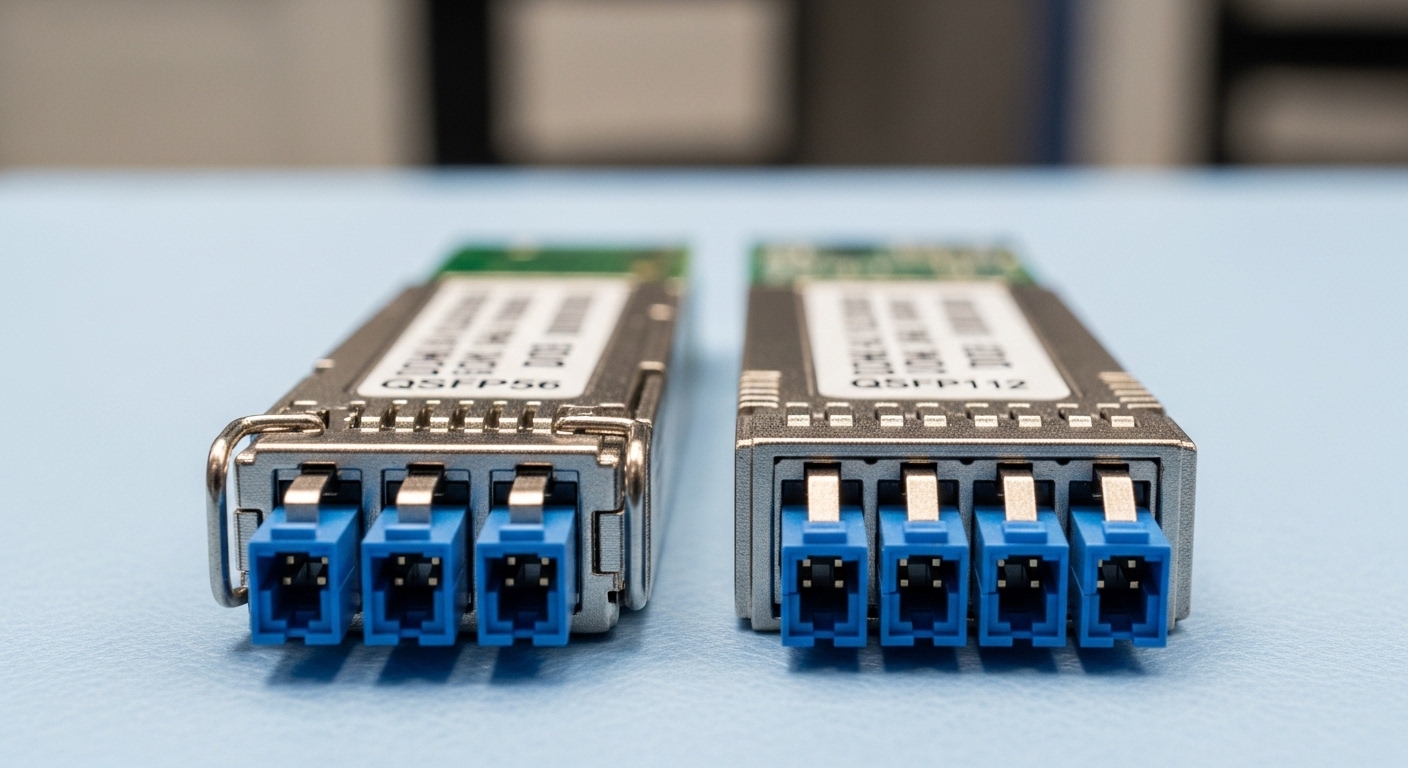
Before you touch optics, define the link budget and the operational envelope. In tunnel and road monitoring deployments, the SFP is only one part of the chain: patch cords, splices, fiber type, and switch optics must all match the expected wavelength and electrical standards.
Gather these items and confirm ownership of the acceptance criteria so your QA plan can be audited to ISO 9001 requirements (traceability, verification, documented evidence). Also plan for environmental testing because failure modes differ between bench and in-tunnel operation.
Inputs you should collect
- Network speed and interface: typically 1G, 2.5G, or 10G Ethernet, depending on camera and sensor aggregation.
- Switch model and optic compatibility: e.g., Cisco, Juniper, Huawei, or industrial Ethernet switches with SFP/SFP+ slots.
- Fiber type and plant details: OS2 single-mode vs OM3/OM4 multimode, cable length, splice count, and connectorization method.
- Environmental limits: typical tunnel ambient ranges like -20 C to +60 C in real roadside cabinets; confirm local extremes.
- Power and redundancy plan: whether you run dual-homed rings, A/B fiber, or a single uplink.
Expected outcome
You will have a written link design: target wavelength (850 nm or 1310/1550 nm), estimated attenuation including connectors/splices, and a test plan you can run at the bench and after installation.
Map your road monitoring traffic to the right SFP class
The “right” SFP for tunnel automation fiber depends on what you carry: sensor telemetry, trigger events, and video streams have different bandwidth and latency needs. Start by classifying traffic, then choose the data rate and optics family so you do not overpay or under-spec.
For example, many road monitoring systems use 1G/2.5G for sensor uplinks and 10G for aggregated camera backhaul at the edge. If you later add cameras, the SFP decision can lock your upgrade path, so design with headroom.
Selection logic by use-case
- Telemetry and alarms only: 1G SFP (often 1310 nm single-mode) is common for long distances.
- Mixed traffic with moderate video: 2.5G or 10G SFP+ can reduce congestion and jitter.
- High-density camera aggregation: 10G SFP+ with single-mode reach is typical when distances exceed multimode economics.
Expected outcome
You will define a target optic family and interface speed (e.g., 10G-SR vs 10G-LR vs 1G-LX) aligned with your traffic plan and future expansion.
Understand SFP optics families and what they mean for tunnel automation fiber
SFP optics are not interchangeable just because they “fit the slot.” You must match wavelength, fiber type, and reach class to the physical plant. The key is reducing optical power margin risk so you meet the receiver’s sensitivity across temperature and aging.
Most Ethernet optics follow established standards and vendor implementations consistent with IEEE 802.3 optical link requirements. For practical qualification, you rely on the vendor datasheet for parameters like transmit power, receiver sensitivity, and DOM behavior.
Core parameters that drive reliability
- Wavelength: 850 nm for short multimode; 1310 nm for longer single-mode; 1550 nm for very long reach.
- Reach class: “SR” (short-reach), “LR” (long-reach), “ER” (extended), depending on module and standard.
- Connector type: LC is common for SFP modules in field cabinets.
- Optical budget: includes fiber attenuation plus connector and splice loss.
- Temperature range: industrial-grade modules often support wider operating ranges.
- DOM: Digital Optical Monitoring for TX power and RX power trending.
Technical specifications comparison (typical SFP options)
The table below compares common SFP module families you will see in road and tunnel monitoring designs. Exact specs vary by vendor, so treat these as “selection starting points” and confirm the final datasheet before purchase.
| Spec | 10G-SR (850 nm) | 10G-LR (1310 nm) | 1G-LX (1310 nm) |
|---|---|---|---|
| Typical data rate | 10.3125 Gb/s | 10.3125 Gb/s | 1.25 Gb/s |
| Wavelength | 850 nm | 1310 nm | 1310 nm |
| Fiber type | OM3/OM4 multimode | OS2 single-mode | OS2 single-mode |
| Typical reach class | Up to ~300 m class | Up to ~10 km class | Up to ~10 km class |
| Connector | LC | LC | LC |
| DOM support | Often yes (vendor-dependent) | Often yes (vendor-dependent) | Often yes (vendor-dependent) |
| Operating temperature | Commercial or industrial variants | Commercial or industrial variants | Commercial or industrial variants |
| Best fit in tunnels | Short runs within a cabinet cluster | Long runs between equipment rooms | Long runs for low-to-moderate throughput |
Expected outcome
You will choose an SFP family that matches your fiber type and distance so your optical power margin stays positive under worst-case temperature and connector contamination.
Pro Tip: For tunnel automation fiber links, prioritize modules with proven DOM compatibility with your exact switch/optics monitoring stack. Field teams often discover that “it links on day one” but monitoring never updates, so you lose early warning of TX power drift and contamination-induced RX margin loss.
Calculate an optical budget and qualify for environmental stress
Reliability engineering starts with margin. A link that barely meets reach on paper can fail in the field after dust ingress, micro-bending, or connector relays during maintenance. Your job is to ensure the installed link stays within the receiver’s sensitivity requirements across temperature and connector aging.
Use an optical budget calculation that includes fiber attenuation and insertion loss from every connector and splice. Then add a safety margin that reflects tunnel conditions and future cleaning practices.
Qualification workflow engineers actually use
- Bench test: connect the SFP to the target switch model and run link stability tests for at least 2 hours at room temperature with traffic (e.g., continuous ping plus iperf if permitted).
- Optical power verification: read DOM values for TX power and RX power at link bring-up; record baseline values for QA evidence.
- Environmental cycling: if you have access, run a temperature chamber test on a sample lot (not every unit) using a representative industrial profile (example: cycle between -20 C and +60 C).
- Vibration and shock consideration: for field cabinets, ensure the patching and strain relief prevent connector fretting during door closure and maintenance.
- Post-install validation: after installation and any re-termination, re-check link errors, DOM telemetry trend, and basic throughput.
Expected outcome
You will have measurable baseline DOM values and a qualified process showing the modules can survive and remain stable after the installation environment.
Validate switch compatibility, DOM behavior, and safety constraints
Even when two SFPs are “standard,” switch firmware may enforce compatibility checks or specific DOM mappings. In road monitoring systems, you need deterministic behavior for alarm reporting and remote diagnostics, so validate on the exact switch hardware and firmware version.
Also validate safety constraints: laser class labeling, handling requirements, and whether the optics vendor specifies eye safety compliance for your region. For QA, keep a record of module lot numbers and switch firmware versions used during acceptance testing.
Compatibility checklist
- Switch optic matrix: confirm the SFP model is listed as compatible by the switch vendor or validated by your integrator.
- DOM monitoring: confirm TX and RX readings are visible and stable in your monitoring system (polling interval, thresholds, and alert behavior).
- Link negotiation behavior: verify speed/duplex settings (where applicable) and that no fallback mode changes your QoS assumptions.
- Vendor firmware quirks: test that error counters (CRC, FCS, link flaps) behave consistently and can be exported.
- Laser safety: ensure the module’s compliance and labeling match your site safety procedures.
Expected outcome
You will ensure the SFPs integrate with monitoring and alarm workflows, not just physical link up.
Choose between OEM and third-party modules with a TCO view
Cost is not just unit price; it is also downtime risk, spare strategy, and warranty handling. Tunnel automation fiber deployments often place optics in remote cabinets, so a failure can mean travel time, spares logistics, and extended maintenance windows.
In practice, OEM-branded optics may cost more per unit but can reduce compatibility surprises. Third-party modules can be economical if you enforce a qualification process and maintain traceability.
Cost and ROI note
- Typical price ranges: for common SFPs, third-party 1G/10G modules may be roughly tens of dollars to low hundreds, while OEM-branded equivalents can be higher. Exact pricing depends on reach class and temperature grade.
- TCO drivers: failure rate, warranty replacement speed, compatibility testing effort, and spares inventory requirements.
- Reliability strategy: plan spares per site; for remote tunnels, many teams keep at least 1 spare per critical uplink and validate it before storage.
Measured ROI often comes from fewer truck rolls and faster restoration rather than from unit savings alone.
Decision checklist for tunnel automation fiber SFP selection
Use this ordered checklist during procurement and pre-install verification. It is designed to align engineering decisions with QA documentation and operational risk controls.
- Distance and fiber type: confirm OS2 vs OM3/OM4 and the actual installed length including splices.
- Required data rate: match 1G vs 10G class to your traffic and QoS requirements.
- Budget vs optical margin: ensure you have receiver margin under worst-case temperature and connector loss.
- Switch compatibility: validate against the exact switch model and firmware version.
- DOM support and monitoring integration: confirm your NMS can consume DOM values and trigger alerts.
- Operating temperature: choose industrial-grade modules if your cabinet exceeds commercial assumptions.
- Vendor lock-in risk: evaluate whether you can standardize on a few qualified module families across sites.
- Environmental robustness: strain relief, connector cleanliness plan, and vibration tolerance.
Common mistakes and troubleshooting for tunnel automation fiber SFP links
Below are frequent failure modes in real deployments, with root causes and fixes. Treat these as a troubleshooting playbook for both commissioning and post-maintenance incidents.
Failure mode 1: Link comes up on the bench but flaps in the tunnel
Root cause: micro-bending or connector fretting caused by poor strain relief, vibration, or cable routing changes during cabinet installation.
Solution: inspect and re-seat connectors, improve strain relief, and verify insertion loss with an OTDR or a qualified loss tester where possible. Also check whether the link partner uses a different DOM interpretation that triggers resets.
Failure mode 2: Receiver alarms and high error counters after months of operation
Root cause: contamination on LC/APC interfaces or dust ingress leading to increased insertion loss and reduced RX margin. Tunnel maintenance activities can also disturb connectors.
Solution: implement a connector cleaning SOP using approved lint-free swabs and isopropyl alcohol or field cleaning cartridges, then re-check DOM RX power and interface error counters. If errors persist, re-terminate or replace the patch cord.
Failure mode 3: Works with one switch model but fails in another site
Root cause: DOM incompatibility, vendor-specific transceiver ID behavior, or switch firmware optic validation differences. Some switches are strict about module identification or diagnostic thresholds.
Solution: test each candidate module family against the target switch models during staging. Lock approved module part numbers and keep a compatibility matrix in your QA records.
Failure mode 4: Wrong fiber type selection (multimode vs single-mode)
Root cause: using 10G-SR on a path that is actually OS2, or using 10G-LR on an OM3 plant. The result can be weak signals, intermittent links, or total link failure.
Solution: verify fiber type from cable markings and test results before ordering optics. Confirm connector mapping and polarity (Tx to Rx) and document the pair usage.
FAQ: tunnel automation fiber SFPs for road monitoring systems
What SFP wavelength should I choose for long tunnel runs?
For long runs on single-mode OS2, 1310 nm long-reach optics (commonly labeled LR for 10G or LX for 1G) are typical. If distances are extreme or you have legacy constraints, you may consider extended reach modules, but always confirm the optical budget and receiver sensitivity from the datasheet. IEEE 802.3 provides the general framework for Ethernet optical behavior.
Do I need DOM for road monitoring reliability?
DOM is highly recommended because it enables early warning: you can track TX power drift and RX margin before link failure. In many monitoring workflows, DOM telemetry becomes part of your alarm escalation logic. Validate DOM visibility on your exact switch and monitoring platform during acceptance testing.
Can I mix SFP vendors across sites?
You can, but only if you standardize on qualified part numbers and enforce a compatibility and qualification process. Mixing vendors without validation can create inconsistent diagnostics, different temperature behavior, or monitoring gaps. For QA, keep a traceable approved vendor list and record module lot numbers.
How do I estimate link loss for splices and connectors?
Start with measured fiber attenuation (from test records or OTDR where available) and add insertion loss for every connector and splice. Use conservative assumptions for tunnel environments because contamination and rework can increase loss over time. Your objective is to preserve optical margin under worst-case conditions.
What are realistic MTBF expectations for SFP optics in the field?
Vendors often quote reliability metrics, but real MTBF depends on temperature cycling, optical power operation, and installation practices. In reliability engineering, you treat MTBF as a baseline and focus on maintaining margin and preventing contamination. Your best lever is environmental and process control, not only buying higher-spec optics.
Should I use OEM optics or third-party modules?
OEM optics can reduce compatibility risk and simplify warranty handling, but third-party modules can be cost-effective if you qualify them against your switch models and run environmental and stability tests. The best ROI comes from minimizing downtime and ensuring monitoring works end-to-end, not from choosing the lowest unit price.
For your next step, build a small staging lab: test your candidate SFP part numbers with the target switches, capture DOM baselines, and run a short environmental stability check before scaling to your tunnel automation fiber sites. Then standardize spare modules using the same qualified families to reduce restoration time. fiber optic transceiver qualification checklist
Author bio: I have hands-on experience commissioning fiber links for industrial monitoring systems, including optical budget validation, DOM-based health trending, and cabinet-level reliability testing. I apply QA and reliability methods aligned with ISO 9001 to reduce field failures and improve MTBF outcomes through repeatable acceptance processes.
