
If you run 5G fronthaul or backhaul, one wrong optics swap can stall links, trigger alarms, or quietly degrade performance. This article helps network and field engineers validate transceiver compatibility across RU/DU/CU, routers, DWDM gear, and PON-like aggregation. You will get practical checks, spec tables, and troubleshooting steps you can use during commissioning and maintenance windows.
Why transceiver compatibility breaks in real 5G networks
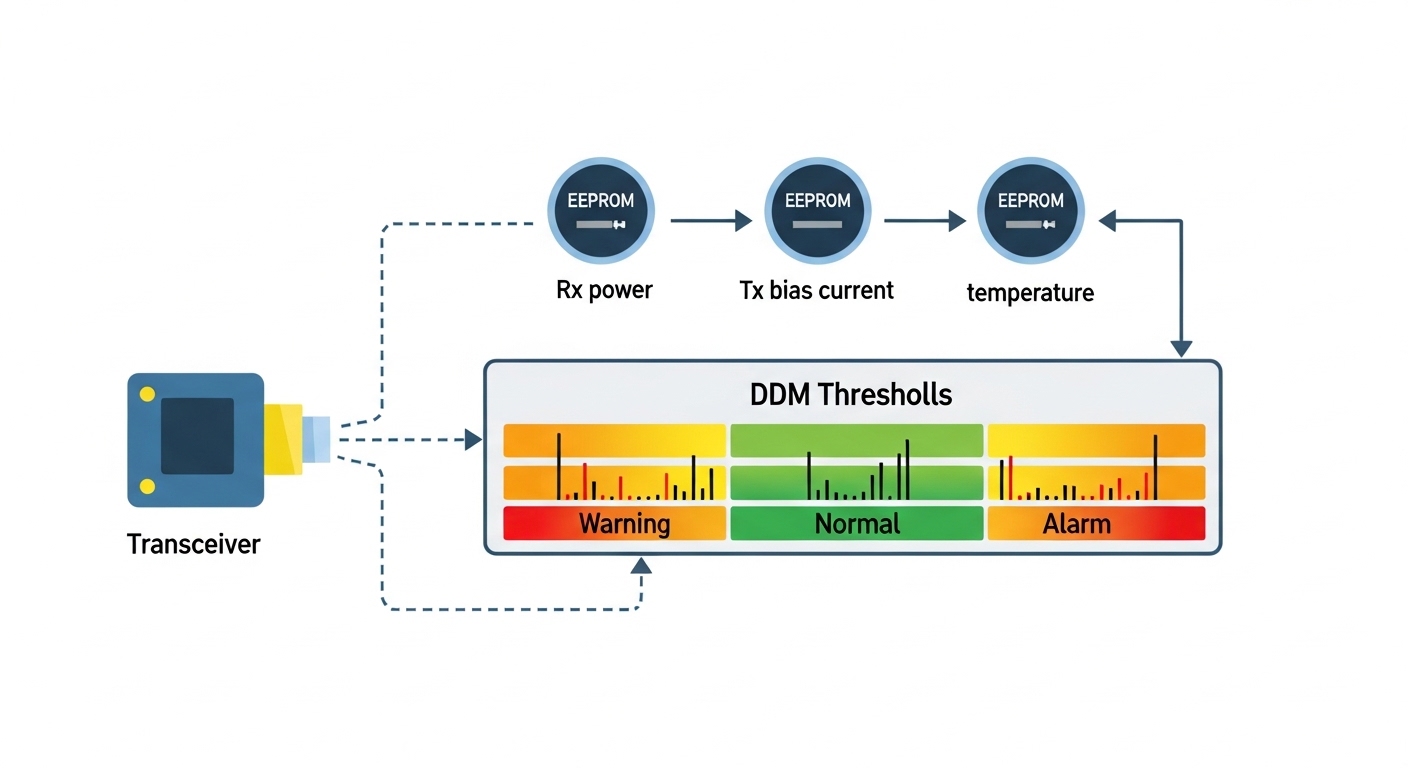
In 5G, optics are not just “plug and light.” Compatibility spans electrical signaling (SFP28/QSFP28/QSFP-DD), optical parameters (wavelength, launch power, receiver sensitivity), and firmware behavior in the host. In fronthaul, timing and jitter sensitivity makes it easier to notice link instability, while in backhaul, you may only see higher retransmits or degraded throughput. I have seen the same model of transceiver pass link-up tests but fail under traffic bursts because DOM thresholds or FEC expectations were not aligned.
Fronthaul vs backhaul: different risk profiles
Fronthaul links often use tight timing budgets and strict optical power ranges. Backhaul links usually tolerate more variation, but can still break when host platforms enforce vendor-specific optics policies. When you validate transceiver compatibility, treat each hop type differently: RU to DU (tight), aggregation to core (moderate), and any DWDM span (budget-driven).
What “compatible” really means
From an operations standpoint, compatibility includes: correct form factor and lane mapping, IEEE compliance for the modulation format, matching fiber type (OM3/OM4/OS2), correct connector geometry, and host-side expectations for DOM. Many modern routers also enforce transceiver vendor allowlists or require specific firmware releases.
Core specs that decide transceiver compatibility (and how to check them)
Before you even think about vendor or SKU, confirm the physical and optical contract: data rate, wavelength, reach, power levels, and connector type. Then verify the host interface supports the transceiver’s electrical standard and FEC mode. Most field failures come from a mismatch in one of these “boring” parameters, not from the transceiver being “bad.”
Key parameters engineers verify
- Data rate and line coding: 10G/25G/40G/100G and whether the host expects NRZ, PAM4, or specific lane rates.
- Wavelength and fiber class: 850 nm for multimode (OM3/OM4), 1310/1550 nm for single-mode (OS2).
- Reach: real-world reach depends on budget and fiber attenuation, not the marketing number.
- TX power and RX sensitivity: ensure the link budget stays within the receiver’s dynamic range.
- Connector: LC vs MPO, and whether your patch panels match.
- Temperature range: commercial vs industrial-grade for cabinet or tower environments.
- DOM support: whether the host reads thresholds and whether DOM is required for alarms.
Common transceiver types in 5G deployments
Enterprises and tower operators frequently use SFP/SFP+ for older 10G, SFP28 for 25G, QSFP28 for 100G via 4x lanes at 25G each, and QSFP-DD for higher density. For DWDM, pluggables may be tuned or fixed wavelength, but the host and optical mux/demux must agree on channel plan and power budget.
| Parameter | SFP28 25G (SR) | QSFP28 100G (SR4) | QSFP28 100G (LR4) | QSFP-DD 100G (varies) |
|---|---|---|---|---|
| Typical data rate | 25.78125 Gbps | 103.125 Gbps | 103.125 Gbps | 100G class (often 200G/400G capable) |
| Wavelength | 850 nm | 850 nm | 1310 nm (4-lane CWDM-like) | Depends on optics (850/1310/1550) |
| Reach (typical) | Up to ~100 m on OM4 | Up to ~100 m on OM4 | Up to ~10 km on OS2 | Often 2 km to 10 km class depending on model |
| Connector | LC | LC (some MPO variants) | LC | Varies; often LC |
| DOM | Usually supported (I2C) | Usually supported (I2C) | Usually supported (I2C) | Usually supported; thresholds may differ |
| Temperature range | Commercial or industrial options | Commercial or industrial options | Commercial or industrial options | Model-dependent; check spec sheet |
| Compatibility risk | Low to medium; fiber type mistakes are common | Medium; lane mapping and DOM thresholds | Medium to high; budget and DWDM-like channel expectations | High; host firmware gating and optics policy |
For standards grounding, verify line interfaces against IEEE 802.3 clauses for the specific speed class, and sanity-check DOM behavior against the vendor’s datasheet and host requirements. Helpful references include IEEE 802.3 for Ethernet PHY expectations and optics vendor documentation on DOM and electrical specs. IEEE 802.3 standard [Source: IEEE Standards Association] Finisar optics documentation [Source: Finisar (now part of II-VI)]
Pro Tip: During acceptance testing, don’t stop at “link up.” Drive a controlled load profile (for example, sustained 70 to 90 percent line rate for 15 minutes) and monitor DOM values plus interface error counters. I have seen optics that negotiate cleanly but later exceed receiver power thresholds under temperature drift, causing CRC growth that only shows up under sustained stress.
Host platform checks that make transceiver compatibility succeed
Even if the optics are electrically and optically correct, the host can still block or misinterpret them. Many enterprise and telecom platforms read transceiver ID via I2C and compare the values to a policy table, sometimes tied to firmware. That policy can reject non-OEM optics, or accept them but only with specific DOM thresholds.
Switch and router compatibility workflow
- Confirm port speed and breakout mode: ensure the host is configured for 25G or 100G mode, and that breakout (like 4x25G) matches the transceiver.
- Verify firmware release: check that the host firmware supports the transceiver generation and DOM behavior.
- Check transceiver ID and DOM capabilities: confirm the vendor ID, part number, and DOM presence match what the host expects.
- Validate optical budget: use measured fiber attenuation plus patch panel and splice losses to confirm margin.
- Run a traffic and alarm test: confirm no LOS/LOF flaps and no rising CRC/FEC correction events beyond baseline.
Concrete model examples you can map to your environment
On the enterprise side, it is common to see 10G and 25G transceivers like Cisco SFP-10G-SR and FS.com equivalents used in lab and some production builds when allowed by the host. For 100G SR4 and LR4, you may encounter Finisar and FS.com pluggables with similar form factors, but DOM thresholds and vendor IDs can differ. Always confirm with your host’s documented compatibility list or by running a controlled pilot swap.
Distance, budget, and connector reality: the compatibility math that matters
In the field, transceiver compatibility usually fails because the link budget is wrong, not because the transceiver is incompatible in theory. For multimode, modal bandwidth and patch cord quality can dominate; for single-mode, splice and connector cleanliness is the silent killer. If you are commissioning a new 5G backhaul path, measure fiber attenuation with an OTDR or at least do end-to-end loss verification with calibrated meters.
Measured budget approach (what I do during cutovers)
Calculate loss as: fiber attenuation + patch panel loss + connector loss + splice loss. Then compare against the transceiver’s specified maximum link loss (or power budget) and ensure you keep margin for aging and temperature effects. If you are near the edge, prefer industrial temperature optics and consider cleaning rework or better patch cords before blaming compatibility.
DWDM and tuned optics caveat
In DWDM setups, “compatibility” includes channel plan alignment and optical power control. A pluggable that is optically correct at the device level can still fail if the mux/demux expects a different grid spacing or if the tuned wavelength drifts beyond the receiver’s filter tolerance. If you are using fixed-wavelength optics, match them to the DWDM slot plan; if tunable, confirm tuning range and stabilization behavior.
Selection criteria checklist for transceiver compatibility in 5G
When I help teams choose optics for fronthaul/backhaul, I use a strict checklist to reduce trial-and-error. It is fast enough for procurement, but detailed enough for field success.
- Distance and fiber type: OM3/OM4 vs OS2, and expected end-to-end loss.
- Data rate and interface mode: speed, lane count, and breakout configuration.
- Budget margin: confirm TX power and RX sensitivity with measured losses.
- Connector and patching: LC vs MPO, and verify panel and pigtail types match.
- DOM behavior: confirm DOM is supported and that thresholds won’t trigger nuisance alarms.
- Operating temperature: cabinets and rooftops can exceed commercial ranges; pick industrial grade if needed.
- Switch compatibility and firmware: verify the host supports the transceiver generation and DOM policy.
- Vendor lock-in risk: weigh OEM optics reliability against third-party availability and warranty terms.
To keep procurement aligned with engineering reality, request the vendor’s datasheet that lists wavelength, reach, TX/RX power, DOM parameters, and temperature range. If a datasheet is vague, treat it as a risk for transceiver compatibility.
Common mistakes and troubleshooting tips
Here are the failure modes I see most often when transceiver compatibility is assumed instead of validated. Each one includes a root cause and a practical fix.
Link does not come up after swapping optics
Root cause: wrong transceiver type for the port mode (example: 25G configured but optics are 10G, or breakout mismatch like 100G port expecting QSFP28 while SFP28 is installed). Another frequent cause is host firmware that blocks certain transceiver IDs.
Solution: verify port configuration, confirm the transceiver form factor and speed class, update host firmware if allowed, and check host logs for “unsupported optics” or similar messages.
Link flaps under temperature changes
Root cause: optics temperature range mismatch (commercial-grade used in hot outdoor cabinets), or marginal optical power budget that only fails at higher fiber attenuation and laser output drift.
Solution: move to industrial temperature rated optics, improve link budget margin by reworking patch cords/splices, and monitor DOM laser bias and received power over time.
High CRC or retransmits even though link is “up”
Root cause: fiber cleanliness issues (dirty connectors), one bad patch cord, or exceeding receiver sensitivity range due to connector loss or incorrect patching (wrong fiber strand).
Solution: clean connectors with approved fiber cleaning tools, re-terminate if needed, verify fiber mapping at both ends, and run sustained traffic while watching interface error counters.
DOM alarms or “unknown transceiver” events
Root cause: transceiver DOM is present but thresholds or readings differ from what the host expects, or the host enforces an optics allowlist.
Solution: confirm DOM support and vendor ID handling, test in a controlled window with the exact host firmware version, and if required, use OEM optics or a known-compatible third-party part number.
Cost and ROI note: what transceiver compatibility costs over time
OEM optics often cost more per module, but they reduce operational friction and compatibility surprises. In many enterprise procurement cycles, a third-party 25G or 100G pluggable might be 20 to 40 percent cheaper, yet the real ROI depends on failure rate, warranty coverage, and how often compatibility testing is required. For TCO, include labor hours for swaps, potential truck rolls, and the risk of prolonged outages if the optics policy blocks non-OEM modules.
In practice, I recommend a staged approach: use third-party optics only after you validate compatibility on the exact host platform and firmware release, then standardize the part number for that platform. This keeps inventory manageable and avoids “mystery optics” that cost more to troubleshoot than they save at purchase time.
Real-world deployment scenario: validating optics across a 5G backhaul ring
In a typical enterprise 5G backhaul design, we had a 3-tier setup: 48-port 10G ToR switches at aggregation, two 100G core switches, and a ring of sites connected over OS2 fiber. Each site used 100G QSFP28 LR4 optics to move traffic between aggregation nodes, with ~6 km per span and about 2.5 dB measured margin after patch panels and splices. During commissioning, the team tried two third-party optics batches; link-up succeeded, but sustained load produced rising CRC counts on one side because the patch cord set had higher-than-expected loss.
The fix was not “change the transceiver family,” but re-clean and re-map fibers, replace one failing patch cord, and confirm DOM received power stayed within the receiver’s dynamic range. After that, the third-party optics ran for months with stable error rates. The lesson: transceiver compatibility is both the optics and the measured path, plus host DOM and firmware behavior.
FAQ: transceiver compatibility questions engineers ask during procurement
How do I confirm transceiver compatibility with my switch?
Start with port mode and speed configuration, then verify the transceiver form factor and data rate class. Next, check host firmware release notes or compatibility lists, and confirm DOM support and readings. If you cannot find a documented list, do a controlled pilot swap with monitoring for errors and alarms.
Can I mix OEM and third-party optics in the same 5G network?
Yes, but only if the host platform accepts the transceiver IDs and the optics meet the required optical budget. Mixing is usually safe after you validate DOM behavior and ensure the same wavelength and reach class. For DWDM, mixing requires extra care with channel plan and power control.
What causes “link up but poor performance” with compatible optics?
Common causes include dirty connectors, wrong fiber strand mapping, and marginal link budgets that only fail under sustained load. DOM might look normal until temperature drift or burst traffic exposes receiver sensitivity limits. Always verify end-to-end loss and monitor CRC/FEC correction during a traffic test.
Does DOM always matter for transceiver compatibility?
DOM matters if your host uses it for alarms, threshold checks, or vendor policy. Some platforms rely on DOM to trigger “unsupported optics” warnings or to enforce power limits. Even when traffic works, mismatched DOM thresholds can cause nuisance alarms that complicate operations.
Are industrial temperature transceivers worth it for 5G cabinets?
If your cabinet or tower environment exceeds commercial temperature assumptions, industrial grade is usually worth the extra cost. It reduces the probability of thermal-induced drift and link flapping, especially when optics are near the edge of the power budget. Validate with site temperature logs if possible.
What is the fastest way to troubleshoot a failed optics swap?
Check host logs for optics policy errors first, then confirm port speed and breakout settings. After that, verify fiber mapping and cleanliness, and monitor DOM values for received power and laser bias. If you still see issues, perform an OTDR or end-to-end loss measurement to confirm the budget.
If you want the smoothest commissioning, treat transceiver compatibility as a complete system check: optics specs, measured fiber budget, host firmware/DOM policy, and real traffic tests. Next, review DWDM channel planning for enterprises to avoid channel-grid and power-budget surprises in multi-wavelength backhaul.
Author bio: I am a telecom engineer who has deployed 5G fronthaul and backhaul links using SFP28/QSFP28 optics, DWDM mux/demux systems, and structured troubleshooting with DOM and interface counters. I write from hands-on field experience: commissioning plans, acceptance tests, and the operational details that prevent outage-level optics mismatches.
