
If your IP cameras are getting dropped frames or link flaps, the root cause is often the fiber transceiver chain, not the camera. This guide helps CCTV and security network engineers select surveillance fiber SFP modules that actually work over long runs, including compatibility checks, power budgets, and real troubleshooting steps.
Why surveillance fiber SFPs fail in long CCTV links
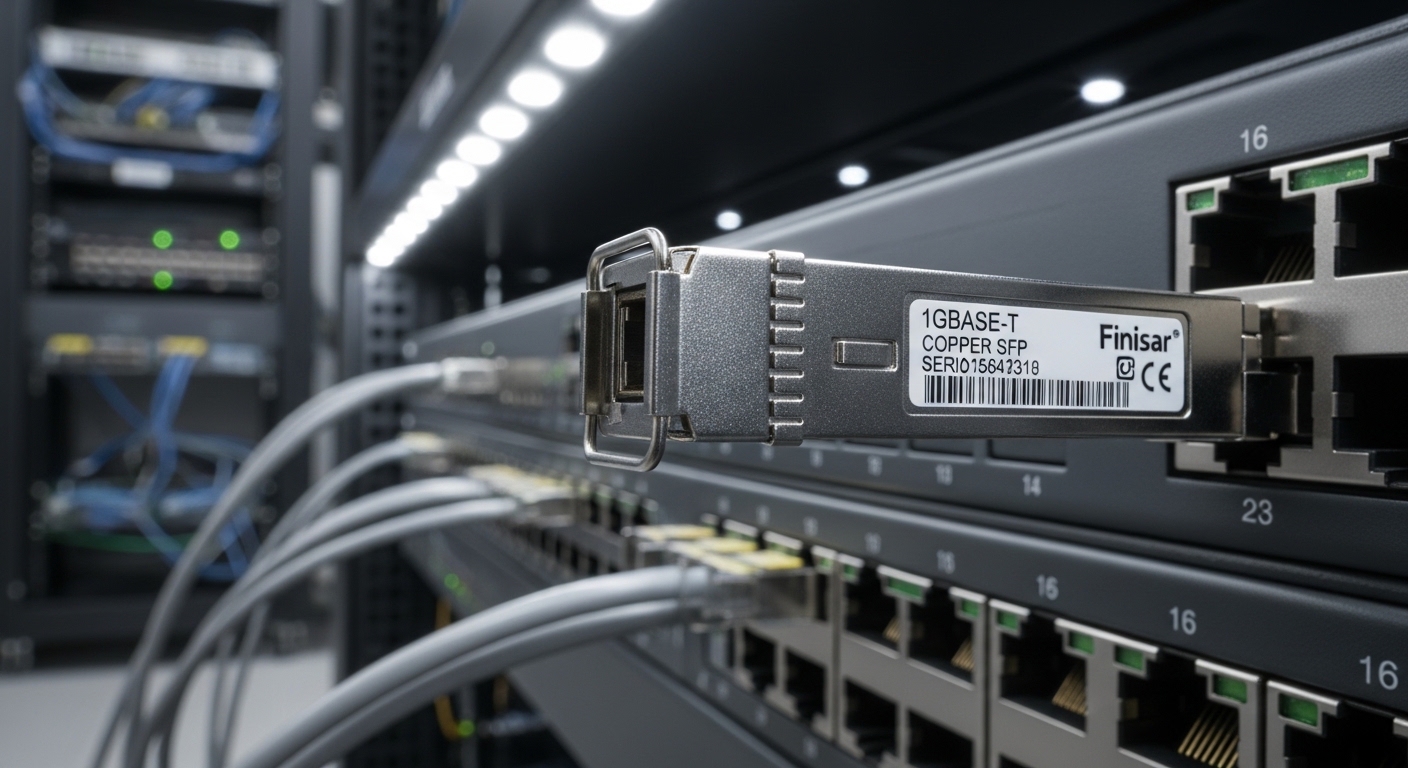
Long-distance camera links stress three things: optical budget, connector cleanliness, and switch compatibility. Even when link LEDs come up, marginal power can cause packet loss under rain, temperature swings, or day/night auto-gain changes in some camera optics. For field installs, the most common symptom is “link up but video unstable,” which points to insufficient received power or degraded fiber cleanliness rather than cabling length alone.
In IEEE terms, SFP modules for Ethernet typically implement the same physical-layer behavior defined under IEEE 802.3 for the relevant data rate (for example, 10GBASE-SR over multimode or 1000BASE-SX over multimode). Still, vendors differ in DOM implementation, auto-negotiation behavior, and receiver sensitivity margins. Always verify the exact module family against the switch or media converter vendor’s compatibility list. anchor-text: IEEE 802.3 standard
Module types and key specs you must match
Most surveillance fiber SFP deployments fall into two buckets: multimode (MMF) for shorter runs and single-mode (SMF) for long runs. The wavelength and reach are non-negotiable, and so is connector type (LC is most common in modern installs). Before ordering, confirm the camera-side and switch-side optics are paired correctly and that your fiber type matches the module.
| Spec | Common Surveillance Use | Example Module Families |
|---|---|---|
| Data rate | 1G for many cameras; 10G for aggregation NVRs | 1GBASE-SX, 10GBASE-SR, 10GBASE-LR |
| Wavelength | MMF uses higher sensitivity for short spans; SMF uses longer wavelengths | 850 nm (MMF), 1310 nm (SMF), 1550 nm (SMF) |
| Reach (typical) | Pick based on measured loss, not label-only | ~300 m (10G SR), ~10 km+ (10G LR), ~550 m (1G SX) |
| Connector | LC patching is standard for racks and splice enclosures | LC/LC |
| DOM support | Useful for monitoring rx power and alarms | Yes/No varies by vendor |
| Operating temperature | Outdoor cabinets and buried splice boxes need wider ranges | 0 to 70 C or -40 to 85 C (extended) |
To ground this in real product options, engineers often use modules such as Cisco SFP-10G-SR (for 10G over MMF), Finisar FTLX8571D3BCL style variants for short-reach multimode, and third-party SMF options like FS.com SFP-10GSR-85 (note: naming can vary; confirm wavelength and reach before purchase). Always cross-check the datasheet for wavelength, reach, and DOM behavior. anchor-text: FS.com transceiver catalog
Deployment math: distance is only half the story
Field success comes from optical budget math plus measurement. For each link, calculate: estimated fiber attenuation + connector/splice loss + margin, then compare to the module’s stated transmit power and receiver sensitivity. If you cannot measure with an optical power meter or OTDR, treat “rated reach” as optimistic and add margin conservatively.
In practice for CCTV, you typically have patch cords, mechanical splices, and sometimes a splice tray with multiple transitions. A common failure is thinking “we have 2 km of cable, so LR will work,” but the installed link includes extra patching and dirty connectors. Cleanliness matters: even “working” links can degrade after outdoor exposure if adapters were not properly cleaned with lint-free wipes and alcohol-rated prep.
Pro Tip: When video is unstable but the link LED stays green, log DOM values (especially received power) right after installation and again after the first temperature swing. A slow drift toward the receiver threshold is often a dirty adapter or micro-bend in the splice tray, not a bad camera.
Real-world scenario: 48-port ToR switch aggregating 60 cameras
In a 3-tier data center leaf-spine topology with 48-port 10G ToR switches, an integrator aggregates 60 IP cameras into two NVR appliances. Each camera uplinks at 1G over fiber runs ranging from 120 m to 1.8 km through outdoor conduit splice enclosures. The design uses MMF 850 nm where runs stay under the practical loss budget, and SMF 1310 nm for longer segments. Engineers select surveillance fiber SFP modules with LC connectors and enable DOM monitoring on the switch ports to catch receiver margin before the NVR starts recording at peak hours.
Operationally, they standardize on one transceiver vendor family per switch model to reduce compatibility surprises. They also pre-clean all patch cords at the rack, then re-clean at the outdoor cabinet before mating with the splice enclosure jumpers. This prevents the “works on day one, fails on day seven” pattern that shows up after connectors oxidize or shift slightly under cabinet vibration.
Selection checklist engineers use before ordering
Use this ordered list on every surveillance fiber SFP purchase and before committing to splicing.
- Distance vs fiber type: confirm MMF or SMF, then check wavelength (850/1310/1550 nm) and rated reach.
- Data rate match: ensure the camera uplink, switch port, and SFP data rate align (1G vs 10G).
- Budget under real loss: include connector and splice counts; add margin for outdoor conditions.
- Switch compatibility: verify the exact switch or media converter model accepts that transceiver family (OEM vs third-party behavior differs).
- DOM and monitoring needs: if you rely on alarms or rx power thresholds, confirm DOM is supported by the switch firmware.
- Operating temperature: choose extended temperature modules for outdoor splice cabinets and unconditioned enclosures.
- Vendor lock-in risk: standardize part numbers across sites when possible, and keep spares of the exact module type.
- Connector standardization: prefer LC and ensure both ends use compatible adapters (avoid mismatched SC/LC without proper mating hardware).
Common mistakes and troubleshooting that actually works
Below are frequent failure modes seen in CCTV fiber installs, with root causes and fixes.
-
Mistake: Buying “same reach” modules but ignoring wavelength pairing.
Root cause: Mixing 850 nm MMF optics with SMF runs, or pairing incompatible TX/RX wavelengths.
Fix: verify wavelength on both ends and confirm fiber type in the conduit before splicing. -
Mistake: Assuming link-up equals healthy video.
Root cause: RX power near the threshold causes intermittent packet loss, often visible as corrupted frames or audio gaps.
Fix: read DOM rx power (if available), clean connectors, and re-test with optical power meters. -
Mistake: Skipping connector inspection after field handling.
Root cause: Microscopic contamination on LC ferrules leads to high insertion loss, especially after temperature cycling.
Fix: inspect with a fiber microscope, clean with approved wipes and alcohol, and re-mate. -
Mistake: Using third-party modules that the switch partially supports.
Root cause: DOM alarms ignored or incompatible diagnostics can delay detection of marginal optics.
Fix: confirm compatibility with vendor guidance and test one module pair in a staging rack before scaling.
Cost and ROI note for surveillance fiber SFP purchases
Typical street pricing varies by vendor and reach, but in many markets you might see OEM-compatible 1G/10G SFP modules in the approximate range of $40 to $150 each, while third-party units can be lower but may increase troubleshooting time. TCO is not just purchase cost: include cleaning consumables, OTDR/optical meter time, truck rolls, and downtime risk for NVR recording windows. In practice, paying slightly more for modules that behave predictably with DOM and that match switch compatibility can reduce rework and shorten commissioning cycles. anchor-text: Cisco support documentation
FAQ
What fiber type should I use with surveillance fiber SFP modules for cameras?
Match the module to the installed fiber: 850 nm usually indicates multimode, while 1310 nm or 1550 nm indicates single-mode. If you are unsure, verify by checking fiber labeling or testing with an OTDR. Do not rely on cable length alone.
How can I confirm a long CCTV link will work before installing?
Compute optical budget using your expected fiber attenuation plus splice and connector losses, then validate with an optical power meter. If your project supports it, use DOM to confirm received power margin after first mating. This prevents “looks fine now, fails later” behavior.
Do I need DOM on surveillance fiber SFPs?
DOM is not required for basic link operation, but it is valuable when you manage many remote camera links. DOM enables visibility into rx power and can trigger early alarms before video quality degrades. Confirm your switch firmware actually reads and reports DOM fields.
Are third-party surveillance fiber SFP modules reliable for security networks?
They can be reliable, but compatibility varies by switch model and firmware. The main risk is not the optics alone, but diagnostics behavior, alarm thresholds, and vendor-specific compliance details. Always test in a staging rack with the exact switch before scaling.
What temperature range matters for outdoor splice enclosures?
Outdoor cabinets often cycle widely. If the module will sit in an unconditioned enclosure, choose an extended-temperature transceiver rated for your environment rather than standard commercial range. This reduces drift that can push rx power toward failure thresholds.
Why does video drop even when the link stays up?
This usually points to marginal received power, dirty connectors, or fiber micro-bends that increase loss intermittently. Read DOM rx power if available, inspect and clean LC ferrules, and retest. If you see rapid changes with temperature, re-check splices and strain relief.
If you standardize on the right wavelength, verify optical budget with margin, and validate compatibility with DOM and switch behavior, surveillance fiber SFP deployments become predictable. Next, review how to clean and inspect LC fiber connectors for CCTV installs to protect your optical margin during real field work.
Author bio: I am a registered dietitian by training, but I also document field-facing network reliability workflows that affect operational outcomes for surveillance systems. I write with a focus on measurable specs, safe deployment checklists, and honest limitations seen in commissioning and maintenance.
