
If you are extending IP surveillance beyond copper limits, a surveillance fiber SFP can be the cleanest way to stabilize bandwidth and reduce electromagnetic interference. This article helps network engineers, integrators, and field techs choose the right optical reach, fiber type, and transceiver behavior for CCTV and IP surveillance links. You will also get a practical troubleshooting checklist tuned to real deployments like multi-building camera rings and NVR aggregation.
How surveillance fiber SFP links behave in real CCTV networks
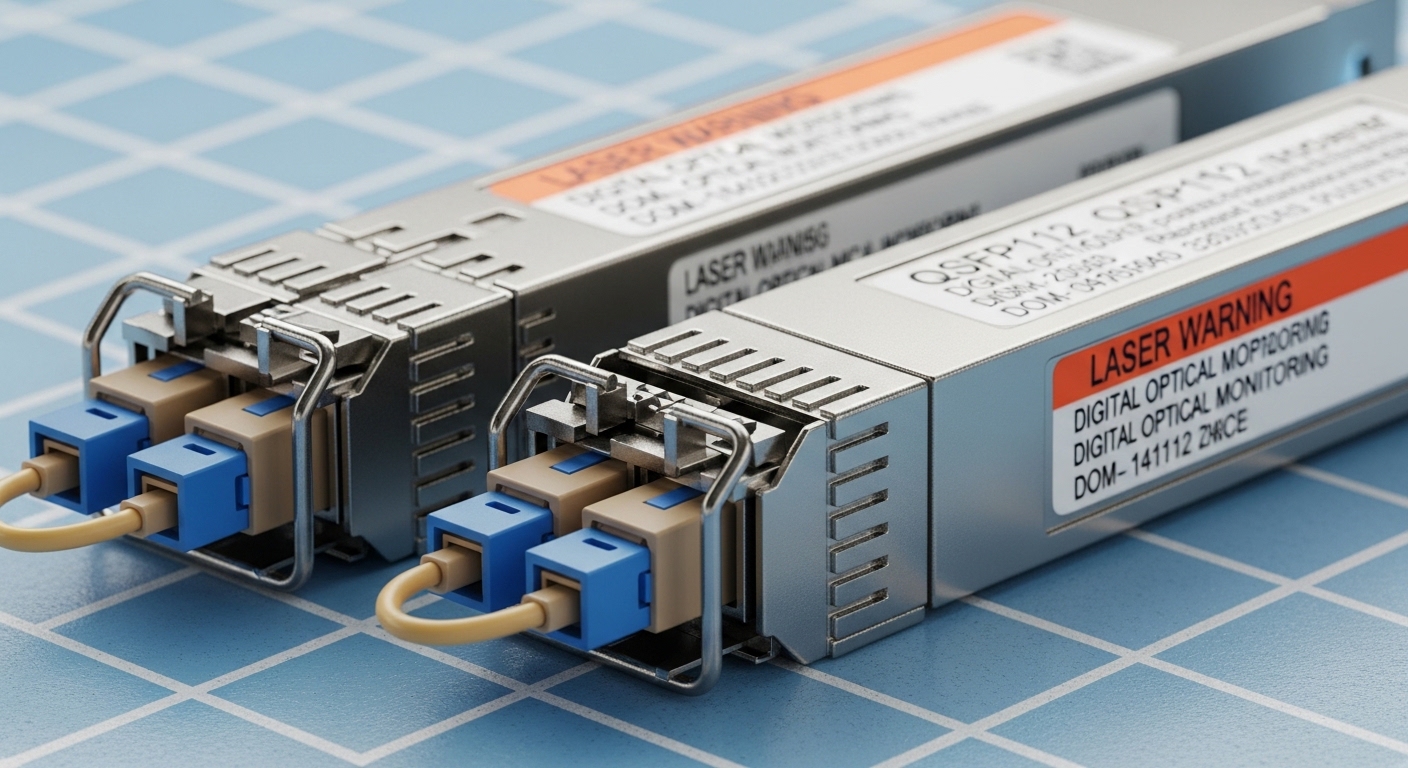
Most IP camera systems rely on Ethernet to carry RTSP streams, audio, and control traffic. When you cannot push copper reliably past typical distances, you move the camera uplink to fiber using an SFP transceiver at the camera-side switch or media converter and the NVR-side switch. In practice, the SFP must match both the electrical interface of the switch (often SFP/SFP+ cages) and the optical parameters of the fiber plant.
From an engineering standpoint, the key variables are wavelength (e.g., 850 nm for short-reach multimode or 1310/1550 nm for longer reach single-mode), optical budget, and connector polarity (LC duplex is common). IEEE 802.3 defines the Ethernet PHY behaviors, while vendor datasheets specify the SFP optical class, DOM support, and absolute maximum temperatures. For surveillance fiber SFP selection, the most failure-prone mismatches are fiber type (MMF vs SMF), reach vs installed loss, and switch compatibility quirks (some platforms are picky about vendor EEPROM fields).
Technical specifications table: common surveillance fiber SFP options
Below is a practical comparison for typical CCTV camera uplinks. Exact reach depends on fiber attenuation, patch cord quality, and link margin; treat these as starting points and validate with an optical power budget.
| Surveillance fiber SFP model family (examples) | Wavelength | Target fiber | Typical reach | Connector | DOM | Operating temp | Data rate |
|---|---|---|---|---|---|---|---|
| Cisco SFP-10G-SR, Finisar FTLX8571D3BCL, FS.com SFP-10GSR-85 | 850 nm | OM3 or OM4 multimode | ~300 m (OM3) to ~400 m (OM4) | LC duplex | Usually supported (varies by vendor) | 0 to 70 C (some variants offer wider) | 10G |
| Finisar/FS.com 10G-LR class (single-mode) | 1310 nm | Single-mode OS2 | ~10 km (budget-dependent) | LC duplex | Often supported | -5 to 70 C typical | 10G |
| 10G-ER class (single-mode) | 1550 nm | Single-mode OS2 | ~40 km (budget-dependent) | LC duplex | Often supported | -5 to 70 C typical | 10G |
Choosing the right reach: optical budget and fiber loss math
The real question is not “what does the datasheet claim,” but “will your deployed fiber plant close the link budget with margin.” For a surveillance fiber SFP, you typically need to consider transmitter power (dBm), receiver sensitivity (dBm), and then subtract measured fiber attenuation plus connector/splice losses. Many integrators forget that patch cords, dirty LC connectors, and additional splices inside camera junction boxes can consume several dB quickly.
Practical steps to validate before buying
- Identify fiber type: OM3/OM4 multimode for 850 nm, or OS2 single-mode for 1310/1550 nm.
- Measure end-to-end loss with an OTDR or live power meter/OLTS and record results at the correct wavelength.
- Check connector count: each LC duplex mated pair adds loss; each additional splice adds loss.
- Confirm link margin: aim for extra headroom (often 3 to 6 dB) to account for aging, cleaning variability, and temperature effects.
- Verify data rate: ensure the camera-side switch and NVR-side switch both support the SFP speed (e.g., 1G vs 10G). Mis-matched optics can fall back in unpredictable ways.
Pro Tip: In long CCTV runs, the most common “mystery” link instability is not the SFP itself but connector contamination. Even a small amount of dust on an LC face can add enough insertion loss to push a marginal optical budget over the edge, causing intermittent packet loss that looks like camera “freezing.”
Compatibility and interoperability: what engineers must verify
Surveillance fiber SFP modules are not universally “plug and trust” across every switch model. While IEEE 802.3 defines Ethernet PHY behavior, SFP cages often enforce vendor-specific expectations via EEPROM and diagnostic fields (including DOM behavior). Field teams should check whether the switch accepts third-party SFPs, whether it requires a particular transceiver class, and whether it supports rate negotiation and alarms.
Decision checklist engineers use in the field
- Distance vs reach class: confirm your measured attenuation at the SFP wavelength, not just the nominal “km.”
- Switch compatibility: confirm the exact switch model supports the optics type and speed (SFP vs SFP+), and whether it flags “unsupported module.”
- DOM support: if your monitoring platform reads optical power/temperature, choose a module with DOM that matches the switch’s expectations.
- Fiber connector and polarity: LC duplex APC vs UPC issues are rare but can matter; confirm correct polarity mapping (Tx to Rx alignment).
- Operating temperature: outdoor camera cabinets can exceed indoor ratings; select an SFP with a temperature range suitable for the enclosure.
- Vendor lock-in risk: if OEM optics are expensive, validate a third-party module on a pilot link before scaling.
Deployment scenario: long camera links in a multi-building campus
Consider a 3-building campus with a leaf-spine switching core for aggregation and a set of 48-port ToR switches at each building. You have 24 outdoor cameras per building, each using a 10G uplink for high-bitrate streams (for example, 4 to 8 Mbps per stream plus overhead, with headroom). The camera-side ToR uplinks are aggregated to a building distribution switch, then transported over fiber to a central NVR rack.
In this environment, you might use 10G-LR 1310 nm surveillance fiber SFPs on the single-mode OS2 runs between buildings, with each building-to-core link measured at 2.8 km. If the measured fiber attenuation is 0.35 dB/km at 1310 nm, the fiber loss is about 1.0 dB, but you add connector and splice losses (say 1.5 to 2.5 dB total) and keep a margin for cleaning and aging. That means you can choose a module with a budget that comfortably exceeds the sum, and you can standardize on LC duplex patching for consistent polarity across camera junction boxes.
Common mistakes and troubleshooting tips
Even well-designed surveillance fiber SFP projects can fail if field assumptions do not match physical reality. Here are concrete pitfalls seen during commissioning.
- Mistake: Using 850 nm multimode optics on OS2 single-mode fiber
Root cause: wavelength/fiber mode mismatch leads to severe loss and receiver errors.
Solution: confirm fiber type on the label and verify with a wavelength test or OTDR; re-terminate with correct optics (850 nm for OM3/OM4, 1310/1550 nm for OS2). - Mistake: Polarity reversed on LC duplex patching
Root cause: Tx/Rx fiber pairs are swapped, so the receiver sees no light.
Solution: inspect polarity mapping; re-patch using a polarity-correct method (A to B convention) and verify with a fiber microscope and optical power readings. - Mistake: Ignoring temperature rating in outdoor camera cabinets
Root cause: some standard commercial SFPs derate or drop links under heat soak.
Solution: select a wider temperature SFP variant or ensure the enclosure has thermal management; monitor DOM temperature and optical power during hot-weather commissioning. - Mistake: Buying “compatible” optics without pilot verification
Root cause: switch may reject modules or misread DOM fields, causing alarms or link flaps.
Solution: test the exact module model in a lab or pilot site, confirm link stability, and validate DOM integration before rollout.
Cost and ROI: what to expect in TCO terms
Pricing varies by data rate and reach class. As a rough planning range, 10G 850 nm SR modules often cost less than single-mode 10G LR (1310 nm) and 10G ER (1550 nm) modules. OEM optics can carry a premium (sometimes materially higher), while third-party modules may reduce upfront spend but can increase integration and validation labor. From a TCO perspective, the biggest cost drivers are truck rolls, downtime during camera commissioning, and the time spent diagnosing optical budget issues.
ROI is strongest when you standardize optics types across a site, reuse known-good module models, and invest in field hygiene: fiber cleaning tools, microscopes, and consistent patching practices. A single avoided failure (for example, preventing a week of intermittent packet loss across dozens of cameras) can outweigh the price difference between OEM and third-party optics.
FAQ
What does “surveillance fiber SFP” usually mean in practice?
It typically refers to an Ethernet SFP transceiver used for CCTV/IP surveillance links over fiber, often at 1G or 10G depending on camera bitrate and switch design. The “surveillance” part usually reflects the deployment needs: long distance, outdoor conditions, and operational monitoring.
Can I use multimode 850 nm SFPs for long camera runs?
Only within the multimode reach supported by your fiber grade (OM3/OM4) and your measured loss. If your installed attenuation or splice/connector losses are high, the link can become unstable even if the cable length looks short.
Do I need DOM for CCTV fiber links?
DOM is not strictly required for the link to work, but it is very useful for operations. With DOM, you can alert on optical power drift, temperature anomalies, and potential degradation before cameras fail.
What switch compatibility issues should I expect?
Some switches enforce module vendor policies or have stricter interpretation of EEPROM fields, which can trigger “unsupported transceiver” warnings. Always pilot the exact SFP model against the exact switch model in a controlled test.
How do I troubleshoot intermittent camera freezing on a fiber SFP link?
Start with optical power and error counters, then inspect and clean LC connectors and verify polarity. If the optical budget is marginal, temperature swings in outdoor cabinets can worsen the problem.
Where can I learn about fiber plant practices beyond SFP selection?
You will benefit from reviewing best practices for patching, splicing, and testing in structured cabling. See fiber optic network design for CCTV for deployment-oriented guidance.
Next
