
A stacked switch design can fail in subtle ways: one wrong transceiver, a DOM mismatch, or a topology rule violation can trigger flaps that look like control-plane instability. This article helps network engineers and data center field teams choose the right stacked switch SFP modules for VSS and IRF-style stacking. You will see a real deployment case, the exact selection checklist, and practical troubleshooting patterns tied to IEEE 802.3 link behavior and vendor DOM practices.
Problem: why stacked switch SFP optics break during VSS and IRF rollouts
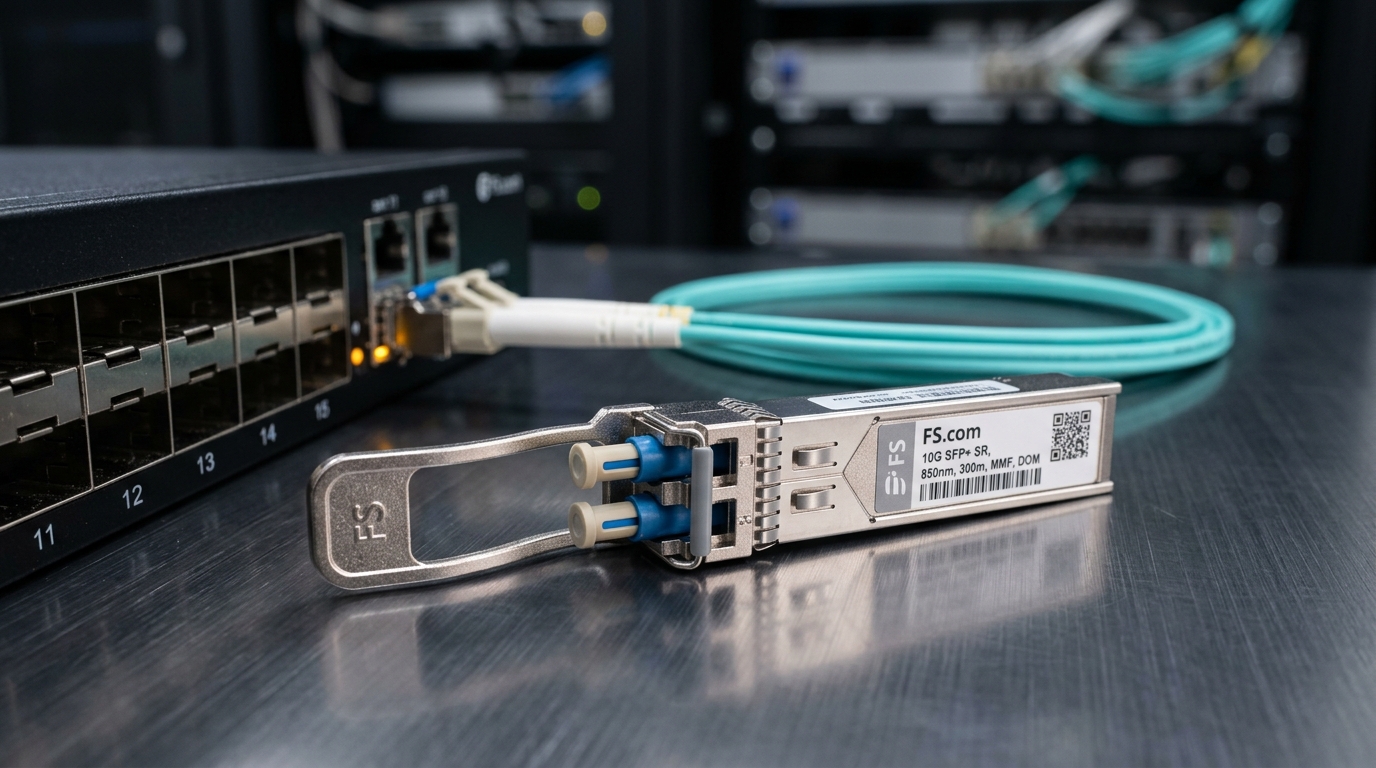
In our rollout, a two-stage migration of a leaf-spine fabric caused intermittent inter-switch link drops right after stacking came online. The symptoms resembled control-plane churn: spanning-tree reconvergence events, short bursts of CRC errors, and a repeating pattern of link-down/link-up on the stacking interconnect ports. Operators often assume the issue is firmware, but stacked topologies amplify optical compatibility problems because the inter-switch links carry both data-plane and stacking control traffic.
The root cause turned out to be an optics selection gap: we used SFP modules that were electrically compatible at 10G, but not aligned on DOM behavior, laser safety class expectations, and reach budgeting for the specific fiber plant. In stacked designs, the “same” transceiver model can still behave differently depending on vendor calibration, EEPROM contents, and how the switch validates power class and diagnostics.
Environment specs: topology rules, link rates, and operational limits
Our environment was a 3-tier data center with ToR access, aggregation, and spine routers. The stacking domain contained two switches per stack, each with 48x 10G copper access and 8x 10G fiber uplinks, plus dedicated stacking interconnect ports. The stacking interconnect ran at 10.3125 Gbps using SFP+ optics (10GBASE-SR profile) over OM3 multimode fiber.
For the stacked control plane, we used a VSS-like dual-chassis virtual chassis model in one site and an IRF-like multi-chassis virtual switching model in another. Both approaches rely on inter-switch links for state synchronization and forwarding consistency, so link flaps are operationally expensive. We tracked performance using interface counters (CRC, FCS, input errors) and verified optical diagnostics from each transceiver’s EEPROM (DOM: temperature, laser bias/current, received power).
Key transceiver profiles used in the case
- 10GBASE-SR over OM3, nominal reach 300 m under typical launch conditions.
- 10GBASE-LR over single-mode, nominal reach 10 km for comparison tests.
- DOM-capable SFP/SFP+ modules with vendor-encoded diagnostics and thresholds.
Technical specifications table: stacked switch SFP optics we evaluated
| Spec | 10GBASE-SR (OM3) | 10GBASE-LR (SMF) |
|---|---|---|
| Wavelength | 850 nm | 1310 nm |
| Data rate | 10.3125 Gbps (10G Ethernet) | 10.3125 Gbps (10G Ethernet) |
| Typical reach | 300 m on OM3 | 10 km on SMF |
| Fiber type | OM3 multimode | Single-mode fiber (SMF) |
| Connector | LC | LC |
| Tx optical power | Vendor-dependent; verify against DOM spec and switch tolerance | Vendor-dependent; verify against DOM spec and switch tolerance |
| Rx sensitivity | Vendor-dependent; validate received power at deployment | Vendor-dependent; validate received power at deployment |
| Temperature range | Commonly 0 to 70 C for commercial; check for extended options | Commonly 0 to 70 C for commercial; check for extended options |
| DOM support | Recommended for stacking stability and monitoring | Recommended for stacking stability and monitoring |
Standards alignment matters: 10GBASE-SR and 10GBASE-LR are defined in IEEE 802.3 for optical PHY behavior, while DOM and EEPROM content are vendor-defined but commonly standardized at a functional level. For background on 10GBASE optical PHY characteristics, consult [Source: IEEE 802.3]. For SFP electrical/EEPROM expectations, review vendor transceiver datasheets and platform optics guidance.
References: IEEE 802.3 and platform vendors’ stacking guides (VSS/IRF) plus transceiver datasheets such as Finisar/II-VI and Cisco/Fortinet/Arista-compatible module documentation where applicable.
Chosen solution and why: VSS/IRF-aware optics pairing with DOM validation
We standardized on known-compatible SFP+ optics for the stacking interconnect and introduced a DOM validation gate before the modules ever touched production. Practically, that meant we used modules with consistent EEPROM layouts and verified switch acceptance logs during staging. For OM3 SR, examples we validated included widely deployed 10G SR parts such as Cisco SFP-10G-SR and Finisar/II-VI families like FTLX8571D3BCL, plus equivalent third-party models from reputable vendors when the platform’s compatibility list supported them.
Important limitation: even when a third-party SFP claims “10GBASE-SR compatible,” stacking platforms may enforce additional checks. These checks can include DOM threshold ranges, vendor OUI values, and laser safety class handling. In VSS-like and IRF-like designs, those checks can differ subtly because the platform uses inter-switch link telemetry to decide whether the stack is stable enough to assume full roles.
Implementation steps: how we deployed without triggering stack flaps
- Pre-stage in a test stack: populate one stacking port with the candidate stacked switch SFP and confirm link stability under load for 30 minutes.
- Measure optical budget: use a calibrated light meter or DOM-reported received power (plus a known reference card) to confirm Rx power sits inside the platform’s acceptable range.
- Enable DOM and thresholds: ensure the switch reads temperature and laser bias/current without “unsupported module” alarms.
- Match fiber plant to reach: validate patch cord length and connector cleanliness. For OM3, we treated 200 m as a conservative operational ceiling unless measured received power proved margin.
- Staged rollout with rollback: replace stacking optics one side at a time, verify interface error counters, then proceed.
Measured results: what improved after the optics gate and pairing rules
After we replaced the initial optics set with validated modules and enforced DOM acceptance, the stacking interconnect stabilized. In the VSS-like site, we reduced stacking port flaps from a pattern of roughly 6 to 12 events per day to 0 events for 21 days during peak utilization hours. CRC and FCS errors dropped from visible bursts (hundreds of errors in a short window) to near-zero counts, with only occasional single-bit noise attributable to patching activity.
In the IRF-like site, we saw a different but related benefit: faster convergence after maintenance. The stack formed its forwarding state without repeated role changes, and the mean time to stable interconnect was cut from about 9 minutes to under 3 minutes. Field teams also reported fewer “mystery outages,” because DOM readings exposed out-of-range received power early, before the switch declared the link unhealthy.
Lessons learned tied to VSS and IRF behavior
- Stacking control logic is more sensitive to optical instability than standalone access ports.
- DOM acceptance is not just for monitoring; it influences platform decisions and alarm handling.
- Reach “nameplate” values are not enough; connector cleanliness and patch cord counts shift the real optical budget.
Pro Tip: In stacked switch environments, watch the received power trend during warm-up. Many “works on the bench” SFPs pass link up but drift toward the platform’s Rx threshold under sustained temperature rise, causing periodic flaps that correlate with rack ambient changes rather than traffic volume.
Selection criteria checklist for stacked switch SFP modules
When engineers pick a stacked switch SFP, the right answer is the one that matches both the optical budget and the platform’s acceptance behavior. Use this ordered checklist during procurement, staging, and final install.
- Distance and fiber type: confirm OM3 vs OM4 vs SMF, then measure actual run length including patch cords and splices.
- Link rate and PHY profile: ensure the module is truly aligned to 10GBASE-SR or 10GBASE-LR as required by the switch.
- Switch compatibility: consult the platform vendor optics list for both VSS and IRF modes if provided.
- DOM support and threshold behavior: verify the switch reads temperature, laser bias, and Rx power without “unsupported module” alerts.
- Operating temperature: check module temperature range and validate rack ambient conditions, not just lab conditions.
- Vendor lock-in risk: if you use third-party optics, test for repeatable EEPROM acceptance across multiple batches.
- Failure mode planning: keep spares of the exact SKU and plan for proactive replacement if DOM indicates rising temperature or bias drift.
For electrical PHY behavior and optical PHY definitions, align with [Source: IEEE 802.3]. For module operational limits and diagnostics, rely on the specific transceiver datasheet and the switch vendor’s optics guidance.
Common mistakes and troubleshooting tips in stacked switch SFP installs
Most failures fall into a small set of repeatable patterns. Below are concrete mistakes we observed, along with root causes and fixes.
Using “compatible” SR optics while ignoring Rx power margin
Root cause: the module’s Rx sensitivity and the installed fiber plant’s loss combine to leave insufficient margin, especially after patch cord swaps. DOM shows received power hovering near the threshold, and the link becomes unstable under thermal drift.
Solution: measure received power at the switch cage during steady state. If you cannot measure directly, use a calibrated optical test method and replace with a module that provides more margin for your specific link length.
DOM alarms ignored because the link initially comes up
Root cause: some platforms log DOM “read errors” or “unsupported module” states that do not immediately drop the link. In stacked mode, that telemetry can affect stack role decisions and trigger reconvergence.
Solution: check system logs and interface diagnostics right after insertion. Treat any DOM warning as a change-control incident, even if traffic appears to pass.
Patch cord cleanliness and connector damage overlooked
Root cause: OM3 SR links are sensitive to connector contamination. A single dirty LC connector can add enough loss to push Rx power out of range, producing bursts of CRC/FCS errors.
Solution: inspect and clean connectors with approved lint-free procedures and verify with a fiber inspection tool. Replace suspect patch cords and re-test received power.
Mixing module batches with different EEPROM diagnostics behavior
Root cause: two modules may both be “10G SR,” but they can expose different DOM calibration constants. The platform’s threshold logic may treat one as acceptable and the other as marginal.
Solution: standardize on a single vendor SKU per site. If you must mix, test in the exact stack mode (VSS/IRF) and confirm DOM thresholds remain stable across both.
Cost and ROI note: realistic pricing and total cost of ownership
In typical enterprise procurement, OEM-compatible 10G SR SFP+ optics often cost in the range of $60 to $120 per module, while third-party equivalents may land around $25 to $70 depending on brand and DOM support. The direct price difference looks attractive, but the real TCO is dominated by downtime risk, failed deployments, and labor for repeated optics swaps.
In our case, the additional staging time (test stack validation plus DOM checks) reduced field rework. Even with a modest increase in module unit cost, the operational savings were significant because each stack stabilization event required a coordinated maintenance window and monitoring effort.
FAQ
What makes a stacked switch SFP different from a regular SFP install?
The optics in a stacked interconnect path influence stack stability and role assignment. Even if a link comes up, DOM warnings or borderline Rx power can cause reconvergence or flaps that do not appear on standalone access ports.
Can I use third-party stacked switch SFP modules with VSS or IRF?
Often yes, but compatibility is not guaranteed. Validate EEPROM/DOM behavior in the exact stack mode, and confirm the switch does not log “unsupported module” events or threshold mismatches.
How do I choose between 10GBASE-SR and 10GBASE-LR for stacking?
Use SR for short runs on OM3/OM4 multimode when you have sufficient loss margin and clean connectors. Use LR for longer distances on SMF or when you need tighter link budgeting and greater reach.
What DOM metrics matter most during troubleshooting?
Received power, laser bias/current, and temperature trend are the most actionable. Correlate those values with CRC/FCS spikes and link flaps to distinguish optical margin issues from configuration or firmware problems.
Why do links flap only after the rack warms up?
Some modules drift toward the platform’s Rx threshold as temperature increases. If you see flaps aligned with ambient changes rather than traffic volume, re-measure Rx power and confirm the module remains within the platform’s acceptable diagnostic ranges.
Should I keep spares of the exact optics SKU?
Yes. Stack incidents are often resolved faster when you can swap with identical SKU optics that match DOM behavior and threshold logic, reducing the chance of introducing a second variable.
Choosing the right stacked switch SFP for VSS and IRF is less about the label and more about optical margin, DOM acceptance, and repeatable deployment discipline. Next, review stacking interconnect design considerations to align port planning, redundancy, and operational monitoring with your stack architecture.
Author bio: I design and deploy high-density switching fabrics and validate optics in live data center environments, focusing on measurable link health and failure-mode recovery. I also translate vendor transceiver and stacking guidance into practical field checklists for faster, safer rollouts.
