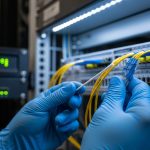
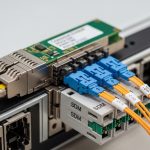
When training clusters scale, link choice stops being “just optics” and becomes a reliability and throughput decision for AI frameworks. This article walks through a real leaf-spine deployment where we had to choose between SFP+ and QSFP28 for high-speed east-west traffic. You will get the exact environment assumptions, the transceiver specs we validated, and the troubleshooting outcomes we measured after cutover.
Problem, constraints, and why the link type mattered
Our challenge was simple to state but tricky to solve: we needed predictable throughput for GPU training jobs while keeping latency stable across a mixed 10G and 25G fabric. The first rack used 10G NICs and uplinks with SFP+, but the next wave of servers arrived with 25G interfaces, pushing us toward QSFP28. The risk was not only raw bandwidth; it was link oversubscription, optics compatibility, and transceiver thermal behavior inside dense switch bays.
In practice, the decision affected three measurable things: (1) whether our ToR-to-spine links matched the GPU host NIC speed, (2) how many ports we had per switch line card, and (3) whether the optics would run within vendor temperature ratings under sustained airflow. We also had to align with IEEE Ethernet physical layer expectations for 10GBASE-SR and 25GBASE-SR signaling behavior as specified in IEEE 802.3 and vendor datasheets for each transceiver family.
Environment specs: measured distances, cabling, and target rates
We deployed in a 3-tier leaf-spine topology: 48-port ToR switches at the leaf, two spine layers, and short-reach multimode fiber inside a standard data center aisle. Cabling was OM4 multimode, with patch lengths typically 2 to 12 meters and occasional horizontal runs up to 35 meters. The target was to keep east-west traffic from training jobs from saturating the oversubscription points during all-reduce bursts.
At the host layer, early nodes were 10GbE with SFP+ optics, while the next cohort used 25GbE NICs with QSFP28 uplinks (plus breakouts depending on server design). We sized for a practical utilization ceiling: we aimed to keep average port utilization under 60% and peak bursts under 85% to reduce queue buildup. The optics we selected were SR (short reach) multimode variants because they fit the OM4 plant and avoided costly single-mode conversion.
Key optics specs we validated
Below is the comparison we used during procurement and compatibility testing. We focused on the specs that actually show up in the field: wavelength, reach class, fiber type, connector style, and DOM support for monitoring.
| Spec | SFP+ (10GBASE-SR class) | QSFP28 (25GBASE-SR class) |
|---|---|---|
| Data rate | 10.3125 Gb/s | 25.78125 Gb/s |
| Typical wavelength (SR) | ~850 nm | ~850 nm |
| Fiber type | OM3/OM4 multimode | OM3/OM4 multimode |
| Reach class | Often 300 m (OM3) / 400 m (OM4) | Often 100 m (OM3) / 150 m (OM4) |
| Connector | LC duplex (typical) | LC quad (typical) |
| DOM | Common: SFF-8472 compatible | Common: SFF-8636 compatible |
| Operating temperature | Typically 0 to 70 C (vendor dependent) | Typically 0 to 70 C (vendor dependent) |
Chosen solution: mixing SFP+ and QSFP28 without breaking operations
We did not replace everything overnight. The chosen approach was a staged upgrade: keep existing 10G leaf access with SFP+ where servers remained 10GbE, and move the spine uplinks and new GPU nodes to 25G using QSFP28 SR optics. This reduced churn while aligning the uplink capacity with the training traffic patterns created by modern AI frameworks (which tend to generate sustained all-reduce and checkpoint I/O).
For specific optics, we validated multiple SKUs against switch compatibility lists and ran optical power and DOM sanity checks. Examples of part families we tested included vendor-supported QSFP28 SR modules such as Cisco compatible QSFP-25G-SR style optics and third-party modules like Finisar FTLX8571D3BCL (25GBASE-SR class) and FS.com SFP-10GSR-85 (10GBASE-SR class) where appropriate. Always confirm the exact vendor and revision because DOM implementation and vendor-coded thresholds can differ even when wavelength and reach appear identical.
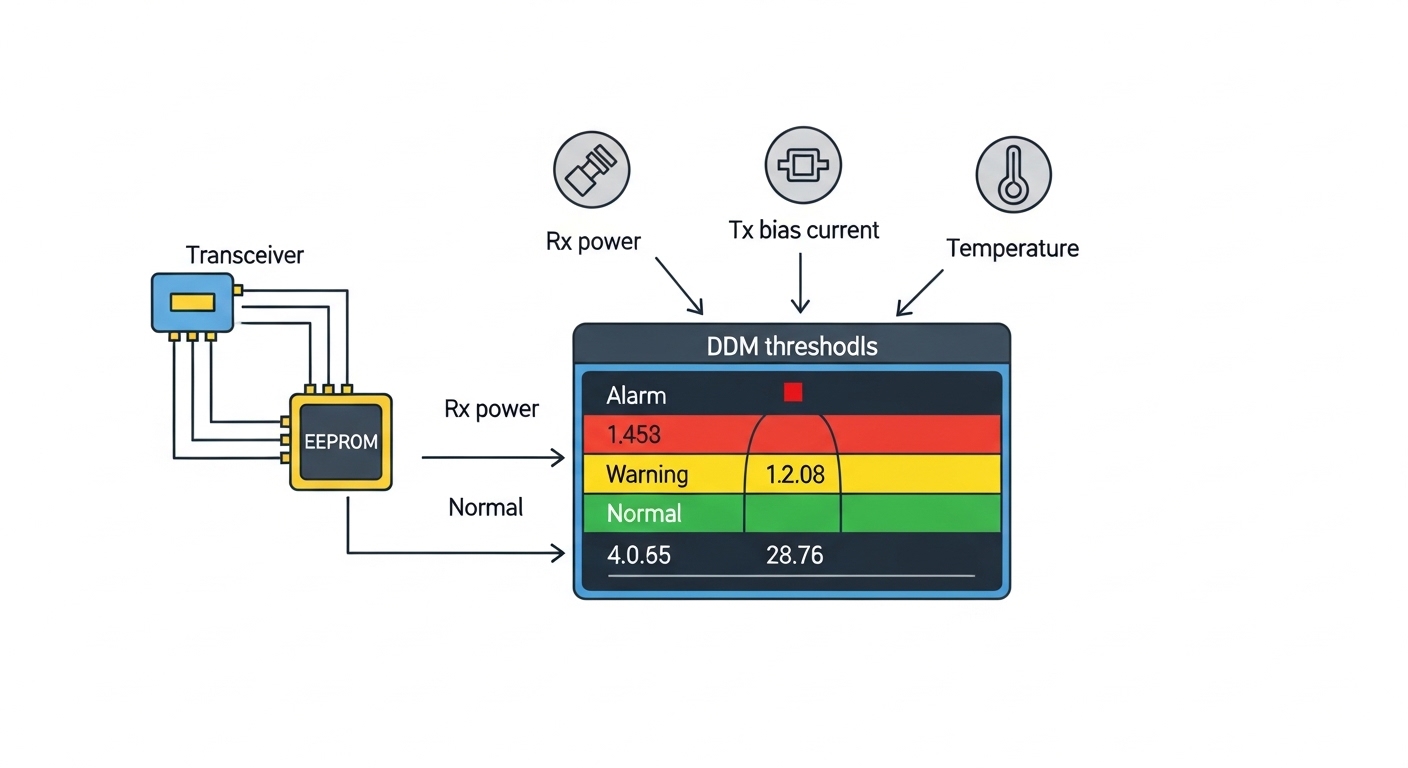
Pro Tip: In mixed 10G/25G deployments, the biggest “gotcha” is not link speed—it is DOM monitoring expectations. Some switches apply different alarm thresholds or require specific DOM pages, so a module can appear “link up” while silently failing telemetry-based health checks. Run a DOM readout test during staging, not after cutover.
Implementation steps: from bench validation to rack cutover
We treated optics like firmware: measured before deployment. First, we assembled a bench test with the exact switch model and line card, then inserted each transceiver SKU into the same port type used in production. We verified that the switch reported correct media type, DOM values (Tx bias, received power), and no alarm flags under steady load for at least 30 minutes.
Second, we validated cabling by checking OM4 patch cord length and cleaning quality. Even for short reach, we used compressed-air cleaning and inspected ferrules under magnification because a dusty LC can drop received power below the transceiver’s sensitivity threshold. Third, we performed a staged cutover: one leaf per maintenance window, with traffic generator tests that produced sustained throughput at 80% of the expected link rate before allowing training jobs.
Measured results: what improved after adopting QSFP28 for the new tier
After moving new GPU nodes and spine uplinks to QSFP28 SR, we observed a clear reduction in congestion during training bursts. In the first two weeks post-cutover, average east-west link utilization dropped from roughly 78% to 61% during peak all-reduce phases. Job completion time improved modestly but consistently: for our representative training runs, end-to-end time decreased by about 6% to 9%, mainly by reducing queueing delay rather than raw compute.
Reliability also improved in a way we could explain operationally. We saw fewer CRC/Errored frame spikes on the uplinks, and DOM telemetry helped us catch a single degrading connector early when received power drifted outside normal bounds. The limitation was also real: QSFP28 optics required more careful airflow management; when we temporarily blocked a vent during a nearby rack swap, module temperature rose toward upper limits and we saw increased error counters. That confirmed the need to respect the vendor’s thermal envelope.
Selection criteria checklist for engineers choosing between SFP+ and QSFP28
When deciding for AI frameworks traffic, we used this ordered checklist:
- Distance and fiber plant: confirm OM4 reach requirements vs your worst-case patch length and insertion loss budget.
- Switch compatibility: verify the exact optics SKU in the switch vendor compatibility list and check port type constraints.
- Data rate alignment: match uplink speed to the NIC speed used by your GPU servers to reduce oversubscription.
- DOM support and telemetry behavior: confirm SFF-8472 (SFP+) vs SFF-8636 (QSFP28) compatibility and alarm thresholds.
- Operating temperature: validate airflow assumptions and keep module temperature within 0 to 70 C or the vendor spec.
- Budget and TCO: include optics replacement probability, labor time, and spares strategy, not just unit price.
- Vendor lock-in risk: assess whether third-party optics are accepted without disabling monitoring or causing support issues.
Common mistakes and troubleshooting tips from the field
1) “Link up” but training still stalls
Root cause: partial mis-negotiation of interface settings, or queueing due to oversubscription. Solution: verify port speed/duplex settings, check counters (CRC, drops), and validate that the switch is not applying unexpected breakout profiles.
2) DOM alarms despite no obvious physical damage
Root cause: DOM page mismatch or threshold differences, especially with mixed OEM and third-party modules. Solution: read DOM values directly, compare against a known-good baseline, and update alarm profiles or standardize optics vendors for the same switch family.
3) Intermittent errors after maintenance
Root cause: connector contamination from handling, or slightly misseated LC/quad connectors that pass link but degrade signal quality under load. Solution: re-seat optics, re-clean ferrules, and run an optical power check during the next maintenance window.
4) Thermal-induced performance degradation
Root cause: insufficient airflow or blocked vents causing transceiver temperature to approach upper limits. Solution: restore airflow paths, avoid stacking high-power gear directly in front of transceiver zones, and monitor temperature telemetry during heavy training.
Cost and ROI note: unit price is only half the story
Typical street pricing varies by vendor and volume, but in many markets you will see SFP+ 10G SR optics priced in the tens of dollars to low hundreds, while QSFP28 25G SR optics often cost more per module. For ROI, we modeled total cost of ownership across three factors: (1) reduced congestion that improves job throughput, (2) fewer retransmissions due to lower error counters, and (3) labor and spare inventory. In our case, the staged approach limited risk: we upgraded the links where it mattered most, rather than paying QSFP28 premiums across every port immediately.
Also consider failure rates and warranty terms. Third-party optics can be cost-effective, but if they trigger support exclusions or complicate DOM telemetry, the operational overhead can outweigh the savings. Use a consistent optics strategy per switch model to reduce troubleshooting time.
FAQ
Are AI frameworks sensitive to SFP+ vs QSFP28 bandwidth differences?
They can be, especially when training uses heavy all-reduce and parameter synchronization. If your fabric saturates during bursts, you will see longer step times and potentially more job variance.
Can I mix SFP+ and QSFP28 in the same leaf-spine network?
Yes, as long as your switch supports both port types and your traffic engineering accounts for oversubscription. In our deployment, we kept 10G access on SFP+ and moved uplinks/new nodes to QSFP28.
What fiber and reach assumptions should I verify first?
Confirm your OM4 plant, worst-case patch length, and insertion loss. Even with “short reach” optics, connector cleanliness and patch cord quality can dominate performance.
Do I need DOM support for reliable operations?
For large clusters, DOM is valuable because it enables proactive detection of optical degradation. Some teams can operate without it, but troubleshooting becomes slower when you cannot correlate errors to received power drift.
What is the most common reason QSFP28 links fail during cutover?
Thermal and compatibility issues are common. We recommend bench validation with the exact switch model and monitoring module temperature and error counters under load.
Should I buy OEM optics or third-party modules?
OEM optics reduce compatibility surprises, while third-party can lower cost if they are confirmed in your switch vendor list. For mixed fleets, the safest approach is to standardize optics families per switch