
If you are refreshing a switch fleet, the SFP vs QSFP-DD decision is rarely about specs alone. It is about total cost of ownership, optics power draw, port density tradeoffs, and how often modules actually fail in your environment. This article helps IT and network reliability teams choose the right pluggable form factor for real enterprise constraints like fiber plant limits, budget cycles, and temperature control.
What changes between SFP and QSFP-DD in day to day operations
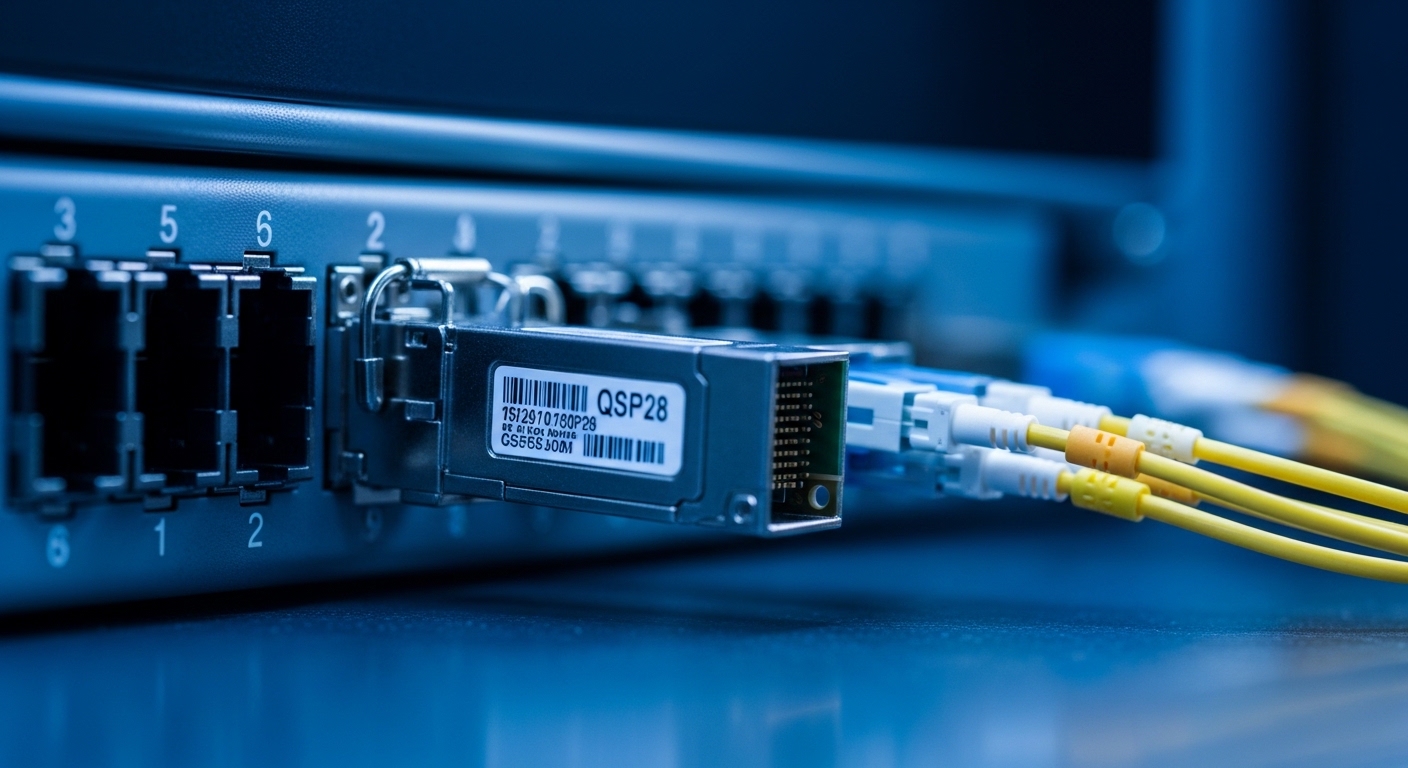
SFP (Small Form-factor Pluggable) is common for 1G/10G Ethernet and some specialized links, while QSFP-DD targets much higher per-port throughput (commonly 100G-class and above) using a denser physical interface. In practice, the biggest operational differences show up in power per port, port density, and how many optics you stock. For reliability engineering, also watch for connector cleanliness sensitivity, because higher lane counts can make marginal fiber work show up as intermittent errors.
From a standards perspective, Ethernet signaling and link behavior follow IEEE 802.3 families, while optical transceiver electrical interfaces are governed by vendor implementations and multi-source agreements. For optical performance expectations like optical budgets and receiver sensitivity, start with the vendor datasheet and the relevant standards references cited by vendors. [Source: IEEE 802.3] IEEE 802.3 overview
Cost and performance: a realistic enterprise comparison
QSFP-DD optics typically cost more per module than SFP, but they can reduce the number of ports and uplinks needed to reach the same aggregate bandwidth. The trick is that your switch chassis, optics compatibility, and power budget may dominate the decision. Many enterprises discover that buying higher-density optics only helps if your traffic patterns and cabling are ready for it.
Below is a practical comparison using common enterprise categories. Exact values vary by vendor and product grade, so treat this as a decision scaffold rather than a guarantee.
| Spec | SFP (typical) | QSFP-DD (typical) |
|---|---|---|
| Target Ethernet speeds | 1G, 10G | 100G-class per port |
| Typical optical reach | ~300m to 10km (depends on SR/LR) | ~100m to 10km (depends on DR/FR/ZR and vendor) |
| Fiber type | MMF or SMF (depends on variant) | MMF or SMF (depends on variant) |
| Connector style | Commonly LC | Commonly MPO/MTP |
| Power draw (order of magnitude) | ~0.5W to 2W | ~3W to 8W |
| Operating temperature | Often 0C to 70C or -40C to 85C (grade dependent) | Often -5C to 70C or -40C to 85C (grade dependent) |
| Stock keeping complexity | More modules for same bandwidth | Fewer modules, but higher per-item cost |
For cost reality, third-party optics can be attractive, but you need a compatibility and risk plan. In the field, I have seen “works on day one” optics fail later due to marginal link margin, especially when thermal cycling shifts bias points. Vendor-validated optics reduce that uncertainty, and enterprise support contracts can materially lower MTTR even if the purchase price is higher.
Pro Tip: In high-lane-count optics like QSFP-DD, treat fiber inspection as a first-class reliability step. A single dirty MPO/MTP end can create lane-specific errors that look like “random packet loss,” and the fix is usually cleaning plus re-checking endface geometry, not swapping hardware.
Decision checklist: choosing SFP or QSFP-DD without regret
- Distance and fiber plant reality: If you are already locked into MMF runs measured at ~200m, SFP SR or short-reach options often fit cleanly.
- Bandwidth granularity: If you need 10G increments per server rack, SFP can match your actual demand. If you need 100G uplinks, QSFP-DD may reduce port count.
- Switch compatibility and vendor validation: Confirm the exact switch model and optics support matrix before ordering. Some platforms enforce vendor-specific EEPROM behavior.
- DOM and monitoring requirements: Decide whether you need detailed digital optical monitoring (DOM) and whether your NMS can poll it reliably.
- Operating temperature and airflow: If your racks routinely hit 35C ambient, verify the module grade and derating guidance from the datasheet.
- Budget and refresh cycle: Compare not just module price, but spare inventory and lead times. A cheaper SFP that ships in 24 hours can beat an expensive QSFP-DD with 6-week procurement.
- Vendor lock-in risk: If you anticipate future switch migrations, prefer optics ecosystems with broad compatibility and documented multi-source behavior.
Common pitfalls and troubleshooting tips that save outages
Pitfall 1: Mismatched optics reach assumptions
Root cause: Teams buy “SR” or “DR” optics based on marketing reach, but forget to include connector loss, patch panel loss, and aging effects. Solution: Use an optical budget calculator with measured fiber attenuation and patch loss; confirm vendor receiver sensitivity and transmit power.
Pitfall 2: DOM/compatibility surprises after install
Root cause: Some switches require specific transceiver identification fields or rate capabilities, and compatibility can differ between firmware versions. Solution: Validate with the switch’s optics support list and test one link before bulk rollout; schedule a post-upgrade verification.
Pitfall 3: Thermal cycling and intermittent link errors
Root cause: Marginal links can pass at room temperature but degrade when racks warm up or when airflow changes. Solution: Capture interface counters during peak temperature windows; if errors spike, try a known-good optics pair and re-check cleanliness.
Pitfall 4: Connector contamination, especially with MPO/MTP
Root cause: Higher density optics increase the chance that at least one lane is affected by contamination. Solution: Clean both ends with approved wipes and verify with a microscope; document cleaning SOPs and re-inspect after any reconnection.
Cost, ROI, and reliability tradeoffs you can actually justify
In many enterprise procurement cycles, an SFP transceiver might land in the range of roughly $20 to $150 depending on speed and reach, while QSFP-DD optics often sit higher, commonly $200 to $800+ per module. OEM-branded optics can cost more than third-party, but the ROI improves when you account for spare inventory carrying costs, downtime, and the cost of failed link bring-up.
From an MTBF perspective, pluggable optics failures are often dominated by installation and environmental stress: connector damage, contamination, and thermal shock. If your facility runs hot or has frequent cabling changes, the “cheapest module” can raise operational risk. Consider TCO as: module unit price + spare count + logistics + expected MTTR, and include the labor cost of cleaning and verification.
FAQ
Q1: Can I mix SFP and QSFP-DD in the same switch?
Usually yes, if the switch has both port types, but you cannot assume the same optics compatibility across all slots. Always confirm the exact model and port mapping in the vendor documentation.
Q2: Does QSFP-DD always outperform SFP for reliability?
Not automatically. QSFP-DD can be reliable, but it is more sensitive to fiber cleanliness and link margin because of higher lane counts. If your plant is messy or heavily patched, SFP can be the more forgiving choice.
Q3: What should I check for DOM support?
Verify whether DOM is enabled on that platform and whether your monitoring system reads the key fields you care about (temperature, bias current, received power). Also test polling after firmware updates.
Q4: Are third-party SFP or QSFP-DD optics safe for enterprise use?
They can be, but treat it like a qualification project. Test with your switch firmware, verify link stability under peak temperature, and track post-install error counters for at least a few weeks.
Q5: How do I decide between 10G SFP and 100G QSFP-DD uplinks?
Base it on traffic demand granularity, oversubscription strategy, and cabling readiness. If your traffic grows in 10G steps, SFP uplinks can reduce wasted capacity and simplify troubleshooting.
Q6: What is the fastest troubleshooting path when links flap?
Start with fiber inspection and cleaning, then swap optics with known-good modules, and finally compare switch logs and interface counters during the failure window. If errors correlate with temperature or time-of-day, focus on airflow and link margin.
If you are planning a pluggable refresh, use the checklist above to align optics choice with fiber reality, switch compatibility, and operational risk. Next, compare optics types by reach and fiber category with optical reach and fiber type selection for SFP and QSFP-DD.
Author bio: I have worked as a field reliability engineer qualifying optics across multiple enterprise switch generations, focusing on MTBF, thermal stress, and fiber contamination controls. I write from the perspective of what actually breaks in production and how to verify fixes with measurable counters.
