
You are planning a server uplink refresh, but your rack has limited switch ports, tight power budgets, and strict optics compatibility rules. This article helps network and facilities teams choose between SFP and QSFP-DD for data center optics by focusing on bandwidth density, reach, connector realities, and operational constraints. You will get practical decision steps, troubleshooting patterns, and a realistic cost and ROI view for modern leaf-spine and ToR designs.
SFP vs QSFP-DD: what changes in the real world
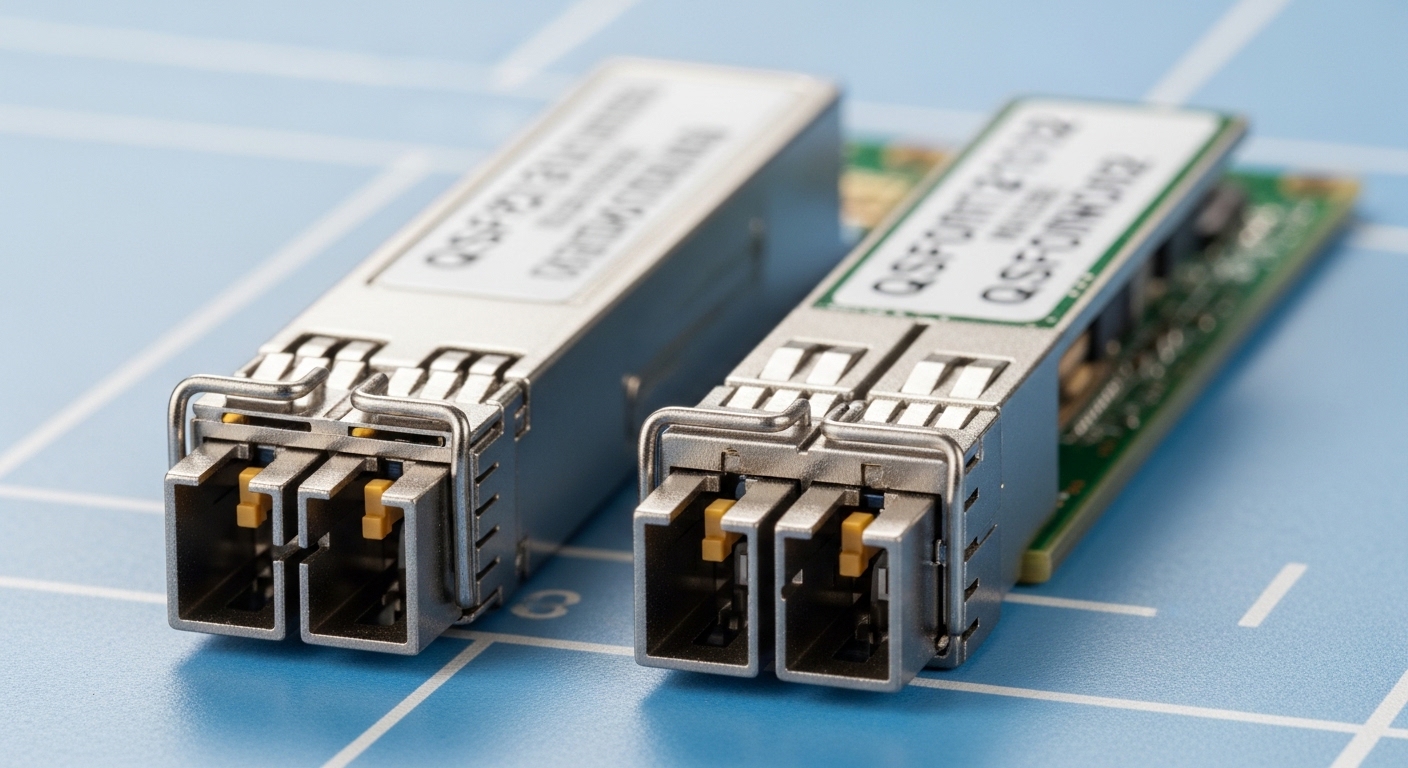
SFP (Small Form-factor Pluggable) transceivers are widely used for 1G to 10G-class links and some 25G implementations depending on vendor and switch support. QSFP-DD (Double Density) is built to scale port density for higher speeds—commonly 100G, 200G, and 400G class deployments—using a larger form factor and different electrical interface expectations. In day-to-day operations, the biggest difference is not just speed; it is how the platform allocates lanes, power, thermal headroom, and optics monitoring features.
From an engineering standpoint, SFP optics typically use fewer lanes per module than QSFP-DD at comparable generations, which can simplify lane mapping but limits peak bandwidth per port. QSFP-DD modules use more lanes to hit higher aggregate rates; however, that also means any mismatch in breakout mode, lane ordering, or DOM interpretation can cause link flaps or “up but no traffic” symptoms.
Pro Tip: In the field, many “bad optics” incidents are actually DOM/compatibility negotiation problems—especially when vendors ship optics with different thresholds for Rx power and LOS behavior. Always start with switch transceiver logs and verify that the module is in the supported vendor/firmware matrix, not just “same wavelength.”
Key specs comparison for data center optics
Both SFP and QSFP-DD exist across multiple optical standards (SR, LR, ER, and newer high-speed variants). The table below compares typical parameters you will see when selecting modules for data center optics in short-reach and campus-style fiber environments. Always validate the exact part number against your switch vendor’s optics guide and the IEEE/industry standard the module is designed to meet.
| Parameter | SFP (typical) | QSFP-DD (typical) |
|---|---|---|
| Common data rates | 1G, 10G; sometimes 25G | 100G, 200G, 400G-class |
| Typical short-reach wavelength | 850 nm (SR) | 850 nm (SR) variants |
| Reach (SR examples) | ~300 m over OM3, ~400 m over OM4 (varies by module) | Often similar OM3/OM4 reach targets per generation; verify exact module spec |
| Connector types | LC (common) | LC (common for MPO-to-LC or MPO-based internal paths, varies by module) |
| DOM monitoring | Common (I2C, vendor-specific thresholds) | Common (higher-speed monitoring, vendor-specific thresholds) |
| Operating temperature | Commercial and industrial variants exist; verify module grade | Commercial and industrial variants exist; verify module grade |
| Compatibility dependency | Switch-specific support list still applies | Switch-specific lanes, firmware, and breakout modes matter more |
For standards grounding, check IEEE Ethernet specifications such as IEEE 802.3 for the relevant generation and link behavior, and then cross-check the transceiver’s datasheet and your switch optics compatibility guide. [Source: IEEE 802.3] [Source: Cisco Transceiver Compatibility Guides] [Source: Vendor transceiver datasheets]
Deployment scenario: leaf-spine refresh with mixed optics
Consider a 3-tier data center leaf-spine topology with 48-port 10G ToR switches and 100G spine uplinks. During a phased migration, you may keep existing server NICs on 10G SFPs while upgrading uplinks to 100G using QSFP-DD modules. In one common approach, you place 10G SR SFPs for server access over OM4 with expected short reach, then move uplink ports to 100G QSFP-DD SR using the switch’s supported lane/breakout configuration.
Operationally, the power and thermal profile changes: QSFP-DD modules can consume more power per port than legacy SFPs, so you must confirm airflow patterns and verify that your rack’s front-to-back cooling meets the vendor’s airflow recommendations. Also, patch panel organization matters: MPO-based paths (often used for higher-density optics) must match polarity and fanout wiring practices to avoid intermittent receive failures.
Selection checklist engineers actually use
Use this ordered list when choosing between SFP and QSFP-DD for data center optics. It helps prevent late-stage surprises during rollout, especially when multiple vendors and fiber grades are involved.
- Distance and fiber grade: Confirm OM3 vs OM4, expected link budget, and patch cord length. Use the module’s exact reach spec, not a generic “SR is short reach.”
- Switch compatibility and optic support list: Check the switch model’s published optics list for SFP and QSFP-DD. Compatibility can hinge on firmware and lane mapping.
- Data rate and breakout mode: Verify whether QSFP-DD is used as 100G or 200G/400G with the intended lane configuration. Confirm whether your platform supports 4x25G or 8x25G style breakout if needed.
- DOM and monitoring behavior: Ensure the platform can read DOM and that alarm thresholds align with your operational baseline for Rx power and temperature.
- Operating temperature grade: Match commercial vs industrial modules to the rack environment. Data centers with aggressive hot-aisle recovery can create edge cases.
- Vendor lock-in risk and procurement strategy: OEM optics may be pricier but reduce compatibility friction. Third-party optics can work, but require testing and an RMA process you can trust.
Common pitfalls and troubleshooting tips
Even experienced teams run into predictable failure modes. Here are concrete pitfalls for data center optics when choosing SFP vs QSFP-DD.
- Pitfall 1: “Link up but no traffic” after QSFP-DD migration
Root cause: Lane mapping or breakout mode mismatch during configuration, causing traffic to land on the wrong lanes.
Solution: Confirm the switch port profile (100G vs breakout) matches the optics’ intended interface mode; then verify lane ordering using the platform’s diagnostics. - Pitfall 2: Frequent LOS/receiver errors on SR optics
Root cause: Fiber polarity reversal, incorrect MPO fanout, or dirty LC/MPO ferrules.
Solution: Clean connectors with approved cleaning tools, inspect with a fiber scope, and re-terminate or re-polairty using the correct polarity scheme for your patch panel design. - Pitfall 3: Thermal-related throttling or intermittent drops
Root cause: Insufficient airflow due to blocked vents, incorrect blanking panels, or QSFP-DD power draw exceeding what the rack cooling delivers.
Solution: Restore airflow (remove obstructions, verify fan speed curves), confirm module temperature readings via DOM, and compare observed temps to the datasheet’s operating range. - Pitfall 4: Compatibility refusal when using third-party optics
Root cause: Switch firmware rejects unsupported transceiver IDs, or DOM thresholds differ from expected values.
Solution: Test optics in a staging rack, record platform log codes, and only deploy models that pass your switch vendor’s acceptance criteria.
Cost, ROI, and power-of-choice considerations
Pricing varies widely by speed grade, reach, and whether you buy OEM vs third-party. As a realistic planning range, many teams see OEM SFP SR optics priced roughly in the tens of dollars to low hundreds depending on generation and temperature grade, while QSFP-DD SR optics at 100G-class can be materially higher due to higher-speed lasers and tighter qualification. Total cost of ownership (TCO) should include downtime risk, RMA rates, and the engineering time required for compatibility testing.
ROI often comes from capacity and reduced port waste: QSFP-DD can reduce the number of uplink ports needed for the same aggregate bandwidth, which can lower switch upgrade scope. However, if your server NIC ecosystem is still 10G and you only need modest uplinks, SFP can remain the lower-risk choice. For power, validate per-port consumption and ensure that higher-density optics do not create cooling upgrades you did not budget for.
FAQ: SFP vs QSFP-DD for data center optics
Q: Which is better for short reach inside a data center?
A: For short reach, both can work, but QSFP-DD is typically chosen when you need higher aggregate bandwidth per uplink. If your current switch and NICs support 10G/25G and you do not need higher density, SFP can be simpler and cheaper to standardize.
Q: Can I mix SFP and QSFP-DD in the same leaf-spine fabric?
A: Yes, mixing is common during phased upgrades. The key is ensuring each switch port uses the correct port profile and optics are supported by that specific switch model and firmware version.
Q: How important is DOM support?
A: Very. DOM enables monitoring of Rx power, temperature, and sometimes vendor-specific diagnostics, which helps you catch degradation early. Incompatibility or threshold mismatch can create false alarms or missed warnings, so check the switch’s transceiver behavior documentation.
Q: Are third-party optics always cheaper?
A: They can be, but the savings can be offset by compatibility testing time, higher failure rates in some assortments, and more frequent RMAs. Treat third-party optics as a controlled rollout with staging validation, not a blanket procurement change.
Q: What causes intermittent link drops with SR optics?
A: Common causes include dirty connectors, polarity errors, marginal fiber patch cords, and thermal stress. Start with cleaning and inspection, then check DOM Rx power trends before replacing hardware.
Q: What should I verify before ordering QSFP-DD for 100G or 200G?
A: Verify supported speeds, breakout modes, and lane mapping on your switch. Also confirm the exact connector and fiber interface method (LC vs MPO-based) and ensure your patch panel wiring matches polarity requirements.
Choosing between SFP and QSFP-DD for data center optics is mostly about aligning bandwidth goals with switch compatibility, fiber design, and operational monitoring. Next step: review
