
When a 10G or 25G uplink goes dark, the first suspect is usually the switch port. In reality, it is often your optics. This article helps data center operators and field engineers nail down SFP troubleshooting root causes fast, especially when an interface stays down, flaps, or shows low optical power. You will get a top-8 checklist, a spec comparison table, and practical fixes you can apply on-site.
Top 8 SFP troubleshooting checks that actually find link failures
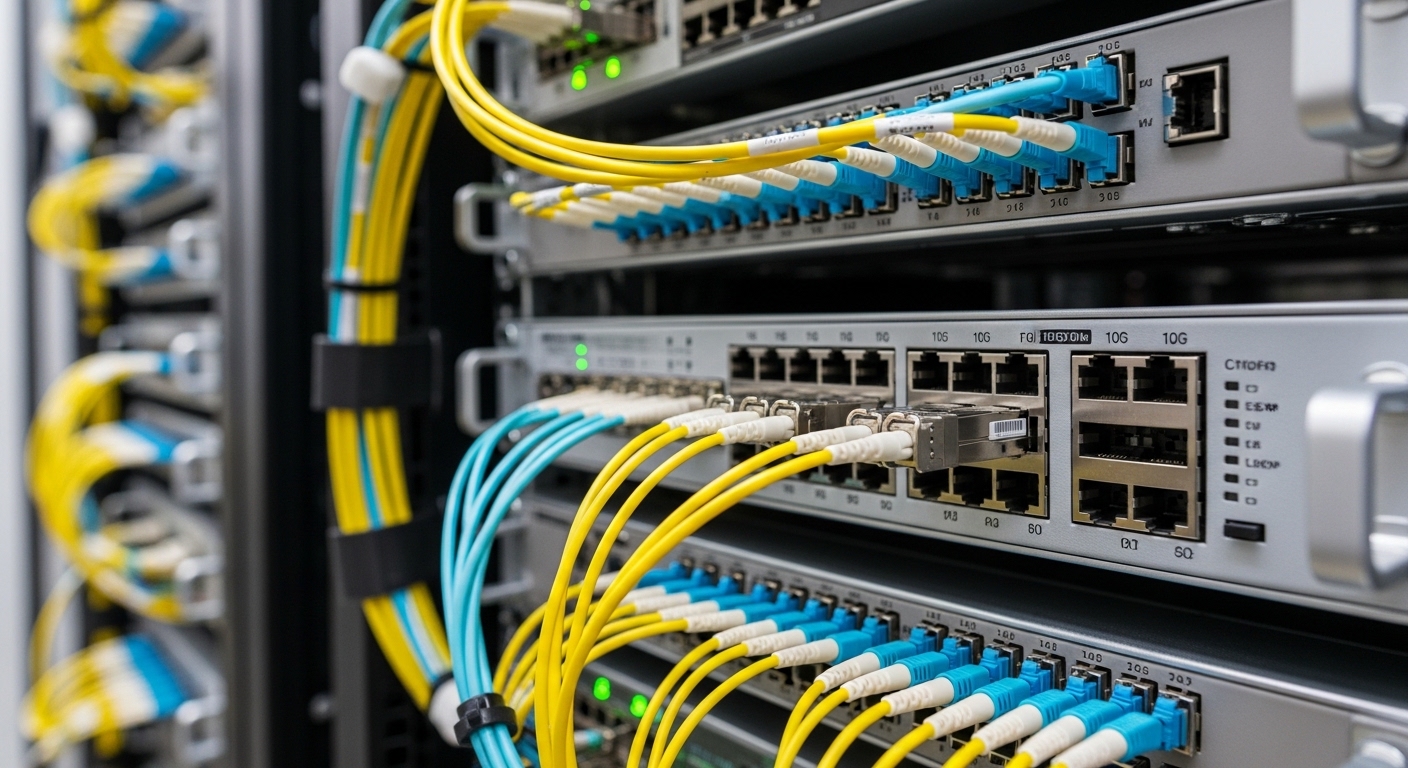
In a leaf-spine environment with lots of hot swaps, you need repeatable checks that separate “bad fiber” from “bad optics” from “bad configuration.” Start with the low-effort, high-signal items first: DOM visibility, link partner expectations, and optical receive power. Then move to polarity, connector cleanliness, and transceiver compatibility.
Confirm the switch sees the module and DOM correctly
Many “mystery” outages are just the switch refusing to trust an incompatible or failing transceiver. Verify the port shows the expected type and that DOM values (Tx bias, Tx power, Rx power, temperature) populate. If the switch reports “unknown SFP” or shows zeros, you may be dealing with a non-programmable module, a bad cage contact, or a module firmware mismatch.
Best-fit scenario: New rollout where third-party optics were mixed with OEM spares, and you see intermittent “link up then down” events.
- Pros: Fast, minimal disruption.
- Cons: DOM can be disabled or partially supported on some platforms.
Validate wavelength and data rate are truly aligned
It sounds obvious, but it is still the classic “we bought the wrong color” problem. Confirm the module type matches the optic plan: for example, 850 nm multimode (SR) for OM3/OM4, or 1310 nm single-mode (LR) for long reach. Also ensure the port is configured for the correct speed (for example, 10G vs 25G), and that auto-negotiation is not creating surprises.
Best-fit scenario: A migration where 10G uplinks were upgraded to 25G without updating the optics inventory.
- Pros: Prevents wasted fiber troubleshooting.
- Cons: Some switches auto-detect speed but still fail link if optics are out-of-spec.
Compare optical power levels against vendor thresholds
For SR and LR links, you want Rx power in the module’s expected operating range. If Rx power is too low, the link may never come up; if it is too high, you can saturate the receiver and get flapping. Use the switch DOM or an inline optical power meter to confirm values.
Pro Tip: If Tx power is normal but Rx power is near the noise floor, suspect fiber polarity or a connector issue before you blame the transceiver.
Pro Tip: Many engineers check “link status” first. Instead, check Tx and Rx DOM together—DOM consistency often points to fiber/polarity problems faster than swapping optics blindly.
- Pros: Quantifies the problem instead of guessing.
- Cons: DOM accuracy varies by vendor and temperature.
Check fiber polarity and MPO/LC wiring discipline
Optics failures due to polarity are the telecom equivalent of putting the left shoe on the right foot. For 10G/25G Ethernet over MMF with SR optics, polarity mismatch is common, especially with MPO cassettes. Ensure the transmit fiber is connected to the receive fiber on the far end. For LC, verify RX-to-TX cross-connect and confirm you are not accidentally using “straight-through” patch cords.
Best-fit scenario: A rack relocation where technicians re-punched fiber to “make it fit” and now every port shows down.
- Pros: Fix is often a simple re-termination.
- Cons: Requires disciplined labeling and documentation.
Inspect connector cleanliness and re-seat the optics
Dust is a performance villain. Dirty LC or MPO endfaces can cause high insertion loss and trigger link failures that look like bad optics. Clean connectors using appropriate fiber cleaning tools and re-seat the SFP firmly to ensure correct electrical contact. If you have access to a microscope, inspect ferrules and endfaces before the “second swap.”
Best-fit scenario: Uplinks fail only after maintenance windows, and DOM shows low Rx power with normal temperatures.
- Pros: Cleaning resolves a surprisingly large fraction of “bad optics” cases.
- Cons: Requires correct cleaning procedure; wiping with a random cloth is not a strategy.
Ensure switch compatibility: vendor, firmware, and MSA expectations
Not all SFPs behave the same across switch vendors, even if they claim compatibility. Confirm SFP type follows relevant standards such as SFP/SFP+ and optical interface expectations per IEEE 802.3 and applicable SFF specifications, and check platform notes from your switch vendor. Use known-good optics during incident response, especially with older firmware.
Best-fit scenario: Links work on one switch model but fail on another with identical cabling.
- Pros: Prevents recurring “it works over there” incidents.
- Cons: Compatibility caveats can lead to vendor lock-in risk.
Verify temperature and power budget behavior under load
Transceivers can derate as temperature rises. In dense data halls, airflow differences between racks can shift optics temperature enough to push modules into marginal operation. Compare module temperatures across failing and working ports; if failing ports run hotter, improve airflow and verify that the transceiver is rated for your ambient range.
Best-fit scenario: Link flaps during peak hours, and only in specific rows with blocked hot-aisle airflow.
- Pros: Finds issues that look like “random” failures.
- Cons: Needs careful correlation with environmental metrics.
Use a controlled swap and record the evidence
Swap one variable at a time. Move a known-good transceiver to the failing port, and move the failing transceiver to a known-good port. If the failure follows the transceiver, replace it; if it follows the port, focus on the cage, optics lane, or configuration. Record DOM values before and after to avoid “he said, she said” troubleshooting.
Best-fit scenario: High-availability fabric where you cannot afford a full cabling rework just to satisfy curiosity.
- Pros: Converges quickly and prevents repeat incidents.
- Cons: Requires spare optics and disciplined documentation.
SFP comparison table: pick the right optics before you debug
Below is a practical comparison for common SFP/SFP+ optics used in data center and aggregation tiers. Always confirm the exact part number and reach requirements from your network design.
| Optics type | Wavelength | Typical reach | Connector | Data rate | Power / temp notes |
|---|---|---|---|---|---|
| SFP-10G-SR (MMF) | 850 nm | Up to 300 m (OM3) / 400 m (OM4) | LC | 10G | Check Rx power budget and module DOM thresholds; typical temp ranges often include commercial and industrial variants |
| SFP-10G-LR (SMF) | 1310 nm | Up to 10 km | LC | 10G | Receivers tolerate longer reach but are sensitive to connector loss and aging |
| SFP-25G-SR (if supported) | 850 nm | Typical 70 m on OM4 (varies by spec) | LC or MPO (platform dependent) | 25G | More margin pressure; cleanliness and polarity matter more |
Example modules engineers often keep on the shelf include Cisco SFP-10G-SR optics and compatible models such as Finisar FTLX8571D3BCL or FS.com SFP-10GSR-85, but validate exact compatibility with your switch vendor’s transceiver matrix. [Source: IEEE 802.3; Source: Cisco transceiver documentation; Source: Finisar/Viavi datasheets; Source: FS.com product pages]
Selection criteria checklist for faster SFP troubleshooting
- Distance and fiber type: OM3 vs OM4 vs SMF; confirm insertion loss and end-to-end budget.
- Data rate and speed mode: 10G vs 25G; confirm port configuration and supported optics.
- Switch compatibility: consult vendor compatibility lists and firmware release notes.
- DOM support: ensure your platform reads Tx/Rx power and alarms reliably.
- Operating temperature: compare module rated range to rack ambient and airflow
