
When your machine learning networks stall on training jobs, the bottleneck is often the physical layer: the SFP choice, fiber type, and switch compatibility. This article helps AI infrastructure engineers and field technicians select the right SFP strategy for ML clusters, from 10G access links to 25G uplinks. You will get practical selection criteria, a head-to-head comparison, and troubleshooting steps you can apply during an on-site cutover. It is written for teams deploying real rack-and-cable environments where optics mismatches cause link flaps and degraded throughput.
SFP for machine learning networks: performance tradeoffs you can measure
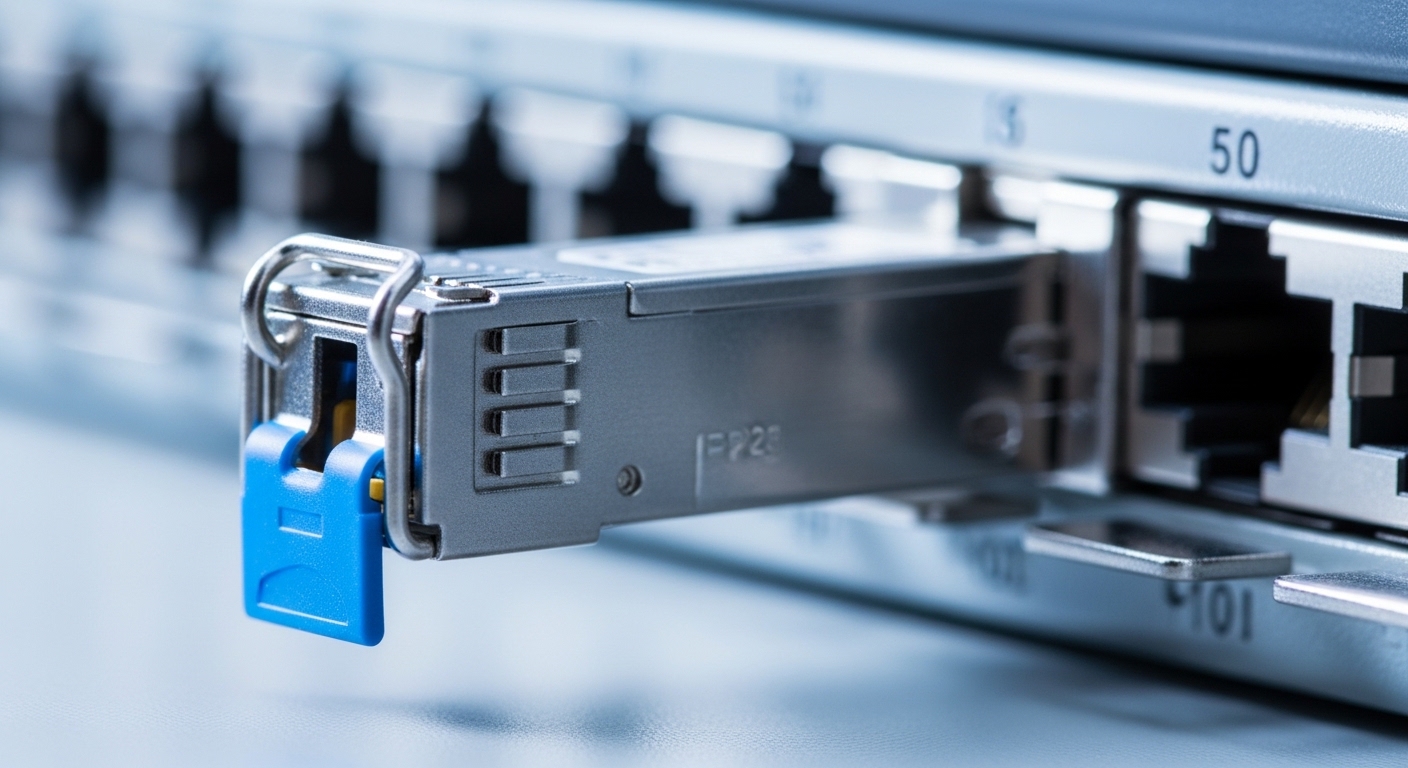
In most ML clusters, SFP optics are used for east-west or leaf-spine connectivity where link stability matters as much as raw line rate. For example, 10G SR links are commonly used for ToR-to-aggregation segments, while 25G SR can extend density when GPUs scale out. The key performance variables are the optical interface standard (IEEE 802.3), supported data rate, reach, and whether the optics provide deterministic power and diagnostics via Digital Optical Monitoring (DOM). Even when the network is “fast enough,” poor optical pairing or temperature stress can increase retransmits and reduce effective throughput.
Head-to-head: 10G SFP+ SR vs 25G SFP28 SR
Consider these typical ML rack patterns: 10G SFP+ SR for cost-efficient server access and 25G SFP28 SR to reduce oversubscription at higher GPU counts. SR modules use multimode fiber (MMF) and short reach optics, which are popular because they simplify cabling in dense data halls. However, 25G SR optics are more sensitive to link budget margins, connector polish quality, and MMF modal bandwidth. If you are migrating training nodes from 10G to 25G, validate both the switch port type and the fiber plant capability before swapping optics.
| Spec | 10G SFP+ SR | 25G SFP28 SR |
|---|---|---|
| Typical data rate | 10.3125 Gb/s | 25.78125 Gb/s |
| Wavelength | 850 nm | 850 nm |
| Reach class (typical MMF) | Up to 300 m | Up to 100 m (common OM3) / higher with better OM4 |
| Fiber type | MMF (OM3/OM4) | MMF (OM3/OM4) |
| Connector | LC | LC |
| DOM support | Often available | Often available; verify switch support |
| Operating temperature range | Commercial or extended variants (verify SKU) | Commercial or extended variants (verify SKU) |
Compatibility and DOM: the practical “fit” check that prevents ML outages
In machine learning networks, optics are not just “plug and pray.” Switch ASICs and firmware often enforce compatibility rules, especially for DOM and vendor-specific EEPROM behavior. Many enterprise switches support only certain transceiver vendors or require that DOM be enabled in the port profile. If you change optics during a training window, you can trigger port disable events or link negotiation loops that waste hours.
Field checklist: EEPROM, DOM, and switch port behavior
- Confirm the IEEE standard the port expects (e.g., 10G SFP+ per IEEE 802.3ae, 25G SFP28 per IEEE 802.3by). If the switch is configured for a different mode, the link may not come up.
- Verify DOM capability on both sides. If the switch reads DOM and expects a specific diagnostic format, unsupported EEPROM layouts can cause “module not recognized.”
- Match connector type and fiber polarity. LC connector mismatches are common during rapid patching; polarity reversals can create a dead link.
- Use the switch optics compatibility list when available. If not, test in a staging rack first and record which SKUs pass.
- Confirm power and temperature class for your environment (commercial vs extended). Data halls with poor airflow can push optics outside safe margins.
Pro Tip: During ML cluster bring-up, log DOM readings right after first link-up and again after 30 minutes of sustained traffic. If you see optical power drifting toward the warning thresholds while the link stays “up,” you likely have a marginal fiber plant or connector polish issue that will surface as retransmits later.
Cost and ROI: OEM optics vs third-party SFPs in training clusters
Cost matters, but total cost of ownership (TCO) matters more in machine learning networks. OEM optics often cost more upfront, yet they can reduce RMA rates and simplify support escalations. Third-party optics can be economical, but you must account for compatibility risk, increased troubleshooting time, and higher probability of DOM mismatches. As a rule of thumb, many teams accept third-party optics for low-risk access links while keeping OEM optics for spine uplinks where downtime has the biggest blast radius.
Realistic budgeting for optics in a GPU-heavy environment
Suppose you deploy 64 GPU servers using 2 x 25G uplinks each, and you plan 128 active transceivers plus spares. In many markets, 25G SR SFP28 modules can range roughly from $40 to $120 for third-party and $80 to $200 for OEM, depending on reach and temperature grade. If an incompatible module causes a single day of delayed training, the “savings” can evaporate quickly. A practical approach is to buy a small batch, validate with your exact switch model, and only then scale procurement.
Use-case fit: choosing SFP reach and fiber type for ML traffic patterns
ML workloads are bursty: model checkpointing, gradient synchronization, and data pipeline reads create traffic microbursts that amplify packet loss penalties. For these patterns, you want stable links with adequate optical budget and predictable latency. Short-reach SR optics on MMF usually fit well when your cabling distances are under the supported reach class. If you need longer reach between racks or across rooms, you should consider LR or ER variants, but that typically moves you away from the simplest “all-MMF” wiring strategy.
Deployment scenario: leaf-spine for training racks
In a 3-tier data center leaf-spine topology with 48-port 10G ToR switches per leaf and 16-port 25G uplinks to aggregation, a team used 10G SFP+ SR for server access within 70 m patch runs and 25G SFP28 SR for ToR uplinks within 90 m. They standardized on MMF OM4 in the main pathways to preserve margin during planned cable moves. During a maintenance window, they replaced failing optics with the same wavelength and reach class and confirmed DOM warnings stayed below the vendor threshold. The result was fewer retransmits during gradient sync and smoother training throughput after the cutover.
Common mistakes and troubleshooting tips during SFP swaps
Even experienced teams hit predictable failure modes when swapping optics in machine learning networks. The fixes are usually straightforward once you identify the root cause: wrong standard, marginal fiber, or unsupported module behavior. Below are common pitfalls with concrete actions you can take on-site.
Link does not come up: standard or port mode mismatch
Root cause: The switch port expects a specific transceiver type or lane rate profile, but the module is from a different standard family. Some ports require the correct SFP form factor and speed; others enforce a compatibility list. Solution: Check the switch model’s optics support matrix, confirm whether the port is configured for 10G vs 25G, and verify the module data sheet matches the standard (for example, IEEE 802.3ae for 10G SFP+ or IEEE 802.3by for 25G SFP28). Test the module in a known-good port.
Flapping link under load: fiber polarity or connector damage
Root cause: Polarity reversal on duplex LC, or a dirty/damaged connector surface causing intermittent optical power. Solution: Clean connectors with approved lint-free methods, re-seat the SFP, and verify polarity using the standard duplex mapping for your patch panel. If you have access to an optical power meter, compare received power to the vendor’s recommended operating window.
“Module not recognized” or DOM alarms: EEPROM/DOM incompatibility
Root cause: Third-party EEPROM fields not matching the switch’s expected DOM format, or DOM disabled but the switch still tries to read diagnostics. Solution: Enable or disable DOM consistently with your switch configuration, then test a validated SKU. If the switch supports “DOM override” or “optics type ignore,” apply only if the vendor documents safe operation for your environment.
Gradual performance degradation: marginal optical budget
Root cause: You are within spec on paper, but real-world patch cords, bend radius issues, or thermal drift reduce signal margin over time. Solution: Measure DOM optical power over time, re-terminate suspect patch cords, and consider upgrading MMF grade (OM3 to OM4) or shortening patch runs. Use bend-radius compliance checks on fiber pathways.
Decision matrix: which SFP strategy matches your machine learning networks?
Use this matrix to decide quickly during planning or procurement. It is designed for ML environments where you balance stability, performance, and operational risk.
| Option | Best for | Pros | Limitations | Risk level |
|---|---|---|---|---|
| 10G SFP+ SR (MMF) | Access links under short distances | Lower cost, mature ecosystem | Limited headroom for oversubscription | Low to Medium |
| 25G SFP28 SR (MMF) | Higher-density leaf uplinks | Better bandwidth per port, scales with GPU growth | More sensitive to fiber quality and budget | Medium |
| OEM optics | Critical uplinks and regulated change control | Highest compatibility and support continuity | Higher upfront cost | Low |
| Validated third-party optics | Non-critical access links and bulk spares | Lower cost, good availability | Compatibility and DOM behavior must be tested | Medium to High |
Which option should you choose?
If you run machine learning networks with short server-to-switch patch runs and stable MMF (OM4 preferred), choose 10G SFP+ SR for access where you can tolerate some oversubscription. If you are scaling GPU counts and need more uplink capacity, move to 25G SFP28 SR and validate optical margin before rollout. For mission-critical training clusters with strict change windows, prefer OEM optics on spine or aggregation uplinks. For cost-sensitive access links, third-party optics can work well if you buy only from a vendor with a documented compatibility list and you test DOM behavior in staging.
FAQ
Q: Are SFP modules compatible across different switch brands?
A: Not always. Even when the speed and wavelength match, firmware may enforce DOM or EEPROM compatibility. Always validate using the switch model’s optics support list and test in a staging rack before production swaps.
Q: What fiber type should I use for machine learning networks with SFP SR optics?
A: For SR at 850 nm, MMF is typical. For best margin at higher rates like 25G, many teams standardize on OM4 to reduce sensitivity to patch cord losses and connector quality. Verify reach class against your actual measured link budget.
Q: What DOM readings should I watch during troubleshooting?
A: Monitor transmitted power, received power, and any vendor-specific warning thresholds. If you see values trending toward warnings after 30 to 60 minutes of traffic, treat it as an early indicator of marginal optics or fiber issues.
Q: Can third-party SFPs reduce TCO without increasing downtime?
A: Yes, if you only deploy SKUs that are validated with your exact switch model and if you test DOM compatibility. Build a small pilot batch, track link stability metrics, and keep OEM spares for the most critical uplinks.
Q: How do I prevent link flaps during ML training cutovers?
A: Schedule swaps during low-traffic windows, pre-stage optics, and verify polarity and connector cleanliness. After installation, confirm DOM status and run a short traffic test to ensure link stability before resuming full training workloads.
Q: Which standards should I reference when buying SFP optics?
A: Use the relevant IEEE 802.3 clauses for 10G SFP+ and 25G SFP28, then verify the vendor datasheet for reach, wavelength, and operating temperature. For compatibility guidance, also consult vendor documentation and reputable tech media.
Sources: IEEE 802.3ae; IEEE 802.3by; Cisco SFP module guidance;
