
If you are designing or upgrading a data center spine-leaf fabric, choosing the right transceiver can make or break link stability, power efficiency, and upgrade paths. This article helps network engineers and data center operators run an engineer-grade SFP comparison between classic SFP optics and higher-capacity QSFP-DD modules, with concrete compatibility and troubleshooting steps. You will get a decision checklist, a specs comparison table, and a step-by-step implementation plan you can apply during a real cutover.
Prerequisites before you start the SFP comparison
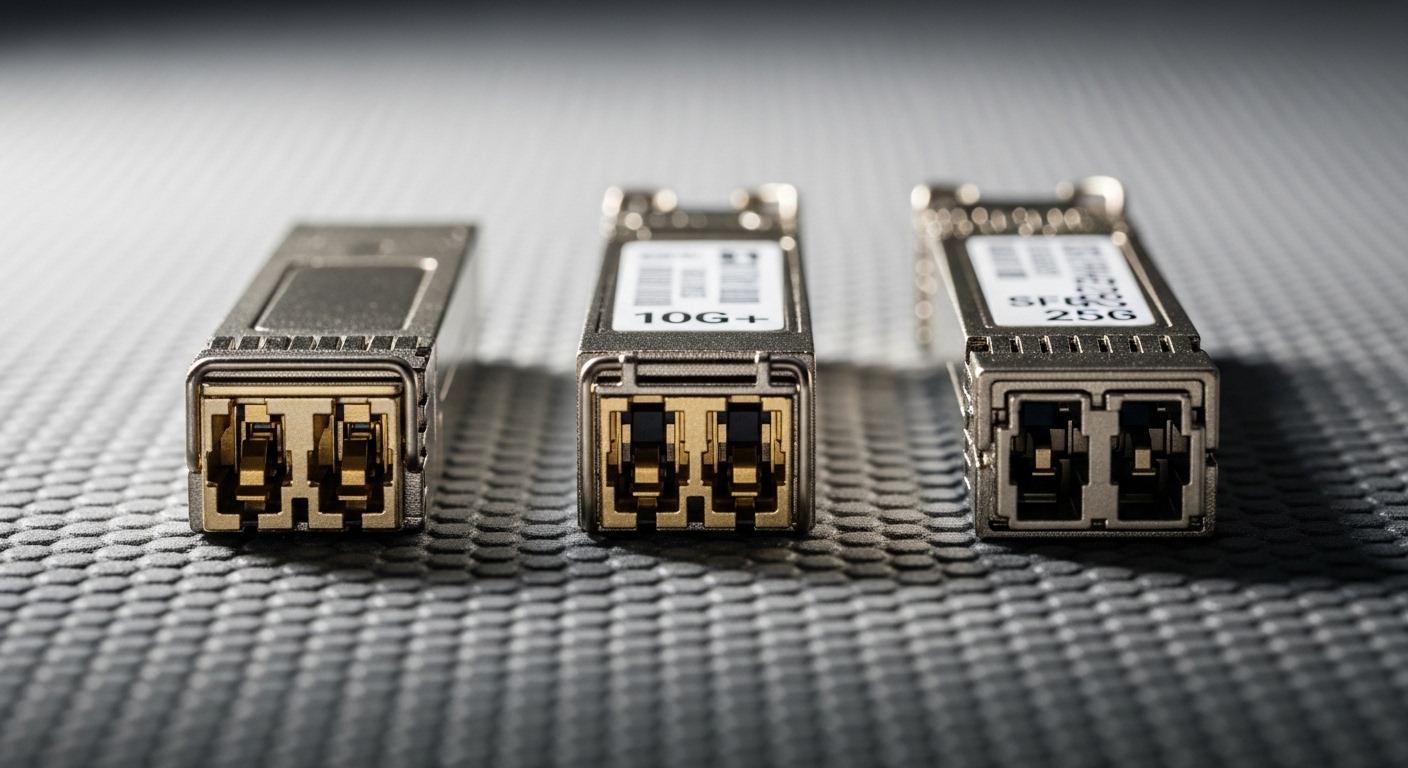
Before comparing SFP and QSFP-DD, collect the exact switching hardware details that will host the optics. In the field, I treat this like a commissioning task: if the switch does not support the module type or optics profile, no amount of “spec sheet math” will save the link.
What you must verify
- Switch model and port type (for example, Cisco Nexus 9K, Arista 7K, or vendor-specific line cards). Confirm whether the ports accept SFP/SFP+ or QSFP-DD.
- Interface speed and encoding. Most modern data center optics are aligned to Ethernet PHY rates (10G, 25G, 40G, 100G) and use NRZ or PAM4 depending on generation.
- Fiber plant facts: link distance, fiber type (OM3, OM4, OM5), and whether you have duplex LC terminated runs.
- Environmental constraints: rack airflow assumptions, ambient temperature, and any top-of-rack thermal limits.
- DOM expectations: Digital Optical Monitoring support for Rx power, Tx bias, and temperature reporting.
Expected outcome: You will have a complete inventory of ports, targeted link speeds, and fiber constraints so your SFP comparison is grounded in what the switch can actually deploy.
Step-by-step implementation plan: decide SFP vs QSFP-DD for your links
Use this as a practical cutover workflow. The goal is to choose the module format that matches your speed per port, reach, power budget, and upgrade cadence without creating compatibility surprises.
Map your port speeds to optics form factors
Start with the port capability. If your switch ports are SFP/SFP+ cages, you cannot physically insert QSFP-DD modules. Conversely, if the switch offers QSFP-DD, it typically expects higher aggregate rates and may rely on PAM4 for 100G-class links.
Expected outcome: A matrix of “port speed to module type” that eliminates impossible options early.
Verify reach against IEEE wavelength and fiber type
For multimode deployments, optics commonly use 850 nm VCSEL for SFP/SFP+ and also for certain QSFP-DD multimode SKUs. For single-mode, you will see 1310 nm or 1550 nm depending on the module class. Always match the module’s wavelength to your fiber plant: OM3 and OM4/OM5 have different distance capabilities.
Expected outcome: A “must-match” list of wavelength and fiber type so your SFP comparison focuses on viable SKUs.
Compare power and thermal behavior in the rack
QSFP-DD modules are often higher power than SFP modules. In dense leaf-spine designs, this matters because module power affects local airflow and can contribute to throttling if your rack cooling margin is tight. Check the vendor datasheet for typical and maximum Tx power draw, and ensure the switch’s thermal design supports sustained operation.
Expected outcome: A thermal feasibility check tied to your actual rack airflow strategy.
Validate DOM and management visibility
In day-two operations, DOM maturity determines how fast you can detect degradation. Many SFP optics support DOM with per-lane or aggregated Tx/Rx telemetry, but QSFP-DD implementations can vary by vendor. Confirm that your switch reads the DOM fields you rely on (for example, Rx power thresholds and temperature alarms).
Expected outcome: A monitoring plan that avoids blind spots during link margin changes.
Confirm compatibility with vendor optics and firmware
Some platforms enforce optics compatibility profiles or apply stricter checks for newer speeds. I’ve seen upgrades where older optics continued to work, but new firmware tightened thresholds and caused intermittent link flaps. If possible, test with the exact module part numbers you plan to deploy and validate link stability over a maintenance window.
Expected outcome: Reduced outage risk by validating firmware-to-optics behavior before rollout.
Plan the operational rollout and verification
For a production cutover, I recommend staging optics in a lab or using a pilot rack. Verify link up time, error counters, and optical power levels using the switch CLI and/or telemetry pipeline.
Expected outcome: Measurable acceptance criteria such as stable interface state and acceptable CRC/FCS and optical power margins.
Key specs that decide the SFP comparison: data rate, optics, reach, and power
Here is the practical comparison engineers use when deciding between SFP and QSFP-DD for data center links. Note that the exact numbers vary by vendor and SKU, so treat this as a template for your own SFP comparison based on your chosen part numbers.
| Spec | SFP / SFP+ (typical) | QSFP-DD (typical) |
|---|---|---|
| Common data rates | 10G to 25G per port | 100G per port (often 4 lanes aggregated) |
| Typical wavelengths (MM) | 850 nm | 850 nm for MM variants |
| Typical wavelengths (SM) | 1310 nm or 1550 nm depending on SKU | Often 1310 nm or 1550 nm for LR/ER-class |
| Connector type | LC duplex (most common) | Usually LC duplex (confirm per module) |
| Reach examples | Short-reach MM for rack-to-rack; depends on OM3/OM4 | Short-reach MM for leaf-spine; depends on OM3/OM4/OM5 |
| DOM / telemetry | DOM supported in most modern SFPs | DOM supported in most modern QSFP-DDs; fields can differ |
| Power / thermal | Lower per module; easier thermal headroom | Higher per module; verify switch thermal limits |
| Operating temperature | Commonly commercial or industrial ranges; verify on datasheet | Verify commercial/industrial range; QSFP-DD may have stricter limits |
Reference points you can cross-check: IEEE Ethernet standards define PHY behavior and link requirements; vendor datasheets define the optical and electrical limits. For optical Ethernet context, use [Source: IEEE 802.3] and consult the module manufacturer datasheet for each exact part number.
Pro Tip: In field troubleshooting, the most useful early signal is not “link up/down” but the stability of DOM Rx power and Tx bias over time. If you see Rx power drifting toward the vendor threshold after a few weeks, you can schedule a proactive cleaning or patch re-termination before the interface starts flapping.
SFP vs QSFP-DD in real data center deployments: what I’ve seen work
In a 3-tier data center leaf-spine topology with 48-port 10G ToR switches feeding 100G spine uplinks, we used a mixed optics strategy. The ToR used SFP+ for server connectivity at 10G with 850 nm multimode on OM4, while the spine uplinks used QSFP-DD to aggregate bandwidth at 100G. This reduced the number of uplink transceivers by moving high-capacity traffic into the spine tier, while keeping server-side optics cost and thermal load manageable.
Operationally, the pilot phase included swapping in the exact vendor part numbers during a maintenance window, then monitoring interface counters for at least 72 hours. We validated DOM fields for temperature and Rx power, and we also ran fiber cleaning verification before first link. The result was fewer unknowns during fault isolation: when a link issue occurred, telemetry pointed to a power-margin problem rather than a configuration mismatch.
Selection criteria checklist for SFP comparison (engineer priorities)
When you are choosing optics, you need a repeatable checklist. Use this ordered list to keep decisions consistent across teams and vendors.
- Distance and fiber type: confirm OM3 vs OM4 vs OM5, and whether you require SR, LR, or ER class reach.
- Switch port compatibility: physical cage support (SFP vs QSFP-DD) and supported speed modes.
- Data rate and lane mapping: ensure your transceiver matches the expected PHY configuration for the port.
- Wavelength and connector standard: validate 850 nm vs 1310 nm vs 1550 nm, and connector type (LC duplex is common).
- DOM support and monitoring fields: verify the platform reads the DOM thresholds you need for alarms.
- Operating temperature: match module temperature range to your rack environment and airflow assumptions.
- Budget and TCO: compare purchase price and expected replacement cycle, including failure rates and warranty.
- Vendor lock-in risk: evaluate whether the platform enforces optics compatibility checks and how strict firmware validation is.
- Power and thermal headroom: especially critical in high-density racks with constrained cooling.
Expected outcome: A defensible decision that your operations team can support during incident response and future upgrades.
Common pitfalls and troubleshooting tips during SFP comparison
Even when specs look correct, real deployments fail for predictable reasons. Here are the top failure modes I’ve seen, with root cause and fixes.
Pitfall 1: Choosing the wrong fiber type for the module’s reach
Root cause: Installing an 850 nm multimode optic rated for OM4 into an OM3 channel (or assuming “multimode is multimode”). This reduces optical margin and leads to intermittent errors.
Solution: Validate the fiber type on patch panels and in splices. Recalculate reach using vendor reach guidance for your specific OM rating, then test with DOM Rx power readings after installation.
Pitfall 2: DOM compatibility mismatch after switch firmware updates
Root cause: Firmware tightens validation thresholds or changes which DOM fields are read, causing ports to report “optics unsupported” or to flap under marginal optical conditions.
Solution: Check the switch release notes for optics-related changes. If needed, test the exact module part numbers you plan to deploy with the target firmware, and consider a vendor-supported optics list.
Pitfall 3: Dirty connectors causing rapid link degradation
Root cause: Even clean-looking LC connectors can be contaminated, especially after repeated patching. This increases insertion loss and causes Rx power to drift toward failure thresholds.
Solution: Use proper fiber inspection and cleaning tools (approved swabs and alcohol, plus compressed-air guidance per your site procedure). Inspect both ends, then re-measure Rx power and error counters.
Pitfall 4: Thermal overstress in high-density racks
Root cause: QSFP-DD modules can run warmer than SFP modules under the same airflow conditions, and crowded cages can reduce convective cooling.
Solution: Verify rack airflow paths, ensure front-to-back cooling is unobstructed, and compare the module’s maximum operating temperature to measured ambient near the cage.
Cost and ROI note: how to think about the SFP comparison
Pricing varies widely by vendor, speed, and whether you buy OEM or third-party optics. In many markets, SFP and SFP+ transceivers are cheaper per module than QSFP-DD, but QSFP-DD can reduce the total number of optics required for higher aggregate uplink capacity.
As a realistic planning range, many organizations see OEM optics priced at a premium, while third-party optics can cut purchase cost but may increase compatibility and replacement risk depending on platform enforcement. For TCO, include: labor time for replacements, downtime cost during troubleshooting, and the likelihood of failures due to connector contamination and thermal stress. In practice, the best ROI comes from pairing the right optics type with a strong fiber hygiene program and validated DOM monitoring, not from chasing the lowest module price.
FAQ: SFP comparison for choosing between SFP and QSFP-DD
Which is better for data center links: SFP or QSFP-DD?
“Better” depends on your port speed and capacity needs. Use SFP when the switch ports are SFP/SFP+ and you need 10G to 25G server or short uplink connectivity. Use QSFP-DD when your switch supports QSFP-DD cages and you want 100G-class uplinks with fewer physical ports.
Can I mix SFP and QSFP-DD in the same switch port?
No. SFP and QSFP-DD use different physical cages and electrical interfaces. If you need QSFP-DD, you must use the QSFP-DD-capable ports on the switch line card.
What should I check first to avoid incompatibility?
Start with the switch hardware and port capability, then confirm the exact optic form factor the port supports. Next, verify wavelength, reach, and DOM telemetry expectations using the module datasheet and the switch optics compatibility guidance.
Do QSFP-DD modules have better performance than SFP modules?
Performance depends on link rate and optical class, not only the form factor. QSFP-DD typically targets higher aggregate speeds (often 100G), while SFP targets lower per-port speeds (often 10G or 25G). If your application needs 100G uplinks, QSFP-DD can be the better fit.
What are the most common causes of link flaps during rollout?
Common causes include fiber mismatch to the optic’s reach rating, dirty connectors, and optics compatibility or DOM threshold changes after firmware updates. Thermal overstress in dense racks can also trigger intermittent issues.
Is third-party optics safe for enterprise data centers?
It can be, but you must validate with the exact switch model, firmware version, and planned part numbers. I recommend a pilot deployment with DOM monitoring and a fiber inspection workflow to reduce risk.
Updated: 2026-05-02. For your next step, compare module SKUs using the same checklist and validate optics telemetry during a pilot rack, then expand gradually. If you want help interpreting reach and DOM behavior, see fiber optics reach and DOM monitoring best practices.
Author bio: I deploy and troubleshoot Ethernet optics in real data center cutovers, using DOM telemetry and interface error counters to validate link health. I also write migration playbooks that reduce outages by aligning switch compatibility, fiber hygiene, and module selection.
Sources: [Source: IEEE 802.3] [Source: Vendor transceiver datasheets for SFP and QSFP-DD module families] [Source: Platform optics compatibility guides from switch vendors].
