
If your 10G fiber link is flapping, negotiating at the wrong rate, or refuses to come up after a swap, this is for you. This article compares SFP+ auto-negotiation against forced speed behavior in real deployments, so you can pick the right operational mode for switches, optics, and transceiver firmware. It helps network engineers, field techs, and data center operators who need predictable link bring-up and lower repeat-failure rates.
Why SFP+ auto-negotiation feels “invisible” until it fails
In most modern 10GBASE-SR/LR optics, the physical layer is designed so the link should come up reliably without manual speed forcing. However, “auto-negotiation” in the SFP+ world can still matter at the system level: some switch ports use negotiation logic to decide link parameters, optics capability, and whether to accept the transceiver’s advertised feature set. When the negotiation pathway and the optics’ expected behavior diverge, you can see symptoms like link up then down, intermittent CRC errors, or a port stuck in an unexpected operational state.
For IEEE 802.3 Ethernet over fiber, 10GBASE-R uses PCS/PMA behaviors that differ from classic copper auto-negotiation. In practice, many vendors treat “auto-negotiation” as a control-plane decision rather than a true analog speed negotiation like older copper standards. That is why “SFP+ auto-negotiation” may appear to work in one chassis or firmware release, and then fail after an upgrade or when mixing optics brands.
Two practical reference points guide how teams think about this: the IEEE 802.3 family for 10GBASE-R signaling and the vendor implementation notes for how each switch port handles SFP+ capability exchange and link training. For background on Ethernet physical layer requirements, see [Source: IEEE 802.3]. For SFP+ electrical and management expectations, vendors typically reference the SFF-8431/8432 family of transceiver specifications via their datasheets [Source: Finisar / Broadcom SFP+ documentation].
Auto-negotiation vs forced speed: link bring-up behavior side-by-side
Let’s make this concrete. Suppose you have a leaf-spine data center fabric using 10GBASE-SR to connect ToR switches to servers, and you replace a failed optic during a maintenance window. With SFP+ auto-negotiation enabled, the switch port may attempt a capability exchange and then start link training based on what it reads from the transceiver over the management interface (commonly I2C). With forced speed, the port skips negotiation decisions and commits to a configured line rate, relying on the optics and PHY to complete training at that rate.
In most 10G-only environments, forced speed can feel safer because it removes a variable: negotiation logic mismatches. But forced speed can also mask a deeper incompatibility: if the optic is out of spec, has a marginal laser bias, or the vendor’s DOM thresholds don’t align, you can end up with a “link up” that still has higher error rates. Engineers often discover this only after traffic loads increase, when the BER margin gets consumed.
So which breaks first? In the field, auto-negotiation failures usually show up as no link or link flaps during bring-up. Forced speed failures more often show up as link comes up but performance degrades, with rising CRC/FCS errors, retransmits, and eventually higher packet loss under load.
Head-to-head: what you actually observe on ports
Below is a practical comparison across common 10G SFP+ fiber use cases. Values vary by switch vendor and optics model, but the failure modes are consistent.
| Aspect | SFP+ auto-negotiation | Forced speed (configured) |
|---|---|---|
| Primary failure symptom | No link / link flaps after optic swap | Link up with errors or performance degradation |
| Root cause pattern | Port logic mismatch, firmware behavior, capability exchange edge cases | PHY training works but margins are off; DOM thresholds or optics parameters out of range |
| Operational predictability | Good when optics and switch firmware are aligned | Often more predictable in fixed-rate 10G designs |
| Best fit | Mixed optics environments where negotiation is known-good | Homogeneous 10G-only deployments with controlled optics SKUs |
| Troubleshooting speed | Fast if logs show negotiation state transitions | Fast if you can immediately check error counters and optical power |
| Long-term risk | Can regress after switch firmware updates | Can hide marginal optics until traffic stress tests |
Specs that matter: SR vs LR optics, power budget, and temperature
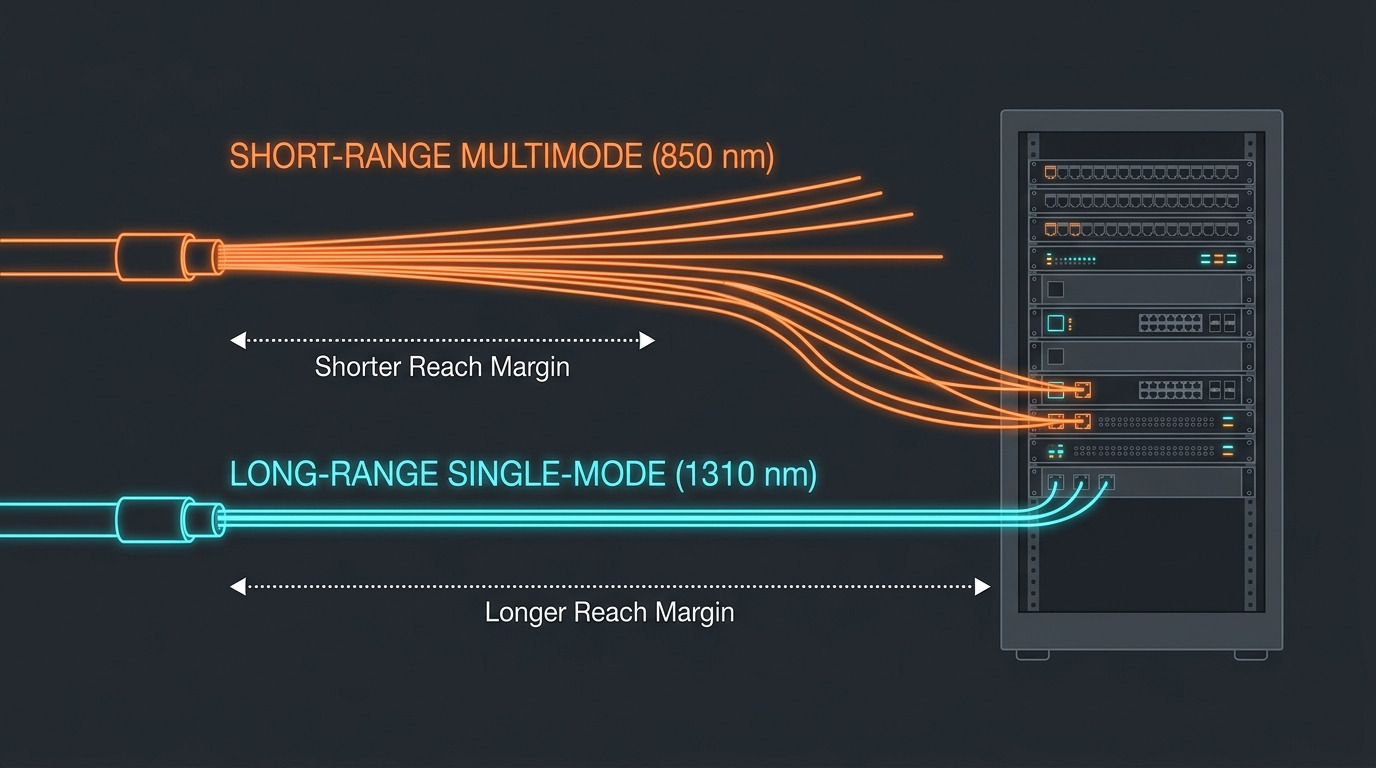
Whether you rely on SFP+ auto-negotiation or force speed, the physics still decide whether the link can train and stay healthy. For 10GBASE-SR, typical center wavelengths are around 850 nm and reach is commonly 300 m over OM3 or 400 m over OM4. For 10GBASE-LR, typical center wavelength is around 1310 nm with reach up to 10 km on appropriate single-mode fiber.
Operational limits also matter. Many SFP+ transceivers specify an ambient operating temperature range like 0 to 70 C for industrial vs extended options (some offer wider ranges). If you run warm bundles in cabinets, forced speed won’t save a marginal temperature profile; you’ll see laser power or receiver sensitivity drift, which increases BER and triggers retransmits.
Below is a comparison table you can use as a starting point when validating optics before you change negotiation settings. Always confirm exact parameters in the vendor datasheet for the specific part number you plan to deploy.
| Optics type | Typical wavelength | Reach (typical) | Connector | Supply / power (typ.) | Operating temp (common) | Example part numbers |
|---|---|---|---|---|---|---|
| 10GBASE-SR | 850 nm | 300 m OM3 / 400 m OM4 | LC | ~0.7 to 1.5 W (varies) | 0 to 70 C | Cisco SFP-10G-SR, Finisar FTLX8571D3BCL, FS.com SFP-10GSR-85 |
| 10GBASE-LR | 1310 nm | 10 km (SMF) | LC | ~0.5 to 1.5 W (varies) | 0 to 70 C | Cisco SFP-10G-LR, Finisar FTLX1471D3BCL |
DOM and thresholds: the hidden dependency
DOM (Digital Optical Monitoring) is often where the negotiation story gets real. Switches may read transceiver DOM values like transmit power and receive power, compare them against internal thresholds, and decide whether the link is “healthy enough.” If you force speed, you still rely on DOM to avoid “shutdown” or “error-disabled” states on some platforms. If you use auto-negotiation, the platform may refuse the port if it can’t match optic capability or DOM expectations during bring-up.
Practical tip: when validating an optic SKU, log DOM readings immediately after link-up and again after 30 minutes of traffic at typical utilization. If receive power is near the lower margin, forced speed may still look fine at idle but will degrade under load due to reduced SNR.
Pro Tip: In many switch platforms, the “negotiation” mode you toggle mainly affects the port’s acceptance logic, not the optical PHY itself. That means you can see link flaps with SFP+ auto-negotiation even when the optics are within spec, but you can also see clean link-up with forced speed while error counters silently climb. Always validate with both link state and error counters (CRC/FCS, alignment, and retransmits), not just “link up.”
Compatibility and cost: why the “wrong” mode can burn your budget
Compatibility is where SFP+ auto-negotiation vs forced speed turns into an ROI question. OEM optics (for example, Cisco-branded modules) often have strict compatibility matrices and may match switch port logic more consistently. Third-party optics can be cheaper—commonly 30% to 60% lower per module—but they increase the odds of edge-case behavior: DOM interpretation differences, slightly different laser bias behavior, or unsupported capability flags.
Forced speed can reduce the number of “no link” incidents when dealing with mismatched negotiation logic. But it can also increase mean time to detect because the link may still come up and only degrade under sustained traffic. From a TCO perspective, that can be worse than a clear bring-up failure because you lose time to performance investigations and potential incident tickets from application teams.
Here are realistic cost anchors engineers use for planning. In many markets, a 10GBASE-SR SFP+ module might land around $40 to $120 for OEM and roughly $25 to $70 for reputable third-party. If you deploy thousands of ports, even a small increase in failure rate can dominate TCO. Also consider optics replacement logistics: a forced-speed “works but degrades” case can cause repeated swaps if your team only checks link status.
Decision matrix: pick the operational mode based on your environment
Use this matrix to decide quickly during design or troubleshooting.
| Your situation | Recommended mode | Why | What to verify first |
|---|---|---|---|
| Single-vendor switch and optics SKU, stable firmware | SFP+ auto-negotiation on | Less manual config, consistent port acceptance | Link up success rate, baseline error counters |
| Mixed optics brands across multiple switch models | Forced speed (configured to 10G) | Reduces acceptance logic mismatch during bring-up | Optics DOM thresholds, power budget, CRC/FCS under load |
| After switch firmware upgrade you see negotiation-related flaps | Try forced speed as mitigation | Isolates regression in port negotiation logic | Compare logs before/after, run traffic and monitor errors |
| Long-reach LR links with tight margins | Prefer forced speed only if optics are validated | Negotiation mode won’t fix marginal optics | Rx power margin, temperature stability, BER indicators |
| Lab testing or bring-up of new optics SKU | Run both modes during validation | Find regressions and error-counter behavior early | DOM reading consistency, error counters at different loads |
Selection criteria checklist: how engineers choose safely
When you’re deciding between SFP+ auto-negotiation and forced speed, you want fewer surprises and faster recovery during incidents. Here’s the ordered checklist teams typically follow before changing production port settings.
- Distance and fiber type: confirm SR vs LR, OM3 vs OM4, and expected loss budget (including patch cords and splitters).
- Port and switch compatibility: verify the switch’s transceiver compatibility list and behavior notes for 10GBASE-R ports.
- Optics capability and DOM support: ensure the module supports DOM and that the switch accepts DOM values without error-disable actions.
- Operating temperature and airflow: check cabinet ambient and transceiver spec temperature range; validate with readings under normal load.
- Vendor lock-in risk: if you plan third-party optics, test acceptance behavior and error counters under load for at least 24 hours.
- Firmware update plan: if you frequently upgrade, prefer the mode that is least likely to regress in port logic; keep a rollback plan.
- Monitoring readiness: confirm you can read port error counters and optical DOM metrics quickly during an incident.
Common mistakes and troubleshooting tips that save hours
Most teams don’t lose time because of optics physics; they lose time because of a few repeatable operational mistakes. Here are concrete failure modes, their likely root causes, and what to do next.
Mistake: only checking “link up” after changing to forced speed
Root cause: the PHY can train and show link up even when optical power margin is tight. Under traffic, BER increases, and you start seeing CRC/FCS errors.
Solution: immediately check port error counters and run a traffic profile that matches production (for example, line-rate bursts and sustained utilization). Validate receive power via DOM and compare to vendor recommended thresholds.
Mistake: mixing SR optics across different fiber grades without validating loss
Root cause: OM3 and OM4 behave differently; patch cord lengths and connector cleanliness can push the link beyond margin. Negotiation mode won’t fix a marginal SNR.
Solution: verify fiber grade, measure or estimate end-to-end loss, and clean connectors. Replace suspect patch cords with known-good inventory and re-test while monitoring DOM.
Mistake: assuming auto-negotiation is “standard Ethernet behavior” for 10G fiber
Root cause: SFP+ 10GBASE-R doesn’t behave like older copper autoneg in the way many engineers expect. Switch vendors implement acceptance logic differently, especially across firmware releases.
Solution: consult the switch vendor documentation for 10GBASE-R port configuration semantics. If you see flaps after an upgrade, test forced speed as a mitigation and open a vendor ticket with port logs.
Mistake: ignoring DOM calibration drift and power reporting differences
Root cause: third-party optics may report DOM values that differ slightly from the OEM module’s calibration, triggering switch-side threshold alarms or error-disable actions.
Solution: during validation, compare DOM readings from the new module against a known-good reference module at the same port, same fiber, and same temperature window. If the switch enforces strict thresholds, align your optics SKU to the compatibility list or adjust thresholds if your platform allows it.
Which option should you choose? (clear recommendations by reader type)
If you want the shortest path to stable operations, choose based on your environment maturity and optics mix. Here’s a clear recommendation matrix in plain terms.
- If you run a homogeneous OEM environment (same switch vendor, same optics SKU, stable firmware): keep SFP+ auto-negotiation enabled. You get simpler operations and fewer configuration drift issues.
- If you mix optics brands or swap modules frequently across different switch models: use forced speed set to 10G. It reduces the “acceptance logic” variable that causes no-link flaps.
- If you recently upgraded switch firmware and started seeing flaps: temporarily move to forced speed to restore stability, then validate the root cause with vendor logs and a rollback plan.
- If you are validating a new third-party optics SKU: test both modes, but base your final decision on error counters and DOM margin under load, not just link-up success.
Real-world deployment scenario: leaf-spine fabric with mixed optics swaps
In a 3-tier data center leaf-spine topology with 48-port 10G ToR switches, a team connected servers to ToR using 10GBASE-SR optics over OM4 with typical patch cord lengths of 2 to 5 meters. They standardized on 10GBASE-SR modules for ToR downlinks, but during a capacity refresh they introduced a third-party optic SKU on a subset of racks. After a maintenance window, they saw sporadic link flaps only on certain switch models when SFP+ auto-negotiation was enabled.
The fix was not “clean the fiber” or “replace everything.” They switched those port profiles to forced speed at 10G and then validated using sustained traffic. After 24 hours, link stability improved immediately, and error counters remained flat. The longer-term outcome was also useful: they added that optic SKU to their compatibility test matrix with acceptance criteria based on DOM receive power margin and CRC/FCS rate.
FAQ
Does SFP+ auto-negotiation change the actual optical signaling rate?
For typical 10GBASE-R SFP+ links, the optical signaling is designed for 10G operation and training behavior is standardized. What often changes is the switch port’s acceptance logic and how it decides to bring the link up or apply thresholds. That’s why you can see link flaps without any change in the fiber itself.
When should we use forced speed on SFP+ ports?
Use forced speed when your environment is fixed at 10G and you suspect negotiation-state mismatches during optic swaps or firmware changes. It’s especially helpful in mixed optics deployments where capability exchange behavior differs. Still, validate error counters and DOM margin so you don’t hide marginal optics issues.
Will forced speed mask a bad transceiver?
It can. Forced speed may allow the link to train and report up even when receive power margin is low, leading to increased CRC/FCS errors under load. That’s why the troubleshooting workflow must include both port error counters and DOM transmit/receive readings.
How do I validate the right mode before rolling out to production?
Run a validation test that includes (1) link-up success rate, (2) error counter baselines at idle and under load, and (3) DOM readings over time, ideally across temperature changes. Test both modes if you’re introducing new optics SKUs or new switch firmware.
Are there standards we can cite for this behavior?
IEEE 802.3 defines the Ethernet physical layer requirements for 10GBASE-R signaling, but switch vendors implement port configuration semantics differently. For transceiver electrical and management expectations, vendors rely on SFF specifications and their own datasheets. Always cross-check switch documentation for how “auto-negotiation” is interpreted on SFP+ ports.
What’s the fastest troubleshooting path when a port won’t come up?
First, confirm the optics type (SR vs LR), connector cleanliness, and fiber loss budget. Then check switch logs for the port’s negotiation or training state and read DOM values right after insertion. Finally, try the alternate mode (auto vs forced) as a controlled experiment, not a random toggle.
If you want fewer outages, treat SFP+ auto-negotiation vs forced speed as a systems behavior choice, not just a transceiver setting. Next step: review your optics SKU against the switch compatibility list and run a short validation that checks link state plus error counters using transceiver compatibility testing for a repeatable rollout plan.
Author bio: I’ve deployed and troubleshot 10G fiber links in leaf-spine and campus cores, including optic swaps, DOM threshold debugging, and port profile changes during firmware rollouts. I focus on practical bring-up reliability and measurable error-counter outcomes, not just “link up” status.
