
Remote work does not eliminate infrastructure risk; it shifts it. When a small site, co-location bay, or branch POP relies on fiber transceivers, a wrong module choice can cause silent link flaps, link loss, or overheating. This selection guide helps IT and data center engineers choose the right optics, cabling, and compatibility settings for remote work environments with real operational constraints.
Remote work fiber module requirements: what actually changes
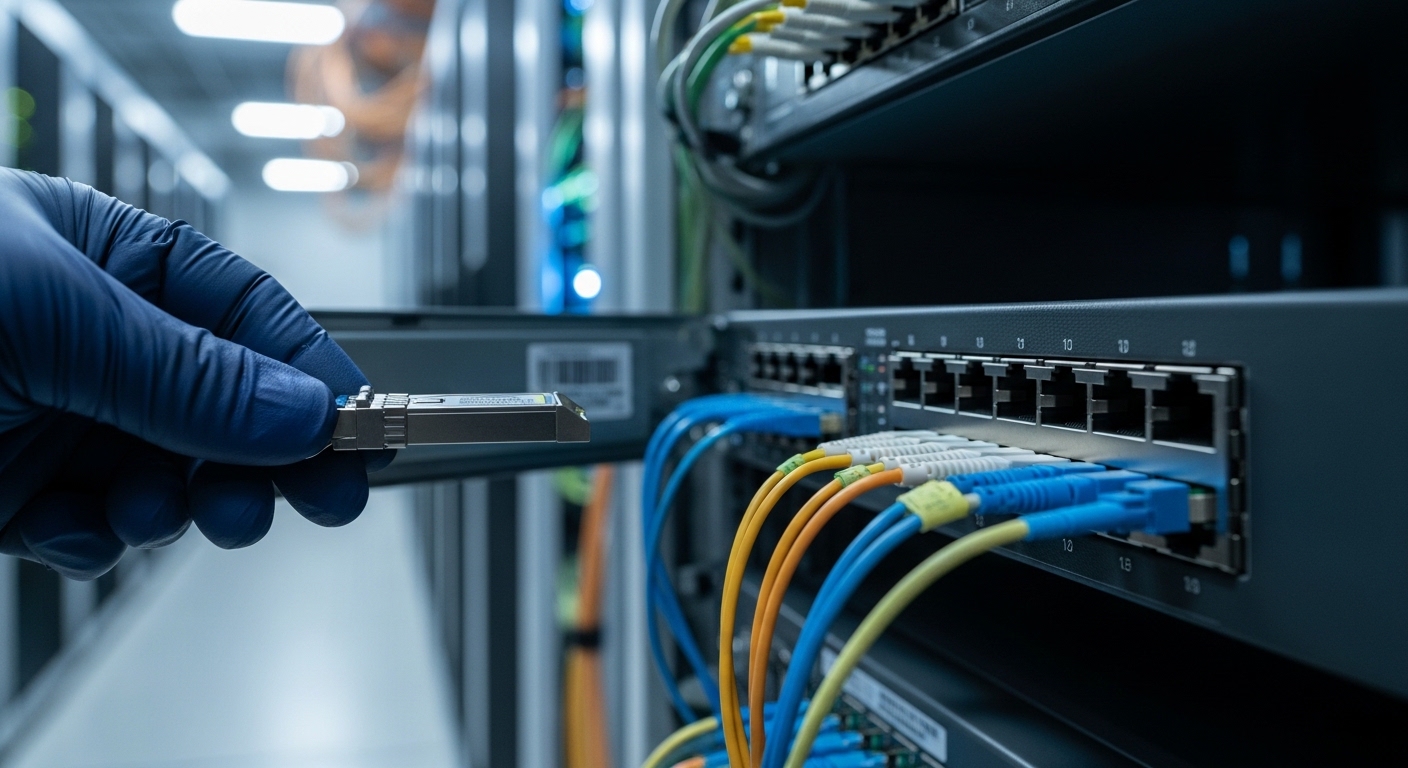
In remote or distributed locations, you often get fewer maintenance windows, limited spare parts, and constrained power and cooling. The fiber link still must meet the same physical layer behavior as a central data center, but the environment adds variability: dust, uneven patch panel quality, cable bends, and sometimes unmanaged switches. The result is that optical budget margins and transceiver operating temperature range matter more than on paper.
From an engineering standpoint, you are selecting a transceiver that matches data rate, optical wavelength, reach, connector type, and digital diagnostics support. For example, a 10G SFP+ link using LC duplex and 850 nm multimode optics (SR) behaves differently than a 1310 nm single-mode (LR) link in terms of chromatic dispersion tolerance and budget. Always validate against the switch vendor’s optics compatibility list and the IEEE base standard for the interface rate. Key references include IEEE 802.3 for Ethernet physical layers and vendor datasheets. IEEE 802.3 standard portal
Map your remote site constraints to physical-layer choices
Start by listing what you know and what you must assume. Do you have OM3 or OM4 cabling? Are runs under 100 m, or are you crossing a metro ring? Is the site temperature stable, or can it swing above 45 C during summer peaks? If you cannot answer confidently, choose optics with appropriate operating temperature range and conservative link budgets, and plan for spare modules.
Pro Tip: In the field, the most common “mystery link down” in remote sites is not distance; it is mismatched fiber type (single-mode optics on multimode fiber or vice versa) compounded by patch panel damage and dirty LC endfaces. Cleaning and verifying fiber type with a tester often resolves issues faster than swapping optics.
Module types and optical parameters that matter for remote links
Remote work sites frequently use 1G, 10G, and 25G Ethernet uplinks. The selection guide begins with the interface form factor and wavelength family: SFP/SFP+, SFP28, QSFP+/QSFP28/QSFP56, and CFP2/CFP4 in higher-end designs. Then you map wavelength and reach to the fiber plant: 850 nm for multimode short reach, 1310 nm for single-mode long reach, and 1550 nm for extended reach.
Beyond reach, you must evaluate optical power and receiver sensitivity, because the real world has insertion loss from patch cords, couplers, and connector contamination. Many transceiver datasheets provide a link budget model, often expressed as minimum and maximum launch power and receiver sensitivity at the specified bit error rate. You also need to check transceiver class for temperature: commercial (often up to ~70 C internal), industrial variants (often broader), and the system’s ambient conditions.
Technical specifications comparison table (typical 10G and 25G options)
The table below compares representative modules you will see in remote deployments. Exact values vary by vendor and speed grade, so treat this as a decision framework and verify against the specific datasheet before purchase.
| Module / Form Factor | Data Rate | Wavelength | Fiber Type | Typical Reach | Connector | Typical Power (Tx/Rx) | Operating Temperature Range |
|---|---|---|---|---|---|---|---|
| SFP+ SR (example: Cisco SFP-10G-SR) | 10G | 850 nm | OM3/OM4 Multimode | 300 m (OM3) / 400 m (OM4) | LC Duplex | ~0.8 W to 1.5 W | Commercial or broader variants |
| SFP+ LR (example class) | 10G | 1310 nm | Single-Mode OS2 | 10 km (typical) | LC Duplex | ~1.0 W to 2.0 W | Commercial or industrial variants |
| QSFP28 SR (example class: FS.com SFP-10GSR-85 is 10G; for 25G SR see vendor equivalents) | 25G | 850 nm | OM4 Multimode | 70 m to 100 m (varies) | LC Duplex | ~2.5 W to 4.0 W | Commercial/industrial options |
| QSFP28 LR (example class) | 25G | 1310 nm | Single-Mode OS2 | 10 km (typical) | LC Duplex | ~2.5 W to 4.0 W | Commercial/industrial options |
Wavelength choice: avoid “it should work” thinking
Wavelength determines which fiber type and reach class you can use. 850 nm multimode optics require OM3/OM4 and a clean launch path; 1310 nm single-mode optics require OS2 and will not behave correctly on multimode in typical installations. If you inherit an unknown patch panel, identify fiber type before ordering replacement modules.
Selection guide: step-by-step checklist for remote work optics
This selection guide is written for engineers selecting fiber modules for remote sites where downtime is costly. Use it in order, because early decisions lock in later compatibility.
- Confirm switch port type and speed: SFP+ vs SFP28 vs QSFP28, and whether the port supports specific Ethernet rates (10G, 25G). Verify vendor documentation for the exact physical layer and breakout modes.
- Determine fiber plant characteristics: fiber type (OM3, OM4, OS2) and connector style (LC duplex is most common for these modules). If fiber type is uncertain, test it with a proper cable identifier or OTDR and verify attenuation.
- Match wavelength and reach class: pick SR (850 nm multimode) for short OM3/OM4 runs, LR (1310 nm single-mode) for longer OS2 runs. Include patch cords and coupler losses in your budget.
- Validate optical budget margin: compare worst-case transmitter power and receiver sensitivity from the datasheet, then subtract measured link losses. In remote sites, assume you will have extra loss from poor patching and at least one contaminated connector.
- Check DOM and monitoring needs: for operational visibility, choose modules with Digital Optical Monitoring (DOM) where the switch supports it. DOM helps you detect aging optics and creeping link loss before failures.
- Verify operating temperature range: ensure module specs cover the remote ambient conditions and any airflow constraints inside the rack. If the site can exceed normal commercial ranges, consider industrial-rated modules.
- Assess compatibility and vendor lock-in risk: confirm the switch vendor’s compatibility list for genuine modules and note whether third-party modules pass the switch’s authentication checks. Many enterprise switches support standards-based optics, but operational compatibility still varies.
- Plan spares and field swap strategy: keep at least one tested spare per transceiver type and document port-to-fiber mapping. Label patch cords and record transceiver part numbers.
Compatibility caveats you must document
Even when optics are “standards-based,” field experience shows that some switches and optics combinations behave differently under marginal power or temperature. The same-looking LC SR module may have different transmitter power levels or DOM behavior across vendors. For example, Cisco SFP-10G-SR and third-party SR equivalents can differ in DOM thresholds and alarm reporting. Always validate with the exact switch model and firmware version in a staging environment.
IEEE 802.3 working group portal
Deployment scenario: branch POP with 10G uplinks and constrained airflow
Consider a three-floor remote office used as a branch POP, with a leaf switch uplinking to a small aggregation router. The design uses 48-port 10G ToR switches with 10G SFP+ SR optics to connect to a nearby patch panel, plus 10G SFP+ LR uplinks over OS2 to a metro handoff. The site has two 42U racks, limited maintenance access, and a cooling system that sometimes fails during heat spikes, pushing ambient air near 40 C.
Engineers choose 850 nm SR for the short in-building runs on OM4, where measured insertion loss per link is typically 1.2 dB from patch cords plus 0.5 dB from connectors. For the metro uplinks, they select 1310 nm LR modules with documented receiver sensitivity and confirm OS2 fiber type in the building risers. They also require DOM so the monitoring system can alert when receive power drops below a threshold, enabling a proactive swap during business hours rather than during outages.
Common mistakes and troubleshooting in remote fiber module installs
Remote sites punish assumptions. Below are frequent failure modes I have seen during field commissioning and break-fix, along with root causes and practical fixes.
Wrong fiber type with correct-looking connectors
Failure mode: Link never comes up or flaps every few minutes. LEDs may show activity but no stable link.
Root cause: single-mode optics installed on multimode fiber (or the reverse), often because LC connectors are identical.
Solution: verify fiber type with OTDR or a certified cable identifier, then replace modules with matching wavelength class. Clean LC endfaces and re-terminate if needed.
Budget too tight after patch panel losses
Failure mode: Link comes up in the lab but fails in the remote room after a connector change or during seasonal temperature swings.
Root cause: insufficient optical margin, especially when patch cords and couplers were not included in the budget.
Solution: recalculate using worst-case transmitter/receiver specs from the datasheet. Measure actual insertion loss for the installed link and add margin; consider higher-power optics or shorter patch lengths.
Dirty connectors and micro-scratches
Failure mode: Intermittent errors, high CRC rates, or sudden drops during vibration or airflow changes.
Root cause: contamination on LC endfaces, sometimes invisible without magnification. Micro-scratches increase scatter loss.
Solution: clean with approved wipes and inspect using a fiber scope. Replace damaged patch cords, and document cleaning steps in the change checklist.
Temperature or airflow mismatch inside the rack
Failure mode: Works initially, then degrades or fails under summer heat or blocked front-to-back airflow.
Root cause: module operating temperature exceeded, or local hotspots near dense port clusters.
Solution: verify rack airflow direction, ensure blanking panels are installed, and confirm module temperature ratings. Consider industrial-rated optics if the site regularly exceeds commercial assumptions.
Cost and ROI note: OEM vs third-party modules for distributed sites
Pricing varies by speed and reach, but for planning: 10G SFP+ SR modules often fall in the range of tens of dollars for third-party units and higher for OEM; 10G LR and 25G modules typically cost more due to tighter optical tolerances. Total cost of ownership is not just purchase price; it includes downtime risk, spare inventory, and time spent on troubleshooting.
In remote environments, ROI improves when you standardize on a small set of transceiver types, keep tested spares, and use DOM for early warning. Third-party optics can reduce CAPEX, but the risk of incompatibility or different alarm thresholds can increase OPEX through failed swaps. A practical approach is to qualify one or two third-party vendors in a staging setup with your exact switch models and firmware.
FAQ
Which fiber module should I buy for a 10G remote uplink over 2 km?
For 2 km on OS2 single-mode, a 10G SFP+ LR (1310 nm) class module is typically appropriate, assuming your optical budget includes patch cords and connectors. Confirm receiver sensitivity and measured insertion loss, then verify switch compatibility for the exact switch model and firmware. [[Source: vendor datasheets and IEEE 802.3 physical layer specifications]]
Can I use 850 nm SR optics on single-mode fiber?
Do not assume it will work. 850 nm SR is designed for multimode dispersion characteristics and typically will not meet link requirements on OS2 single-mode runs. The result can be a no-link condition or an unstable link.
Do I need DOM in remote sites?
DOM is not mandatory for basic link operation, but it is highly valuable in remote work environments where you cannot quickly run diagnostics. DOM enables monitoring of laser bias current, received optical power, and alarm thresholds, helping you predict failures and avoid surprise outages.
Are third-party transceivers safe for enterprise switches?
They can be, but you must qualify them. Some switches enforce compatibility checks or have differences in DOM behavior and threshold reporting. Test the exact part number(s) with your switch model and firmware in a staging setup before deploying broadly.
Why does my link flap only after connector changes?
Most often the root cause is contamination or connector damage after a patching event. Clean the LC endfaces, inspect with a fiber scope, and replace any patch cords with visible endface scratches. If flapping persists, re-check optical budget and ensure the correct fiber type and wavelength class.
Closing
Choosing the right fiber modules for remote work sites is an engineering exercise in matching optics to fiber plant, validating optical budget margin, and ensuring operational compatibility with your switches. Use this selection guide as a checklist, then standardize part numbers and keep tested spares for faster recovery. Next, review rack cooling and airflow planning for dense transceivers to reduce thermal risk in high-density racks.
Author bio: I am a data center engineer specializing in rack planning, power distribution, fiber optics, and transceiver deployment in distributed environments. I have implemented and troubleshot leaf-spine and access networks with DOM-based monitoring and field-proven change control.
