
When a leaf switch starts flapping ports or an aging fiber plant forces repeated truck rolls, the business case for an ROI upgrade stops being theoretical. This article helps data center engineers, facilities managers, and reliability leads evaluate optical transceiver and link upgrades with measurable operational impact. You will see realistic power, reach, and compatibility constraints, plus troubleshooting patterns we have seen during production cutovers.
Where ROI upgrade math really comes from in optical networks
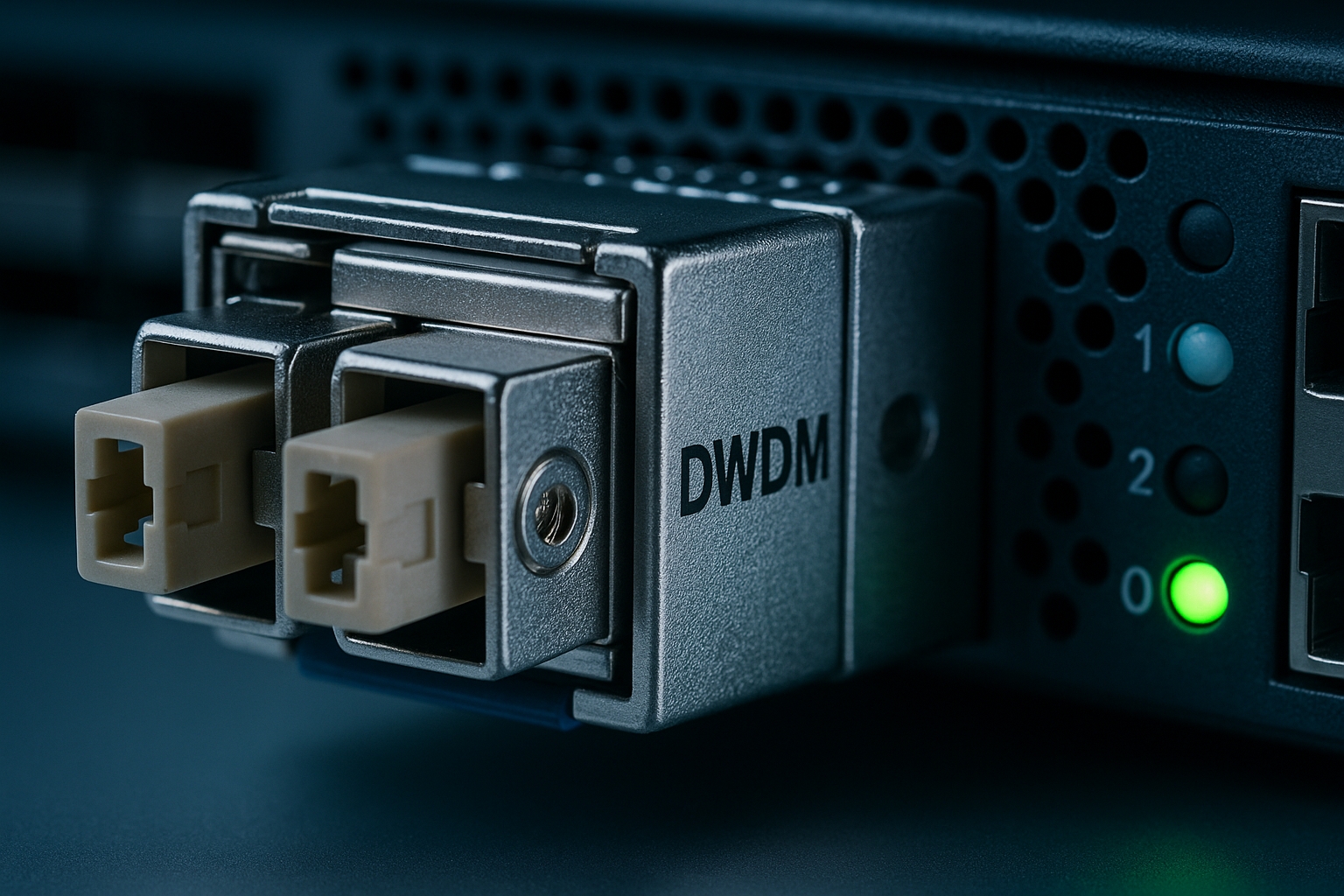
In most data centers, the optical upgrade story is not only bandwidth. It is also about reducing incident rate, lowering maintenance labor, and extending usable link lifetime without overbuying optics you cannot actually deploy. IEEE 802.3 defines Ethernet physical-layer behavior, but vendors implement optics with different diagnostics, DOM support, and thermal behavior, so compatibility becomes a hidden cost driver. From an ISO 9001 mindset, you treat the upgrade as a controlled process: define requirements, validate acceptance criteria, and capture corrective actions when field returns happen.
In practice, the ROI upgrade lever is usually one of these: (1) replacing out-of-spec transceivers that trigger CRC bursts, (2) migrating to higher-density optics to reduce switch spares and rack power, or (3) standardizing on a reach class that matches your actual patch panel distances. In one deployment, a regional cloud edge site had 10G SFP+ links with frequent receiver power alarms; after moving to validated transceivers and cleaning/rewiring, port error rates dropped and the on-call load fell measurably. The financial outcome was driven by fewer incidents and fewer emergency maintenance windows, not by “faster links” alone.
ISO 9001 reliability framing: track defect and failure modes by batch (optics lot, vendor, firmware), then trend mean time between failures (MTBF) proxies like link resets per week and returned-module rates. For optical components, “failure” often presents as marginal receiver sensitivity or thermal drift rather than a hard dead device, so your metrics must include link health telemetry, not only hard-down events. [Source: IEEE 802.3 Ethernet Physical Layer standards]
Optical transceiver specs that decide whether the upgrade pays off
To avoid buying the wrong optics, start from the physical layer envelope: wavelength, data rate, reach class, connector type, and temperature range. Even if the switch “supports 10G,” it may not tolerate every vendor’s transmitter power, receiver sensitivity, or DOM interpretation. For example, 10G SR modules typically target 850 nm over multimode fiber, while 10G LR uses 1310 nm over single-mode fiber. Vendor datasheets specify maximum and minimum optical power, receiver sensitivity, and optical modulation characteristics that directly affect link margin.
| Module type | Common part examples | Wavelength | Target reach | Fiber / connector | Typical data rate | Power / thermal note | Operating temperature |
|---|---|---|---|---|---|---|---|
| 10G SFP SR | Cisco SFP-10G-SR, Finisar FTLX8571D3BCL, FS.com SFP-10GSR-85 | 850 nm | 300 m on OM3, 400 m on OM4 (typical) | OM3/OM4 multimode, LC | 10.3125 Gbps | Low power for SFP; stay within switch thermal design | 0 to 70 C (standard) or -40 to 85 C (extended, model-dependent) |
| 10G SFP LR | Vendor LR equivalents for SFP | 1310 nm | 10 km (typical) | Single-mode fiber, LC | 10.3125 Gbps | Higher optical budget; verify link margin | 0 to 70 C (standard) or extended variants |
| 25G SFP28 SR | 25G SFP28 SR modules (multi-vendor) | 850 nm | ~100 m typical on OM4 (varies by spec) | OM4 multimode, LC | 25.78125 Gbps | More aggressive thermal/power behavior than 10G; validate | 0 to 70 C or -40 to 85 C |
Link margin matters for ROI upgrade. A “supported” optic can still underperform if the site fiber has higher-than-expected attenuation, if patch panel contamination exists, or if the link budget is already tight. This is why acceptance tests should include measured transmit power and receive power targets, plus bit error rate (BER) or equivalent error counters during soak tests. [Source: vendor transceiver datasheets for TX power, RX sensitivity, and DOM diagnostics]
Pro Tip: In the field, the fastest way to prevent a bad ROI upgrade is to require DOM telemetry validation during a short pilot window. If the switch reports DOM values that differ from what the vendor datasheet expects (for example, RX power offsets or temperature readings that drift early), you can catch marginal optics before a full rollout. This reduces “mystery CRC storms” that often look like congestion but are actually receiver margin issues.
ROI upgrade decision checklist for engineers under time pressure
When the change window is short, the decision checklist below keeps the upgrade aligned with operational reality. Use it like a gate review: no item means you can proceed safely, but every item explains why the ROI upgrade will be stable after cutover.
- Distance and reach class: measure actual patch-to-patch length, not just cable labels; confirm whether you are on OM3, OM4, or a mixed plant.
- Switch compatibility: confirm the switch platform’s transceiver compatibility list and check whether it enforces specific vendor ID or DOM behavior.
- Data rate and encoding: verify the interface expects Ethernet at the correct speed (for example, 10G vs 25G) and that optics match the physical layer mode.
- DOM and diagnostics: ensure the switch can read DOM fields (temperature, TX power, RX power, bias) and that alarms map cleanly to your monitoring system.
- Operating temperature and airflow: compare module temperature range with your rack thermal design; confirm airflow paths are not blocked by cables or blank panels.
- Vendor lock-in risk: evaluate third-party interoperability and define an approved vendor set; include a quarantine process for new vendors before broad deployment.
- Acceptance test plan: define pass/fail thresholds for link errors, receiver power, and stability under a soak window.
- Spare strategy and MTBF proxies: decide whether you stock spares per rack, per site, or per switch model, and track return rates by batch.
Engineers often skip the ordering of these steps, then pay later in rework. In one enterprise campus, the team standardized on a single optic vendor for “cost,” but a subset of links experienced intermittent resets during peak HVAC load. Root cause was thermal headroom: the optics were rated for the right temperature range on paper, yet the rack airflow created localized hotspots. The ROI upgrade became negative because the team spent weeks chasing symptoms rather than eliminating them.
Real-world deployment scenario: leaf-spine cutover with measurable outcomes
Consider a 3-tier data center leaf-spine topology with 48-port 10G ToR switches aggregating into spine pairs. The site has 12 racks, each with two ToR switches, and uses multimode fiber patching to the top-of-rack. Over two quarters, the team saw an average of 0.8 link error incidents per switch per month, mostly receiver-related CRC bursts and occasional link flaps after routine patch panel changes. The ROI upgrade plan replaced aging 10G SFP+ optics with validated 10G SR modules and standardized on a consistent vendor set that matched the switch DOM expectations.
They staged the rollout: 8 ports per ToR in week one, then a full ToR in week two, while monitoring RX power thresholds and interface error counters. During the pilot, the team required a minimum 24-hour soak with no sustained CRC increase beyond baseline and no DOM alarm triggers. After cutover, incident rate dropped to 0.2 per switch per month, and the on-call team reported fewer “fiber hygiene” tickets because the team paired optic replacement with an upgraded cleaning workflow and connector inspection. [Source: vendor DOM diagnostic documentation and operational best practices]
This is where ROI upgrade becomes concrete: fewer incidents reduce labor hours, and better stability extends the useful life of existing switching hardware. It also reduces the chance of emergency maintenance during peak business hours, which is often the largest cost driver even when hardware prices look similar.
Common mistakes and troubleshooting patterns that break ROI upgrade plans
Even good optics can fail if the upgrade process ignores the realities of fiber plants, thermal conditions, and switch behavior. Below are failure modes we have seen repeatedly, with root causes and practical solutions.
“Supported by the switch” but still unstable
Root cause: the switch accepts the optic for link up, but DOM values or transmitter characteristics cause marginal receiver behavior under temperature or aging. Sometimes the issue is a mismatch in expected diagnostics behavior, leading to misinterpreted alarms and delayed response. Solution: run a pilot with telemetry checks: compare DOM temperature and RX power trends against baseline, and enforce soak tests before expanding.
Distance mismatch due to mixed fiber types
Root cause: link labels often lie; patch panels may mix OM3 and OM4, or you may unknowingly traverse longer trunk runs through intermediate patch bays. Underestimating attenuation can collapse margin, producing CRC bursts that look like congestion. Solution: measure end-to-end length and identify fiber type; if needed, switch from SR to LR or choose a higher-margin optic family.
Contamination and connector damage disguised as “bad optics”
Root cause: dirty LC connectors can mimic weak receiver sensitivity; sometimes the real problem is micro-scratches from prior cleaning attempts. Teams replace optics repeatedly, burning budget, while the physical cause remains. Solution: implement a connector inspection workflow with magnification and standardized cleaning; log cleaning events in your change records.
Thermal airflow issues during densification
Root cause: higher-density optics increase local heat, and blocked airflow creates hotspots inside the module. The result is early drift in bias current and intermittent errors that correlate with peak load. Solution: verify rack airflow paths, ensure blank panels are installed, and validate module thermal performance under sustained load.
From a reliability perspective, document each incident with a corrective action plan. Tie it back to the optics batch and install location, then perform root cause analysis that includes both electrical and optical variables. [Source: ANSI/TIA fiber optic cabling standards and troubleshooting guidance]
Cost and ROI upgrade note: what you actually pay over time
Price ranges vary widely by vendor and data rate, but as a practical baseline, many 10G SR SFP optics land in a broad band of roughly $20 to $80 per module in typical enterprise purchasing, while 25G optics often cost more, especially when you require specific reach or extended temperature variants. OEM optics can carry a premium, but third-party options can be cost-effective when you enforce compatibility testing and acceptance criteria.
TCO should include: module cost, labor for swaps, spares inventory, and the cost of downtime windows. If your current incident rate is high, even a small reduction can dominate the ROI upgrade calculation. In one plant, avoiding a single emergency maintenance event during a business-critical peak window saved more than the entire year of planned optic replacements. The key is to measure incident frequency and mean time to restore (MTTR) before and after the upgrade.
Be honest about limitations: third-party optics may not support the same DOM alarm semantics, and some switch platforms restrict optics behavior more tightly than others. Treat this as a quality system problem: define approved vendors, validate in a pilot, and continuously monitor after rollout.
FAQ
How do I start an ROI upgrade if my switch supports many optics?
Start with reach and fiber type, then run a pilot using a subset of ports while validating DOM telemetry and error counters. Even when link comes up, you want stability under soak tests and realistic thermal conditions. This prevents “false savings” from optics that only work until margins shrink.
Should I buy OEM optics or third-party for the ROI upgrade?
OEM optics reduce compatibility uncertainty, but third-party can be a strong ROI upgrade when you enforce a validated vendor set and acceptance testing. The risk is not the module itself; it is the integration details like DOM interpretation, alarm thresholds, and thermal behavior on your exact switch model.
What metrics should I track to prove the upgrade worked?
Track link error counters (CRC, FCS, interface resets), DOM trends (RX power, temperature), and incident tickets per switch per month. Pair these with MTTR and the number of maintenance windows required to resolve physical-layer problems.
Can I upgrade to higher speeds without changing the fiber plant?
Sometimes, but it depends on the optics and your fiber type. For example, many 25G SR deployments require OM4 multimode and shorter distances than 10G SR, so you must re-evaluate the link budget and connector cleanliness. If you are unsure, measure and test before migrating.
Why do I see link up but still get CRC bursts after installing new optics?
CRC bursts usually indicate marginal optical power, contamination, or distance mismatch rather than a total optic failure. Verify connector cleanliness, check RX power trends versus baseline, and confirm actual patch panel paths and attenuation. If the issue correlates with temperature, validate airflow and thermal design.
What is a reasonable acceptance test window for optics?
For many data center rollouts, a 24-hour soak with stable error counters and no DOM alarm triggers is a practical minimum. If your environment has strong thermal cycling or you are pushing edge-of-spec distances, extend the window and include peak load conditions.
If you want the next step, map your current optical links to reach classes and fiber types, then run a controlled pilot with DOM and error-counter acceptance criteria using the same discipline you would apply to any ISO 9001 change. For related planning guidance, see optical network reliability planning for a structured approach to acceptance testing and corrective action.
Author bio: I have worked as a field reliability engineer deploying and validating optical transceivers in multi-vendor data centers, with hands-on telemetry analysis and connector troubleshooting. My focus is measurable uptime outcomes using MTBF proxies, acceptance tests, and quality-system documentation.
