
QSFP-DD in Telecom: 200G vs 400G Tradeoffs That Matter
If you are upgrading high-speed telecom transport, QSFP-DD is the kind of hardware decision that can save you weeks or cause a very loud outage. This article helps network engineers, ISP transport teams, and data-center ops leaders compare QSFP-DD options for 200G and 400G deployments, with real selection criteria, failure modes, and ROI math. You will also get the compatibility gotchas vendors do not put on the front of the box.
QSFP-DD performance: 200G and 400G optics in real telecom links
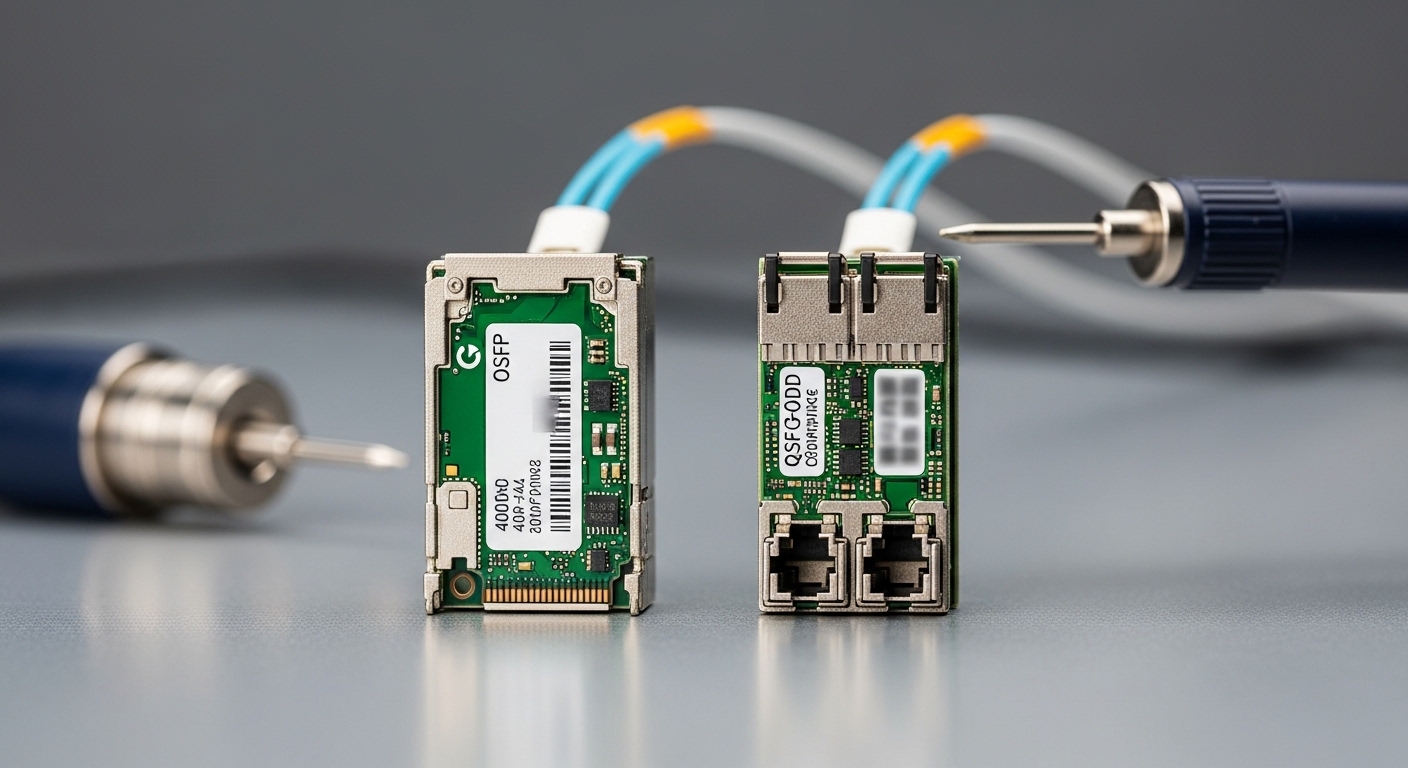
QSFP-DD is a pluggable transceiver form factor designed for higher lane counts and higher aggregate throughput than older QSFP generations. In telecom and metro/access transport, the practical question is not only “What speed can I buy?” but “What reach, power, and optics budget can my link actually support over my installed fiber plant?” In most deployments, the optics type (SR, LR, DR, FR) and the transceiver’s electrical interface determine your usable distance and thermal headroom.
What changes between 200G and 400G in the field
At 200G, many networks use fewer lanes per direction and often see slightly more forgiving power and thermal margins, depending on the optics. At 400G, lane density typically increases, which can tighten timing margin and increase sensitivity to connector cleanliness, patch-panel losses, and unexpected fiber bend radius issues. The result: your “same rack” can behave differently depending on whether you populate with 200G or 400G QSFP-DD optics.
Common optics building blocks you will see
In vendor catalogs, you will frequently encounter QSFP-DD modules labeled by wavelength and reach. For example, short-reach multimode optics are often specified around 850 nm for SR-class links, while long-reach options use different wavelengths and typically require single-mode fiber and tighter optical budgets. Always validate against your switch line card’s supported optic list and check whether your environment uses OM4 or OM5 multimode.
Head-to-head: 200G vs 400G QSFP-DD optics specs that drive engineering decisions
When you compare QSFP-DD options, you want a table that reflects the knobs engineers actually tune: data rate, wavelength band, reach, connector type, typical optical power, typical receiver sensitivity, and operating temperature. The values below are representative of common module classes you will encounter; your exact part number datasheet controls final numbers.
| Spec | QSFP-DD 200G (typical SR) | QSFP-DD 400G (typical SR) | Why it matters |
|---|---|---|---|
| Form factor | QSFP-DD | QSFP-DD | Same cage, different lane utilization |
| Aggregate data rate | 200G | 400G | Determines port density and routing capacity |
| Fiber type | OM4/OM5 (multimode) or SMF (varies) | OM4/OM5 (multimode) or SMF (varies) | Impacts reach and cabling requirements |
| Wavelength (common) | ~850 nm (SR multimode) | ~850 nm (SR multimode) | Drives fiber compatibility and budget math |
| Typical reach class | ~100 m class (SR) depending on OM and power | ~100 m class (SR) depending on OM and power | Often the deciding factor for patch-panel design |
| Connector | LC duplex (most SR) | LC duplex (most SR) | Cleaning and mating quality matter |
| Operating temperature | Typically commercial or extended | Typically commercial or extended | Telecom racks can run hot; confirm range |
| Power consumption | Often lower than 400G class | Often higher than 200G class | Affects cooling and PSU sizing |
For authoritative baseline behavior, consult IEEE 802.3 for Ethernet PHY expectations and vendor datasheets for exact electrical and optical parameters. [Source: IEEE 802.3 standard] and vendor documentation for specific modules such as Cisco-branded or OEM equivalents (example models include Cisco SFP-10G-SR only as a form-factor reference; for QSFP-DD you must use the QSFP-DD specific datasheet).
Pro Tip: In telecom patch-panel audits, the difference between “works in the lab” and “fails in the field” is frequently not the transceiver at all. It is end-face cleanliness and insertion loss from couplers and jumpers. Do a quick fiber inspection and measure MPO/LC link loss before you blame the QSFP-DD firmware.
Compatibility and standards: what your switch really expects
QSFP-DD optics are not interchangeable in practice, even if the connector and wavelength label look identical. Switch vendors implement line-card-specific constraints: supported interface types, optics vendor allowlists, DOM behavior, and sometimes even negotiated lane mapping details. If your platform uses a vendor-specific “optics compatibility list,” treating QSFP-DD as a generic commodity can turn into an expensive game of “why is the port flapping?”
DOM, diagnostics, and operational limits
Most modern QSFP-DD modules include digital optical monitoring (DOM) functions like laser bias current, received optical power, and temperature. Your switch polls this data using the module management interface, and if the readings are outside expected thresholds, the port may disable or log alarms. Confirm whether your environment needs extended temperature variants and whether the module supports the same DOM interface behavior your network OS expects.
Lane mapping and link training realities
Even when optics support the same aggregate rate, the internal lane count, FEC mode, and electrical host interface behavior can differ by vendor. In high-speed telecom environments, the switch may require specific FEC settings or auto-negotiation behavior to match optics characteristics. If you are standardizing across a multi-vendor fleet, plan a validation matrix early and include at least one cold-boot and one warm-restart test per optic type.
Cost and ROI: where QSFP-DD makes sense financially
QSFP-DD optics pricing varies dramatically by reach class, vendor brand policy, and whether the optic is OEM, compatible, or fully vendor-supported. In typical telecom procurement, branded QSFP-DD optics can cost meaningfully more than third-party equivalents, but the lower price does not automatically translate to lower total cost of ownership (TCO) if you suffer higher failure rates, longer RMA cycles, or compatibility delays.
Realistic price ranges and TCO logic
For budgeting, network teams often see QSFP-DD SR-class modules priced in tiers: third-party modules may be materially cheaper, while fully vendor-supported optics carry a premium. As a rough planning heuristic (verify with your procurement system), SR-class optics might range from a few hundred to well over a thousand dollars per module depending on brand and speed class, while longer-reach optics typically cost more. TCO should include: installation labor, downtime risk, spare inventory carrying costs, RMA shipping time, and the cost of testing time during cutovers.
What drives ROI fastest
ROI is usually best when QSFP-DD upgrades let you consolidate ports and reduce oversubscription. For example, if a transport node can move from 100G to 200G/400G per slot, you may reduce the number of line cards or lower the frequency of future upgrades. But if your current fiber plant only supports the shorter reach class, buying higher-reach optics than you need can waste budget without improving uptime.
Deployment scenario: QSFP-DD in a metro leaf-spine with strict uptime
In a 3-tier metro data center fabric supporting an ISP’s aggregation layer, a team deployed QSFP-DD optics in a leaf-spine topology using 48-port line-rate switches. Each leaf had 12 uplinks at 400G and 36 downlinks at 200G, with multimode SR optics over existing OM4 patch panels limited to roughly 70–90 m segments after accounting for couplers and patch loss. They ran a staged rollout: first validate one rack with live traffic, then expand in batches of 8 switches per weekend window. After cleanup and re-termination on the highest-loss fiber group, alarms dropped and the team stopped seeing intermittent LOS events during warm restarts.
Selection criteria checklist: how engineers pick QSFP-DD optics without regret
- Distance and fiber type: Measure link loss and confirm OM4 vs OM5 or single-mode requirements before choosing SR vs LR/DR/FR-class optics.
- Switch compatibility: Check the switch vendor’s supported optics list for QSFP-DD, including DOM behavior and FEC expectations. Use QSFP-DD compatibility matrix.
- Speed and lane configuration: Confirm the optic’s aggregate rate and lane mapping match your port configuration (200G vs 400G).
- DOM support: Ensure diagnostics are supported and thresholds align with your network OS alarms.
- Operating temperature: Verify extended temperature if your telecom cabinets run hot or face direct airflow obstruction.
- Power and cooling budget: Estimate total transceiver power draw per rack and ensure PSU and thermal profiles remain within spec.
- Vendor lock-in risk: If you go third-party, plan a compatibility test and keep vendor-supported spares for first-line operations.
Common mistakes and troubleshooting tips (the stuff that bites at 2 a.m.)
QSFP-DD deployments fail in predictable ways. Below are common pitfalls with likely root causes and what to do next, based on field patterns seen during optics rollouts.
“It should work” fiber mismatch and loss budgeting errors
Root cause: Selecting multimode optics for a path that quietly includes too much loss, extra couplers, or older cabling that does not meet OM4/OM5 assumptions. Solution: Measure end-to-end loss with an OTDR or certified loss meter, inspect connectors, and re-terminate or replace the worst jumpers.
DOM alarm storms after warm reboot
Root cause: DOM thresholds or negotiation behavior differ from what the switch OS expects, causing ports to disable momentarily during link training. Solution: Update switch software to the version validated for your optics class, confirm FEC settings, and verify that the optics are on the supported list.
Inconsistent behavior across “same” transceiver part numbers
Root cause: Mixing OEM and third-party optics that share labels but differ in electrical characteristics, vendor-specific firmware behavior, or optical power distributions. Solution: Standardize part numbers and batch-test a small group under load; keep a controlled spares pool with identical configuration.
Connector cleanliness and micro-scratches
Root cause: Dirty LC/connector end faces causing intermittent receiver saturation or high error rates. Solution: Use a fiber microscope and proper cleaning kits, replace suspect patch cables, and verify with live BER/CRC counters.
Which option should you choose? A recommendation by reader type
Choosing between QSFP-DD 200G and 400G is less about “which is better” and more about your fiber plant, switch capacity planning, and operational tolerance for optics variability.
- If you run metro links with tight reach budgets: choose 200G QSFP-DD SR options when they provide sufficient headroom on measured loss and simplify lane margin.
- If you are building for maximum port density and future capacity: choose 400G QSFP-DD where your certified fiber loss and thermal environment are known to support it.
- If you manage a multi-vendor fleet: prioritize switch-supported optics lists and validate one third-party candidate only after compatibility testing; keep vendor-supported spares.
- If your uptime SLA is brutal: standardize on a single optic class per rack and keep identical spares so replacements do not introduce new variables.
Bottom line: let your measured link loss and switch compatibility dictate the optics choice, then use a controlled rollout to protect uptime. Next step: review QSFP-DD compatibility matrix and build a test plan that includes warm reboot behavior.
FAQ
Q: What does QSFP-DD stand for in practical terms?
QSFP-DD is a pluggable transceiver form factor used for high-speed Ethernet and transport interfaces. In practice, it packages higher lane density and supports optics classes that are common in telecom and data-center fabrics. The exact capabilities depend on the module part number and the host switch support.
Q: Can I mix QSFP-DD optics vendors in the same switch?
You can sometimes, but it is not guaranteed. The switch may enforce an optics compatibility list and may behave differently with DOM thresholds and FEC settings. For stability, standardize part numbers and test before broad rollout.
Q: How do I validate reach for QSFP-DD SR modules?
Measure end-to-end fiber loss including patch panels, couplers, and jumpers, and compare to the module’s optical budget in the datasheet. Also check fiber type (OM4 vs OM5) and connector cleanliness. If you are operating near the limit, expect sensitivity to small changes.
Q: What should I monitor after deploying QSFP-DD?
Track link flaps, LOS/LOF alarms, DOM temperature and RX power trends, and error counters like CRC or FEC-related metrics. During the first week, schedule warm-reboot tests and verify counters do not spike. If alarms occur only after restart, suspect negotiation or threshold behavior.
Q: Are third-party QSFP-DD optics worth it for telecom budgets?
They can be, but only if you validate compatibility and support processes. Consider TCO: module price, RMA turnaround, testing time, and downtime risk. For SLA-critical sites, keep vendor-supported spares to reduce operational uncertainty.
Q: Which standards should I reference for Ethernet transceiver
