
If your Cambium PTP link is flapping, LOS is intermittent, or link budget is marginal, the optical transceiver choice is often the hidden cause. This quick reference helps field engineers and network admins pick and validate the correct point to point fiber optics for Cambium microwave-to-fiber or fiber-to-fiber PTP deployments. You will get compatibility checklists, real-world selection criteria, and troubleshooting patterns that match how these links fail in production.
What to verify in Cambium PTP optical transceiver installs
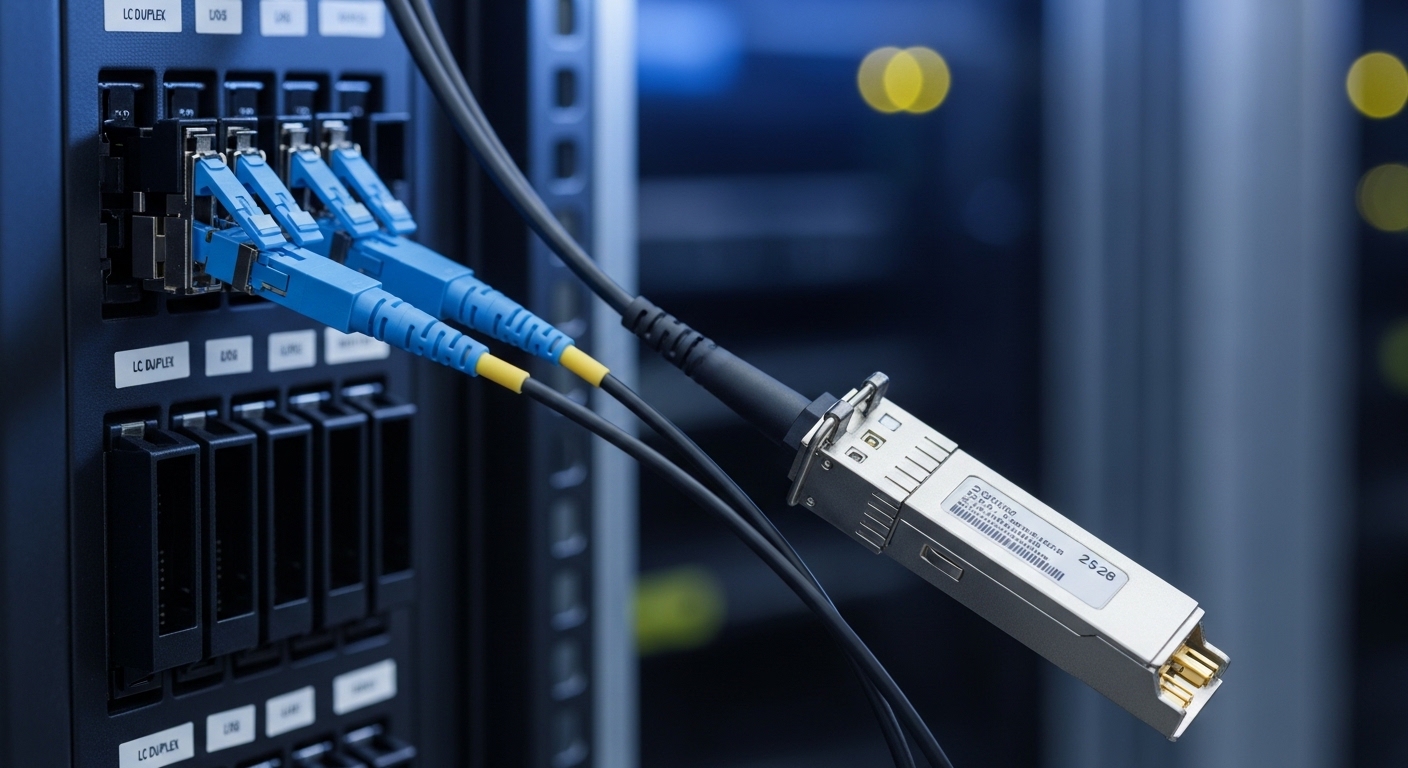
Cambium PTP setups typically use an external optical interface (SFP/SFP+ or similar form factor depending on the exact Cambium platform) to carry Ethernet over point to point fiber. Before ordering optics, confirm the exact radio model and the optical cage type on the unit, then verify the switch/router side optics expectations. In the field, a wrong wavelength pair, mismatched fiber type (single-mode vs multimode), or absent DOM support frequently causes link negotiation issues or silent packet loss.
Confirm the transceiver form factor and port expectations
- SFP vs SFP+: Many Cambium PTP platforms use SFP; higher-speed backhaul designs may use SFP+ or QSFP depending on architecture.
- Connector type: LC is most common for single-mode PTP; confirm LC/SC before you pull fiber.
- Speed and signaling: Match to the port line rate (for example, 1G vs 10G optics).
- DOM support: If the radio or management system expects digital optical monitoring, a non-DOM or incompatible DOM can break alarms or monitoring, even if light passes.
Validate the wavelength and fiber type pairing
For long-reach point to point fiber links, you almost always use single-mode with a 1310 nm (often for Ethernet) or 1550 nm (more common in long-haul optics). Multimode optics can sometimes light up short runs, but they typically fail at real PTP distances due to modal dispersion and link budget collapse.
Key optical specs for point to point fiber: choose by numbers, not labels
Engineers get burned when they select optics by “it worked once” rather than optical parameters. Always compare wavelength, reach, transmit power, receive sensitivity, and connector type against your actual span loss and safety margin. If you are using third-party optics, confirm they are compatible with your exact Cambium platform and the vendor’s DOM expectations.
Spec table: common 1G and 10G single-mode transceivers for PTP
Use this table as a baseline for what to match. Exact values vary by vendor SKU; verify the datasheet before install.
| Transceiver example | Data rate | Wavelength | Target reach | Connector | Optical budget concept | DOM | Typical operating temp |
|---|---|---|---|---|---|---|---|
| Cisco SFP-10G-SR (reference only) | 10G | 850 nm | ~300 m (MMF) | LC | Short-reach MMF budget | Yes | 0 to 70 C |
| Finisar FTLX8571D3BCL (example MMF) | 10G | 850 nm | ~300 m | LC | Short-reach MMF budget | Yes | 0 to 70 C |
| FS.com SFP-10GSR-85 (example MMF) | 10G | 850 nm | ~300 m | LC | Short-reach MMF budget | Yes | 0 to 70 C |
| Typical single-mode SFP (1310 nm) | 1G | 1310 nm | Up to 10 km | LC | Designed for SMF loss budget | Often yes | -40 to 85 C (some variants) |
| Typical single-mode SFP+ (1310/1550 nm) | 10G | 1310 nm | Up to 10 km (common) | LC | SMF loss budget with margin | Often yes | -40 to 85 C (some variants) |
What to compute for link margin in point to point fiber
- Span loss: SMF attenuation plus splice loss plus connector loss. Use measured OTDR where possible.
- Safety margin: Keep at least 3 to 6 dB margin for aging, dirt, and weather-driven connector issues.
- Transceiver power vs sensitivity: Ensure the worst-case received power stays above receiver sensitivity.
Pro Tip: In many field cases that “look like a bad transceiver,” the real root cause is dirty LC endfaces. A single contaminated connector can add multiple dB of loss and push the link below sensitivity during rain or temperature swings. Always clean and re-seat connectors before swapping optics.
Compatibility decision checklist for Cambium PTP optical links
Use this ordered checklist like a pre-flight. It reduces truck rolls and avoids the common trap of buying optics that light up but do not properly monitor or alarm.
- Identify the Cambium PTP radio model and its optical port type (SFP vs SFP+), then pull the platform documentation for supported transceiver classes.
- Match data rate exactly to the radio’s Ethernet interface (for example, 1G vs 10G). Mismatched line rates can cause link flaps.
- Match wavelength and fiber type: single-mode for real PTP distances; confirm 1310 nm or 1550 nm pairing.
- Confirm connector and polarity: LC geometry, and whether you need A-to-A or A-to-B mapping depending on duplex strategy.
- DOM expectations: if Cambium expects DOM readings for threshold alarms, prefer DOM-capable optics with consistent vendor firmware behavior.
- Operating temperature: outdoor rooftops can exceed 60 C in direct sun. Choose optics with a datasheet rating compatible with your enclosure and climate.
- Budget vs reliability: third-party optics can work, but validate on a pilot span and track failure rates. Avoid “no-name” modules with unknown optical characterization.
- Lock-in risk: if your NOC relies on DOM telemetry, standardize on a small set of approved SKUs across all sites.
Deployment scenario: where these choices break in the real world
In a 3-tier regional network, a provider runs a Cambium PTP backhaul from a rural POP to a tower site. The tower uses a single-mode fiber span of 6.2 km with 0.35 dB per splice and two LC connectors per end. The design target is a 10G Ethernet trunk into the aggregation switch. During rainy season, the link intermittently drops; measurements show received optical power hovering near the receiver sensitivity threshold because connectors were cleaned only during initial install and not re-checked after the tower was serviced. The fix was not a “better brand” transceiver; it was connector cleaning, replacing one suspect splice, and moving to a DOM-compatible single-mode SFP+ that matched the expected wavelength and monitoring behavior.
Common pitfalls and troubleshooting for point to point fiber optics
Below are failure modes you will actually see on PTP links. Each includes root cause and a practical solution.
Link lights but traffic is unstable (flaps, microbursts)
- Root cause: wavelength mismatch (for example, 1310 vs 1550), wrong duplex mapping, or marginal optical power due to excess loss.
- Solution: confirm wavelength in transceiver labels and datasheets; verify fiber type; measure received power with the DOM or an optical power meter; clean and re-seat connectors; re-run OTDR on the span.
DOM alarms missing or telemetry shows “unknown”
- Root cause: transceiver does not implement DOM correctly for the platform, or the platform expects a specific DOM data format behavior.
- Solution: use DOM-capable optics explicitly listed as compatible; check vendor DOM support notes; standardize on a known-good SKU across radio sites.
Works indoors, fails outdoors after heat exposure
- Root cause: transceiver temperature rating exceeded (sun-heated enclosure), or the transceiver is not rated for the outdoor thermal envelope.
- Solution: select optics with appropriate temperature range (commonly -40 to 85 C for rugged variants), improve enclosure ventilation, and avoid direct sun on the optical cage.
Persistent high BER despite “correct” optics
- Root cause: damaged fiber endfaces, poor splicing, or dirty connectors causing increased loss and optical noise.
- Solution: inspect with a fiber microscope; clean with proper APC/UPC methods matching connector geometry; re-terminate or re-splice the affected section; verify with bit error rate tools if available.
Cost and ROI: what to budget for transceivers on PTP links
Pricing varies sharply by data rate, wavelength, and DOM feature set. In practice, enterprise SFP and SFP+ single-mode optics often fall roughly in these ranges: 1G SFP typically costs less than 10G SFP+, and rugged -40 to 85 C variants cost more than basic 0 to 70 C parts. Third-party optics can reduce upfront cost, but the ROI depends on your operational model: if you need DOM telemetry and consistent alarm thresholds, paying for approved modules may reduce service disruptions and reduce mean time to repair.
When you calculate total cost of ownership, include truck-roll risk, fiber rework labor, and downtime during weather events. For critical PTP backhaul, many operators standardize on a small list of optics and keep spares staged at the NOC. That approach lowers troubleshooting variance and improves mean time to restore.
FAQ about Cambium PTP optical transceivers for point to point fiber
What does “point to point fiber” mean for transceivers in a Cambium PTP link?
It refers to using a dedicated fiber span between two endpoints (or two radios) rather than a shared fiber network. In practice, you still need the correct optics for the endpoint ports, including matching data rate and wavelength, and ensuring the link budget supports the measured span loss. The transceiver must also meet the platform’s expectations for DOM and monitoring.
Can I use third-party SFP/SFP+ modules with Cambium PTP radios?
Often yes, but compatibility depends on the exact radio model and how it interprets DOM and optical diagnostics. The safe path is to run a pilot link with the exact distance and environmental conditions you expect, then validate DOM telemetry and alarm behavior. If the platform relies on monitoring thresholds, choose DOM-capable modules that match the expected behavior.
How do I calculate whether my span length will work?
Use the transceiver datasheet transmit power and receiver sensitivity to form an optical budget, then subtract estimated loss from measured attenuation, splice loss, and connector loss. Add a conservative margin (commonly 3 to 6 dB) for aging and cleaning variability. If you can, validate with OTDR and received power readings at install time.
What is the fastest troubleshooting step when a PTP link drops?
Clean and inspect the fiber connectors first, then verify received optical power and wavelength pairing. Many “transceiver” failures are actually connector contamination or a marginal optical budget that only fails during rain or temperature changes. If received power is consistently low, check splices and re-run OTDR to locate the added loss.
Do I need DOM support for a stable point to point fiber link?
DOM is not always required for the link to pass traffic, but it is often needed for operational visibility and correct alarm thresholds. If the radio or NOC workflow depends on DOM telemetry, non-DOM or incompatible DOM optics can hinder monitoring and delay detection. For critical links, DOM-capable optics reduce mean time to diagnose.
Which connector should I standardize on for outdoor PTP deployments?
LC single-mode is a common choice due to density and availability. Standardizing on one connector type across sites simplifies spare management and reduces termination variability. Also ensure you match cleaning methods to the connector polish type (APC vs UPC) to avoid reflection-related issues.
For Cambium PTP links, the winning strategy is strict spec matching, measured link budget validation, and disciplined connector hygiene. If you want the next step, review fiber budget and OTDR validation workflow to standardize how you verify every span before you commit transceivers.
Author bio: I have deployed and troubleshot fiber backhaul using point to point optics, including Cambium-style PTP integrations, across outdoor tower environments and data center edge networks. I focus on routing, switching, and optical link validation with repeatable acceptance tests and field-safe troubleshooting playbooks.
