
Every data center and campus network is facing the same pressure: you need higher bandwidth without turning optics procurement into a multi-quarter engineering project. This article helps network architects, IT directors, and field engineers evaluate pluggable optics with a practical view of standards, electrical/optical limits, interoperability, and governance. You will also get a top list of the most important selection items, plus a decision checklist you can apply during vendor evaluation and change control.
Standard alignment: IEEE and form-factor reality checks
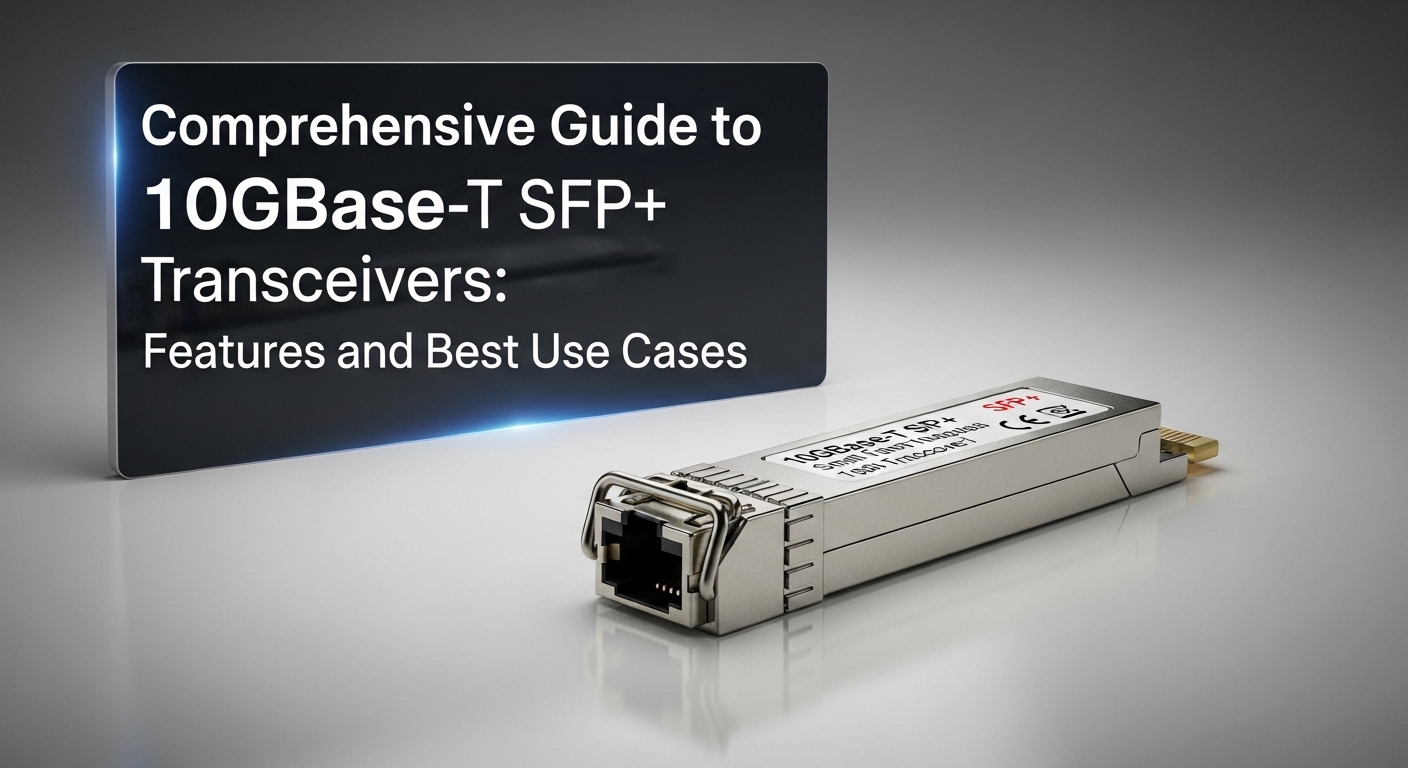
Before you compare vendors on price, confirm that your target optics actually match the same module electrical interface, lane mapping, and optical class as the transceiver ecosystem you run. For Ethernet, the receiver/transmitter behavior is anchored in IEEE 802.3 physical layer definitions; for example, 10GBASE-SR, 25GBASE-SR, and 100GBASE-SR4 specify how many lanes, what signaling, and the expected optical budgets. If your switch supports the right form factor but not the exact optic profile (or if it is locked to certain vendor EEPROM templates), you can see link flaps or “unsupported module” alarms even with compatible-looking hardware.
In governance terms, treat module compatibility like you treat firmware compatibility: define a test matrix, record results, and require evidence for each switch model. I have deployed mixed-vendor optics during leaf-spine expansions where the wiring plant was stable; the failure mode was not fiber or power, but mismatched module diagnostics and DOM interpretation by the switch.
- Best-fit scenario: You are standardizing on 25GBASE-SR and 100GBASE-SR4 across new racks while keeping legacy 10G endpoints.
- Pros: Fewer interoperability surprises; easier audits and approvals.
- Cons: Requires upfront lab time and documentation work.
Reach and optical budget: SR, LR, and the real fiber plant
Distance is where pluggable optics decisions become measurable. For short-reach multimode (SR) optics, the reach is tied to fiber type, modal dispersion, and connector loss—so your “as-built” plant matters more than marketing claims. For example, 100GBASE-SR4 over OM4 typically targets up to 100 m in many deployments, while 10GBASE-SR can tolerate shorter loss budgets differently depending on laser and receiver sensitivity. For long-reach single-mode (LR), budgets are usually larger but require tighter control of connector cleanliness and end-face inspection.
Field engineers often underestimate patch cord quality. In one migration, we kept the same MPO trunk but replaced only the patch cords; link margin improved because the new cords had lower insertion loss and cleaner polishing. The lesson is to measure: inspect end faces, verify polarity and connector type (LC vs MPO/MTP), and validate loss with an OTDR or at least a certified loss test.
- Best-fit scenario: You are expanding within an existing structured cabling plant and need predictable link budgets.
- Pros: Lower risk of “it works on the bench, fails in racks.”
- Cons: Requires cabling verification and possible patch cord refresh.
Electrical interface and temperature limits: the hidden ROI levers
Pluggable optics are not just light sources; they are active high-speed components with strict electrical and thermal behavior. Most modern Ethernet pluggable optics use high-speed serializer/deserializer signaling and require stable power rails and airflow. A module that passes during commissioning can still fail later if your cooling profile changes (blocked vents, higher ambient in a hot aisle, or fan speed drift). That is why you should treat operating temperature range as a reliability KPI, not a footnote.
Below is a practical comparison table using common real-world module classes. Exact values vary by vendor and revision, but the limits illustrate how you should evaluate procurement and spares planning.
| Optic class (example) | Data rate | Wavelength | Typical reach | Connector | Typical power | Operating temperature | Best use |
|---|---|---|---|---|---|---|---|
| SFP-10G-SR (10GBASE-SR) | 10G | 850 nm | Up to ~300 m on OM3, ~400 m on OM4 (varies by vendor) | LC | ~1 W to ~2 W | Often -5 C to +70 C (check datasheet) | Legacy-to-modern consolidation |
| SFP-25G-SR (25GBASE-SR) | 25G | 850 nm | Up to ~100 m on OM4 (common target) | LC | ~1.5 W to ~2.5 W | Often 0 C to +70 C (check datasheet) | Mid-tier server and ToR upgrades |
| QSFP28-100G-SR4 (100GBASE-SR4) | 100G | 850 nm (4 lanes) | Up to ~100 m on OM4 (common target) | MPO/MTP | ~3 W to ~4 W | Often 0 C to +70 C (check datasheet) | Leaf-spine spine uplinks |
| QSFP28-100G-LR4 (100GBASE-LR4) | 100G | ~1310 nm | Up to ~10 km on single-mode (varies) | LC | ~3.5 W to ~5 W | Often -5 C to +70 C (check datasheet) | Campus aggregation and metro links |
For vendor selection, I recommend you request datasheets that explicitly list: transmitter output power, receiver sensitivity, optical power budget, optical return loss, and temperature derating curves. Then align those to your measured ambient and airflow conditions. If you are in a high-density hall, the “same model” can behave differently depending on whether your switch uses front-to-back or side-to-side airflow management.
anchor-text: IEEE 802.3 Physical Layer Standards
- Best-fit scenario: You are deploying high-density 25G or 100G optics and need reliability-based procurement.
- Pros: Better mean time between failures; less unplanned downtime.
- Cons: Datasheet validation and thermal modeling take time.
DOM and diagnostics: governance for safer operations
Modern pluggable optics include digital optical monitoring (DOM) or equivalent diagnostic telemetry stored in EEPROM. This is more than convenience: it is your governance layer for early fault detection. DOM typically exposes metrics like transmit laser bias current, output power, received power, temperature, and sometimes internal supply voltage. When your switch reads these values, you can set alert thresholds that trigger proactive replacement before a hard failure.
However, interoperability is not guaranteed. Some third-party modules may implement DOM fields differently or require vendor-specific mappings. In practice, this can lead to alerts that look “normal” while the link is degrading, or it can cause the switch to reject modules. During one rollout, we tested modules across two switch families and found that DOM thresholds needed per-platform tuning; otherwise, maintenance teams were chasing false positives.
Pro Tip: Treat DOM data as an operational control, not a dashboard feature. I have seen teams reduce repeat failures by collecting DOM time series during known-risk windows (construction hot aisle, intermittent dust intrusion) and then tuning thresholds per switch model rather than using defaults.
- Best-fit scenario: You run NOC automation with alerting and want deterministic replacement workflows.
- Pros: Faster fault isolation; measurable reliability improvements.
- Cons: Requires platform-specific validation and threshold governance.
Vendor strategy: OEM vs third-party optics with measurable TCO
Pluggable optics procurement is where ROI becomes real. OEM modules can carry a premium, but they often integrate smoothly with platform diagnostics, support policies, and warranty terms. Third-party optics can reduce unit cost, but you must account for engineering time, test cycles, and potential compatibility exceptions. A realistic total cost of ownership model includes: module price, expected failure rate, labor for swaps, downtime risk, and the administrative cost of approvals and documentation.
In my experience, the biggest hidden cost is not the optics itself—it is the time spent validating “just one more” module type during a live expansion. If you plan a campus refresh, define a qualified vendor list now and keep it stable. If you need flexibility, negotiate warranty and define a clear compatibility statement that includes DOM behavior and supported switch models.
Typical street pricing varies by volume and region. As a rough planning range: OEM 25G SR optics often cost meaningfully more than third-party equivalents, while 100G QSFP28 SR4 modules can be the most expensive per port due to higher lane complexity. Budget for spares: at least 2% to 5% of modules as hot spares for high-density uplinks, and align spare types with your dominant switch platform.
- Best-fit scenario: You are balancing speed of deployment against reliability and audit requirements.
- Pros: Lower spend if you qualify vendors and standardize quickly.
- Cons: Qualification effort can outweigh savings if you change too often.
Interoperability caveats: what actually breaks in the field
Even when optics are “compatible,” subtle differences can cause outages. The most common issues are connector/polarity errors (especially with MPO/MTP), incorrect lane mapping, and DOM interpretation differences. Another failure mode is optics that meet distance at room temperature but degrade under higher ambient or reduced airflow. Finally, some switch vendors apply strict compatibility checks that depend on EEPROM vendor IDs or specific diagnostic calibration ranges.
When you evaluate, test in the same way you will operate: populate the exact switch model, use the same patch cord assemblies, and run link bring-up plus sustained traffic tests. A quick traffic test is not enough; you need enough time to observe thermal equilibrium and link error counters under realistic load patterns.
- Best-fit scenario: You are standardizing a multi-vendor optics strategy across several switch models.
- Pros: Fewer surprises during cutover windows.
- Cons: Requires a repeatable testing methodology and documented results.
Deployment scenario: leaf-spine with mixed 25G and 100G optics
Consider a 3-tier data center leaf-spine topology with 48-port 25G ToR switches and 100G spine uplinks. You have 20 leaves, each with 32 server-facing ports at 25G and four uplinks at 100G, totaling 80 spine uplinks. The cabling plant uses OM4 with LC for server links and MPO/MTP trunks for spine uplinks. During expansion, we added 320 new 25G endpoints and upgraded spine uplinks from 40G to 100G without touching the existing OM4 trunk lengths, because measured patch loss stayed under the acceptable optical budget.
The change plan required: (1) verifying switch support for QSFP28 SR4 modules, (2) validating DOM alerts in the NOC system, and (3) staging hot spares at the rack level. After deployment, we used optical power and temperature telemetry to trigger proactive swaps on any module showing sustained received power drift beyond the agreed threshold. This reduced repeat troubleshooting tickets and helped the maintenance team prioritize the right replacement actions.
- Best-fit scenario: You are upgrading uplinks while keeping cabling stable and want predictable cutover.
- Pros: Faster expansion with less downtime risk.
- Cons: Requires careful patching discipline and monitoring governance.
Selection criteria checklist: how engineers decide quickly and safely
Use this ordered checklist during procurement, architecture review, and change management. It is designed to be practical in a mixed OEM and third-party environment.
- Distance vs fiber type: confirm OM3/OM4/OS2, patch cord lengths, and connector loss using certified measurements.
- Switch compatibility: verify the exact switch model and port profile supports the module type and form factor.
- DOM support: validate telemetry fields, alert thresholds, and whether the switch logs DOM events consistently.
- Optical budget and margin: compare vendor specs for transmit power, receiver sensitivity, and power budget; ensure headroom.
- Operating temperature range: align module spec with measured ambient and airflow patterns in the rack row.
- Connector and polarity: confirm LC vs MPO/MTP, and enforce polarity labeling and patching standards.
- Vendor lock-in risk: evaluate whether you can qualify at least two sources for the same optic class.
- Warranty and RMA process: require clear replacement timelines and compatibility statements for third-party modules.
- Best-fit scenario: You need a repeatable evaluation process for every new optics wave.
- Pros: Consistent outcomes; fewer “exception” purchases.
- Cons: More upfront review, less chaos later.
Common mistakes and troubleshooting tips engineers actually use
Pluggable optics failures are often operational, not mysterious. Here are concrete pitfalls with root causes and fixes you can apply during incident response and acceptance testing.
-
Mistake: Swapping modules but keeping the same MPO polarity without confirming lane mapping.
Root cause: MPO/MTP polarity mismatch (wrong direction or incorrect polarity method) prevents optical power from reaching the receiver.
Solution: Verify polarity using a certified patching method, re-terminate or re-patch to the correct polarity scheme, and inspect end faces for contamination. -
Mistake: Ignoring connector cleanliness during “it should work” installs.
Root cause: Dust and micro-scratches on LC or MPO end faces increase insertion loss and reduce optical power margin.
Solution: Use a fiber inspection scope, clean with approved tools, re-check loss, and re-seat connectors to confirm full mating. -
Mistake: Assuming DOM values mean the same across platforms.
Root cause: Different switch vendors interpret or threshold DOM telemetry differently, causing misleading alerts or missed degradation.
Solution: Calibrate monitoring per switch model during acceptance; store baseline telemetry during stable operation and set thresholds accordingly. -
Mistake: Running high-density optics in marginal airflow conditions.
Root cause: Temperature rise affects laser bias and receiver sensitivity; links can degrade under sustained load.
Solution: Validate airflow, check fan profiles, monitor temperature telemetry, and ensure rack-level cooling meets the module’s operating range.
For authority on physical layer behavior and transceiver definitions, rely on vendor datasheets and IEEE Ethernet standards, not forum threads. When in doubt, validate with a controlled test: swap only one variable at a time (module, patch cord, port, or switch firmware) and record outcomes.
- Best-fit scenario: You manage a high-change environment with frequent patching and cutovers.
- Pros: Faster MTTR and fewer repeat incidents.
- Cons: Requires disciplined troubleshooting and documentation.
Ranked summary: which pluggable optics decisions matter most
Below is a practical ranking table you can use during architecture review. The scores reflect operational impact and likelihood of real-world failure when done incorrectly.
| Rank | Decision item | Impact if wrong | Effort to validate | Recommended governance action |
|---|---|---|---|---|
| 1 | Distance vs fiber plant and connector loss | High (link failures, intermittent errors) | Medium (certified loss tests) | Require measurement evidence in change tickets |
| 2 | Switch compatibility and DOM behavior | High (unsupported module, false alerts) | Medium (lab validation per switch model) | Maintain a qualified optics matrix by platform |
| 3 | Operating temperature and airflow alignment | Medium to High (degradation, late failures) | Low to Medium (telemetry and airflow checks) | Set rack cooling baselines and monitor drift |
| 4 | Connector polarity and patching discipline | Medium (no light, intermittent links) | Low (inspection and labeling) | Enforce polarity labels and patch recordkeeping |
| 5 | Vendor strategy and TCO model | Medium (budget overruns or hidden labor) | Medium (qualification and RMA terms) | Define OEM vs third-party policy with thresholds |
| 6 | Optical budget margin headroom | Medium (works now, fails later) | Medium (spec comparison and measurements) | Require margin targets by site and fiber class |
If you want to accelerate your next procurement cycle, start by building a qualified list for your top switch platforms and top optics classes, then lock it into your governance process with DOM-validated baselines. Next step: review your current optics standards and monitoring workflows using network transceiver governance and compatibility strategy.
FAQ
Q: Are pluggable optics always interchangeable across switch brands?
No. Even when optics share the same speed and wavelength class, switch platforms can enforce compatibility checks via EEPROM identifiers and DOM interpretation. Always validate the exact switch model and firmware revision in a lab or staging environment.
Q: What matters more for SR optics, the module specs or the fiber plant?
Both matter, but the fiber plant and connector loss often decide whether you have enough margin for reliable operation. Certified loss testing, end-face inspection, and correct patch cord lengths can be more decisive than choosing a slightly different vendor module.
Q: How do I verify DOM support before buying third-party modules?
Request a compatibility statement from the vendor and test in a controlled environment using the same switch family. Capture baseline telemetry (temperature, bias, transmit power, received power) and confirm that alerts and logs behave as expected.
Q: Do I need hot spares for every optics type?
Not
