
Planning for optical module shortages: what breaks first
When a fiber network starts missing optical modules, the outage rarely comes from the cable plant; it usually comes from transceiver lead times, incompatible firmware, or unexpected thermal limits. This article helps network engineers, data center operators, and field technicians with planning for optical module shortages so links stay up during supply chain disruption. You will get a practical decision checklist, a specs comparison table across common module classes, and troubleshooting steps grounded in real deployments. (Educational information only; not legal advice.)
Understand the standards and failure mechanics before you plan
Optical modules are governed by interface standards and electrical/optical constraints that vendors implement with varying tolerances. In practice, planning starts with mapping your network to the relevant Ethernet PHY and optical reach targets, typically aligned to IEEE 802.3 link classes, plus vendor-specific requirements for digital optical monitoring and DOM compatibility. If you do not document which switch ports negotiate which speeds (for example, 10GBASE-SR vs 10GBASE-LR), you risk ordering the wrong class during a shortage. For authority, see [Source: IEEE 802.3].
Map your optics to the exact lane rate and optical class
“10G” is not always “10GBASE-SR,” and “SR” is not always the same reach in every environment. For short-reach multimode, the governing intent is typically 10GBASE-SR over OM3 or OM4 fiber, while long-reach options use different wavelengths and receiver sensitivities. For 25G and 40G, the optics class changes again (for example, 25GBASE-SR or 40GBASE-SR4), and the module form factor (SFP28, QSFP+, QSFP28, QSFP56) affects wiring and optics lane counts. To reduce mismatch risk, plan around the port configuration output from your switch OS and correlate it to the module part number family.
Plan for DOM and vendor-specific interoperability limits
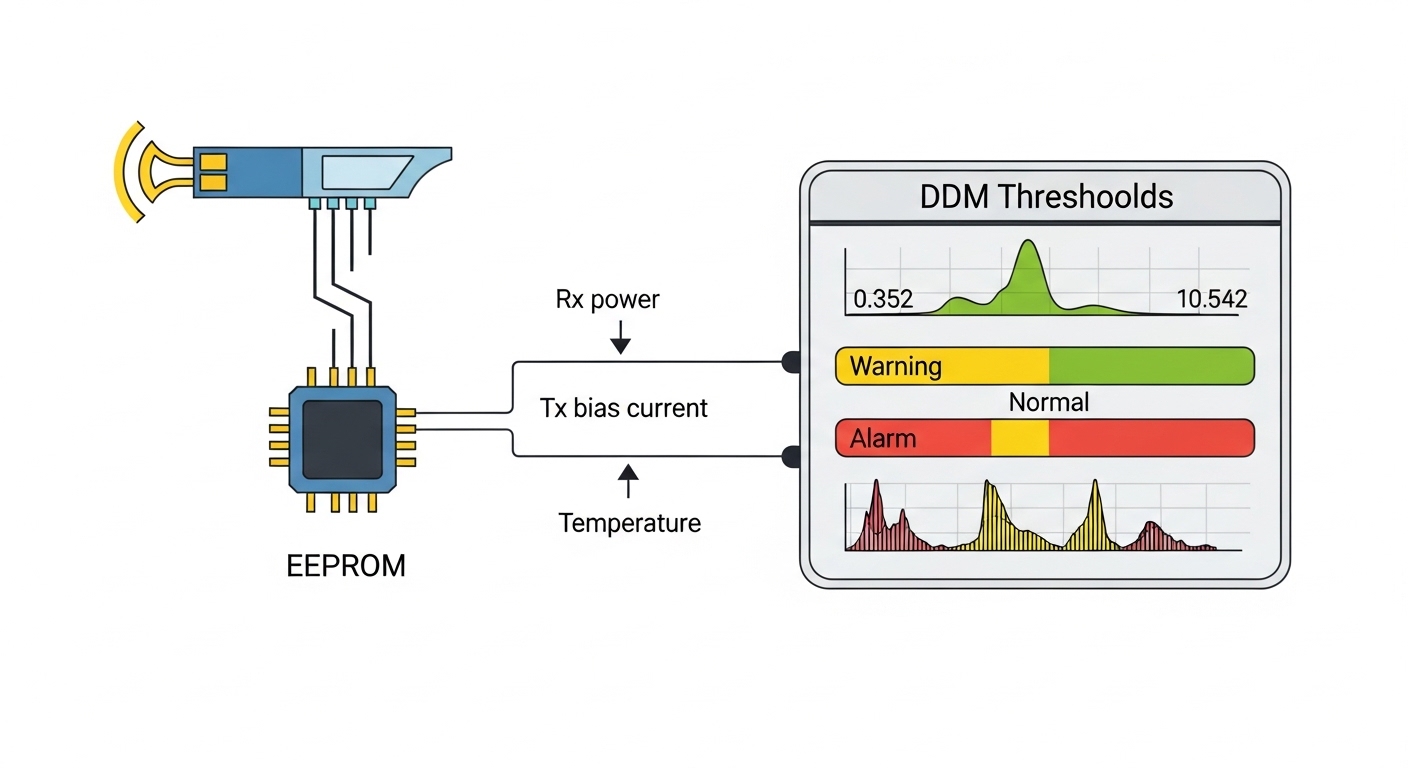
Most modern transceivers expose monitoring via I2C and standard digital diagnostics, but compatibility is not universal. Some platforms enforce vendor allowlists or require specific DOM feature sets (for example, temperature, voltage, bias current, received optical power, and transmit optical power calibration behavior). In a shortage, operators often try third-party optics; planning should include a compatibility test window and a fallback path. Authority references include vendor transceiver datasheets and switch vendor interoperability guidance, such as [Source: Cisco Transceiver Documentation] and [Source: Juniper Optics Compatibility Guides].
Core optics spec comparison for shortage planning
A shortage plan is only as good as the specs you can verify quickly at reorder time. The table below compares representative modules frequently seen in enterprise and data center networks. Treat these as examples: always confirm exact wavelengths, reach assumptions, connector types, DOM support, and temperature range from the vendor datasheet.
| Module class | Typical data rate | Wavelength | Fiber type | Target reach (typical) | Connector | Form factor | Operating temp range (typical) | Example part numbers |
|---|---|---|---|---|---|---|---|---|
| 10GBASE-SR | 10G | ~850 nm | OM3/OM4 multimode | Up to 300 m (OM3) / 400 m (OM4) | LC | SFP+ | Commercial: 0 to 70 C; Industrial variants lower/higher | Cisco SFP-10G-SR, Finisar FTLX8571D3BCL, FS.com SFP-10GSR-85 |
| 25GBASE-SR | 25G | ~850 nm | OM4 multimode (often OM4 targeted) | Up to ~100 m typical for OM4 in many implementations | LC | SFP28 | Commercial or extended options depending on vendor | Common SFP28 SR modules from major OEMs and third-party vendors |
| 100GBASE-SR4 | 100G | ~850 nm (four lanes) | OM4 multimode | Up to ~100 m typical | MT/MPO-12 or MPO-16 | QSFP28 | Commercial or extended | QSFP28 SR4 modules from major vendors (varies by exact reach) |
| 10GBASE-LR | 10G | ~1310 nm | Single-mode (OS2) | Up to 10 km typical | LC | SFP+ | Commercial or extended | Common SFP+ LR modules (OEM and third-party) |
Pro Tip: In many outages that look like “optics shortage,” the real root cause is not the transmitter’s reach spec but a mismatch between the switch’s expected optics class and the installed module’s DOM behavior. Before you trust a substitute, verify that the switch accepts the module and reports sane DOM thresholds (no constant low-bias alarms), then run an error-rate check for a full traffic window.
Build a planning model: inventory, qualification, and substitution paths
Planning for optical module shortages is not a single purchase order; it is a workflow that combines forecasting, qualification, and operational routing. Start by building a transceiver inventory map by switch model, port speed, module class, fiber type, and connector type. Then add a “substitution matrix” that lists which alternative part families can work safely in each slot, including whether they require specific DOM calibration behavior.
quantify demand in units that procurement can act on
Use a rolling window with measured failure and replacement rates. For example, if you manage 2,400 SFP+ ports and have historically replaced 12 optics per quarter due to failures or maintenance, your baseline replacement need is about 0.5 percent per quarter under stable operations. Add planned churn (server refresh cycles, new rack deployments) and a safety factor for supply chain uncertainty. Even a small safety factor matters: adding 15 percent extra modules can prevent a multi-day “no-spares” event.
qualify at least one alternate source per module class
For each optics class, pre-qualify one third-party or alternate OEM module model that has passed your switch compatibility tests. Planning should include a burn-in period: for short-reach optics, test with representative fiber lengths and patch panel configurations, not just a direct bench connection. Confirm both link stability and DOM monitoring thresholds in your exact switch environment.
define substitution constraints explicitly
Not all substitutions are equal. A shortage plan should specify hard constraints such as connector type (LC vs MPO), lane count (SR4 vs SR), and speed class (10G vs 25G). Softer constraints like temperature grade matter too: if you operate in hot aisles or near exhaust zones, commercial modules may drift into higher error rates. Vendor datasheets often show sensitivity and transmitter power behavior; use them to set realistic operational margins.
Selection criteria checklist for shortage-ready planning
Engineers typically evaluate optics during normal operations by reach and price, but shortage planning adds additional constraints. Use the checklist below as an ordered process so procurement and engineering decisions stay consistent under time pressure.
- Distance and fiber plant: confirm installed fiber type (OM3, OM4, OS2), measured patch loss, and expected link reach margin.
- Switch compatibility: verify the switch accepts the module class and speed, and confirm DOM monitoring is readable without constant warnings.
- Connector and lane geometry: LC vs MPO; SR4 vs SR; ensure the patch panel and breakout cables match.
- DOM support and threshold sanity: require that transmit and receive power readings are within expected ranges and alarms are actionable.
- Operating temperature and airflow: confirm the transceiver temperature range matches your cabinet thermal profile.
- Vendor lock-in risk: plan at least one alternate supplier per module class with documented acceptance criteria.
- Lead time and allocation behavior: prioritize modules with multiple supply channels and stable manufacturing capacity.
- Warranty and RMA process: ensure you can replace failed units quickly during an incident, not only during routine ordering.
Common pitfalls and troubleshooting during shortages
Even with good planning, failures happen when teams substitute optics quickly or ignore subtle physical-layer constraints. Below are frequent failure modes with root causes and practical fixes.
Pitfall 1: Reach mismatch masked by “it links up”
Root cause: The module class might be accepted by the switch, but the installed fiber length plus patch loss exceeds the receiver sensitivity margin, causing intermittent errors under load. This is especially common when replacing modules after a shortage when patch panels have changed or connectors were re-terminated.
Solution: Validate link quality with error counters and run a traffic test window. For example, if you see rising CRC errors after swapping, measure end-to-end loss on OM3/OM4 using an OLTS and compare to vendor sensitivity guidance from the datasheet.
Pitfall 2: Connector or lane mismatch with MPO optics
Root cause: With QSFP28 SR4 and similar modules, MPO polarity and lane mapping matter. A wrong polarity setting or incorrect breakout cable can produce a link that fails intermittently or never stabilizes.
Solution: Verify MPO polarity method in your patching plan. Re-check the transmit/receive direction and inspect the fiber polarity labels. Then re-seat modules and ensure the breakout cable type matches the lane count required by the module class.
Pitfall 3: DOM alarms and thermal drift after substitution
Root cause: Third-party optics may report DOM values differently, or the module may be operated outside its intended thermal envelope. In hot aisles, transmitter bias current can drift and increase bit error rate.
Solution: Confirm cabinet temperature and airflow. If you are near the module’s upper operating limit, plan for extended-temperature optics and add monitoring thresholds that trigger maintenance before errors spike. Compare DOM readings to expected operating ranges from the vendor datasheet.
Pitfall 4: Firmware or platform policy rejects “compatible” optics
Root cause: Some switch platforms enforce optics compatibility rules or apply stricter checks during upgrades. A module that worked last quarter may fail after a maintenance window if the switch policy changes.
Solution: During planning, run a qualification test after each switch firmware release. Maintain a record of which module part numbers were accepted per switch software version.
Cost and ROI note: how to budget for shortage resilience
Optical module pricing varies widely by vendor, form factor, and whether you buy OEM vs third-party. In many enterprise markets, a typical 10GBASE-SR SFP+ module might cost roughly $50 to $200 depending on brand and temperature grade, while higher-speed modules (25G and 100G) can be materially more expensive. During shortages, expedited shipping and limited allocations can increase effective cost, even if the unit price stays similar.
TCO should include failure rate, RMA friction, and downtime risk. A simple ROI model: if one failed link causes a measurable productivity loss or delayed provisioning, even a higher-spend OEM module can be cheaper than third-party optics that require repeated swaps. Planning should also account for power and thermal impacts indirectly: stable optics reduce rework, and better airflow compatibility reduces the probability of thermal-related failures.
FAQ: practical questions for planning optical module shortages
How do I start planning if I do not know the exact module part numbers?
Begin with switch port inventory outputs and optics status pages. Extract the module class and vendor identifiers, then map each port to speed and fiber type. If identifiers are missing, verify by physical inspection of the transceiver label and cross-check the wavelength and reach from the datasheet.
Can I substitute third-party optics during a shortage?
Often yes, but planning must include compatibility qualification and DOM sanity checks. Some platforms enforce allowlists or behave differently after firmware upgrades, so test in your exact switch environment before relying on substitutes in production.
What is the biggest risk when substituting multimode optics?
The biggest risk is losing link margin due to patch loss, connector quality, or an OM3 vs OM4 assumption error. A module can “come up” but still fail under sustained traffic, so planning should include error counter monitoring and, when possible, optical loss verification.
How many spare modules should we keep?
There is no universal number, but a data-driven approach works well: estimate historical replacement rate, planned growth, and add a safety buffer for lead times. For example, if quarterly replacements are around 0.5 percent of ports, planning a 10 to 20 percent buffer beyond baseline can reduce the probability of a multi-week gap.
Do temperature-rated optics matter for data centers?
Yes, especially near high-heat zones, constrained airflow, or older cabinets with uneven cooling. Planning should align the module temperature range to your measured cabinet inlet temperatures and include DOM monitoring so you can detect drift early.
Should I plan for both SR and LR optics?
If your network uses both short-reach and long-reach links, planning should include separate inventory strategies for each class because reach, wavelength, and connector types differ. Keep substitution constraints explicit so teams do not accidentally mix classes during an incident.
Planning for optical module shortages works best when you treat optics as part of a managed system: standards mapping, inventory quantification, compatibility qualification, and operational monitoring. Next step: review your current port-to-optics mapping and create a substitution matrix using the selection checklist in planning for optical transceiver compatibility.
Author bio: I have deployed and troubleshot fiber transceiver fleets across enterprise and data center networks, including DOM monitoring validation and incident-driven spares planning. I also write vendor- and standards-referenced guidance for operators managing interoperability under supply constraints.
Legal disclaimer: This educational content does not create an attorney-client relationship and is not legal advice. For legal guidance regarding procurement, warranties, or regulatory compliance, consult a licensed attorney in your jurisdiction.
References and sources
- [Source: IEEE 802.3] IEEE standards for Ethernet physical layer specifications.
- [Source: Cisco Transceiver Documentation] Cisco guidance on optics and interoperability.
- [Source: Juniper Optics Compatibility Guides] Juniper guidance on supported optics and platform behavior.
- [Source: Vendor Transceiver Datasheets] Optical and electrical specifications, DOM behavior, and operating temperature ranges for specific module models.
