
Edge clusters live on tight budgets and tighter timelines: one unstable link can turn a production rollout into a week of finger-pointing. This article helps network engineers, architects, and field techs use DAC solutions to improve performance where every microsecond and every port matters. You will get concrete selection criteria, a comparison table for common optics choices, and troubleshooting steps drawn from real deployments.
Why DAC solutions often win for edge performance
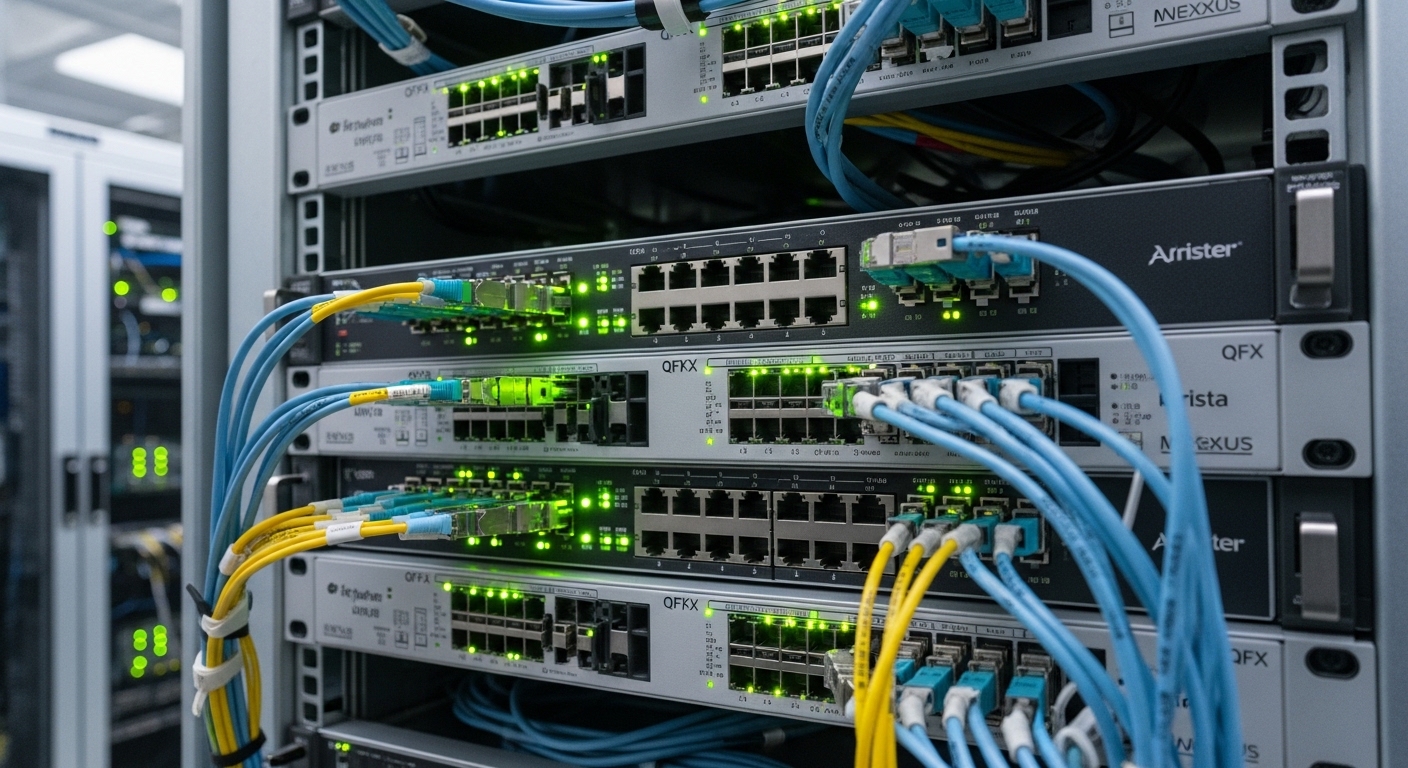
In many edge sites, the distance between a top-of-rack switch and a server, storage node, or acceleration appliance is short enough that a copper direct-attach cable beats fiber on simplicity and speed of change. DAC links typically run at the same Ethernet signaling rates as optical modules, but without optical power budgets to manage. In practice, this reduces variables during installation and can improve mean time to repair when a module fails.
From the routing and switching perspective, the key is that DAC is usually designed for a specific reach and connector ecosystem, which makes link negotiation more predictable. For leaf-spine edge designs, where you may have 25G, 40G, or 100G uplinks packed into dense switch faces, DAC also lowers the bill of materials: fewer SKUs, fewer transceiver inventories, and fewer optics-related compatibility checks.
Pro Tip: If your edge switch supports it, enable digital optics diagnostics features (vendor-specific) even for DAC, and log link training events during commissioning. Field experience shows that early instability often appears as repeated training retries long before users notice throughput dips.
DAC vs fiber optics: specs that shape real performance
Edge engineers choose DAC because it can deliver stable throughput with minimal latency overhead, but the trade is reach and environmental tolerance. Fiber wins when you must span longer distances, cross noisy spaces, or route around strict EMI constraints. The table below compares typical characteristics you will encounter when planning a performance-focused build.
| Technology | Data rate | Typical reach | Wavelength / encoding | Connector | Power / heat (typical) | Operating temperature |
|---|---|---|---|---|---|---|
| DAC (SFP28 / QSFP28 / SFP-DD copper) | 25G / 100G | ~1 m to 5 m (model dependent) | Copper electrical (no wavelength) | Integrated twinax plug | Often lower than optics + optics cooling overhead | Commonly commercial or industrial grades (check datasheet) |
| Optical SR (10G/25G/40G/100G) | 10G / 25G / 40G / 100G | Up to ~70 m (varies by rate) | 850 nm (MMF) | MPO or LC | Higher due to laser + module electronics | Commercial or industrial, typically wider than DAC |
| Optical LR (10G/25G/100G) | 10G / 25G / 100G | ~10 km (varies by standard) | 1310 nm / 1550 nm (SMF) | LC | Higher; power varies by module class | Often industrial capable |
For standards context, Ethernet over copper and optics is governed by IEEE PHY layer behavior, while module electrical characteristics are defined by industry form-factor standards. Relevant references include IEEE 802.3 for link behavior and vendor datasheets for DAC electrical limits. anchor-text: IEEE 802.3 standard [Source: IEEE].
[[IMAGE:A photorealistic scene inside a small edge data center rack, twinax DAC cables plugged into a 25G switch and a server NIC, close-up on the cable latches, dust-controlled lighting, cool blue LED glow, shallow depth of field, high detail, realistic reflections, no branding text]
Selection checklist for edge performance with DAC
When you pick DAC for an edge build, treat it like a routing decision: you are optimizing constraints, not chasing a single spec sheet number. The checklist below is the order I use in the field to prevent rework.
- Distance and margin: match the exact DAC length to the measured patch path, then add slack for cable bend radius and slack loops.
- Switch and NIC compatibility: confirm the switch supports the specific DAC type and speed mode (for example, 25G vs 10G breakout). Verify in the switch vendor’s optics compatibility list when available.
- DOM and diagnostics: check whether the DAC provides digital diagnostics (DOM) and whether your platform reads it correctly. Mismatched diagnostics can still link, but monitoring becomes blind.
- Operating temperature: edge racks often see hot aisle recirculation or fan failures. Confirm the DAC temperature grade is suitable for your measured intake air, not just room signage.
- Power and thermal budget: count optics power savings when you choose DAC over fiber, but verify the switch airflow profile can handle worst-case load.
- Vendor lock-in risk: decide whether you will standardize on OEM DAC for fewer surprises or accept third-party DAC with stricter QA testing.
Commissioning steps that protect performance
During commissioning, I recommend you validate link stability before production workloads arrive. Run sustained traffic tests at line rate for your target profile, then watch error counters, FEC statistics if applicable, and interface drops. If your edge stack supports it, capture syslog or telemetry around link training events during initial hours.
[[IMAGE:Clean vector illustration showing a network topology diagram for an edge rack, with DAC links highlighted in warm color between a top-of-rack switch and compute nodes, arrows labeled with latency and throughput, minimal flat design, white background, crisp lines, educational infographic style]
Common pitfalls and troubleshooting tips
Even when DAC seems straightforward, edge conditions turn small mistakes into performance loss. Here are failure modes I have seen repeatedly, with root causes and fixes.
- Pitfall 1: Over-length DAC causing intermittent link resets
Root cause: the cable exceeds electrical reach or the run includes tight bends that increase attenuation and crosstalk.
Solution: replace with the correct length, re-route to reduce bends, and verify link error counters during traffic bursts. - Pitfall 2: Unsupported DAC type or speed negotiation mismatch
Root cause: the switch port expects a specific transceiver behavior (for example, different channel mapping or breakout mode).
Solution: confirm port configuration and supported breakout modes; use the vendor compatibility guidance. - Pitfall 3: Dirty or stressed connectors leading to rising CRC errors
Root cause: dust, oxidation, or mechanical strain on the twinax plug can create contact instability.
Solution: reseat firmly, inspect for damage, clean only if the connector design and vendor instructions allow it, and keep cable strain relief intact. - Pitfall 4: Thermal shock near intake vents
Root cause: DACs can be sensitive to enclosure airflow patterns; a fan failure may push temps beyond spec.
Solution: measure intake temperature at the rack, add redundancy for fans, and validate the DAC temperature rating against the worst observed condition.
Cost and ROI notes for edge performance
DAC cables are often less expensive than optical modules, and they reduce the logistics overhead of stocking multiple optics families. In typical deployments, OEM DAC and reputable third-party DAC can differ in price, but the real ROI comes from fewer truck rolls and faster replacements during outages. Expect third-party risk to show up as higher failure variance across lots, so budget time for burn-in testing and keep a short spares plan for critical links.
As a practical range, DAC pricing can vary widely by speed and length, but many teams see meaningful savings versus fiber optics when distances remain within DAC reach. Total cost of ownership also depends on switch inventory policy, failure rate history, and the time cost of troubleshooting optics compatibility versus swapping a known-good DAC.
[[IMAGE:Concept art style scene of an edge technician kneeling by a rack, holding a twinax DAC cable while a laptop shows link error counters, dramatic lighting, cinematic shadows, slight motion blur, high contrast, no visible brand names]
FAQ
How does DAC improve performance compared to fiber at the edge?
DAC can reduce variables during installation because there is no optical power budget to tune, and replacements are often faster. Latency is typically comparable for short reaches, but the bigger win is operational reliability during commissioning.
What distances are realistic for DAC in edge deployments?
Most DAC runs are practical from about 1 m to 5 m, depending on speed and the specific cable design. Measure the actual patch path and leave slack for routing and bend radius rather than relying on nominal length.
Will third-party DAC affect compatibility and telemetry?
It can. Many platforms read diagnostics differently, and some switches enforce optics behavior by type. If you go third-party, test in a staging rack and validate DOM/telemetry behavior before expanding rollout.
What should I monitor to confirm performance is stable?
Track interface errors (CRC, drops), link up/down events, and any PHY-level training retries your platform exposes. During traffic tests, watch for periodic spikes that correlate with re-negotiations.
When should I switch from DAC to fiber?
If you exceed DAC reach, must cross EMI-heavy spaces, or need flexible cabling paths, fiber becomes the safer design. Also choose fiber when you anticipate future rack layout changes that could break cable routing
