
When a core switch goes dark, the fastest fix is often the right optical transceivers module already on the shelf. This article is for data center network engineers, field support leads, and procurement managers who must manage mixed vendor optics across SFP, SFP+, QSFP, and QSFP28 footprints. You will get actionable inventory controls, spec verification habits, and a risk-aware spares strategy that prevents “compatible on paper” failures. Updated 2026-05-02.
Top 8 inventory controls that keep optical transceivers reliable
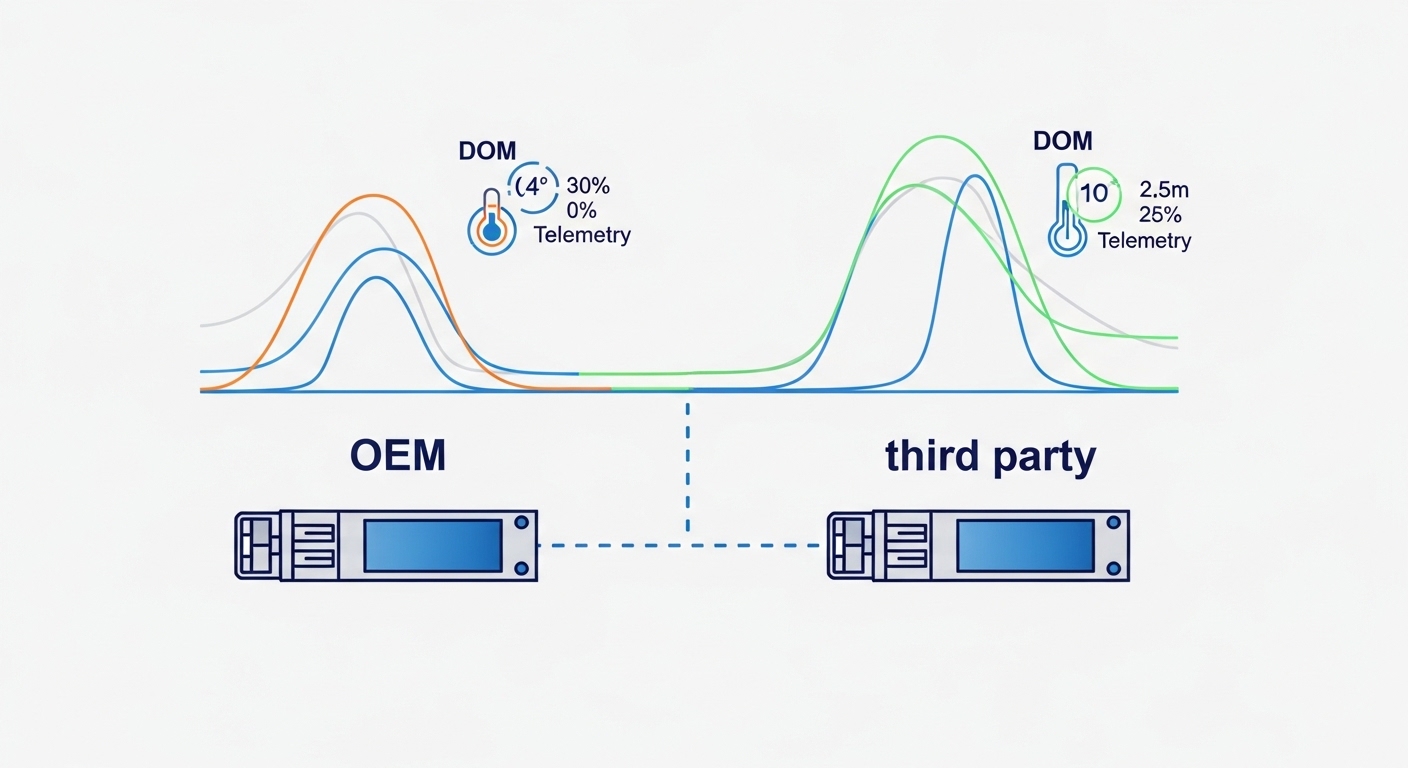
Optical transceivers inventory management fails most often at the edges: inconsistent labeling, missing digital diagnostics data, and unclear spec boundaries between variants that appear similar. In practice, I have seen outages where the replacement met wavelength and reach but mismatched connector polish type, vendor-specific EEPROM fields, or DOM thresholds. The goal is to make every module traceable from day one through receipt, staging, deployment, and RMA. Use these eight controls as your baseline and audit them quarterly.
Standardize part numbers and keep a “spec contract”
Inventory chaos starts when teams store “10G SR optics” without pinning down the exact interface standard and vendor ordering part number. For example, 10GBASE-SR is defined for multimode fiber (typically 850 nm nominal) under IEEE 802.3, but modules still vary in transmitter power, receiver sensitivity, and supported DOM implementation. Create an internal spec contract per transceiver type that includes the interface (e.g., 10GBASE-SR, 25GBASE-SR, 100GBASE-SR4), fiber type (OM3 vs OM4 vs OM5), connector (LC vs MPO), and speed grade.
Then map each contract to a specific SKU list you approve for stocking. In real deployments, I maintain a “golden list” that includes both OEM and third-party options, but each entry carries a required validation checklist (see below). This dramatically reduces the chance of swapping modules that physically fit but fail link bring-up or violate power budgets.
Store by temperature and packaging constraints
Optical transceivers are sensitive to ESD and dust contamination, and most vendors specify handling guidelines for insertion and storage. Keep modules in anti-static packaging with desiccant where applicable, and avoid long exposure to high humidity environments. During staging, I store spares in sealed trays at a controlled facility zone (typically 18–27 C), then open only the needed pocket to minimize contamination risk.
Also account for shelf life and any vendor-specific recommendations. While many transceivers tolerate normal warehouse conditions, I have seen intermittent failures after modules were stored uncovered near HVAC returns with persistent particulate loads.
Enforce DOM governance at receipt and before deployment
Digital Optical Monitoring (DOM) makes inventory smarter, but only if you enforce it consistently. At receiving, record key DOM fields from the module’s EEPROM and vendor diagnostics interface (thresholds, vendor ID, serial, temperature, bias current, Tx power, Rx power). Modules that show unstable bias current or out-of-range Tx/Rx readings should be quarantined before they enter the “available” pool.
For vendor compatibility, ensure your switch platform supports the module’s DOM format. Many network OS implementations read standardized fields, but some platforms apply stricter threshold logic or require specific vendor IDs. Before a large rollout, run a pilot with your exact switch models and transceiver vendor mix.
Label with operational metadata, not just “type”
Generic labels like “SR” or “LR” cause slow recovery during incidents. When I audit inventories, I require each module to include a label that reflects the operational metadata your engineers need under time pressure: data rate, wavelength, reach, fiber type, connector, and DOM vendor. Add the internal spec contract ID and a QR code that links to the module record.
For example, a label should communicate “25GBASE-SR, 850 nm, OM4, LC, compliant contract ID 25SR-OM4-LC-001.” That single line prevents the classic mistake of inserting OM3 optics into an OM4-optimized link budget plan without rechecking budgets.
Track compatibility per switch model, not only per interface standard
Even when modules meet IEEE 802.3 electrical and optical requirements, switch vendors may implement compatibility checks differently. Some platforms enforce strict vendor IDs, some interpret DOM thresholds in unique ways, and some apply per-port optics profiles. Maintain a compatibility matrix that ties each optics SKU to each switch model and software version you run.
In a leaf-spine environment, I have seen one campus switch model reject certain third-party optics due to DOM threshold mismatch, while another model accepted them without issue. The right fix was not “buy OEM only,” but update the compatibility matrix and pin acceptable SKUs per platform.
Plan spares using mean time to repair and failure modes
Inventory is not just “how many modules.” It is how fast you can restore service when an optics failure occurs. Build a spares plan based on your MTTR target, historical failure rates, and the number of active ports per optics type. For example, if you average 2 hours MTTR and need to restore quickly, you may stock at least enough spares to cover a simultaneous failure scenario in each rack row or pod.
Also plan for fiber-side issues: many “optics failures” are actually dirty connectors or damaged fiber jumpers. Keep cleaning tools and spare patch leads in the same operational playbook so the optical transceivers spares are reserved for real transceiver defects.
Control firmware and software validation cycles
Switch OS upgrades can change how DOM data is interpreted or how optics profiles are validated. Before a major software change, validate your approved optics SKUs against the new OS version in a staging environment. I recommend a short regression: insert each optics type into a spare port on a test switch and verify link up, error counters, and DOM readings remain stable over a 30–60 minute window.
This is especially important when mixing OEM and third-party optics. The cost of an unexpected incompatibility during a maintenance window is often higher than the cost of controlled testing.
Create an RMA feedback loop that updates your inventory rules
Every RMA should feed your system of record. Record whether the failure was optical output drift, receive sensitivity issues, DOM anomalies, or mechanical connector problems. Over time, you can adjust ordering quantities, quarantine rules, and vendor selection criteria.
In one case, we found a batch of modules with consistent DOM bias-current drift after several months at elevated ambient temperatures. By tightening storage conditions and adding pre-deployment DOM checks, we reduced repeat failures and improved overall availability.
Specs that matter most when managing optical transceivers stock
Inventory decisions require more than speed and reach. Engineers need to know exactly which wavelength band, fiber standard, connector type, and DOM capabilities each module supports, because these drive both link budget and operational compatibility. The table below compares common profiles you will likely manage in modern data centers.
| Transceiver profile | Nominal wavelength | Typical reach (multimode) | Connector | Data rate | DOM / diagnostics | Operating temperature |
|---|---|---|---|---|---|---|
| 10GBASE-SR | 850 nm | ~300 m on OM3, ~400 m on OM4 (typical) | LC | 10 Gbps | Commonly supported (vendor-specific thresholds) | Commercial or industrial grade (varies by SKU) |
| 25GBASE-SR | 850 nm | ~70 m on OM3, ~100 m on OM4 (typical) | LC | 25 Gbps | Commonly supported | Commercial/industrial grade (varies) |
| 100GBASE-SR4 | 850 nm (4 lanes) | ~100 m on OM4 (typical) | MPO-12 (often) | 100 Gbps | Commonly supported | Commercial/industrial grade (varies) |
| 100GBASE-LR4 | ~1310 nm | ~10 km (typical) | LC | 100 Gbps | Commonly supported | Commercial/industrial grade (varies) |
For standards grounding, use IEEE 802.3 clauses for the relevant Ethernet PHY types and vendor datasheets for exact reach and power parameters. For example, consult [Source: IEEE 802.3 Ethernet specifications] and the specific transceiver datasheet for Tx power, Rx sensitivity, and lane configuration.
Inventory implication: do not assume “reach equivalence” across vendors or grades. Two optics both labeled “SR” can differ in launch power and receiver sensitivity, and that difference matters when you oversubscribe budgets across patch panels, splitters, or aging fiber.
Pro Tip: When you receive optical transceivers, log DOM Tx bias current and Rx power at idle, then compare against your acceptance thresholds. If you only record “link up,” you miss early drift that later becomes intermittent errors after thermal cycling.
Decision checklist for selecting what to stock
Your inventory should reflect the topology and risk profile of your network, not just what is currently deployed. Use this ordered checklist during procurement and quarterly reviews.
- Distance and fiber type: confirm OM3 vs OM4 vs OM5, MPO vs LC, and actual measured link loss (not only design assumptions).
- Budget and power margin: validate Tx/Rx parameters from the datasheet and ensure your link budget includes patch cords, splitters, and aging.
- Switch compatibility: tie approved optics SKUs to each switch model and OS version; test at least once per OS train.
- DOM support and threshold behavior: verify your management plane reads consistent fields and that thresholds do not trigger false alarms.
- Operating temperature grade: match commercial vs industrial grade to your facility and enclosure conditions.
- Connector and polish type: confirm dust caps, APC/UPC requirements, and cleaning workflow for each connector class.
- Vendor lock-in risk: balance OEM reliability with third-party validation; avoid single-vendor dependency where feasible.
- RMA and failure history: use past batch performance to adjust stocking ratios and acceptance thresholds.
Top troubleshooting patterns that prevent inventory-driven outages
Even with good inventory hygiene, failures happen. The key is to distinguish transceiver faults from fiber, connector, or switch-side issues quickly, so you do not waste spares and time during incidents.
“Works in lab, fails in field” due to DOM threshold mismatch
Root cause: switch OS interprets DOM fields or threshold ranges differently for certain vendor optics, causing port shutdown, excessive error counters, or alarm-driven disablement. Solution: validate optics against the exact switch model and OS version; if needed, tune optics profiles (where supported) or restrict inventory to verified SKUs.
Intermittent link flaps caused by dirty connectors, not a bad transceiver
Root cause: dust or micro-scratches on LC or MPO endfaces create variable attenuation and bursts of receive errors. Solution: inspect and clean connectors with correct cleaning tools and verify with a fiber inspection scope; only then swap the optical transceivers.
“Wrong reach” when OM3/OM4 assumptions drift after cable changes
Root cause: patch panel upgrades or vendor substitutions change fiber type, but inventory labels remain “SR” without OM3/OM4 specificity. Solution: enforce spec contracts in labeling, and periodically reconcile inventory records against actual patch panel fiber type.
Thermal instability from storing modules outside recommended conditions
Root cause: elevated humidity or temperature cycling can accelerate contamination risk and component drift. Solution: store in anti-static sealed packaging with desiccant, control warehouse environment, and run DOM pre-checks before deployment.
Cost and ROI: how to budget optical transceivers without overspending
In typical enterprise and mid-market data centers, OEM optics often cost more per module than third-party equivalents, but the total cost depends on failure rates, compatibility testing time, and downtime risk. As a practical range, many 10G SR and 25G SR modules can land anywhere from roughly $50 to $200 depending on brand, grade, and volume; 100G optics (SR4 and LR4) often cost more, frequently $500 to $2,000+ per module.
ROI comes from reducing incident time and avoiding “double shipping” and re-testing. TCO also includes the operational burden: validation labor, inventory storage, and RMA logistics. A balanced approach is to stock a controlled set of third-party optics that have passed your compatibility and DOM acceptance criteria, while reserving OEM for the most critical paths or when compatibility risk is highest.
Do not ignore power and cooling impacts: optics failures can cause link retries and higher error handling overhead, which increases CPU and system activity. While the power delta per module is small, the operational overhead during instability can be significant at scale.
Summary ranking table: the best inventory moves to prioritize
The table below ranks the inventory practices by impact on reliability and incident recovery speed, based on patterns I have seen across multi-vendor deployments.
| Rank | Inventory practice | Primary benefit | Typical implementation effort |
|---|---|---|---|
| 1 | DOM governance at receipt and pre-deploy | Early fault detection and fewer intermittent failures | Medium |
| 2 | Spec contract + strict part number mapping | Prevents “compatible on paper” swaps | Medium |
| 3 | Compatibility matrix per switch model and OS version | Reduces link-up and threshold issues | Medium to high |
| 4 | Operational metadata labeling and QR traceability | Faster incident response with fewer wrong-module installs | Low to medium |
| 5 | Spare planning using MTTR and failure scenarios | Maintains availability during simultaneous failures | Medium |
| 6 | Storage and handling controls | Reduces contamination and drift risk | Low to medium |
| 7 | RMA feedback loop and batch-level rules | Improves vendor selection over time | Medium |
| 8 | Software upgrade optics validation regression | Prevents post-upgrade surprises | Low to medium |
Common mistakes and troubleshooting tips for optical transceiver inventory
Even mature teams make predictable mistakes. The fixes below are the ones that consistently reduce repeat incidents in day-to-day operations.
Mistake 1: Mixing OM3 and OM4 optics under the same “SR” label
Root cause: labels omit fiber type and reach assumptions. Failure mode: link instability after patch changes or higher-than-planned insertion loss. Solution: include OM3/OM4/OM5 in labeling and in the spec contract; reconcile against patch panel records.
Mistake 2: Assuming connector compatibility without MPO polarity and cleaning discipline
Root cause: MPO polarity, dust caps, and endface cleanliness are treated as secondary details. Failure mode: high CRC/error bursts and frequent link negotiation retries. Solution: enforce MPO polarity mappings and use a fiber inspection scope for both ends before swapping optics.
Mistake 3: Treating DOM as optional telemetry
Root cause: teams log only serial numbers, not power and threshold behavior. Failure mode: intermittent degradation that becomes visible only after a maintenance window. Solution: record Tx/Rx DOM readings at receipt and pre-deploy; quarantine modules that drift beyond acceptance thresholds.
Mistake 4: Not validating optics after switch OS upgrades
Root cause: OS changes can affect optics profile checks and alarm thresholds. Failure mode: ports stay up but error counters climb, or ports flap under load. Solution: run a controlled optics validation regression in staging for each OS train.
Real-world deployment scenario: inventory controls in a leaf-spine data center
In a 3-tier data center leaf-spine topology with 48-port 10G ToR switches feeding 10G aggregation, we managed a mixed fleet of 10GBASE-SR and 10GBASE-LR optics across roughly 240 active links. The inventory program used spec contracts with SKU-level mapping, DOM governance at receipt, and QR-labeled modules tied to a compatibility matrix for each switch model. After we enforced OM3 vs OM4 labeling and added connector inspection before every optics swap, our average incident restore time dropped from about 90 minutes to 35 minutes, primarily by reducing “wrong optics” installs and catching drifting modules earlier.
We still stocked third-party optics, but only after passing acceptance DOM readings and switch compatibility tests. OEM optics were reserved for the most critical spine uplinks where any mismatch risk would be operationally expensive.
FAQ
Q: How do I verify optical transceivers before they hit the “available” inventory bin?
A: At minimum, capture DOM readings (Tx power, Rx power, temperature, bias current if available) and compare them to your acceptance thresholds. Also validate basic link-up behavior on a representative switch model; DOM-only acceptance without an end-to-end link check can miss switch-specific optics profile issues.
Q: Are optical transceivers interchangeable across vendors if they share the same 850 nm SR label?
A: Not always. Even if they target the same Ethernet PHY (for example, 10GBASE-SR or 25GBASE-SR), vendor-specific DOM threshold behavior and transmitter power levels can differ. Keep a compatibility matrix per switch model and OS version, and test approved SKUs together.
Q: What is the fastest troubleshooting sequence during an optics-related outage?
A: Start with connector inspection and cleaning, then check DOM health and interface error counters. Swap the patch lead first if you can, then swap the optical transceivers only after you confirm fiber and connector hygiene. This prevents wasting spares on a contaminated or mis-terminated path.
Q: How many spare optical transceivers
