
Edge computing is unforgiving: a small latency spike, a marginal transceiver, or a thermal surprise can degrade inference pipelines and break SLAs. This article helps network and field engineers align optical module choices with edge hardware constraints using optical module synergy principles. You will get practical selection criteria, a specs comparison table, deployment guidance, and troubleshooting patterns rooted in how real optics behave in the field.
Why optical module synergy matters at the edge
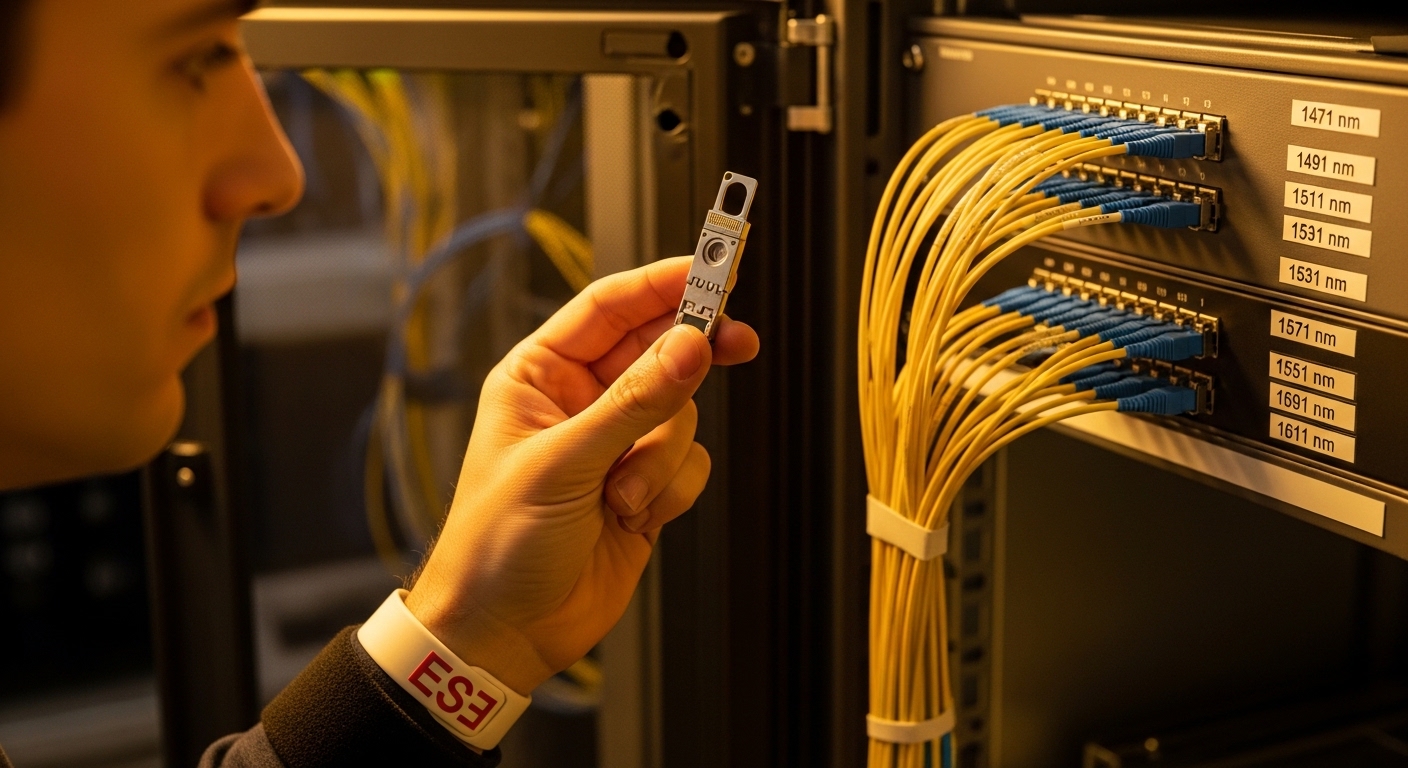
At the edge, you often run ruggedized compute nodes, compact leaf switches, and media converters in cabinets with limited airflow. Optical module synergy means the transceiver, fiber plant, switch port behavior, and environmental envelope work together so the link reaches its designed margin without frequent resets. In practice, this is less about “choosing the highest spec” and more about ensuring optical power budgets, link training, and temperature derating align across components.
IEEE 802.3 defines electrical/optical link behavior for Ethernet PHYs, but vendors implement details that affect interoperability. For example, a switch may expect certain transmitter eye characteristics and tolerate only a narrow range of received power, while a third-party module may meet standards yet still operate closer to its limits. When the edge cabinet temperature swings from 0 C to 55 C (or higher near the PSU), the transceiver’s output power and receiver sensitivity shift, shrinking your safety margin unless the whole system is tuned.
Pro Tip: In edge cabinets, the most common “mystery” link flaps are not fiber faults; they are thermal drift plus port compatibility. Log transceiver DOM values (Tx bias current, Tx power, Rx power) and correlate them with cabinet temperature. If flaps increase above a threshold, treat the optics plus airflow as a joint system, not separate purchases.
For authoritative interoperability context, review the relevant IEEE Ethernet PHY clauses and vendor DOM guidance. A practical starting point is [Source: IEEE 802.3], plus module vendor datasheets and switch transceiver compatibility matrices.
Edge link design: PHY rates, optics types, and fiber reach
Edge deployments commonly use short-reach optics inside a facility and sometimes extend to nearby aggregation sites. Typical architectures include a ToR switch at the edge rack, a micro-switch or router upstream, and fiber runs to sensors or small compute pods. Your first job is to match the PHY rate (for example 10G, 25G, 40G, or 100G) to the correct optical interface type.
Pick the optical interface that matches the switch port
Start with the switch’s port standard: SFP+ for 10G, SFP28 for 25G, QSFP+ for 40G, QSFP28 for 100G, or OSFP for certain 100G variants. Then align optics form factor and lane mapping. A 100G QSFP28 module using 4x25G lanes will not behave correctly if the switch expects a different breakout mode.
Next, confirm the fiber type and reach. Multimode fiber (MMF) and single-mode fiber (SMF) each have different attenuation and dispersion characteristics. For example, 10G over MMF is typically feasible for hundreds of meters depending on OM grade and optics class, while 100G is often SMF-first to preserve budget and reduce modal dispersion risks.
Technical specifications comparison (representative modules)
The table below compares common short-reach and long-reach optics engineers see in edge designs. Values vary by vendor and speed bin, so treat them as reference points and verify against datasheets and compatibility lists.
| Module example | Form factor / data rate | Wavelength | Typical reach | Fiber type | Connector | DOM / monitoring | Operating temperature |
|---|---|---|---|---|---|---|---|
| Cisco SFP-10G-SR (reference class) | SFP+ / 10G | 850 nm | ~300 m (MMF, varies by OM) | OM3/OM4 | LC | Yes (vendor-specific) | 0 C to 70 C (verify) |
| Finisar FTLX8571D3BCL (10G SR class) | SFP+ / 10G | 850 nm | ~300 m (MMF) | OM3/OM4 | LC | Yes (typically supported) | 0 C to 70 C (verify) |
| FS.com SFP-10GSR-85 (10G SR class) | SFP+ / 10G | 850 nm | ~300 m (MMF) | OM3/OM4 | LC | Yes (typically supported) | 0 C to 70 C (verify) |
| QSFP28 100G SR4 class (representative) | QSFP28 / 100G | ~850 nm (4 lanes) | ~100 m (MMF, varies by spec) | OM4 recommended | LC (12- or 8-fiber depending) | Yes (DOM) | 0 C to 70 C (verify) |
| QSFP28 100G LR4 class (representative) | QSFP28 / 100G | ~1310 nm (4 lanes) | ~10 km (SMF, varies by spec) | SMF | LC | Yes (DOM) | -5 C to 70 C (verify) |
For formal electrical and optical interface definitions, consult [Source: IEEE 802.3]. For practical DOM and optical parameter ranges, use the specific module datasheet from the vendor and the switch manufacturer’s optical compatibility guidance.
Build synergy with measurement-driven compatibility
Optical module synergy is achieved when you validate the system using measurements rather than assumptions. In a typical edge rollout, you can reduce rework by designing a repeatable acceptance test that checks optical power levels, connector cleanliness, and DOM telemetry behavior under realistic temperatures.
Step-by-step acceptance test engineers can run
1) Confirm transceiver type and interface: verify form factor (SFP+, SFP28, QSFP28), lane mode, and supported distances on the switch’s compatibility list. If your switch supports only specific vendor part numbers for 100G optics, honor it to avoid intermittent link negotiation.
2) Check optical budget with actual fiber loss: measure end-to-end fiber attenuation using an optical power meter and light source at the module wavelength. Compare against your link budget including connectors, splices, patch panel losses, and safety margin. For SMF, also account for aging and bend radius constraints.
3) Validate DOM behavior: after installation, poll DOM for Tx power and Rx power, plus temperature. Record baseline values at 25 C and again after the cabinet reaches steady-state (for example 45 C to 55 C in warm enclosures). If Rx power approaches the module’s minimum sensitivity at high temperature, plan corrective action.
4) Run link stability tests: sustain traffic using iperf-style load or line-rate traffic generation for at least 30 to 60 minutes. Watch for CRC errors, link resets, and interface down/up events. If you see flaps, re-clean connectors and re-check power levels before replacing hardware.
Decision checklist for optical module synergy
- Distance and fiber type: MMF OM grade versus SMF attenuation and planned reach.
- Switch compatibility: confirm part numbers or transceiver classes supported by the specific switch model and firmware revision.
- Optical budget margin: ensure measured Rx power stays comfortably within the module’s recommended range across temperature.
- DOM support and telemetry: confirm the switch can read DOM fields you need for troubleshooting (Tx bias, Tx/Rx power, temperature).
- Operating temperature: check datasheet ranges and consider derating behavior at the cabinet’s hottest point.
- Vendor lock-in risk: weigh OEM optics replacement cost against third-party availability and return policies.
- Connector and cleaning strategy: LC cleanliness and dust prevention can be as important as the module itself.
Deployment scenario: edge cabinet validation for 25G to aggregation
Consider a 3-tier edge deployment in a retail analytics network. Each site has two ToR switches in a rack serving 48 ports of 25G uplinks to an aggregation mini-core, plus server and sensor access. Engineers run 25G SR optics over OM4 for in-building links up to 80 m, and switch to 25G LR or 100G LR4 for longer hops to a regional hub. During acceptance, they measure Rx power at install time (for example -2.5 dBm) and again after the cabinet reaches 52 C, expecting Rx power to remain above the module’s minimum by at least 2 to 3 dB margin.
In one rollout, link flaps appeared only during peak afternoon heat. DOM showed Tx power drooping by about 0.8 dB while Rx power approached the receiver’s lower threshold. The fix was not a new module immediately; the team improved airflow by adjusting fan curves and repositioning the switch so exhaust heat did not recirculate into the optics cage. After temperature stabilization, CRC error counts dropped to near-zero and link up/down events stopped.
Common pitfalls and troubleshooting patterns
Even when modules match specifications on paper, real-world behavior can diverge due to environment, firmware, and fiber workmanship. Below are concrete failure modes engineers commonly see when optical module synergy is missing.
Pitfall 1: Link flaps after thermal steady state
Root cause: optical power and receiver sensitivity drift with temperature, pushing the link near the margin. In compact edge cabinets, airflow can raise module temperature far above the ambient sensor reading.
Solution: compare DOM temperature, Tx bias, and Tx/Rx power at baseline and under heat soak. Improve airflow, reseat modules, and verify power budget with measured fiber loss. If margins are too tight, move to a longer-reach or higher-power module class (within switch support).
Pitfall 2: “Works on one switch, fails on another”
Root cause: vendor-specific PHY tolerance and firmware negotiation differences. A module may meet IEEE specs but still have transmitter/receiver characteristics outside what a particular switch expects for that port.
Solution: validate against the exact switch model and firmware version. Use the switch vendor’s optical compatibility list when available. If third-party optics are required, test multiple units and document DOM behavior for each switch type.
Pitfall 3: High CRC errors with no link down
Root cause: marginal optical signal due to connector contamination, micro-bends, or underestimated splice/patch losses. CRC errors can remain while the link stays up, masking the issue until performance degrades.
Solution: clean LC connectors with lint-free wipes and isopropyl alcohol where permitted, then re-test. Inspect fiber endfaces with a microscope or inspection scope. Re-measure end-to-end optical power and verify patch panel losses match as-built records.
Pitfall 4: Wrong lane mapping or breakout mode
Root cause: using a module intended for a specific breakout configuration, or misconfiguring switch port breakout settings. This can cause partial link negotiation or intermittent traffic blackholing.
Solution: confirm the switch’s breakout mode and the module’s lane configuration. Apply the documented configuration steps from the switch datasheet and run a controlled traffic test per lane if your platform supports visibility.
Cost, ROI, and operational limits
Optics costs vary widely by speed, reach, and whether you buy OEM versus third-party. As a realistic planning range, 10G SR SFP+ modules often fall into a broad band that can be meaningfully lower for third-party units, while QSFP28 100G optics and LR variants usually carry higher per-port cost. The total cost of ownership (TCO) should include not just purchase price, but spares provisioning, failure rates, and labor hours spent on site visits.
In edge environments, the ROI argument is strongest when optical module synergy reduces truck rolls. If a site experiences even one additional service call per quarter due to link instability, the labor and downtime cost can exceed the difference between OEM and third-party optics. Also consider power and cooling: optics themselves consume modest power, but better synergy can prevent needless controller resets and reduce retransmission overhead, indirectly improving utilization.
Operationally, respect temperature and optical power limits from the module datasheet, and follow switch vendor guidance on supported DOM behavior. If you run near the edge of the budget, consider deploying modules with larger margin or using SMF where modal dispersion and connector losses become dominant.
FAQ
How do I verify optical module synergy before deployment?
Use a measurement-driven acceptance test: confirm switch compatibility, measure end-to-end optical power at the module wavelength, and log DOM values at baseline and after heat soak. Then run sustained traffic and monitor CRC errors and interface resets for at least an hour. This approach catches thermal margin issues and connector loss problems early.
Are third-party optics safe for edge switches?
They can be safe, but you must validate with the exact switch model and firmware revision. Many third-party modules support DOM, yet some fields or thresholds may differ, affecting monitoring and troubleshooting. Treat interoperability as a test-and-document task, not a one-time assumption.
What DOM metrics matter most for troubleshooting?
Engineers typically focus on Tx power, Rx power, Tx bias current, and module temperature. Tracking how these values change during cabinet heat buildup helps distinguish thermal drift from fiber damage or connector contamination. If available, also watch for internal alarm flags and laser bias warnings.
What fiber cleanliness steps should I standardize?
Standardize connector inspection with a fiber microscope, followed by consistent cleaning procedures before every re-seat. Use dust caps and keep connectors covered when not in use. If you see recurring CRC errors, assume contamination until proven otherwise and re-clean with verified technique.
Should I prioritize higher reach optics for edge deployments?
Sometimes yes, because extra reach often correlates with additional optical power margin. However, you must ensure the module is supported by the switch and that the wavelength and interface type match. If you already have ample budget, switching reach class may not improve stability as much as airflow or connector workmanship.
When do optical module upgrades actually pay off?
Upgrades pay off when you have evidence of margin pressure: frequent CRC errors, link resets under heat, or Rx power near minimum. If the link is stable with comfortable DOM margins, spend effort on fiber plant quality, airflow, and correct configuration rather than replacing optics.
If you want to strengthen your edge design further, review optical budget and fiber loss planning to turn measurements into confident margins. Next, align your optics purchasing with the switch compatibility list and DOM-based acceptance testing to keep performance predictable as conditions change.
Expert author bio: I have deployed and validated Ethernet fiber links in edge cabinets, including DOM-driven acceptance testing and thermal margin troubleshooting in mixed OEM and third-party optics environments. I help teams reduce truck rolls by translating optical budgets, switch compatibility, and operational constraints into repeatable field procedures.
